image generation lab
Leaderboard Reviews By category

Hands-on benchmark · · August 2026

Imagine Art AI review: nine prompts tested, first output kept and scored

Elite product, photoreal and neon craft; in-image text is its one soft spot

We gave Imagine Art the same nine prompts as every other generator, on default settings, first output kept, no re-rolls. Here is every image it produced, scored against the same rubric.

Imagine Art · at a glance
TypeText-to-image generator
StrengthPhotoreal, product & neon
Free tierYes, with daily limits
WatermarkDepends on plan
Best atAd-grade product shots, gallery-grade photoreal portraits and scenes, the most convincing neon we tested, and precise spatial layouts with clean primitive geometry.
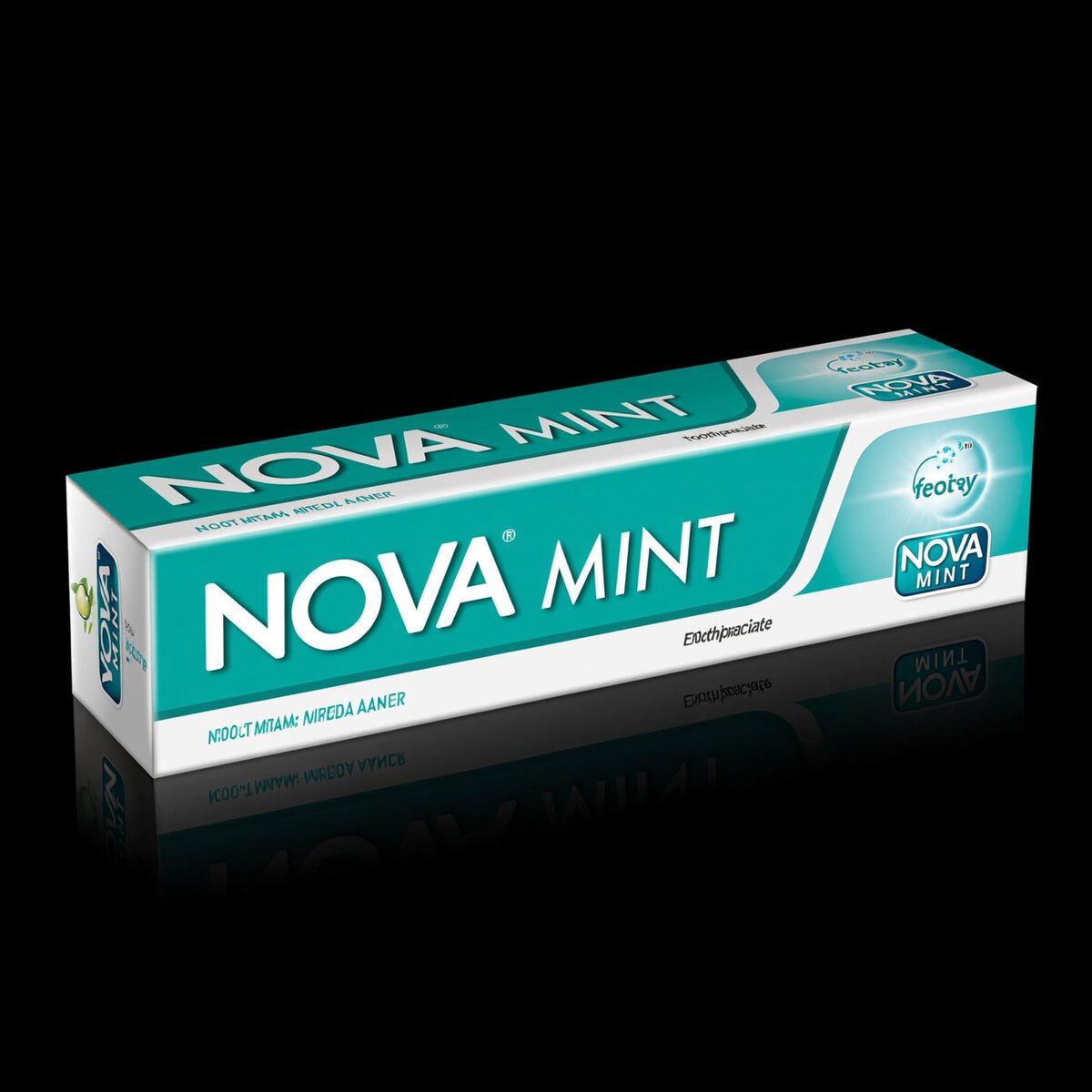
Weak atIn-image text beyond a headline word: brand names render cleanly, but body copy, background signage and product labels garble or go blank.
Bad atNothing collapses. Its lowest single image is still a solid pass; the softest spots are literal-adherence nuances, not failures.
9identical prompts, every tool
1stoutput kept, no re-rolls
3axes scored per image
0sponsored placements
THE VERDICT

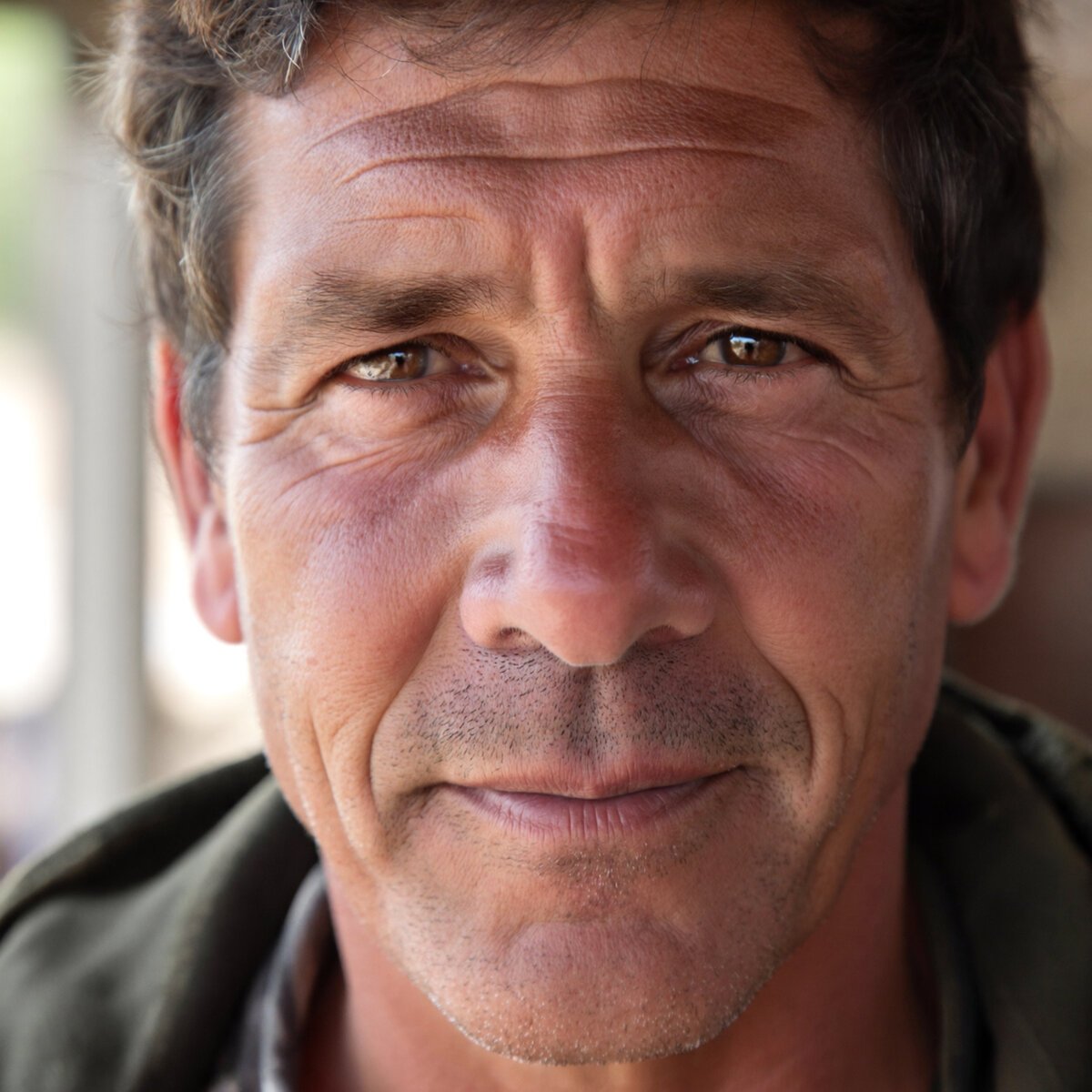
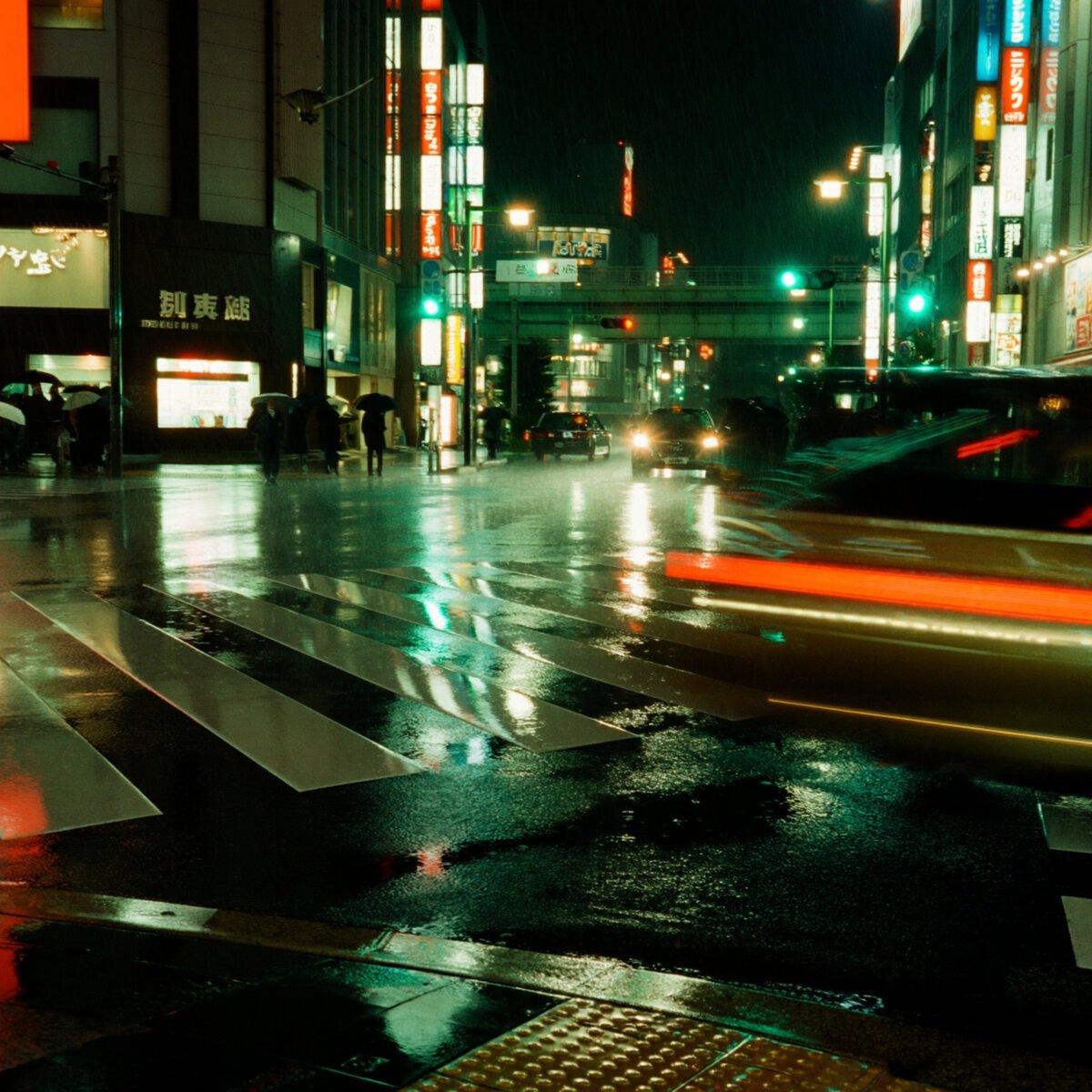
Imagine Art is one of the strongest generators we've tested. Its serum shot was flawless ad-grade product photography, its fisherman portrait was gallery-grade with a standout window-reflection-in-eyes detail, its rainy Tokyo scene had the best wet reflections in the benchmark, and its shapes prompt produced the cleanest primitive geometry of any tool. The one consistent limit is in-image text: brand names render, but body copy, background signage and labels garble or go blank.

Best for

Product and packaging hero shots, photoreal portraits and scenes, moody neon and rainy-night atmosphere, and precise spatial compositions where clean geometry matters.

Watch for

Secondary text garbles and labels can come back blank, some briefs are read loosely (a cup-hold vs an exchange, daytime vs literal noon), and scenes run dark.

Category scores, broken down

Two prompts per category (one each for hands and product), averaged. The overall 9.1 is the mean of all nine images.

Product shot9.7

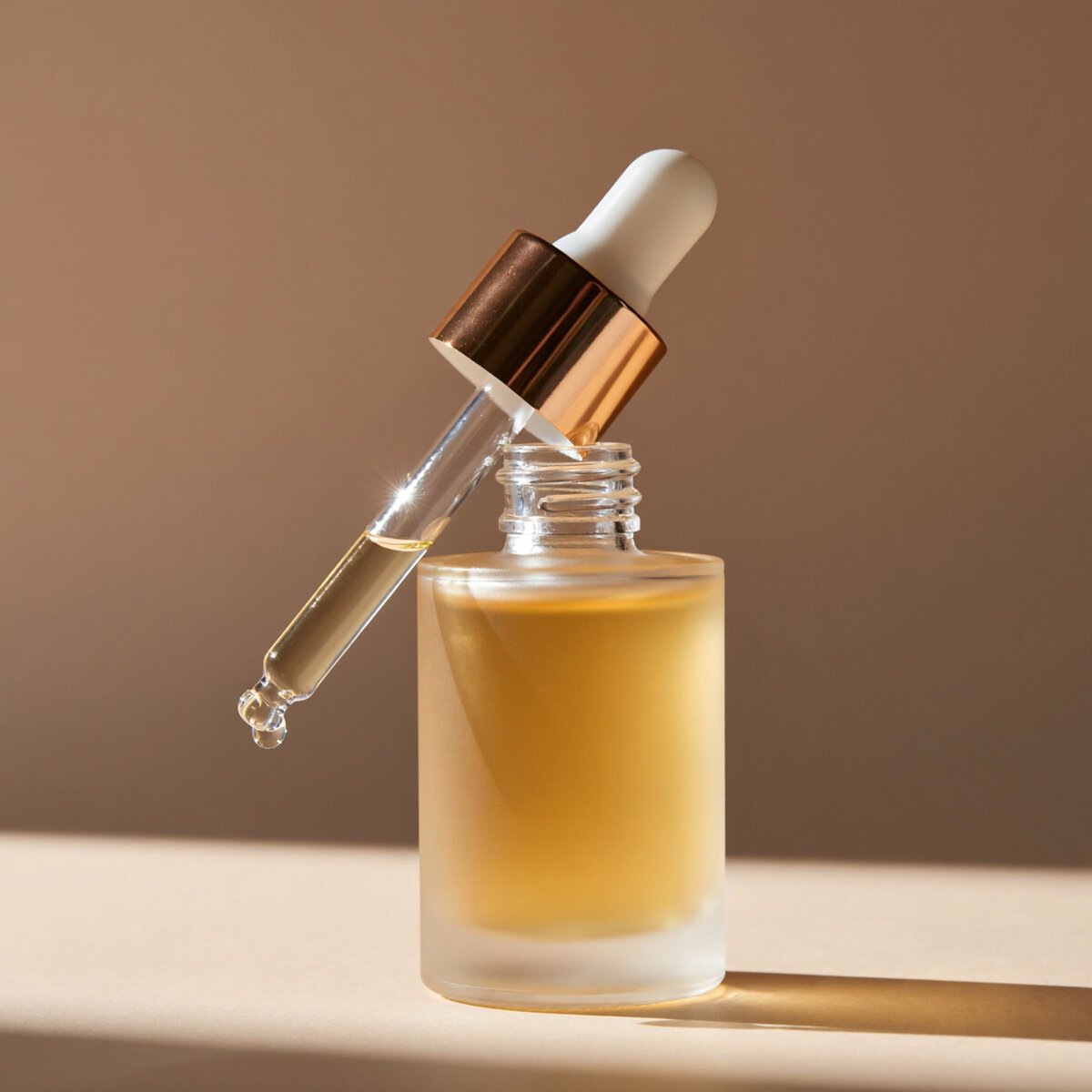
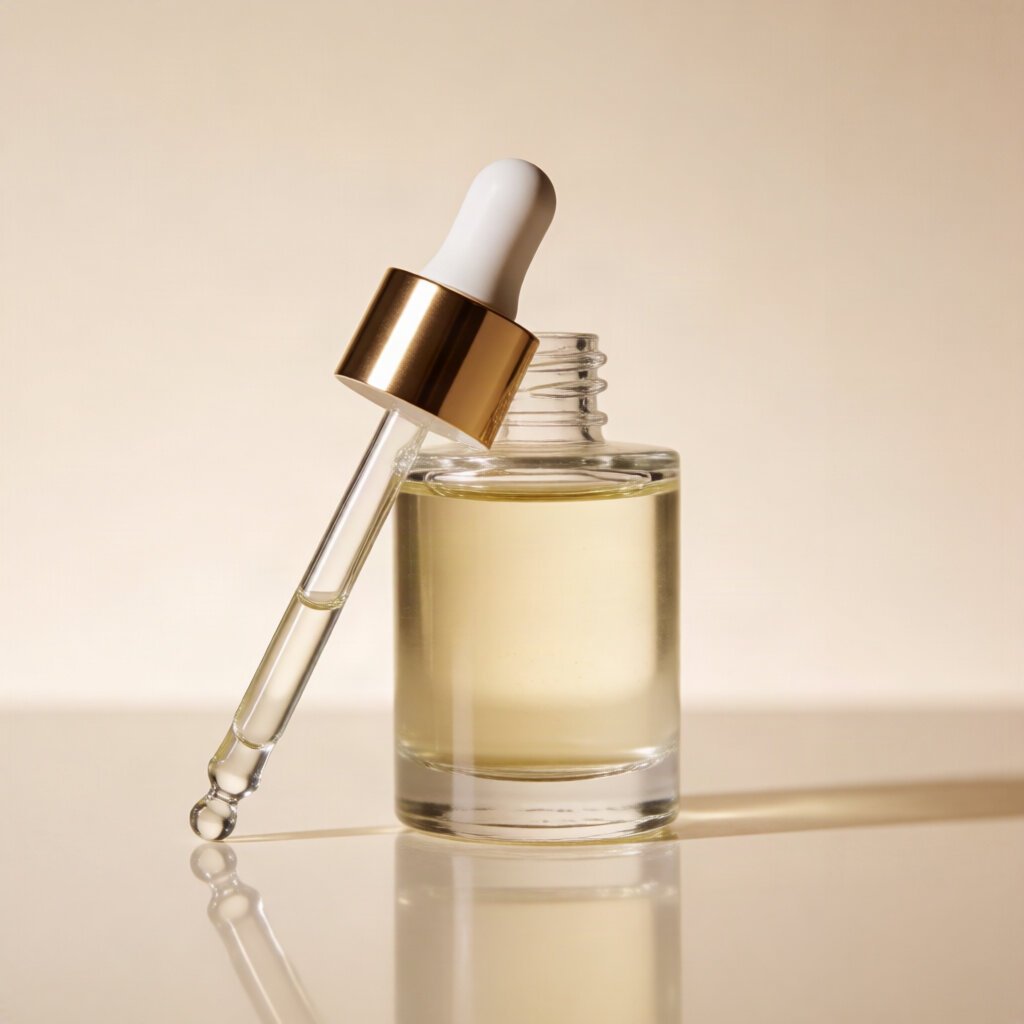
Flawless ad-grade bottle with a straight pipette and a pendant serum drop.

Photorealism9.3

Gallery-grade skin and the best wet-street reflections in the test.

Prompt adherence9.3

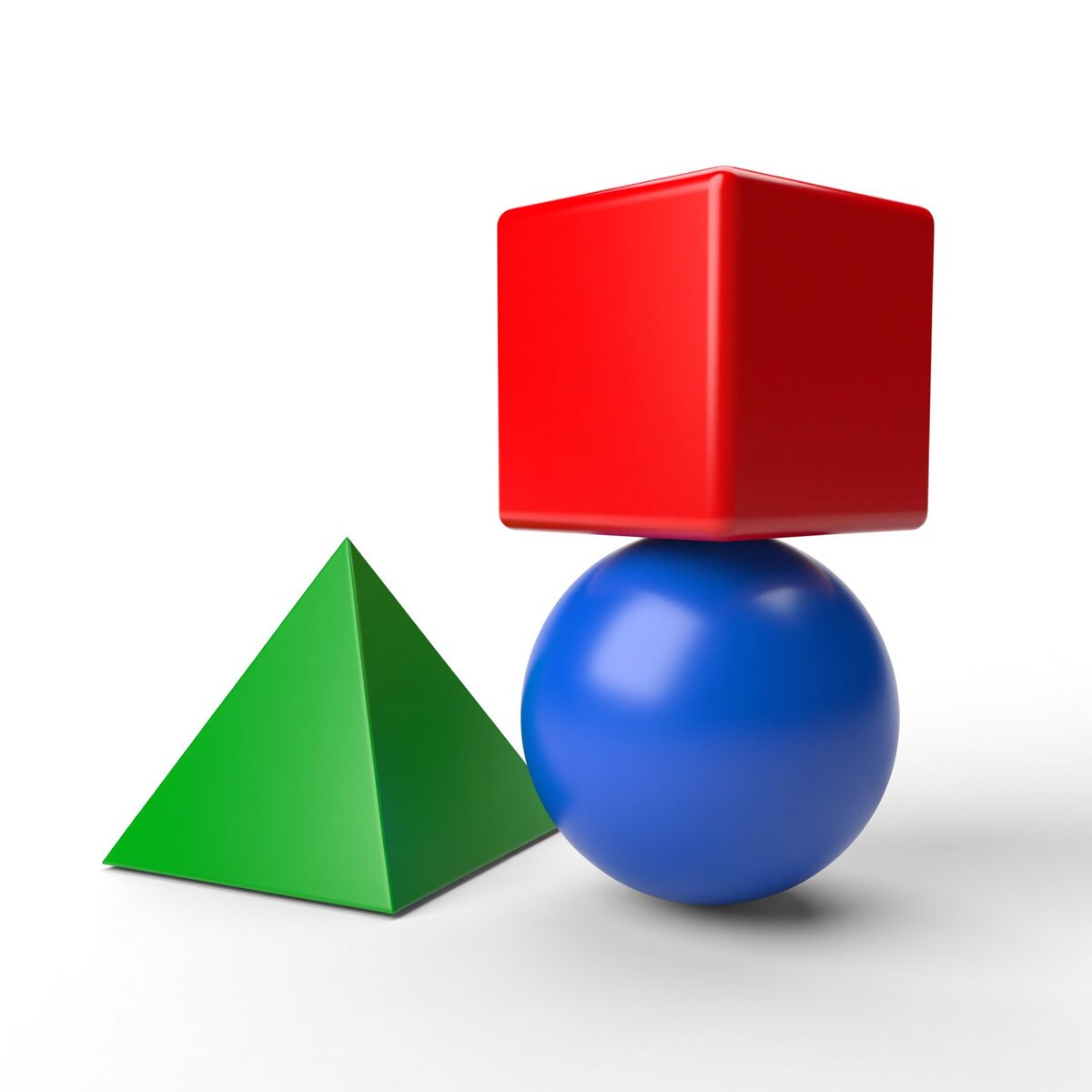
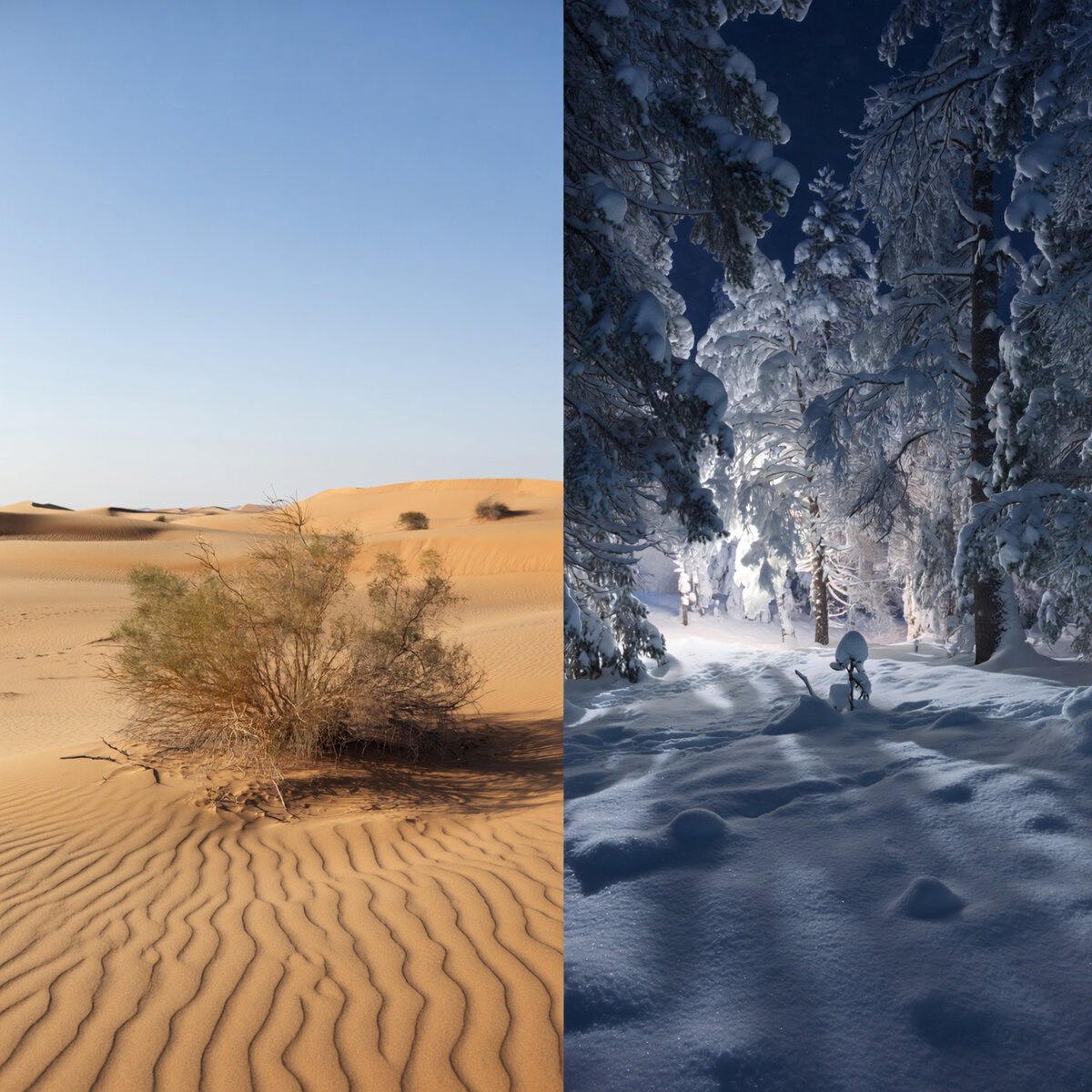
A true pyramid, the cleanest primitives, and a crisp desert-snow split.

Hands & anatomy8.7

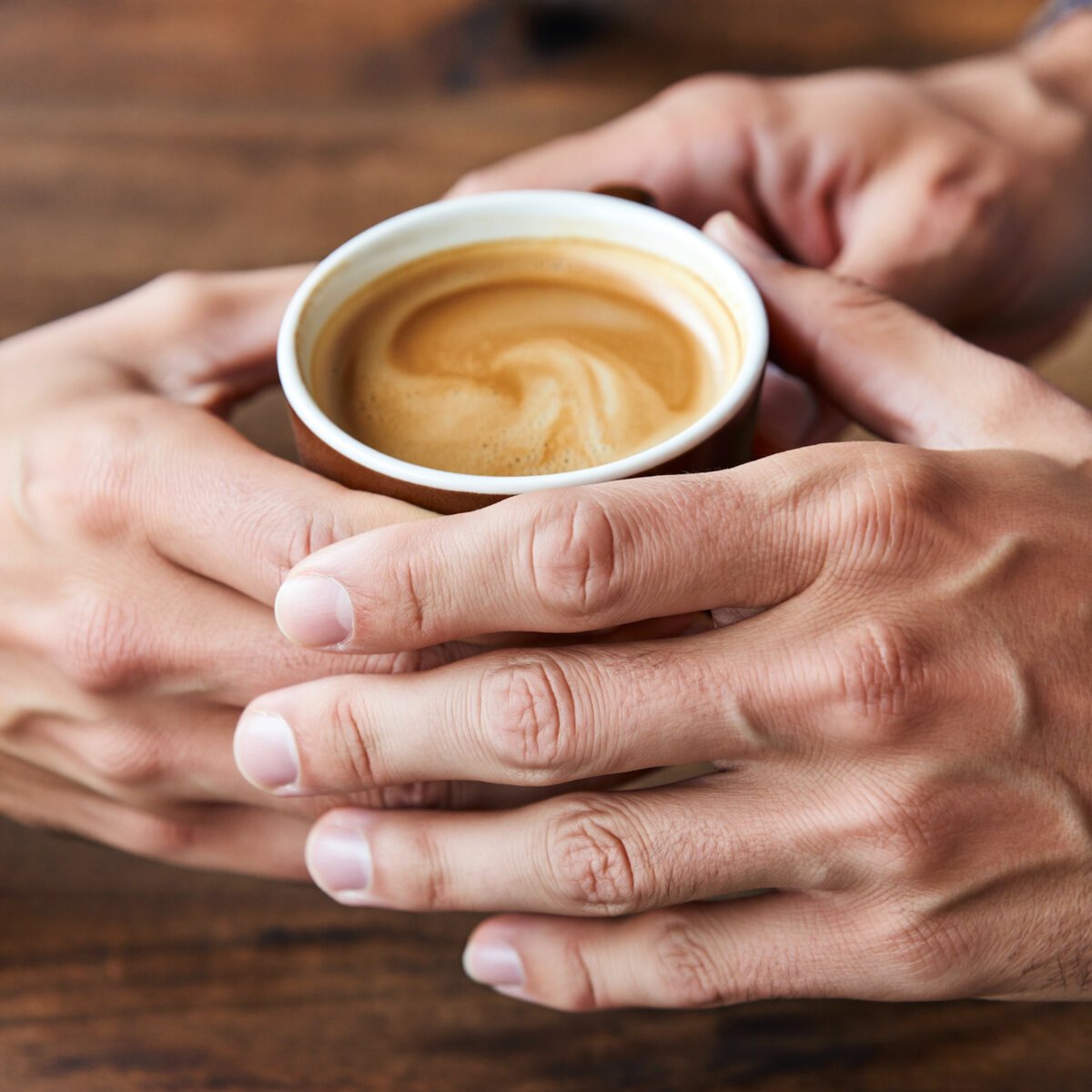
Clean, correct hands even in a hard interlocking two-person pose.

Anime & style8.7

A genuine illustration with great eyes; softer than strict cel shading.

Text rendering8.7

Headline words and neon are perfect; body copy and labels garble.

Strengths, and where it falls short

The images above show what happened; here is what it means for your work. This is the part most reviews skip, because it requires having actually run the tool.

Strengths

Where Imagine Art leads

  • Commercial product work you can ship. It renders glass, metal, and liquid physics with a precision that reads as a real product shoot, so hero shots for e-commerce and packaging come back usable on the first try.
  • Photorealism that holds up close. Faces carry genuine age and texture instead of AI gloss, and it builds coherent, atmospheric environments around them. For portraits and real-world scenes it competes at the very top.
  • The most convincing neon and reflections we've tested. Lit signage looks physically real, and wet-street reflections and rain give scenes a finished, cinematic quality that's hard to fake.
  • It follows precise spatial instructions. On the hardest layout prompts it produced correct arrangements with the cleanest primitive geometry in the test, so briefs with checkable requirements tend to come back right.
  • It clears the categories that trip other tools. Correctly-formed interacting hands and a genuine anime illustration both pass cleanly, on the first output, where rivals fall apart.
Trade-offs

Where it falls short

  • In-image text beyond a headline is the weak spot. A brand name or a neon phrase renders cleanly, but body copy, background signage, and product labels garble into pseudo-text or come back blank. For packaging and posters with real words, a text specialist is safer.
  • Some briefs are read loosely. It nails the look but occasionally softens the literal instruction, a shared cup-hold instead of a clear exchange, general daytime instead of a stated noon. Check that the exact requirement, not just the vibe, made it in.
  • Style precision can drift. Its anime is a genuine illustration but leans smooth and semi-realistic rather than the strict cel shading requested, so exact-style briefs may need reinforcing.
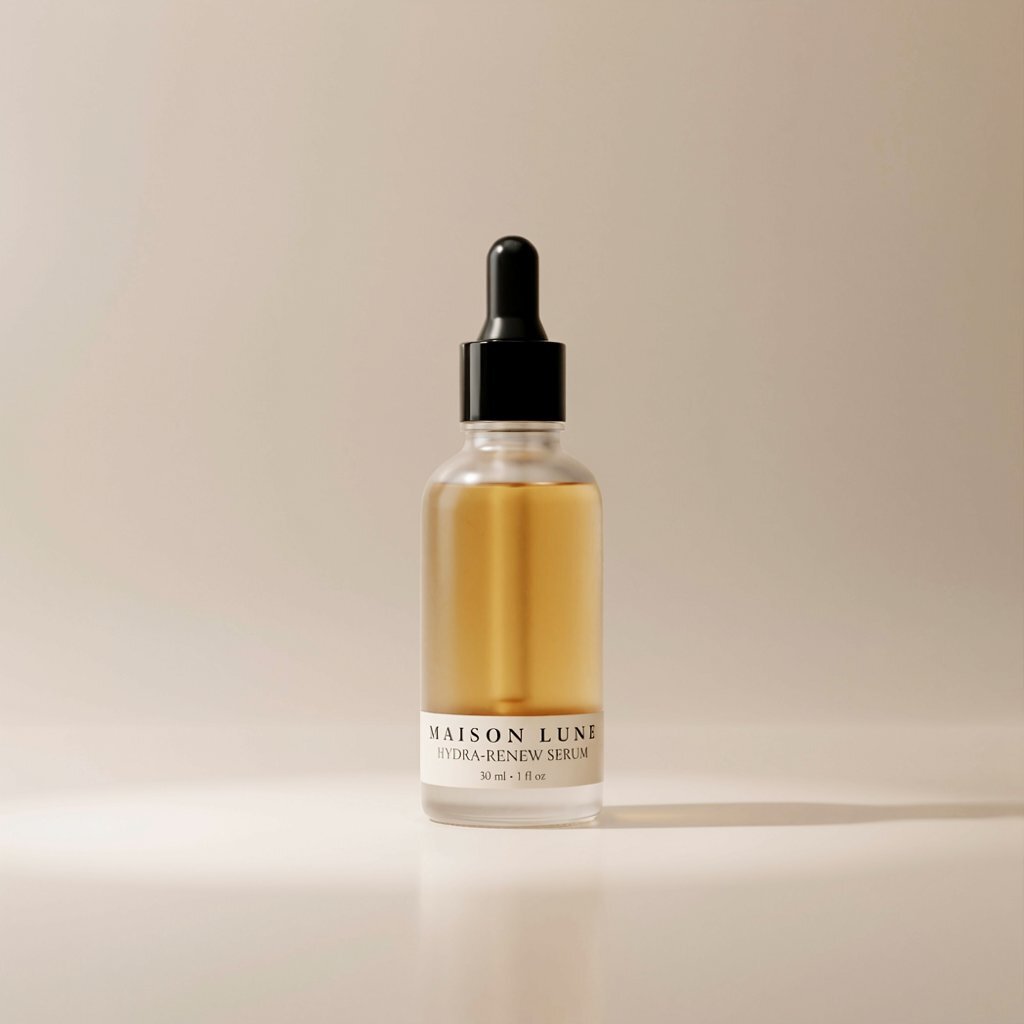
  • It leans dark, and detail can go missing. Night scenes in particular run to deep shadow, and a minimalist product shot came back with no label at all. Budget for exposure lifts and specify any text you need on-pack.

Our testing method, and why it's fair

Most "best AI image generator" lists rank tools the author never opened, using stock screenshots and vibes. We do the opposite, and the method is deliberately strict so the scores mean something.

Every tool gets the identical nine prompts, pasted verbatim. We use default settings and keep the very first image, with no re-rolls and no picking the best of a batch. The moment you curate outputs, a benchmark becomes an opinion, so we don't. What you see above is genuinely what Imagine Art returned first.

We sell nothing on this list, which means there's no commercial reason to rank one tool over another. The scores are the scores.

01

Same nine prompts, every tool

Two prompts each for text, photorealism, and spatial adherence, plus one each for hands, product, and anime. Designed to expose specific failure modes.

02

First output kept

Default settings, no re-rolls, no cherry-picking. The first image the tool returns is the one that gets scored.

03

Three axes, scored at full resolution

Adherence (did it do what was asked), coherence (anatomy, physics, legibility), and aesthetic (would you actually use it). Averaged per image.

04

No sponsorship, nothing for sale

We don't sell the tools we rank, so placement can't be bought. Outbound links go to each tool's official site, and none of them are affiliate links.

Pricing & access

Imagine Art runs on a credit-based model with a genuinely usable free tier and paid plans that unlock commercial use, higher resolution, and more volume. Credits refresh monthly and don\'t roll over, so match the plan to how often you create. Verify current rates on imagine.art.

Pricing checked August 2026

Free
$0
  • Daily free credits
  • Same v6 engine
  • Watermark; non-commercial
Basic
~$9/mo
  • Monthly credit allowance
  • Commercial-use rights
  • Watermark removed
Standard
~$30/mo
  • More credits, higher res
  • Faster generation
  • Everything in Basic
Pro / Creator
~$99+/mo
  • High-volume credit blocks
  • For heavy or team use
  • Everything in Standard

Imagine Art (imagine.art) is a credit-based image and video platform; one subscription covers both. Credits refresh monthly and don't roll over, and exact prices vary by billing cycle and promotion. Verify current rates on imagine.art before subscribing.

Quick answers

Is Imagine Art good for text in images?

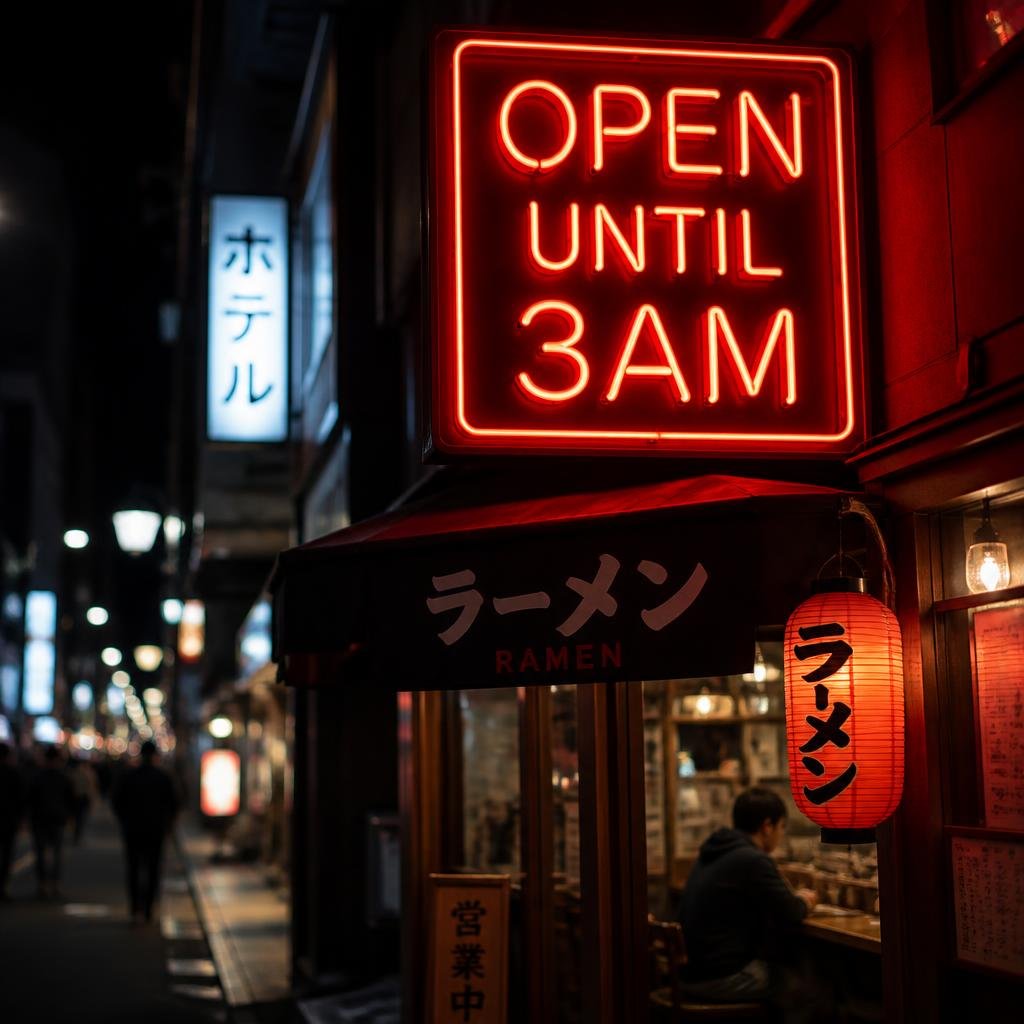
For short text, yes. A headline word or brand name like "OPEN UNTIL 3AM" or "NOVA MINT" renders cleanly and correctly. The limit is everything smaller: body copy, background signage, and product labels garble into pseudo-text or come back blank. For packaging or posters with real words, pair Imagine Art with a text specialist.

Is Imagine Art good for product photography?

Exceptionally. Imagine Art's serum bottle scored 9.7, our highest single product image, with correct glass and liquid physics, a straight dropper, a rose-gold collar, and a serum drop caught at the tip. For e-commerce and packaging hero shots it's one of the best tools we've tested.

Is Imagine Art good for realistic photos?

Very. Imagine Art's fisherman portrait was gallery-grade, with real weathered skin and a window reflection visible in both eyes, and its rainy-Tokyo scene had the best wet-street reflections in our benchmark. Faces and atmospheric scenes are a real strength; exposures can run dark.

Is Imagine Art good with hands?

Yes. Our hands prompt produced a genuine two-person interaction with the sharp foreground hands anatomically clean, correct finger counts and no melting, even in a hard interlocking pose. The caveat is prompt literalism: Imagine Art read as a shared cup-hold more than a clear handoff.

Is Imagine Art good for anime?

Imagine Art produced a genuine, polished anime illustration with beautiful detailed eyes, correct short blue hair, and a clean school uniform, scoring 8.7. The one gap versus the brief: the shading leans soft and semi-realistic rather than the strict flat cel shading requested.

Does Imagine Art have a free plan?

Yes. The free tier gives daily credits on the same underlying engine as paid users, enough to evaluate Imagine Art, though outputs carry a watermark and are limited to non-commercial use. Paid plans (from around $9/mo) add commercial rights, watermark removal, higher resolution, and more volume. Verify current terms on imagine.art.

What is Imagine Art worst at?

In-image text beyond a headline word. Body copy and background signage garble, and a minimalist product shot came back with no label at all. Imagine Art also reads some briefs loosely, a cup-hold instead of an exchange, general daytime instead of a stated noon, and leans toward dark exposures.

How did you test Imagine Art?

We ran nine fixed prompts through Imagine Art on default settings and kept the first image each time, with no re-rolls or cherry-picking. Every generator we review gets the identical nine prompts, scored on the same three-axis rubric. We sell none of the tools we rank.

THE BOTTOM LINE

One of the strongest generators we've tested, if text isn't the whole job

Imagine Art earned its score on craft: flawless ad-grade product photography, a gallery-grade photoreal portrait, the best wet-street reflections and neon in our benchmark, clean interacting hands, a genuine anime illustration, and the cleanest primitive geometry of any tool on the spatial prompts. For product, photoreal, atmospheric, and layout work, it's a top-tier choice.

The honest caveats are consistent: in-image text beyond a headline garbles or goes blank, some briefs are read loosely rather than literally, and scenes lean dark. None of it sinks a category, which is why it lands near the top of our leaderboard.

Buy it if

You want commercial-grade product shots, photoreal portraits and scenes, cinematic neon and rain, or precise layouts. The free daily credits are enough to try it before you commit.

Look elsewhere if

Your work depends on readable body text or accurate packaging copy, or you need every named element of a complex brief to appear exactly, where a text-focused model fits better.