image generation lab
Leaderboard Reviews By category

Hands-on benchmark · · August 2026

Krea AI review: nine prompts tested, first output kept and scored

A strikingly consistent all-rounder, with no weak category

We gave Krea 2 Turbo the same nine prompts as every other generator, on default settings, first output kept, no re-rolls. It has no weak category, standout hands, and a top-tier product shot. Every output is below.

Krea · at a glance
MakerKrea AI
Model testedKrea 2 Turbo
Free tierYes, daily credits
Paid from~$10/mo (Basic)
Best atAlmost everything, evenly: standout hands, a flawless product shot, strong photoreal and anime.
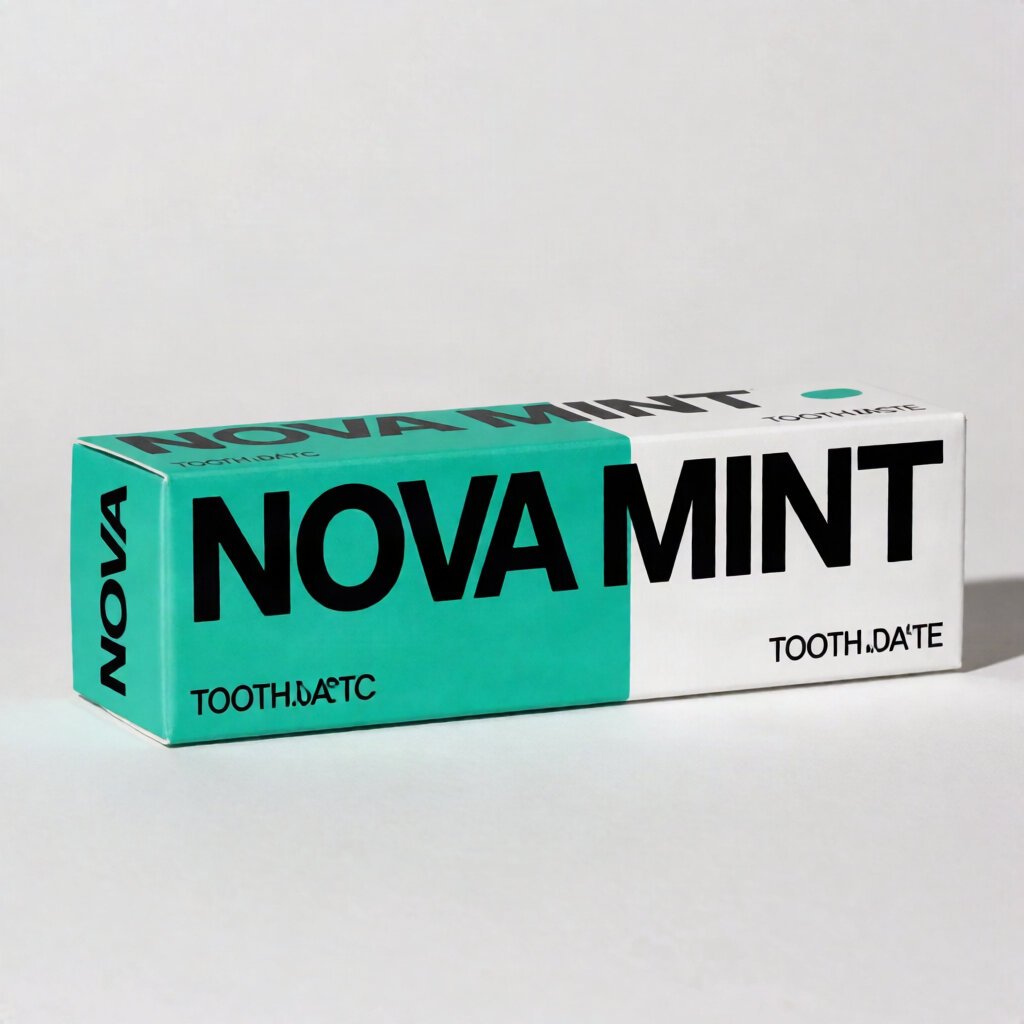
Weak atOnly text on packaging: it nails brand names but garbles longer taglines.
Bad atNothing stands out as a weakness. It is strikingly consistent, with no category below 8.2.
9identical prompts, every tool
1stoutput kept, no re-rolls
3axes scored per image
0sponsored placements
THE VERDICT

Krea 2 Turbo is one of the most balanced tools in our benchmark. Where other strong generators are spiky (great at one thing, weak at another), Krea is uniformly excellent: no category below 8.2, standout hands, a flawless product shot, top-tier photorealism, genuine anime cel shading, and both hard spatial prompts passed. Its only softer spot is the universal one, text beyond a headline word. It trails our text specialist by a hair and beats or matches most of what we've tested.

Best for

Almost anything: photoreal scenes, product shots, anime, precise layouts, and the rare tool you can trust with hands. A genuine generalist.

Watch for

Garbled text on packaging and labels. For legible blocks of in-image text, a text specialist still edges it.

✓ Which Krea we tested

Krea can route generations through several underlying models, including its own and various third-party engines, and offers an enhance option that changes results. For a fair, single-engine comparison, we ran all nine prompts on Krea 2 Turbo, one consistent model, keeping the first output with no re-rolls. The score reflects that model specifically.

Category scores, broken down

Two prompts per category (one each for hands and product), averaged. The overall 8.9 is the mean of all nine images. Note the profile: nothing below 8.2, the flattest, highest spread of any tool we've tested.

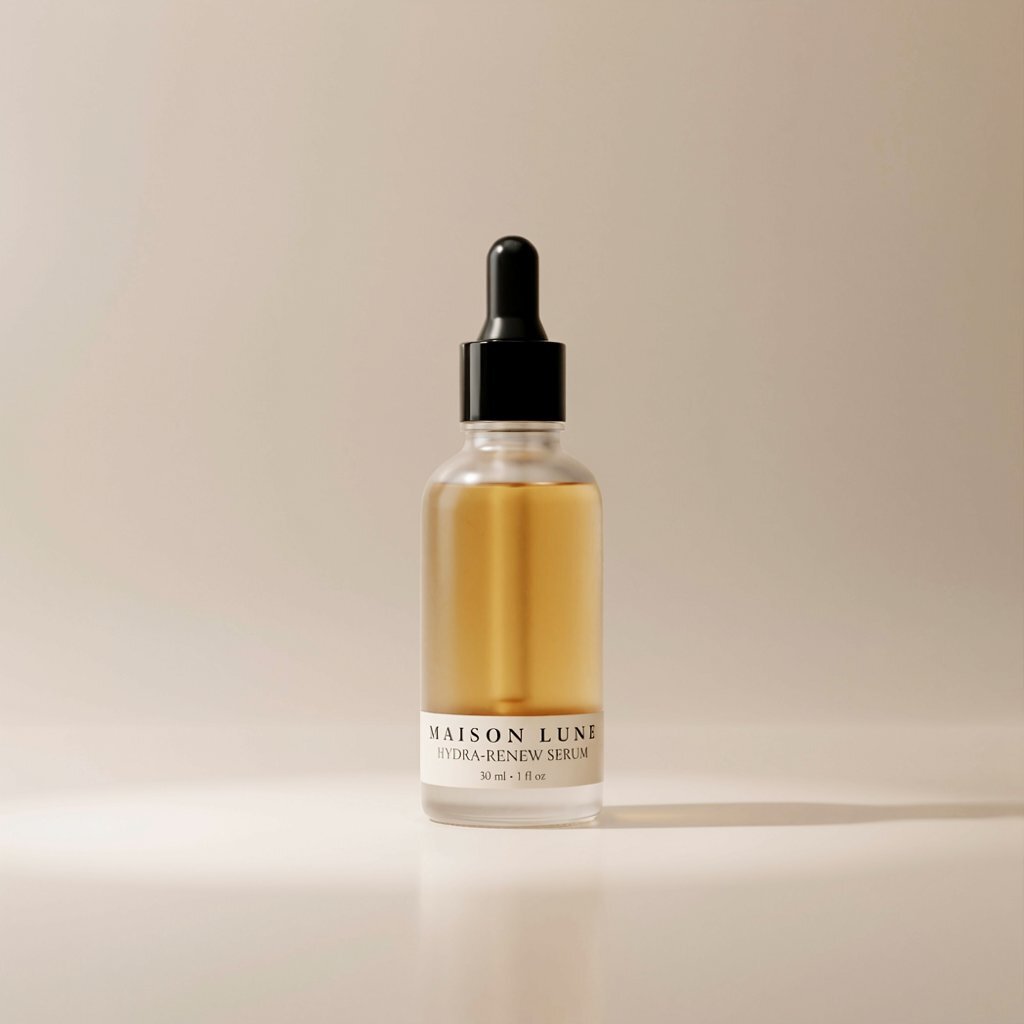
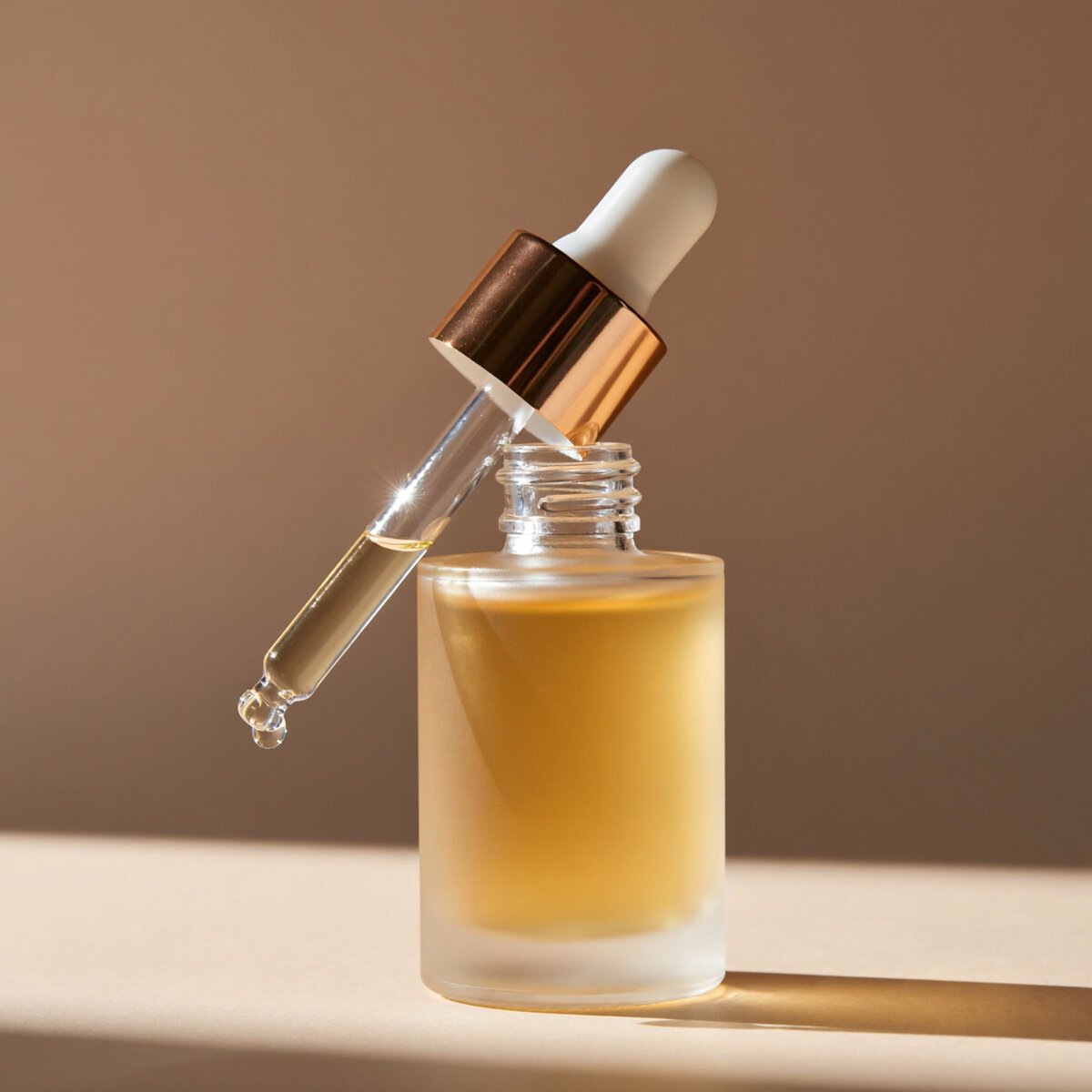
Product shot9.7

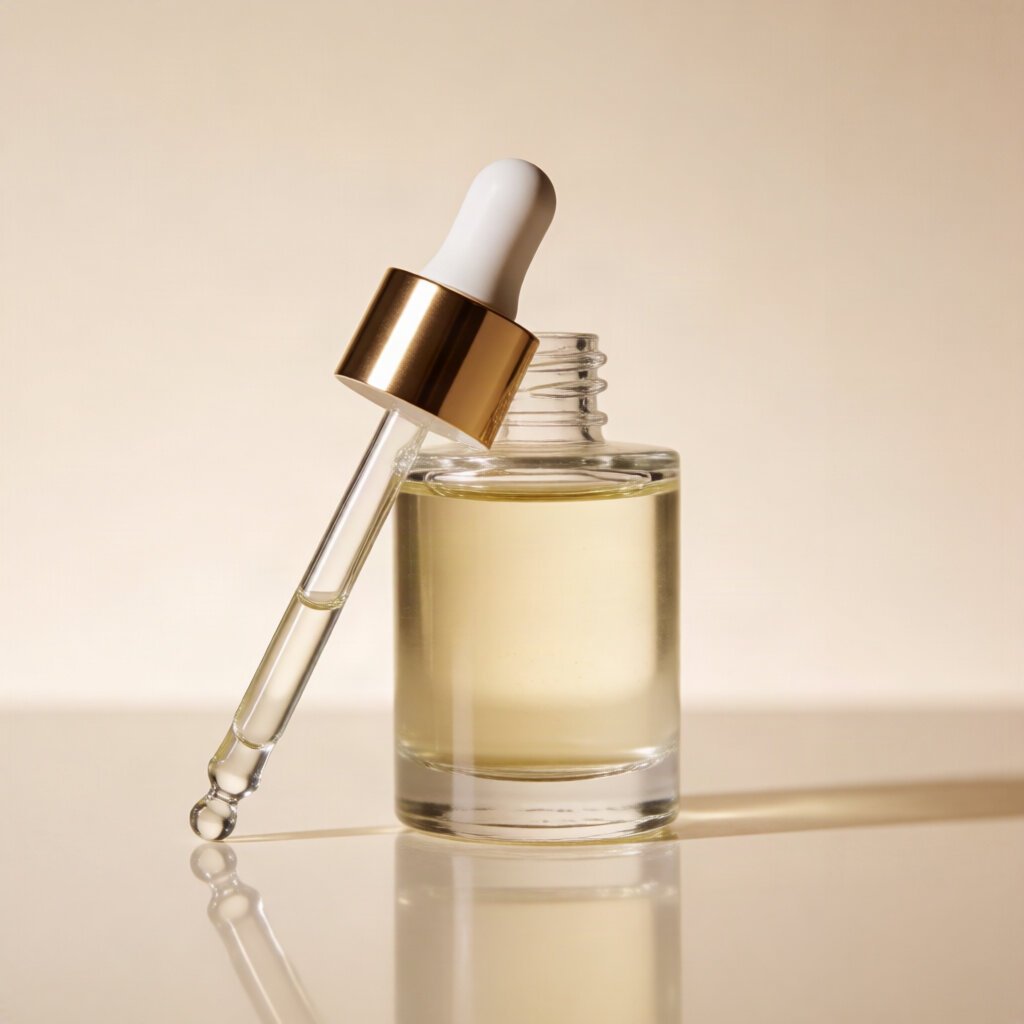
Flawless glass and dropper. A top-tier result.

Photorealism9.0

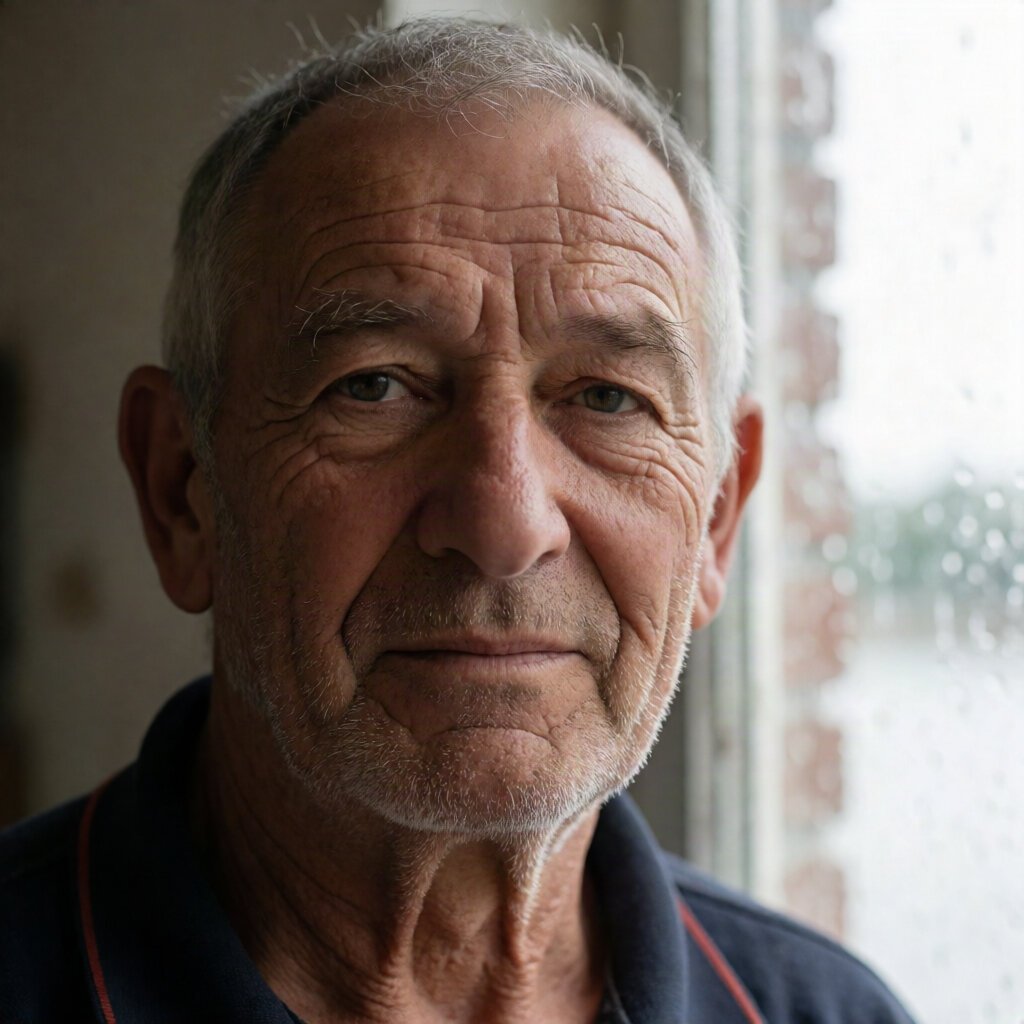
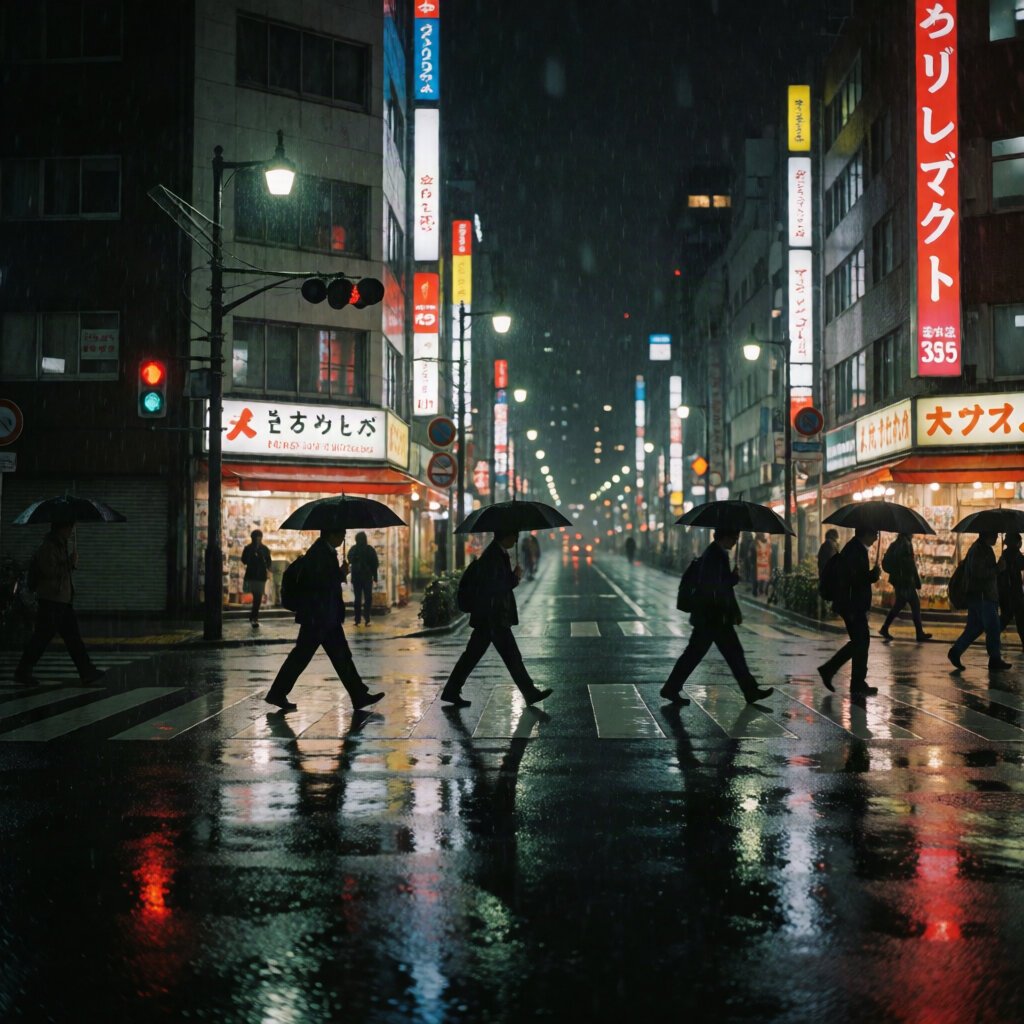
Elite faces and standout wet reflections.

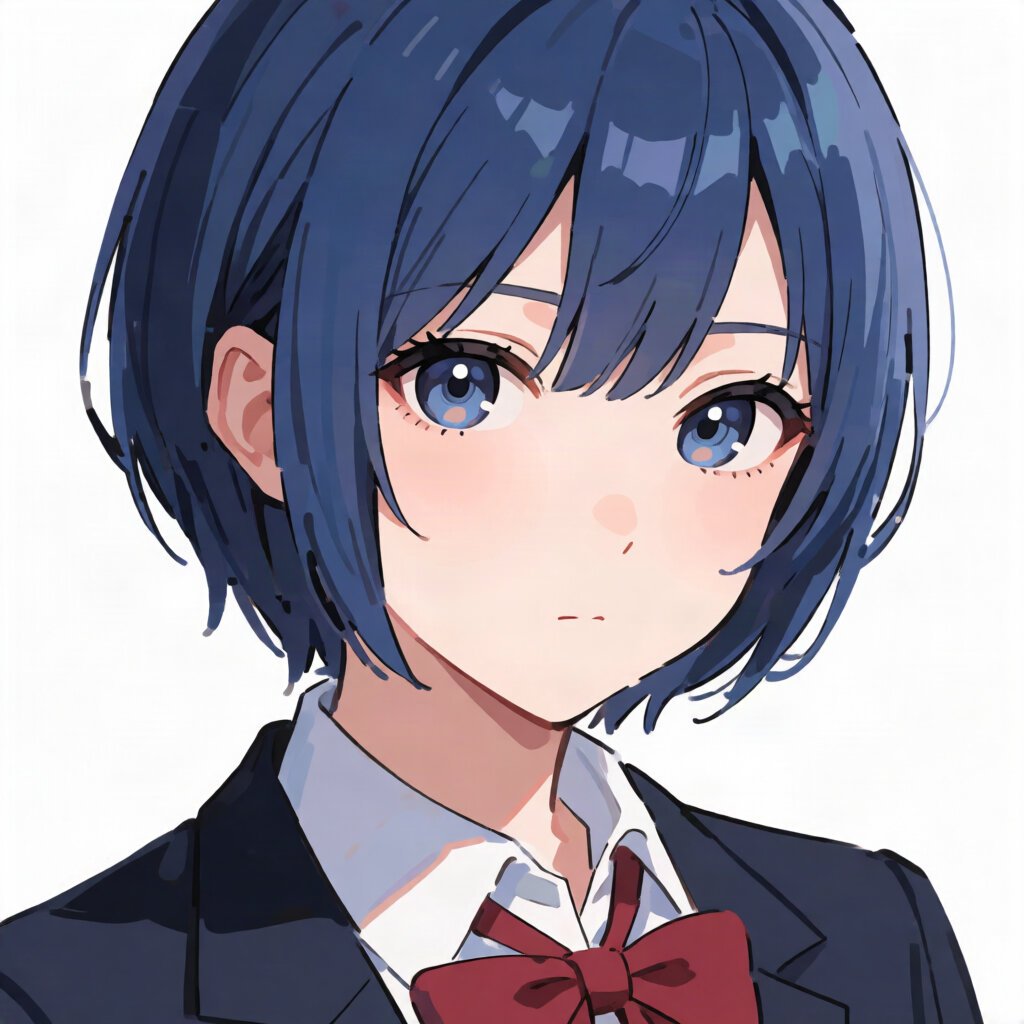
Anime & style9.0

Genuine cel shading and an authentic uniform. Among the best.

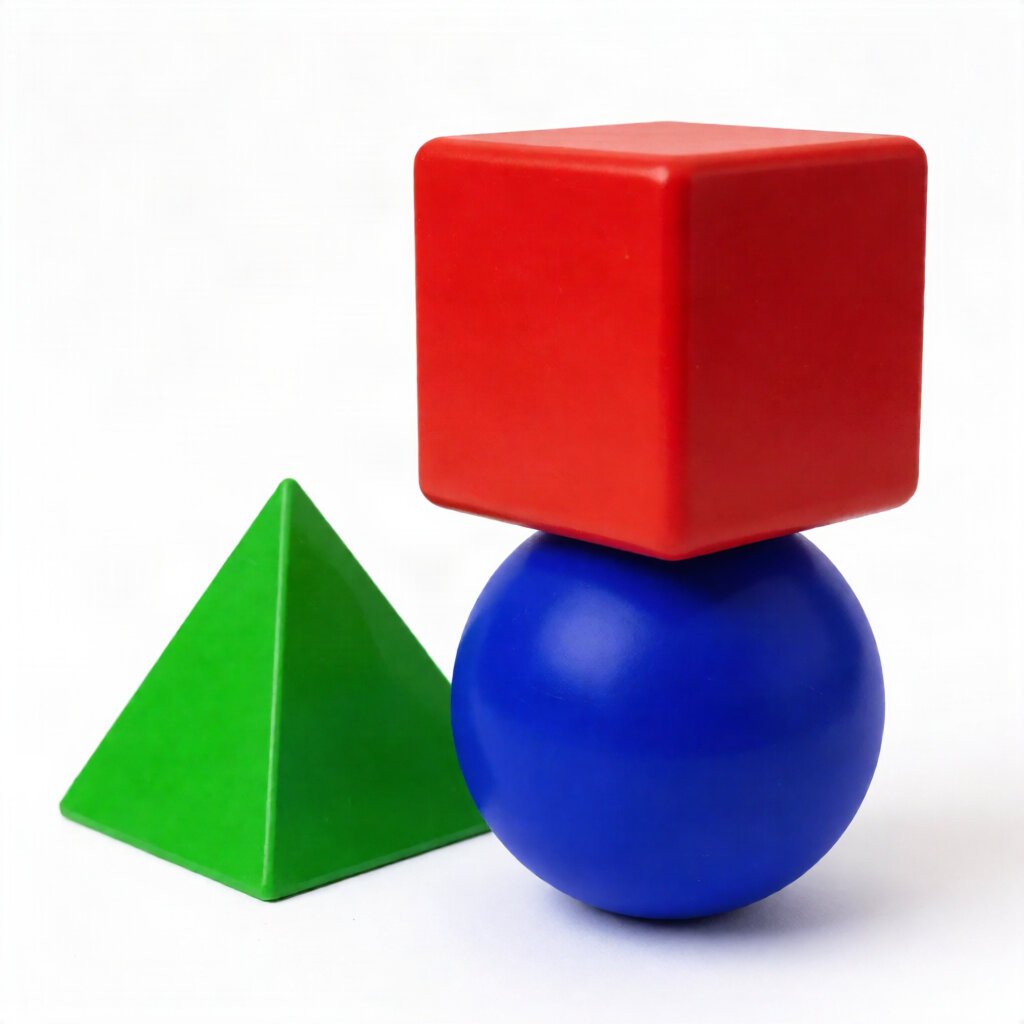
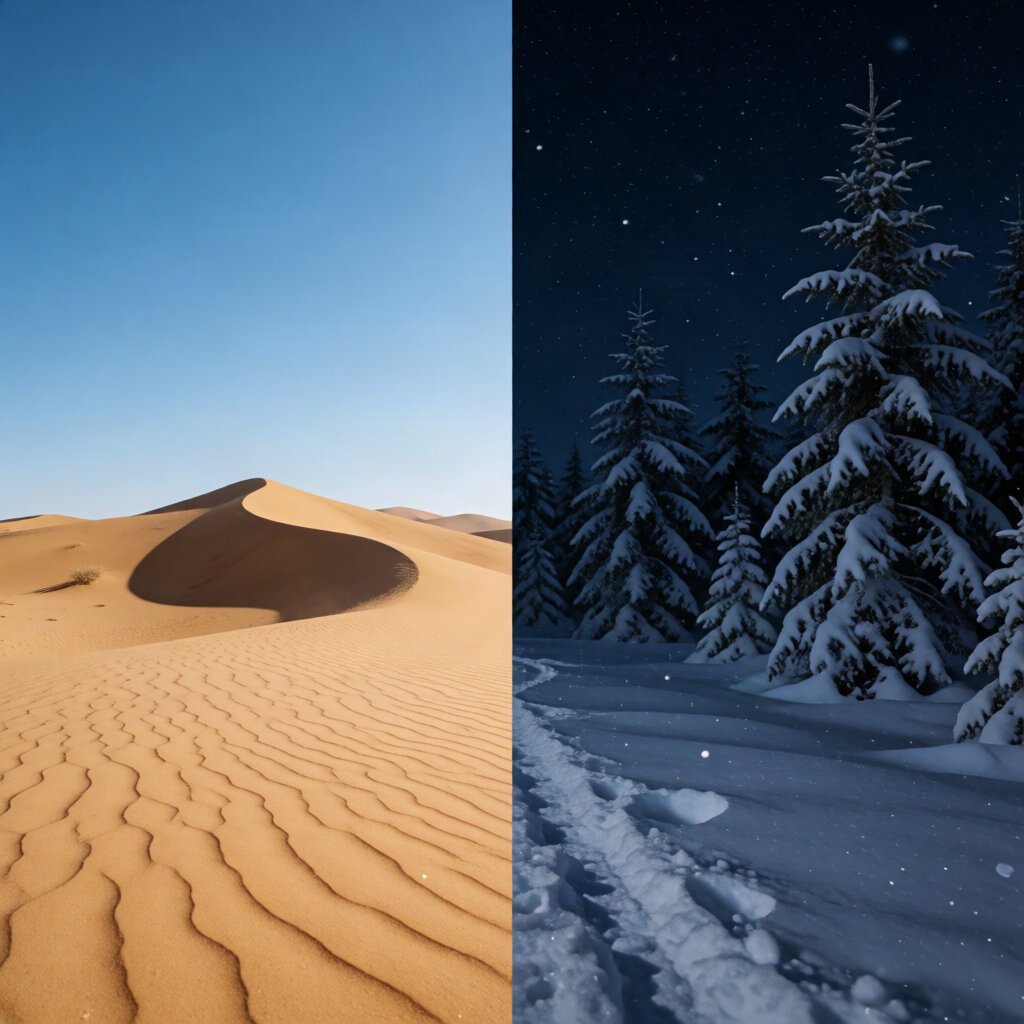
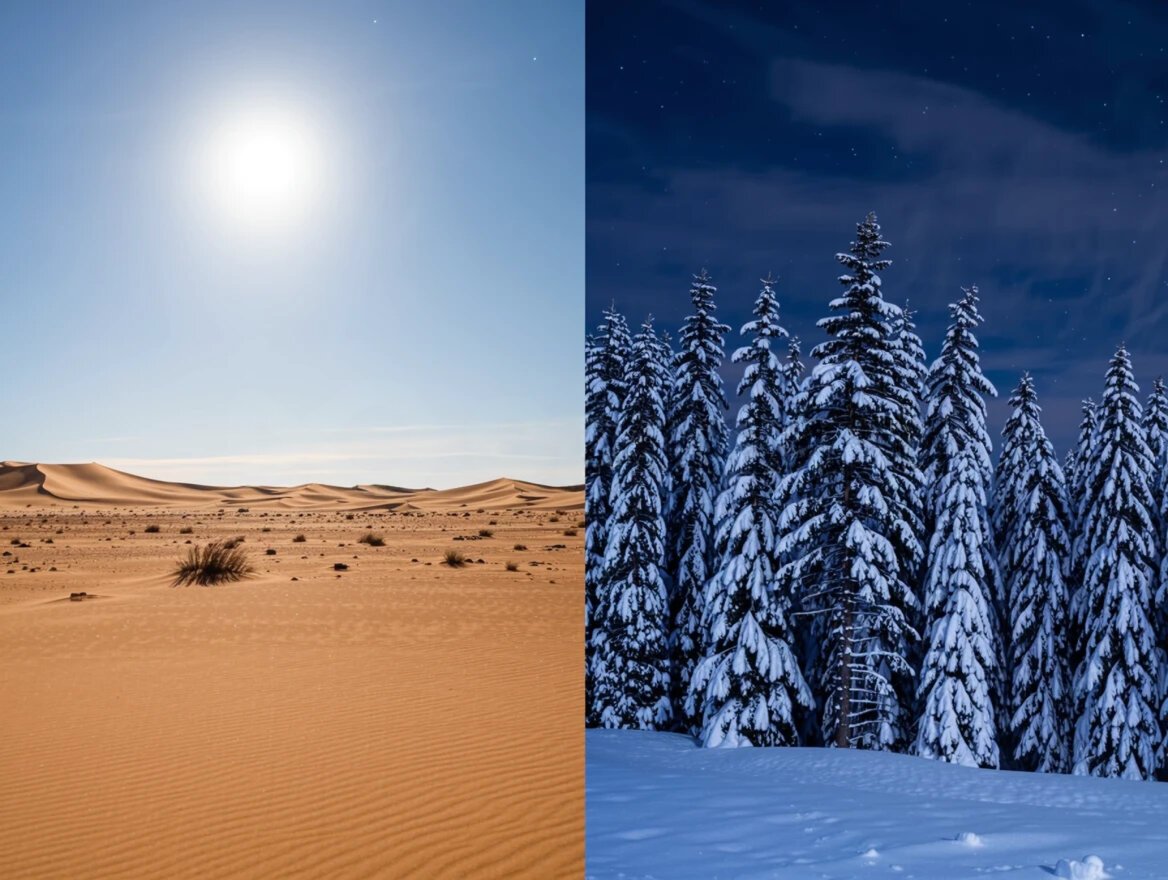
Prompt adherence9.0

Passed both hard spatial prompts, and got noon right.

Hands & anatomy8.7

A standout: a clean two-person exchange.

Text rendering8.2

Hero words perfect; only packaging taglines garble.

The one gap, in context

It loses to Ideogram on text, and nothing else

Krea's only sub-8.5 category is text (8.2), where it nails brand names but garbles longer taglines. That single gap is the entire distance between it and the tools above it: on photoreal, product, anime, hands, and adherence it matches or beats nearly everything we tested. If your work isn't text-heavy, Krea is effectively a top-two tool with no downside, at a lower price than the leaders.

Strengths, and the one soft spot

The images above show what happened; here is what it means for your work. Krea's defining trait is consistency, so the list of strengths is long and the weaknesses are few.

Strengths

Where Krea delivers

  • Standout hands. It cleared the prompt that broke most tools, rendering interacting hands with sound anatomy rather than melting them. If your work involves people touching, holding, or handing over objects, this is among the safest tools to reach for.
  • Commercial product work you can ship. Its serum shot passes as real photography, nailing the glass, liquid, and hardware that betray other generators. For catalogue and ad imagery, that first-try reliability is worth more than an occasional brilliant fluke.
  • Elite photorealism with real atmosphere. Faces carry believable age and texture, and its wet, moody scenes hold up rather than looking rendered. It competes at the top on the imagery hardest to fake.
  • Genuine anime, not a photo with a filter. It produces authentic cel-shaded illustration, a category many "all-rounders" only approximate. You can use it for stylised work without switching tools.
  • It follows precise spatial instructions. It cleared both hard layout prompts, including a lighting clause a rival got wrong. Briefs with non-negotiable, checkable requirements tend to come back right.
  • No weak category. Nothing it produced scored below 8.2. That evenness, rather than any single peak, is its defining strength and is rare among the tools we've tested; you can point it at almost anything without routing around a blind spot.
Trade-offs

Where it falls short

  • Text beyond a headline word garbles. It handles a short brand name but breaks down on longer strings and secondary copy. For packaging, labels, or any block of readable text, a dedicated text tool is still the safer call.
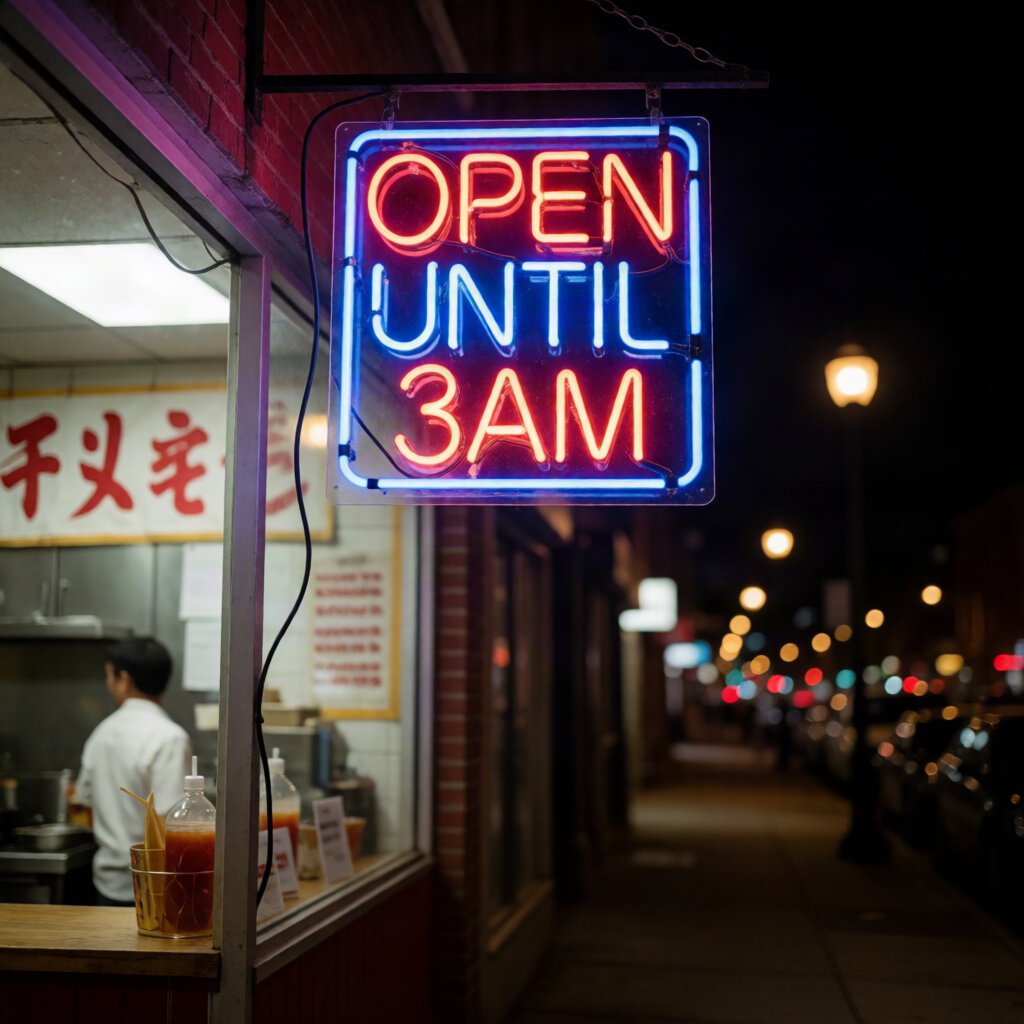
  • Background signage stays pseudo-text. Like every tool here, incidental signs and neon read as gibberish up close. It's confined to the background, but budget a cleanup pass if those areas are in shot.
  • It edges rather than dominates. Krea is excellent everywhere but supreme almost nowhere, so for one narrow, maxed-out need, a specialist may still beat it, on the crispest text or the sharpest anime linework. Its value is breadth, not a single peak.
  • Model routing needs a deliberate choice. It can run different engines under the hood, so results drift if you leave it on auto. Pin a single model (e.g. Krea 2 Turbo) when consistency across a batch matters.

Our testing method, and why it's fair

Most best-of lists rank tools the author never opened. We do the opposite, and the method is deliberately strict so the scores mean something.

Every tool gets the identical nine prompts, pasted verbatim. We use default settings and keep the very first image, with no re-rolls and no picking the best of a batch. For Krea, because it can route to different models, we locked it to a single one (Krea 2 Turbo) so the nine scores measure one consistent engine, comparable to every other tool.

We sell nothing on this list, so there is no commercial reason to rank one tool over another. The scores are the scores.

01

Same nine prompts, every tool

Two prompts each for text, photorealism, and spatial adherence, plus one each for hands, product, and anime.

02

One model, first output

Krea 2 Turbo, keeping the first image with no re-rolls, so the result reflects a single consistent engine.

03

Three axes, full resolution

Adherence, coherence, and aesthetic, each scored at full size where artefacts actually show. Averaged per image.

04

No sponsorship, nothing for sale

We don't sell the tools we rank. Outbound links go to the tool's official site and are not affiliate links.

Pricing

Krea uses a free tier with daily credits plus paid subscription plans. Confirm current numbers on Krea before subscribing.

Pricing checked August 2026

Free
$0
  • Daily credit allowance
  • Access to core models
  • Limits and terms vary, verify on site
Basic
~$10/mo
  • Monthly credit allocation
  • Faster generation
  • Commercial use
Pro
~$30/mo
  • Higher credit allocation
  • More concurrent generations
  • Everything in Basic
Max
~$60/mo
  • Top credit tier
  • Highest limits
  • For heavy production use

Krea bundles image and video tools under one subscription, and plan names and credit amounts change. Verify current pricing on Krea directly.

Quick answers

Is Krea AI good?

Very. In our benchmark Krea 2 Turbo scored 8.9, a strikingly consistent result with no category below 8.2. It posted standout hands, a top-tier product shot, elite photorealism, and genuine anime. For a single tool to reach for across almost any task, it is one of the strongest options.

Is Krea AI good with hands?

Yes, and this was a standout. It rendered a genuine two-person coffee-cup exchange with clean, correctly-proportioned anatomy on both hands, rare among the tools we tested. Hands are the classic AI weakness, and Krea handled them better than most rivals.

Is Krea AI good for realistic images?

Very. Krea's photorealism scored 9.0. The fisherman portrait read the age accurately with real skin texture and honored a no-retouching brief, and its rainy Tokyo scene had standout wet reflections and actual falling rain. Faces and atmospheric scenes are a real strength.

Is Krea AI good for text in images?

For short, single-word text, yes; Krea rendered a neon sign perfectly. But longer text is its one weak spot: it garbled a toothpaste tagline while getting the brand name right. For posters, packaging, or blocks of readable text, a text specialist will serve you better.

Is Krea AI free?

Yes, there is a free tier with a daily credit allowance and access to core models, no card required to start. Paid plans add more credits, faster generation, and commercial use. Verify current free limits on Krea directly, as credit amounts change.

How much does Krea AI cost?

The free tier is $0 with daily credits. Paid plans run roughly $10/month (Basic) up to around $60/month (Max), with credit allocations scaling by tier, covering both image and video tools. Confirm current pricing on Krea, as plans change.

How did you test Krea AI?

We ran nine fixed prompts on the Krea 2 Turbo model, keeping the first image each time with no re-rolls. Because Krea can route to different models, we locked to a single one for a fair, consistent comparison. Every generator we review gets the identical nine prompts, scored on the same three-axis rubric, and we sell none of the tools we rank.

THE BOTTOM LINE

The all-rounder to reach for when you don't want to think about it

Krea 2 Turbo earned its score by having no real weakness. It posted standout hands and a flawless product shot, strong anime and photorealism, and passed the hard spatial prompts, all in a single tool. If your work spans many kinds of image, Krea is among the safest single choices we've tested. Only for legible in-image text does a specialist still edge it.

It trails our text king by the narrowest of margins, and holds its own against nearly everything else. For most people, that makes it a strong tool to start with.

Buy it if

You want one tool that does almost everything well: photoreal, product, anime, precise layouts, and the rare generator you can trust with hands.

Look elsewhere if

Your work depends on legible blocks of text in the image, where a text specialist will serve you better.