image generation lab
Leaderboard Reviews By category

Hands-on benchmark · · August 2026

Nano Banana 2 AI review: nine prompts tested, first output kept and scored

It spells, it draws, and it has no weak category

We gave Nano Banana 2, Google's Gemini image model, the same nine prompts as every other generator, on default settings, first output kept, no re-rolls. Here is every image it produced, scored against the same rubric.

Nano Banana 2 · at a glance
MakerGoogle (Gemini image model)
TypeText-to-image, in the Gemini app
Free tierYes, via Gemini (limited)
WatermarkVisible Gemini sparkle mark
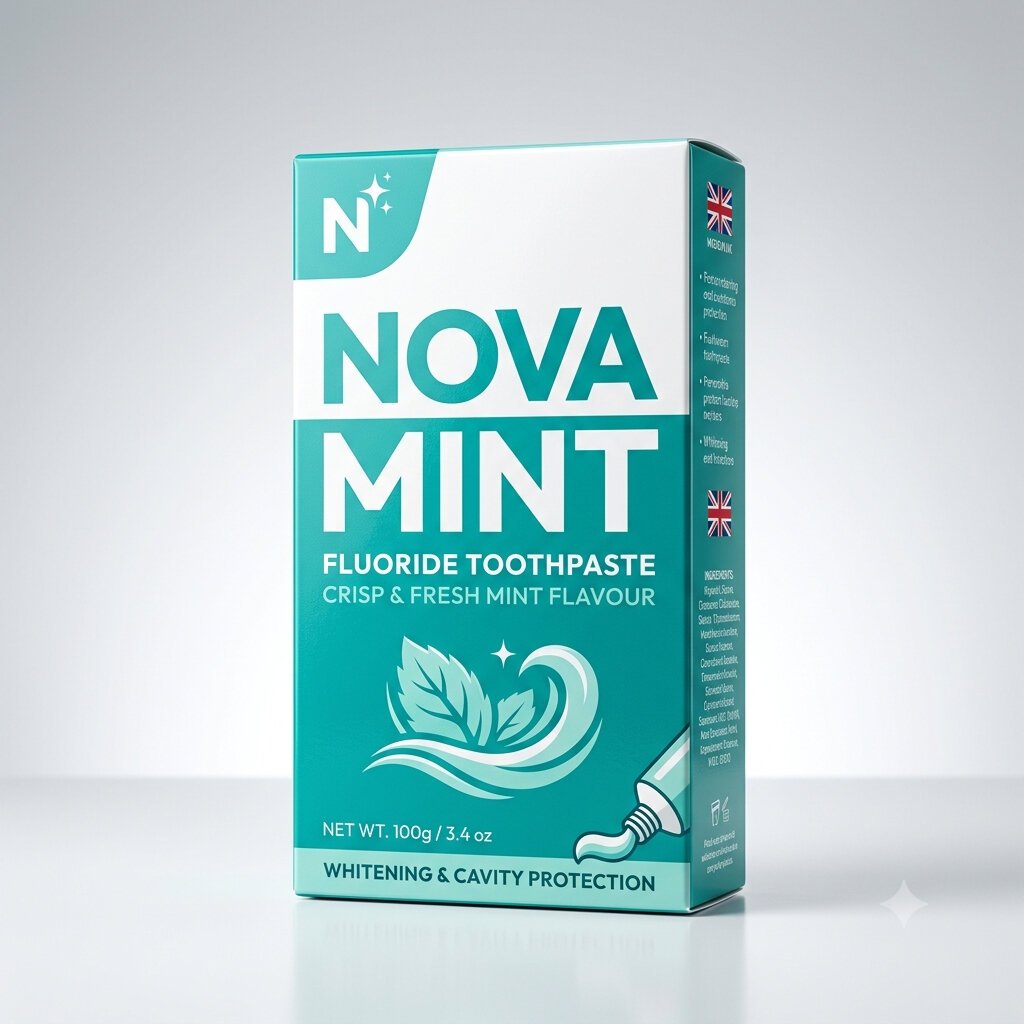
Best atEverything, evenly: a flawless product shot, a true two-person hand exchange, genuine cel-shaded anime, and the cleanest in-image text we tested, including correct Japanese.
Weak atSmall secondary body text: large headline text is perfect, but a dense ingredients panel still garbles into pseudo-words.
Bad atNothing. It has no genuinely bad category; its lowest single image is still a solid pass, which is why it tops our benchmark.
9identical prompts, every tool
1stoutput kept, no re-rolls
3axes scored per image
0sponsored placements
THE VERDICT

Nano Banana 2 tops our benchmark by having no weak category. Its product shot was flawless, its hands prompt produced a true two-person exchange with three correct hands, its anime was a genuine cel-shaded illustration, and it renders in-image text more cleanly than anything else we tested, including correct Japanese. The only soft spot is small, dense body text, which still garbles.

Best for

Almost anything: product and packaging shots, photoreal portraits and scenes, anime, precise layouts, and the rare tool you can trust with hands and headline text alike.

Watch for

Small ingredient-panel text and the odd background sign still garble, it sometimes adds unrequested details (flags, an aurora), and every output carries a visible Gemini watermark.

Category scores, broken down

Two prompts per category (one each for hands and product), averaged. The overall 9.4 is the mean of all nine images.

Product shot10.0

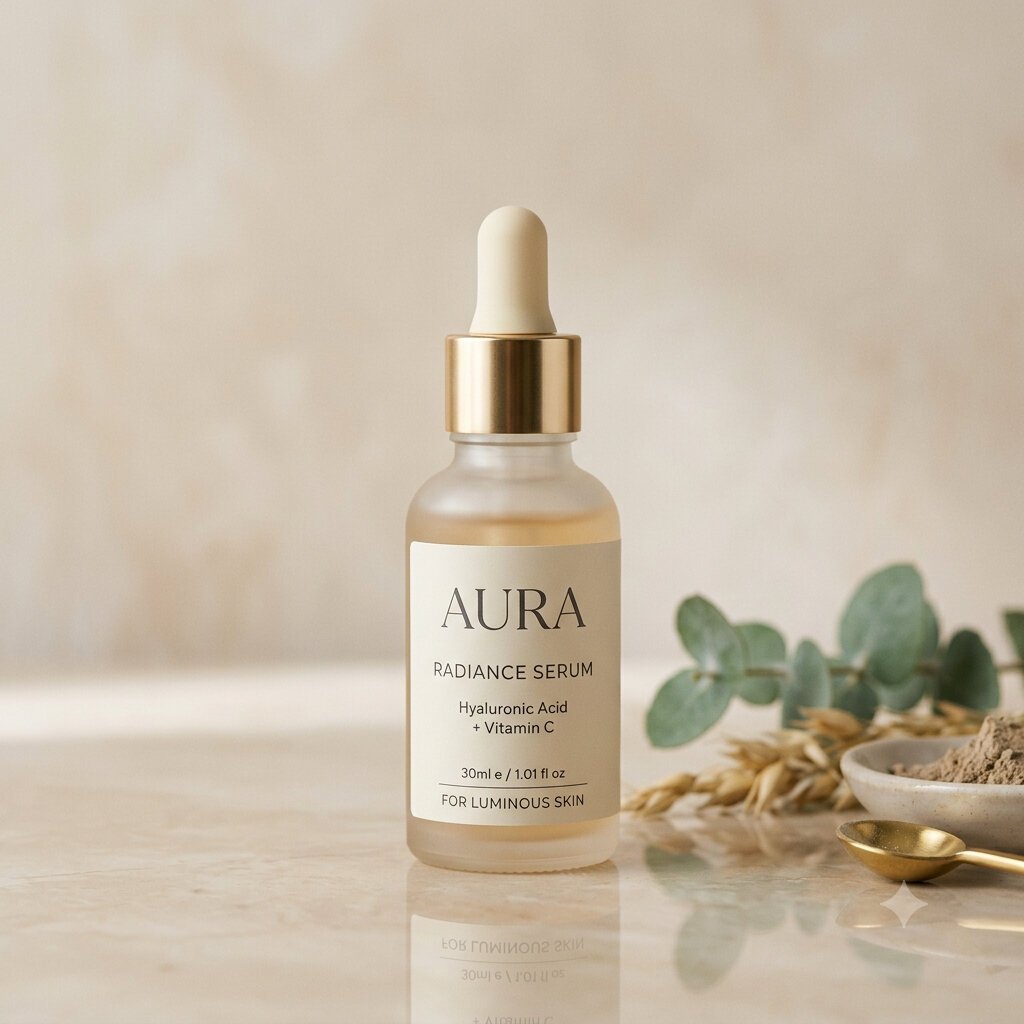
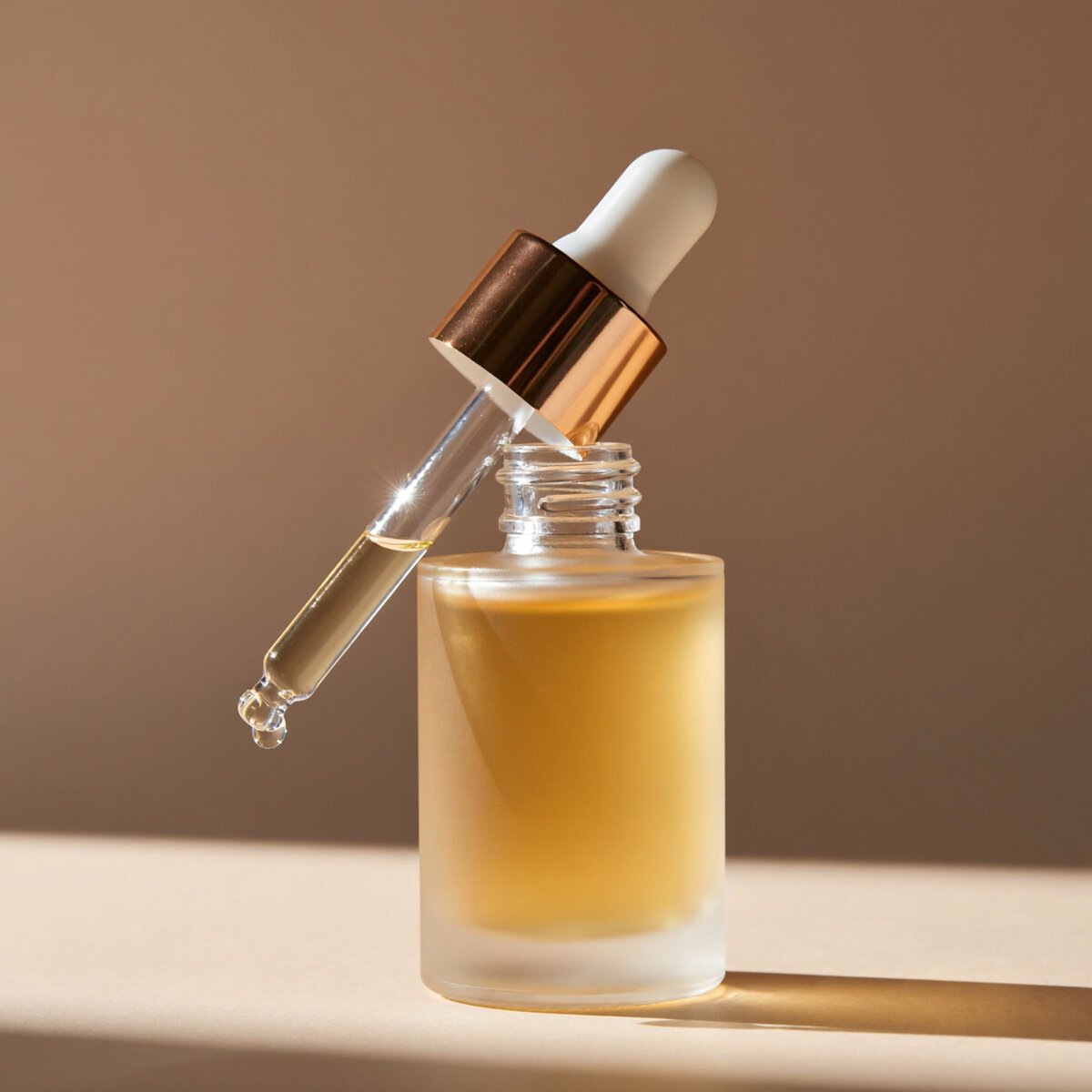
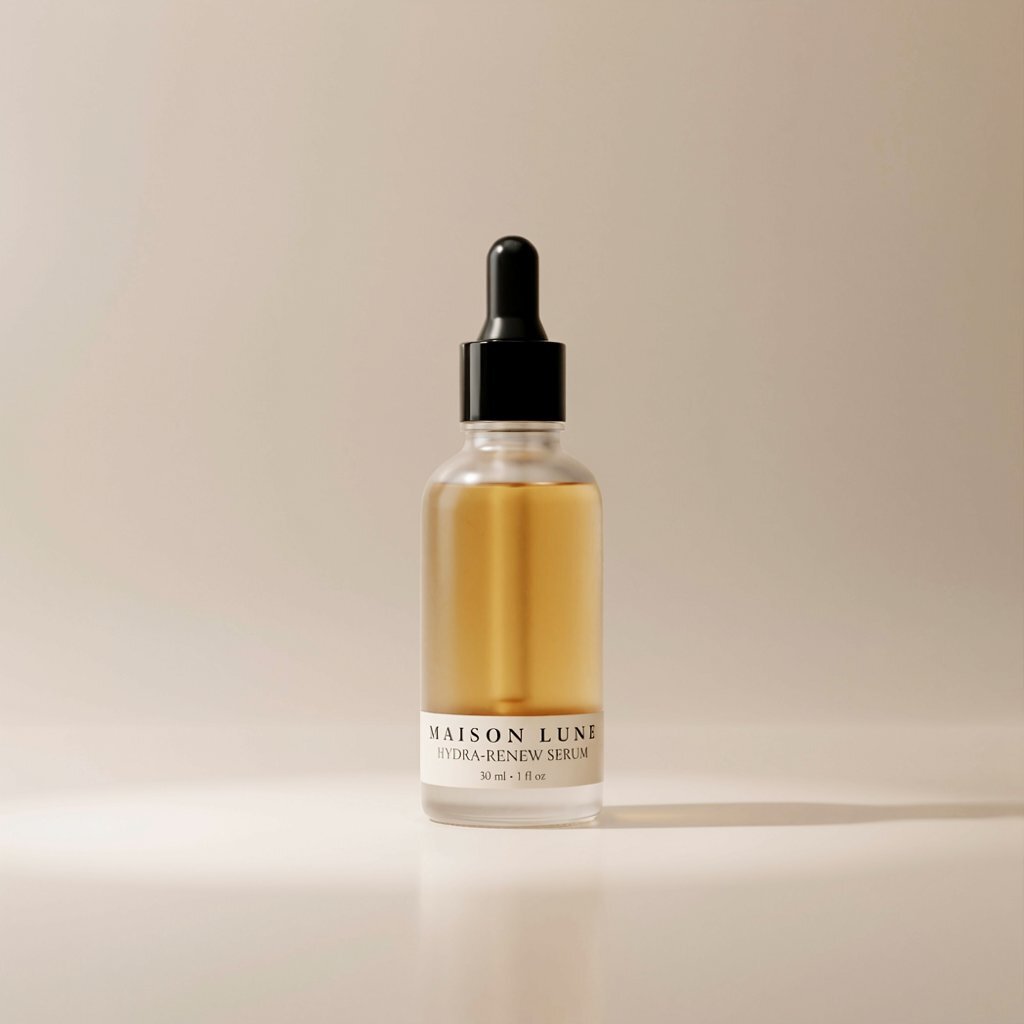
Flawless: a correct, fully-legible label and a correctly-flipped reflection.

Hands & anatomy9.7

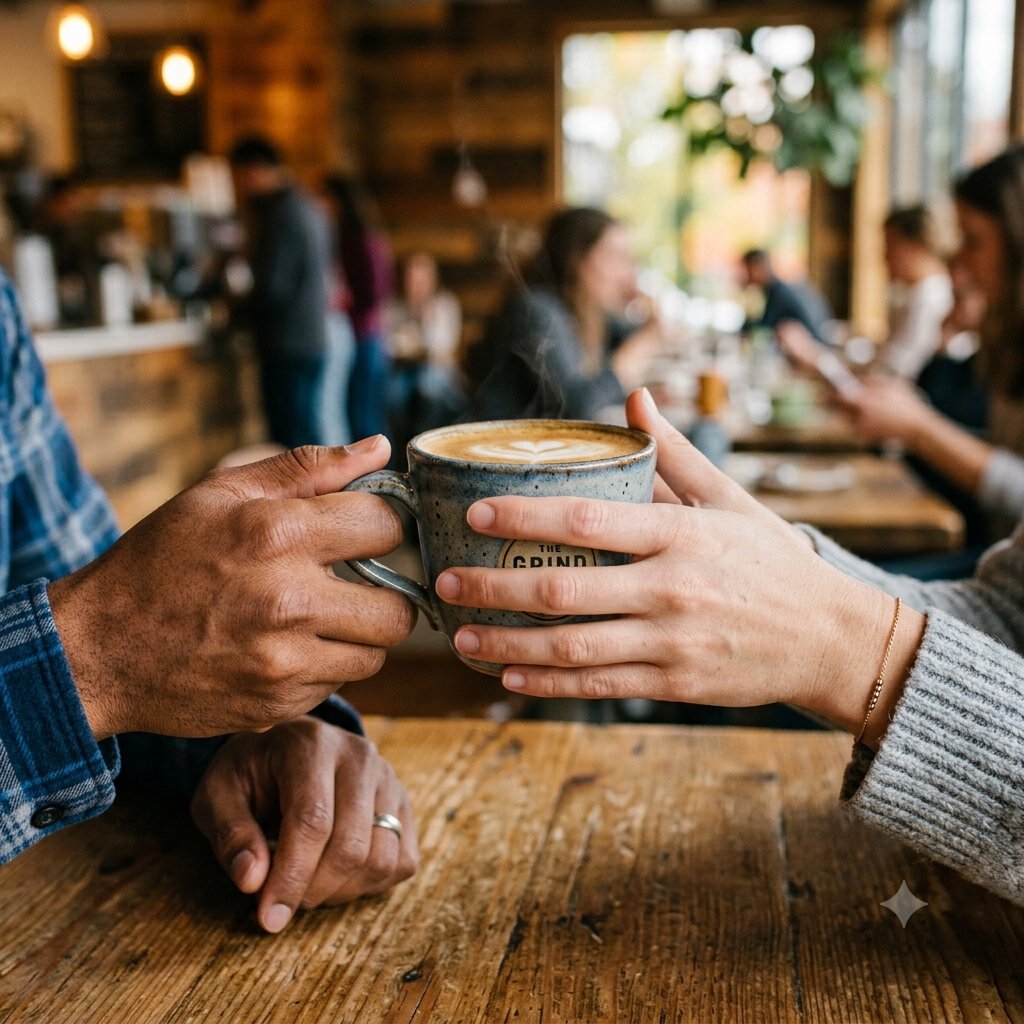
A true two-person exchange with three correct hands.

Prompt adherence9.5

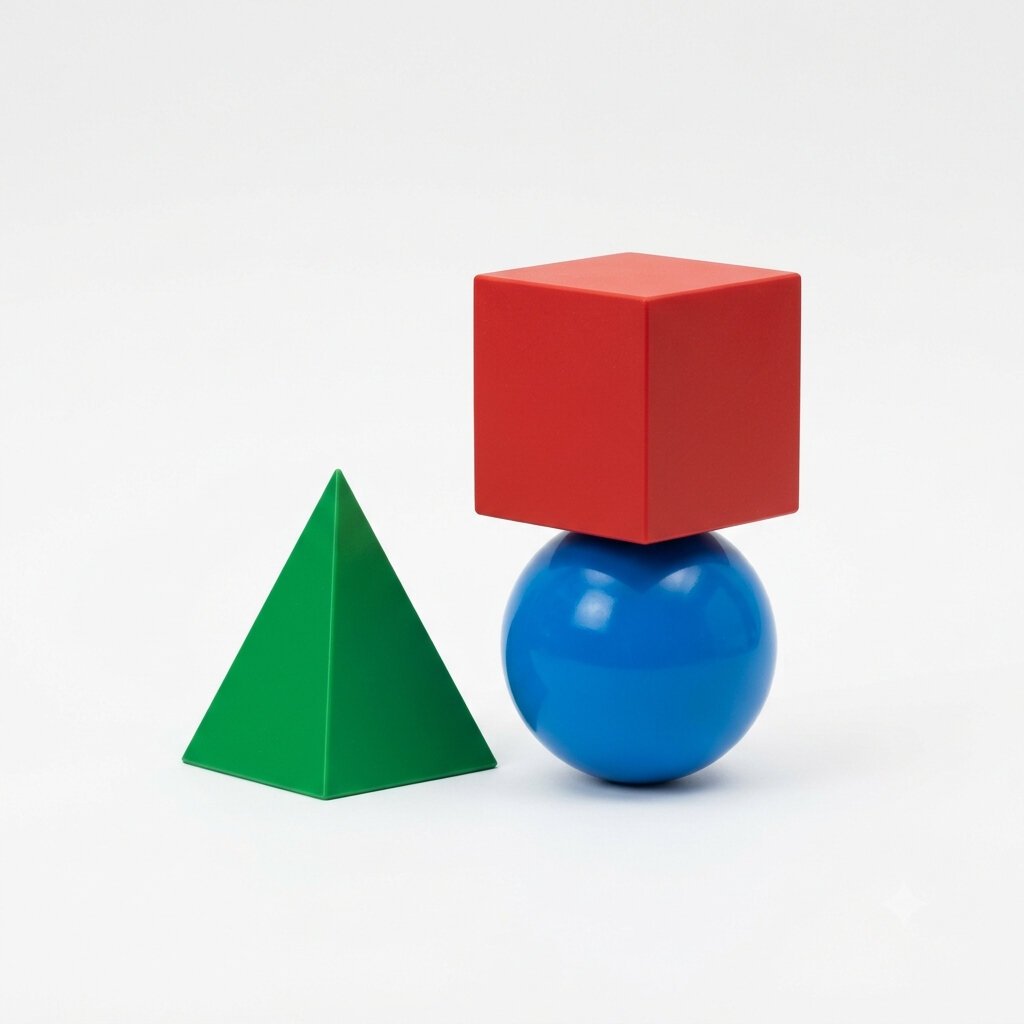
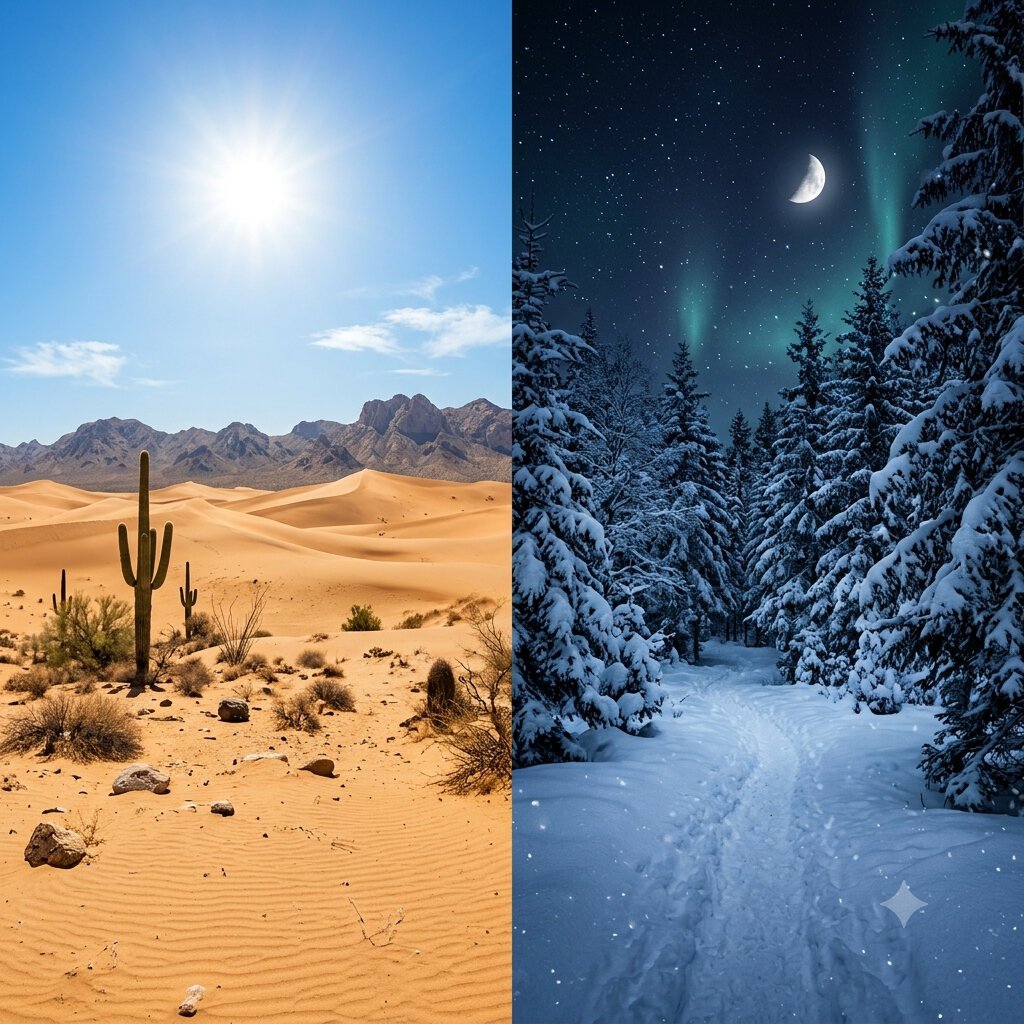
A true pyramid, and a correct desert-noon and snow-night split.

Anime & style9.3

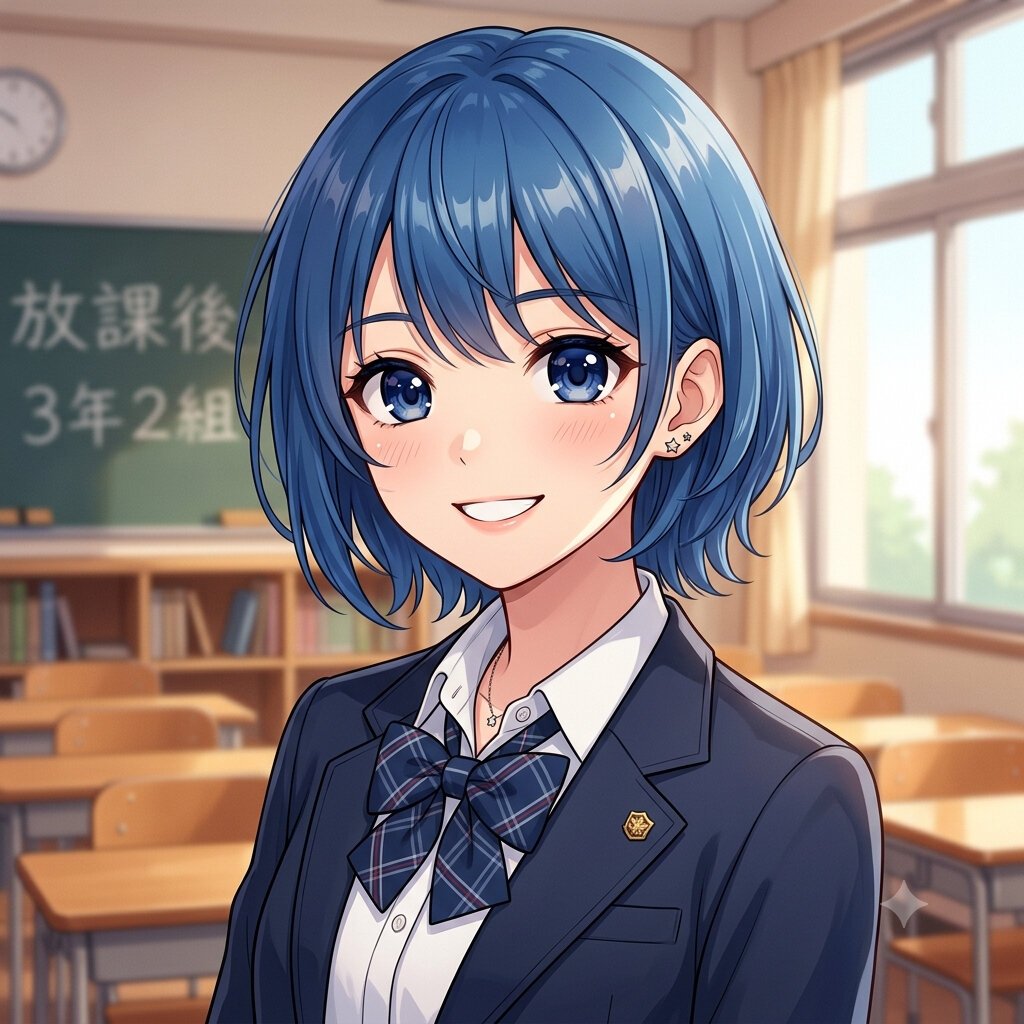
A genuine cel-shaded illustration with correct chalkboard kanji.

Photorealism9.2

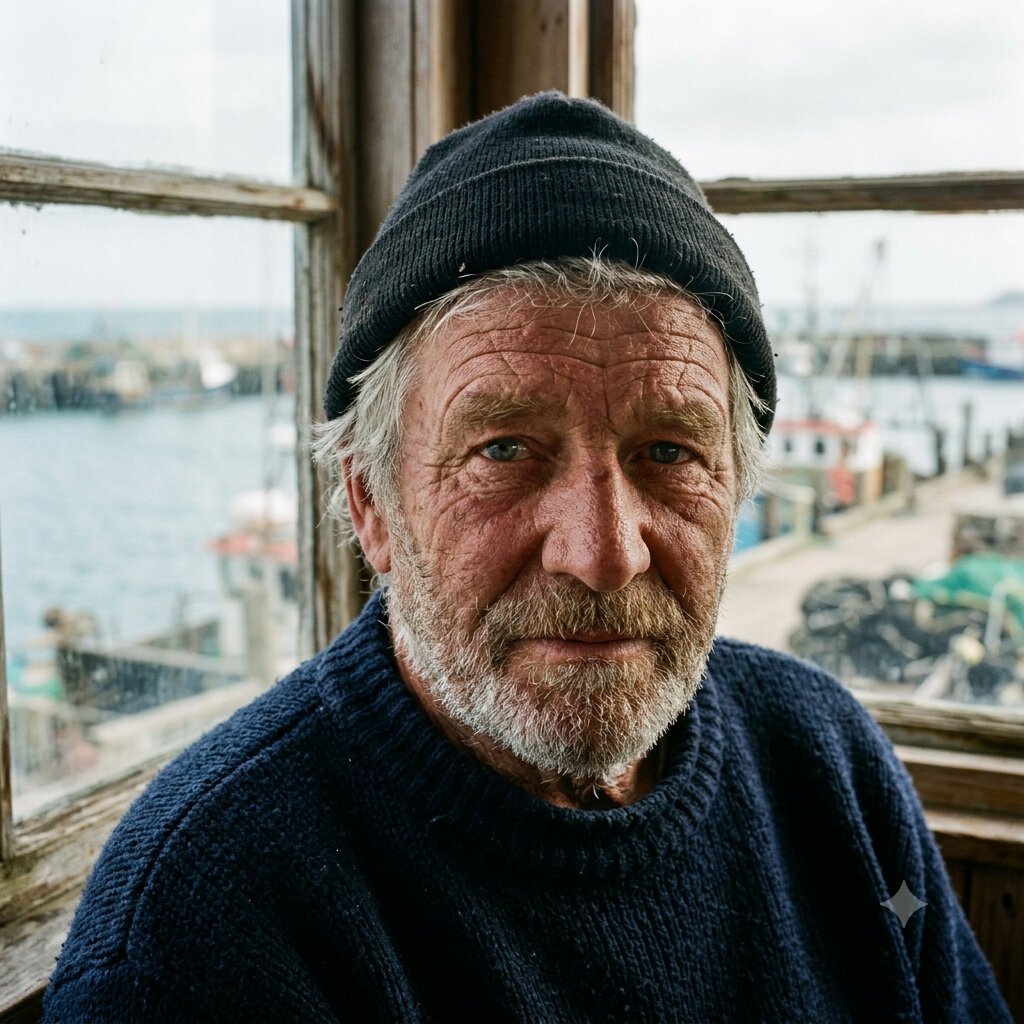
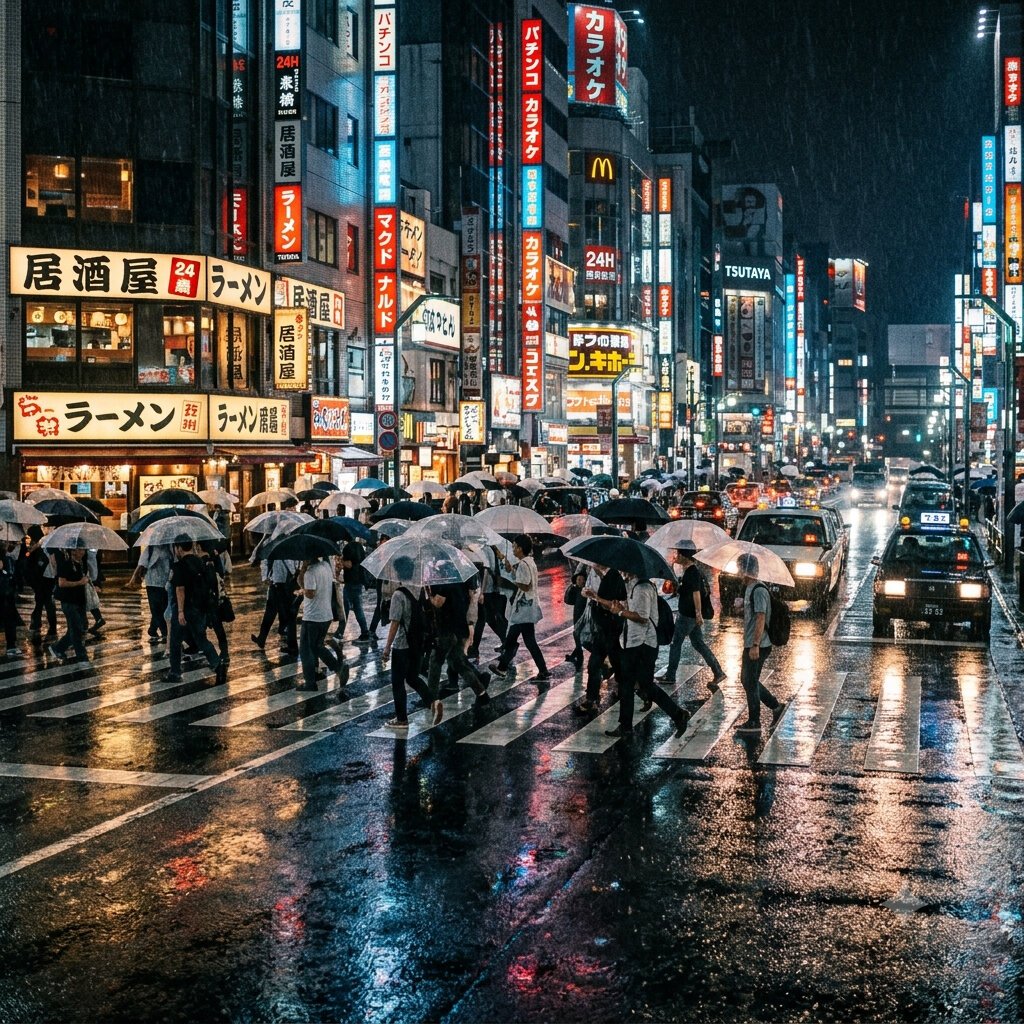
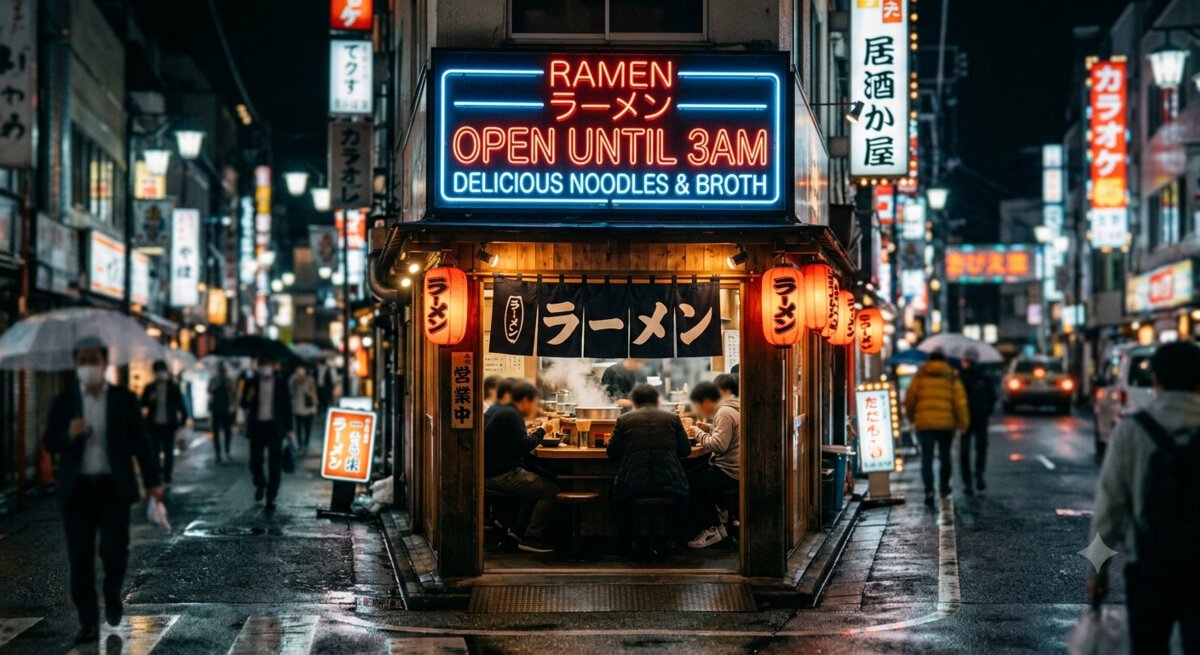
Gallery-grade faces and standout wet-street reflections.

Text rendering9.0

Headline text perfect, incl. Japanese; only dense body text garbles.

Strengths, and the one soft spot

The images above show what happened; here is what it means for your work. This is the part most reviews skip, because it requires having actually run the tool.

Strengths

Where Nano Banana 2 leads

  • No weak category. Every prompt came back a solid pass or better, so there is no task you have to route around to a different tool. That evenness, rather than a single peak, is its defining strength.
  • Commercial product work you can ship. It nails the physics and the label text that betray other tools in a single shot, producing images that pass as real product photography. For catalogue and packaging work, that first-try reliability is the whole game.
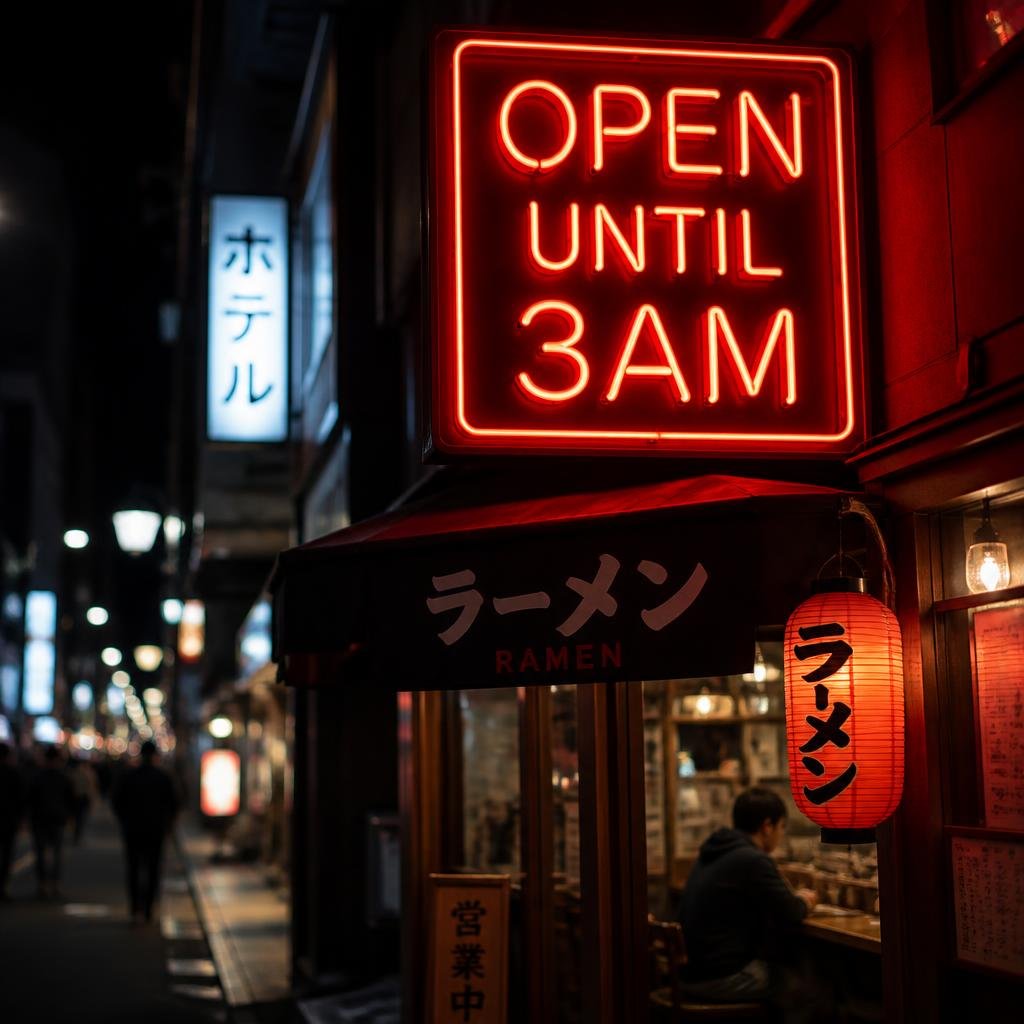
  • Text is genuinely solved for headlines. Full phrases and stylised type come back correct on the first try, including correct Japanese, the capability most generators fail outright. It's the one tool you can point at a sign, a poster, or a logo and trust the words.
  • It clears the categories other tools trip on. Correctly-formed interacting hands and a real cel-shaded anime illustration are exactly where rivals fall apart; here they pass cleanly, on the first output.
  • It follows precise, checkable instructions. On the suite's hardest multi-part prompts it obeyed every clause, down to a lighting cue other tools ignore. If your brief has non-negotiable requirements, this is the tool most likely to honour all of them at once.
Trade-offs

Where it falls short

  • Small, dense body text still garbles. Headline and label text is perfect, but a packed ingredients panel dissolves into pseudo-words. It's fine for a brand name or a tagline, and wrong for a paragraph of fine print.
  • It sometimes adds things you didn't ask for. Unrequested details slipped into more than one scene. Usually harmless or even flattering, but worth a check when the brief is strict and every element has to be accounted for.
  • Tiny secondary text and background signs aren't fully reliable. The odd distant sign or a plate reads semi-legibly, and a background character occasionally slips. It rarely shows at a glance, but budget a cleanup pass if those areas are in frame.
  • Every output carries a visible watermark. Google stamps a sparkle mark on Gemini images. It's a provenance feature, not a quality issue, but you'll need to crop or work around it for client delivery.

Our testing method, and why it's fair

Most "best AI image generator" lists rank tools the author never opened, using stock screenshots and vibes. We do the opposite, and the method is deliberately strict so the scores mean something.

Every tool gets the identical nine prompts, pasted verbatim. We use default settings and keep the very first image, with no re-rolls and no picking the best of a batch. The moment you curate outputs, a benchmark becomes an opinion, so we don't. What you see above is genuinely what Nano Banana 2 returned first.

We sell nothing on this list, which means there's no commercial reason to rank one tool over another. The scores are the scores.

01

Same nine prompts, every tool

Two prompts each for text, photorealism, and spatial adherence, plus one each for hands, product, and anime. Designed to expose specific failure modes.

02

First output kept

Default settings, no re-rolls, no cherry-picking. The first image the tool returns is the one that gets scored.

03

Three axes, scored at full resolution

Adherence (did it do what was asked), coherence (anatomy, physics, legibility), and aesthetic (would you actually use it). Averaged per image.

04

No sponsorship, nothing for sale

We don't sell the tools we rank, so placement can't be bought. Outbound links go to each tool's official site, and none of them are affiliate links.

Pricing & access

Nano Banana is Google's Gemini image model, so there's no standalone subscription; access rides on Google AI plans. Daily image limits change frequently, so confirm current terms in the Gemini app.

Pricing checked August 2026

Free (Gemini)
$0
  • A few images a day
  • No card required
  • Visible Gemini watermark on outputs
Google AI Plus
~$8/mo
  • Higher daily image limit
  • Bundled with Gemini chat
  • Watermark still applied
Google AI Pro
~$20/mo
  • Larger daily limit
  • Full Gemini toolset
  • Watermark still applied
Google AI Ultra
~$250/mo
  • Heaviest daily limits
  • Highest-resolution output
  • Visible watermark removed

Prices are Google AI plan tiers (US, indicative) that bundle far more than image generation; developers can also use the Gemini API pay-per-image. Confirm current limits and pricing before subscribing.

Quick answers

Is Nano Banana 2 good for text in images?

Yes, Nano Banana 2 produced the cleanest in-image text we tested. Headline phrases came back exactly right, including correct Japanese on a neon sign and a chalkboard, and a serum label rendered every line correctly. The one limit is dense body text: a packed ingredients panel still garbles.

What is Nano Banana 2, exactly?

Nano Banana 2 is a nickname for Google's Gemini image model, generated inside the Gemini app rather than as a standalone product. Every output carries a visible Gemini “sparkle” watermark on the free and mid tiers.

Does Nano Banana 2 have a free plan?

Yes. Nano Banana 2 lets you generate a few images a day for free in the Gemini app with no card required. Higher daily limits come with Google AI plans (Plus, Pro, Ultra), which bundle far more than image generation. Limits change often, so confirm current terms in the Gemini app.

Is Nano Banana 2 good with hands?

Yes, and Nano Banana 2 was a standout. Our hands prompt produced a genuine two-person cup exchange with three anatomically correct hands, correct finger counts and no melting, on the first output. Hands are the classic AI weakness, and it handled them cleanly.

Is Nano Banana 2 good for anime?

Yes. Our anime prompt came back as a genuine cel-shaded illustration with clean line art, detailed eyes, a fold-consistent plaid uniform, and correct Japanese on the chalkboard, scoring 9.3. Nano Banana 2 produced an actual drawing rather than a photorealistic image in disguise.

Does it remove the watermark?

Only on the highest tier. Free and Google AI Pro outputs keep the visible Gemini sparkle mark; Google AI Ultra and the developer route remove the visible watermark, though an invisible SynthID provenance mark remains. For client delivery on lower tiers, you'll need to crop or work around Nano Banana 2.

What is Nano Banana 2 worst at?

Small, dense body text. Large headlines and labels are perfect, but a paragraph of fine print dissolves into pseudo-words. Nano Banana 2 also occasionally adds unrequested details, such as flags on a box or an aurora in a night sky. Neither is a dealbreaker, but both are worth a check.

How did you test Nano Banana 2?

We ran nine fixed prompts through Nano Banana 2 on default settings and kept the first image each time, with no re-rolls or cherry-picking. Every generator we review gets the identical nine prompts, scored on the same three-axis rubric. We sell none of the tools we rank.

Can I use Nano Banana 2 images commercially?

Yes, but free output carries a visible Gemini watermark. Commercial use is permitted under Google's terms; paid Google AI plans start at around $8/month and raise daily limits, and only the highest tier removes the visible mark. For client work that cannot carry a watermark, budget for the top plan or use a different tool.

THE BOTTOM LINE

The most complete image generator we've tested

Nano Banana 2 earned the top score not by being spectacular at one thing, but by having no weak spot. It rendered a flawless product shot, a true two-person hand exchange, a real cel-shaded anime, and the cleanest in-image text in our test, correct Japanese included, all on the first output. For a single tool to reach for across almost any task, it's the strongest option we've tested.

The caveats are minor and honest: dense body text still garbles, it occasionally adds details you didn't ask for, and every image carries a visible Gemini watermark. None is a reason to look elsewhere for most work.

Buy it if

You want one tool that handles text, product, portraits, anime, hands and precise layouts without switching. The free Gemini tier is enough to try it; pay a Google AI plan for higher limits.

Look elsewhere if

Your work is a wall of fine print, or you need watermark-free output without paying for the top tier, where a text specialist or another generator may fit better.