image generation lab
Leaderboard Reviews By category

Hands-on benchmark · · August 2026

Pixverse AI review: nine prompts tested, first output kept and scored

Better known for video, but its image mode holds its own across most categories

Pixverse is best known as an AI video generator, so we tested its image-generation mode on exactly the same terms as every dedicated image tool: nine fixed prompts, default settings, first output kept. Every output is below.

Pixverse · at a glance
MakerPixverse (AIsphere)
Primary useAI video; image mode tested here
Free tierYes, daily credits
Paid from~$10/mo (Standard)
Best atPrecise, instruction-heavy work and product shots, from a tool built primarily for video.
Weak atHands soften on close inspection, and its anime is semi-realistic rather than true cel shading.
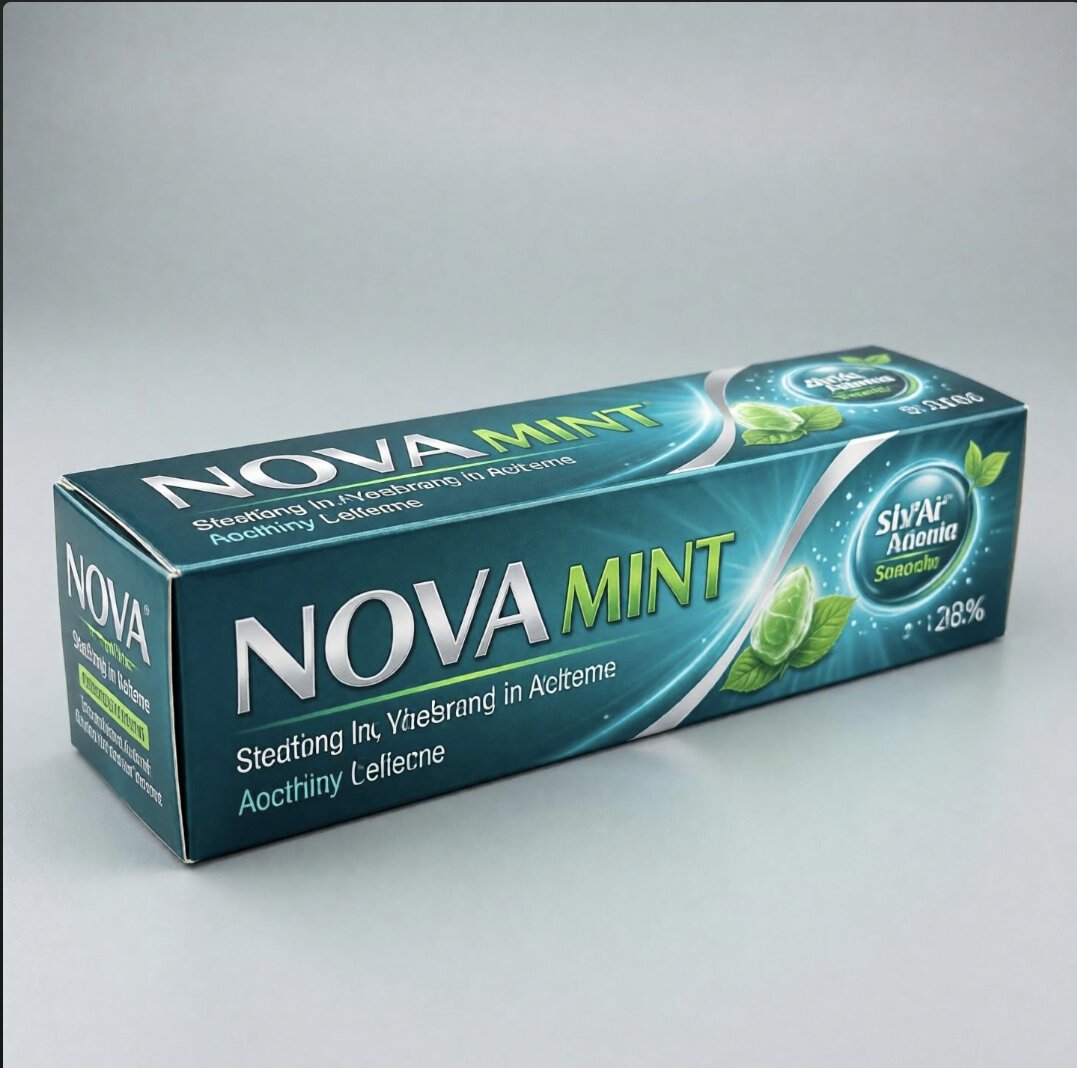
Bad atText beyond a single headline word: brand names land, but taglines and packaging text garble.
9identical prompts, every tool
1stoutput kept, no re-rolls
3axes scored per image
0sponsored placements
THE VERDICT

Pixverse is the surprise of this benchmark. It is marketed as a video generator, yet its image mode outscored dedicated image generators, and it trails only Ideogram in our testing so far. It tied for the best instruction-following we have tested, nailed both hard spatial prompts, and produced ad-grade product shots and a genuine anime illustration. Its only real weakness is the one every tool shares: text beyond a single headline word.

Best for

Precise, instruction-heavy images: product shots, exact layouts, spatial compositions, and photoreal scenes, especially if you already use Pixverse for video.

Watch for

Garbled text on packaging and labels, merged fingers under close inspection, and the fact that images are a secondary feature on a video-first platform.

⚠ What we tested, and how

Pixverse is primarily an AI video generator. It also offers a text-to-image mode, and that image mode is what we benchmarked here, on the identical nine prompts and rubric we use for every dedicated image tool. We did not test its video output.

One caveat worth flagging: some Pixverse image generation runs on third-party models rather than a single in-house engine. Where a tool's image mode is powered by an external model, the score partly reflects that underlying model. We note this the same way we flag any multi-model setup, so you can read the result in context.

Category scores, broken down

Two prompts per category (one each for hands and product), averaged. The overall 8.4 is the mean of all nine images. Note the flat, high profile: only text drops below 8.

Product shot9.3

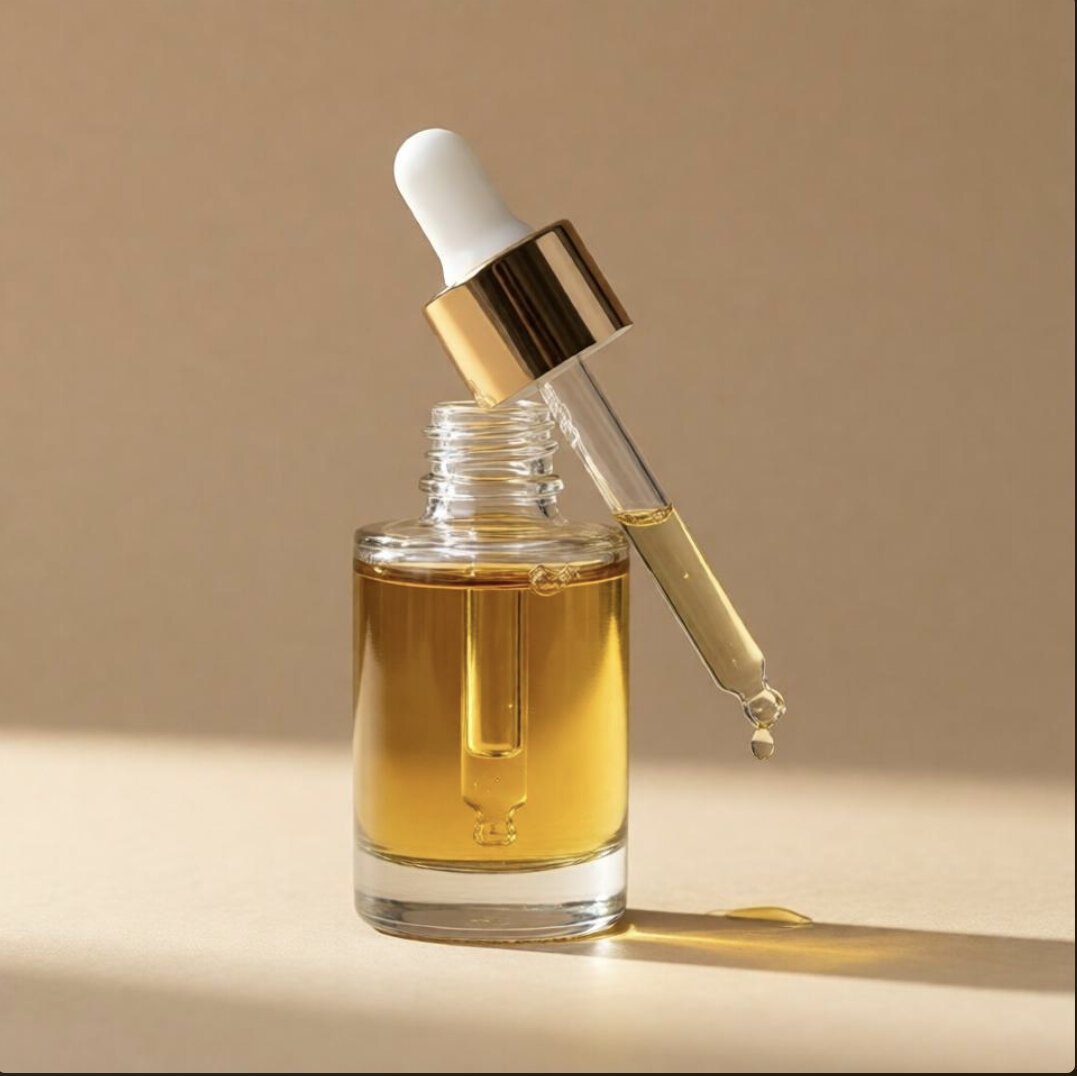
Ad-grade glass, liquid, and a correctly straight dropper.

Prompt adherence9.2

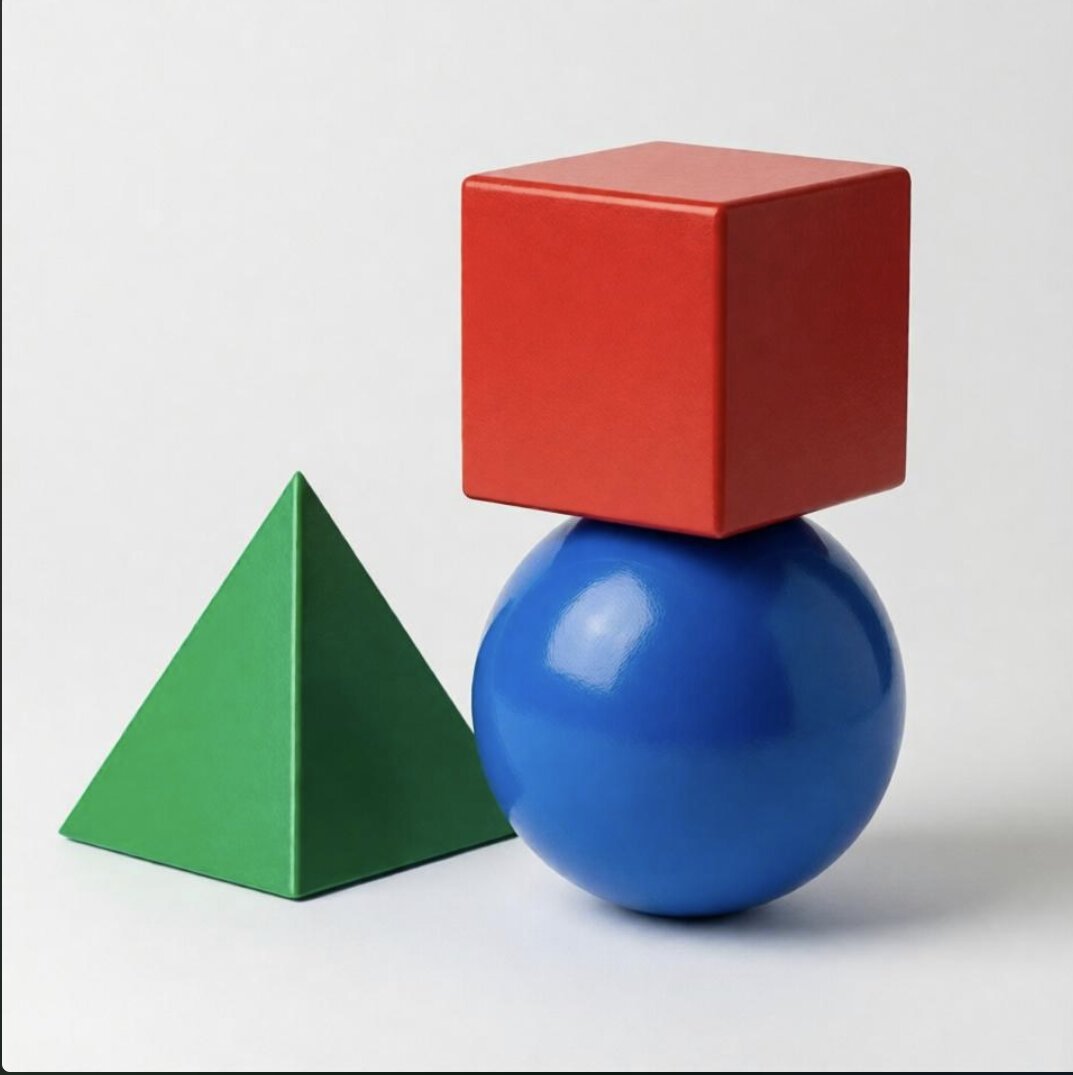
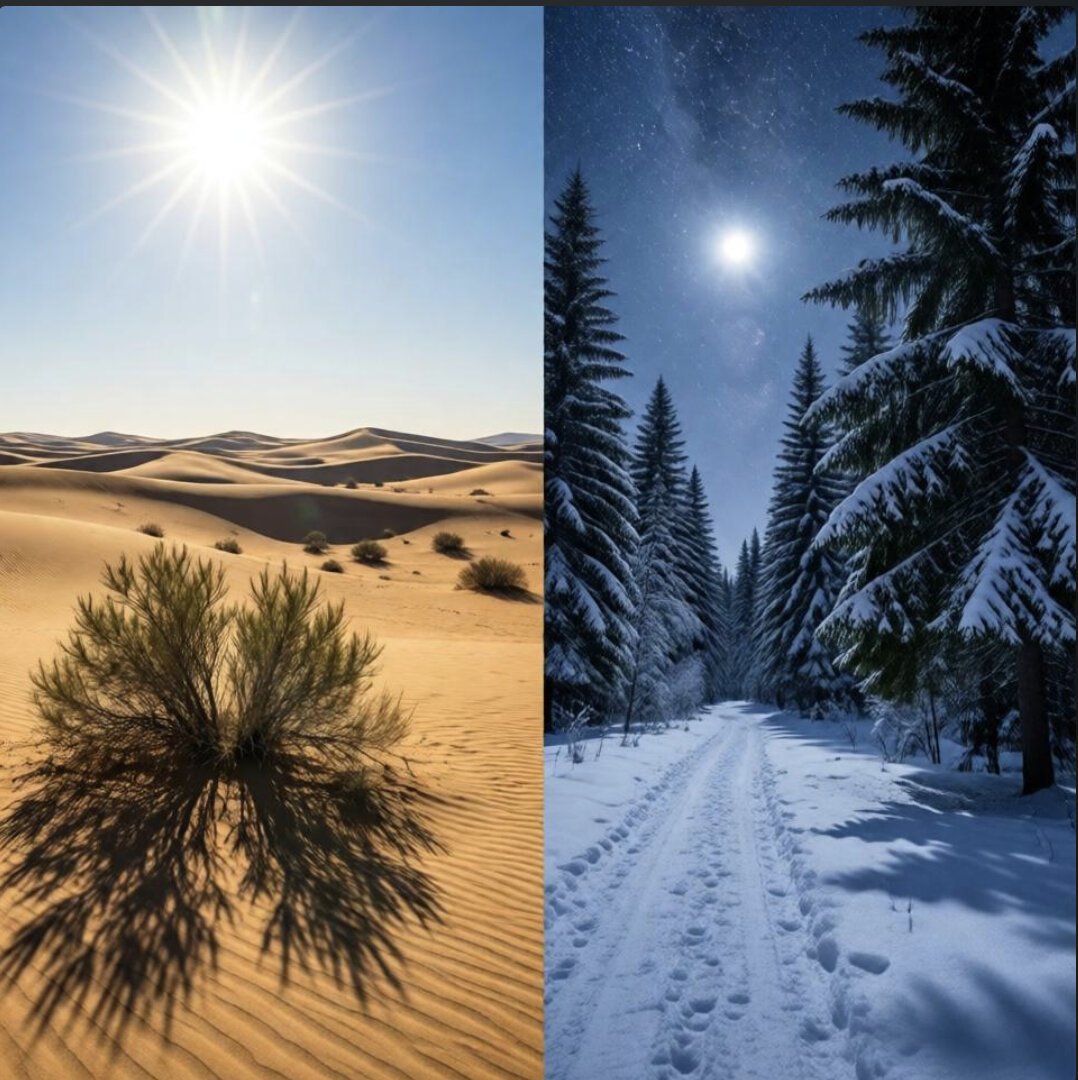
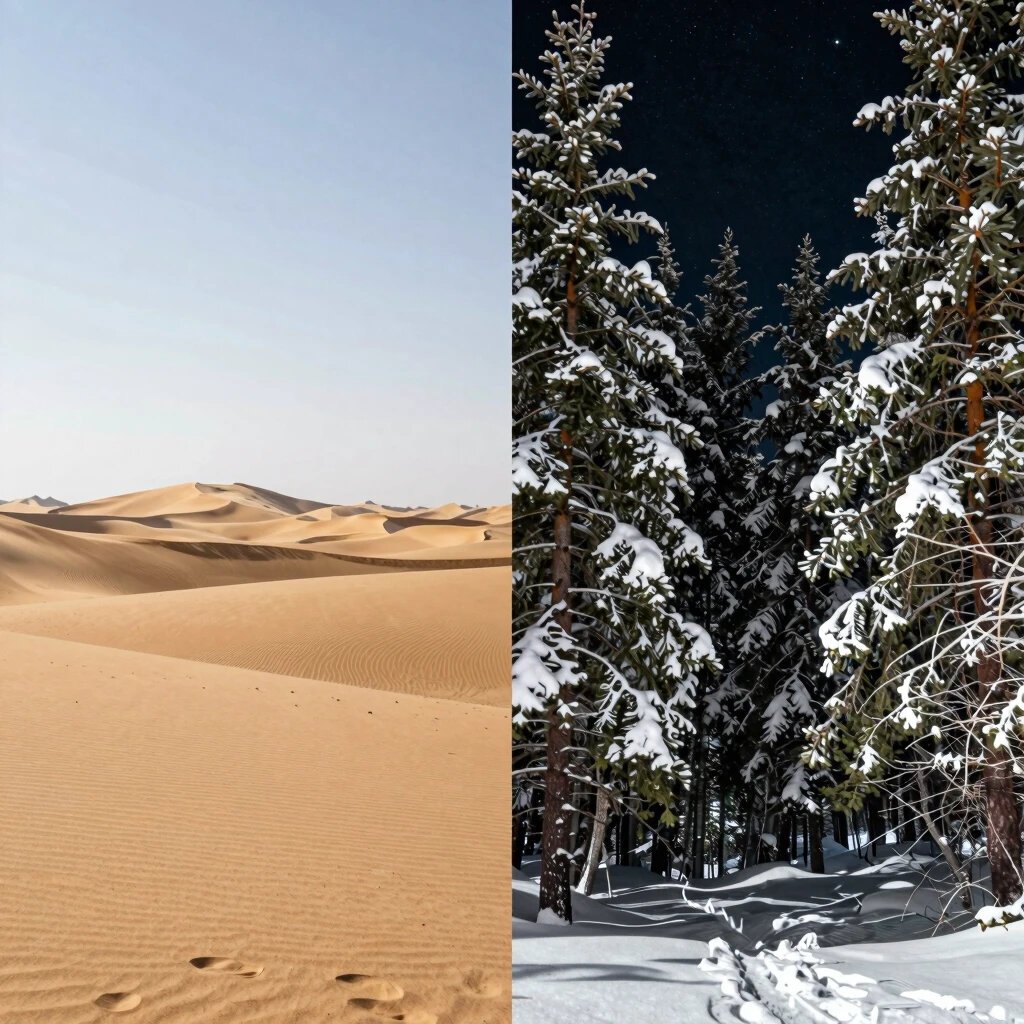
Tied for the best in our benchmark. Both hard spatial prompts, perfect.

Anime & style8.7

A real illustration, beating SeaArt decisively on this prompt.

Photorealism8.5

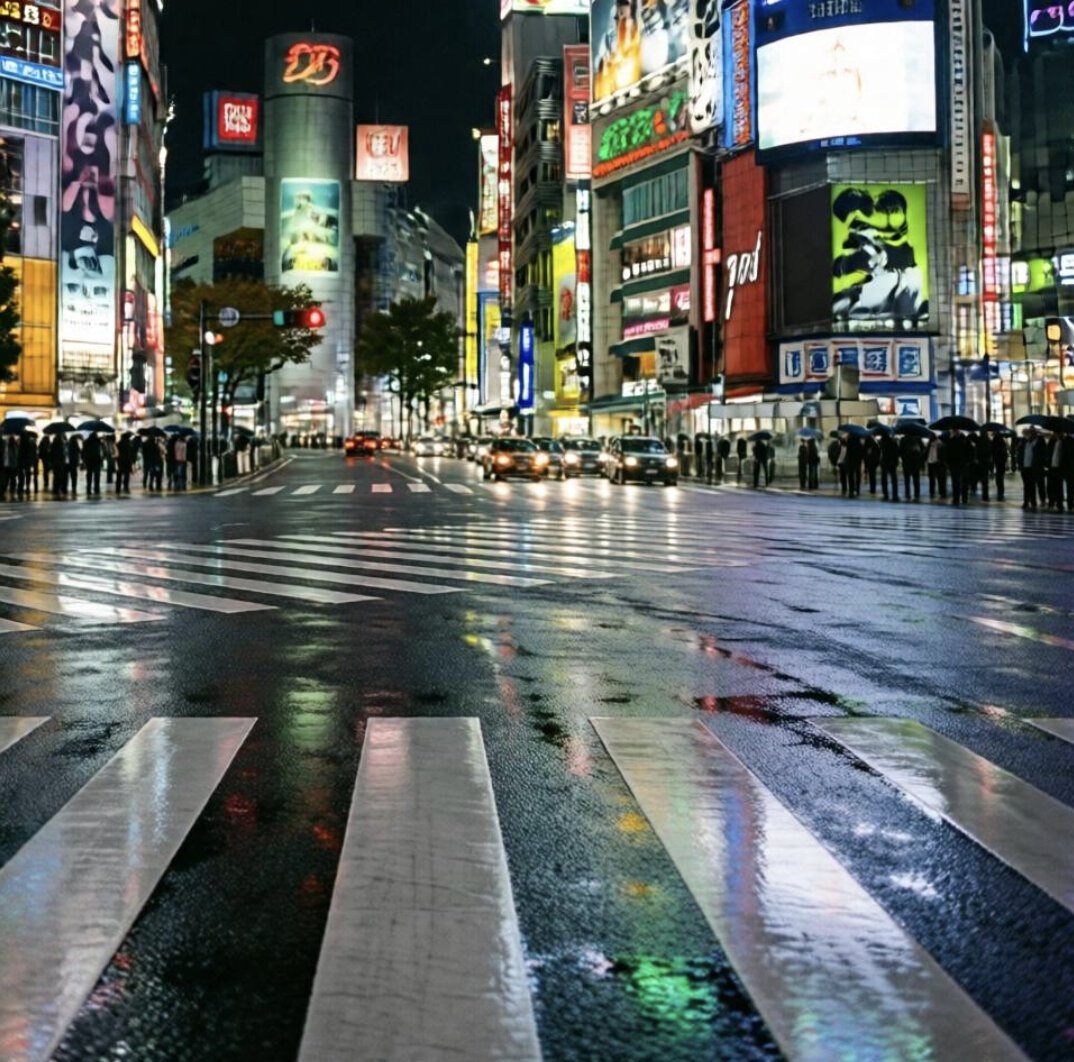
Elite faces and the best wet reflections we tested.

Hands & anatomy7.7

A genuine exchange, capped by merged fingers on close look.

Text rendering7.5

Aces neon; garbles packaging taglines. The usual split.

Strengths, and the one real weakness

Every point below traces to a specific image above. Pixverse's profile is unusually consistent, with a single soft spot.

Strengths

Where Pixverse delivers

  • Best-in-benchmark instruction-following. Its 9.2 adherence ties the highest we have recorded. It got both hard spatial prompts exactly right, including a real green pyramid correctly placed and the best split-scene render in our whole test.
  • Ad-grade product photography. The serum bottle scored 9.3, with superb glass and liquid physics, a correctly straight dropper, and a drop of serum suspended mid-fall. Genuinely commercial.
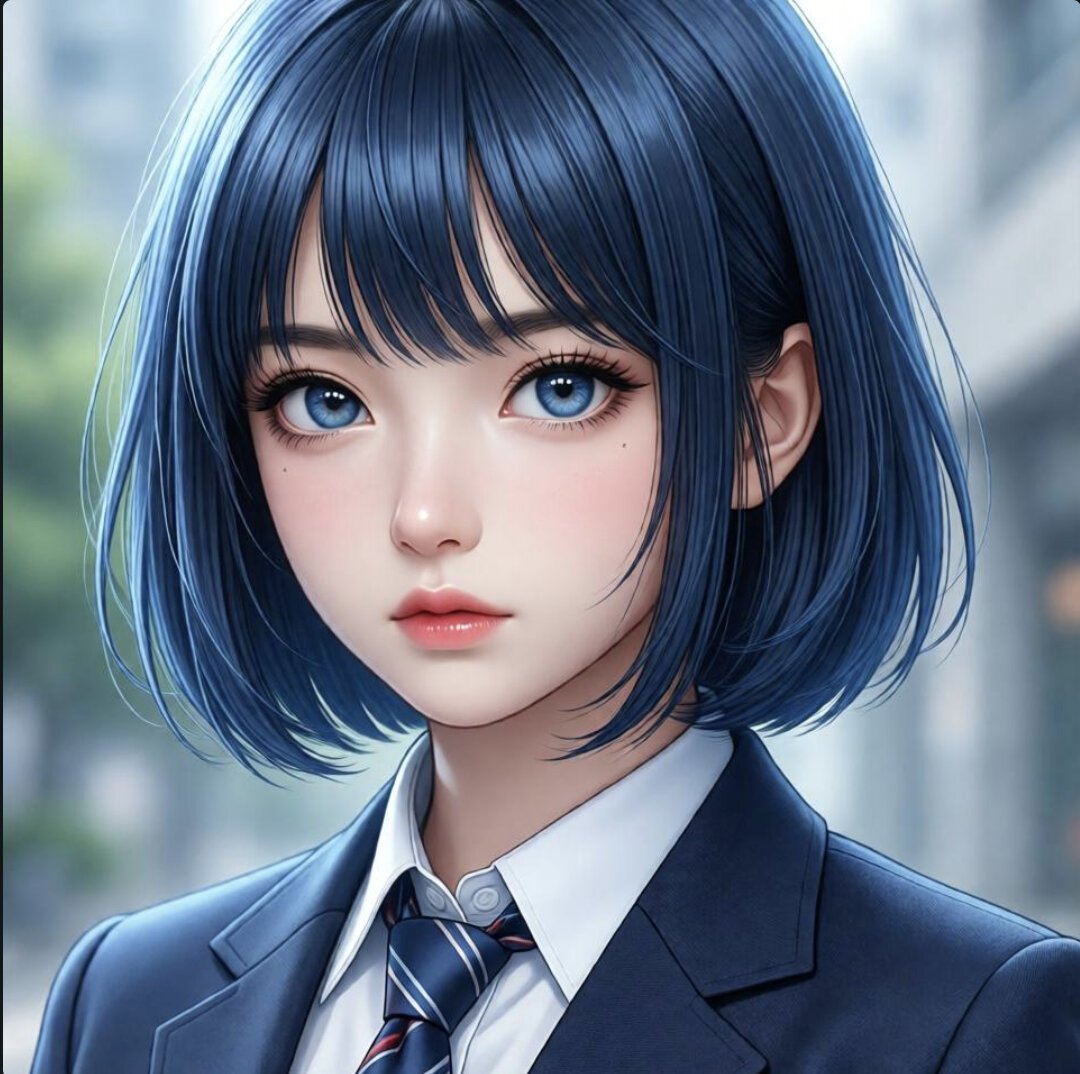
  • A real anime illustration. Where SeaArt returned a photo of a person in a wig, Pixverse produced an actual illustration with striking detailed eyes, beating it decisively on that prompt.
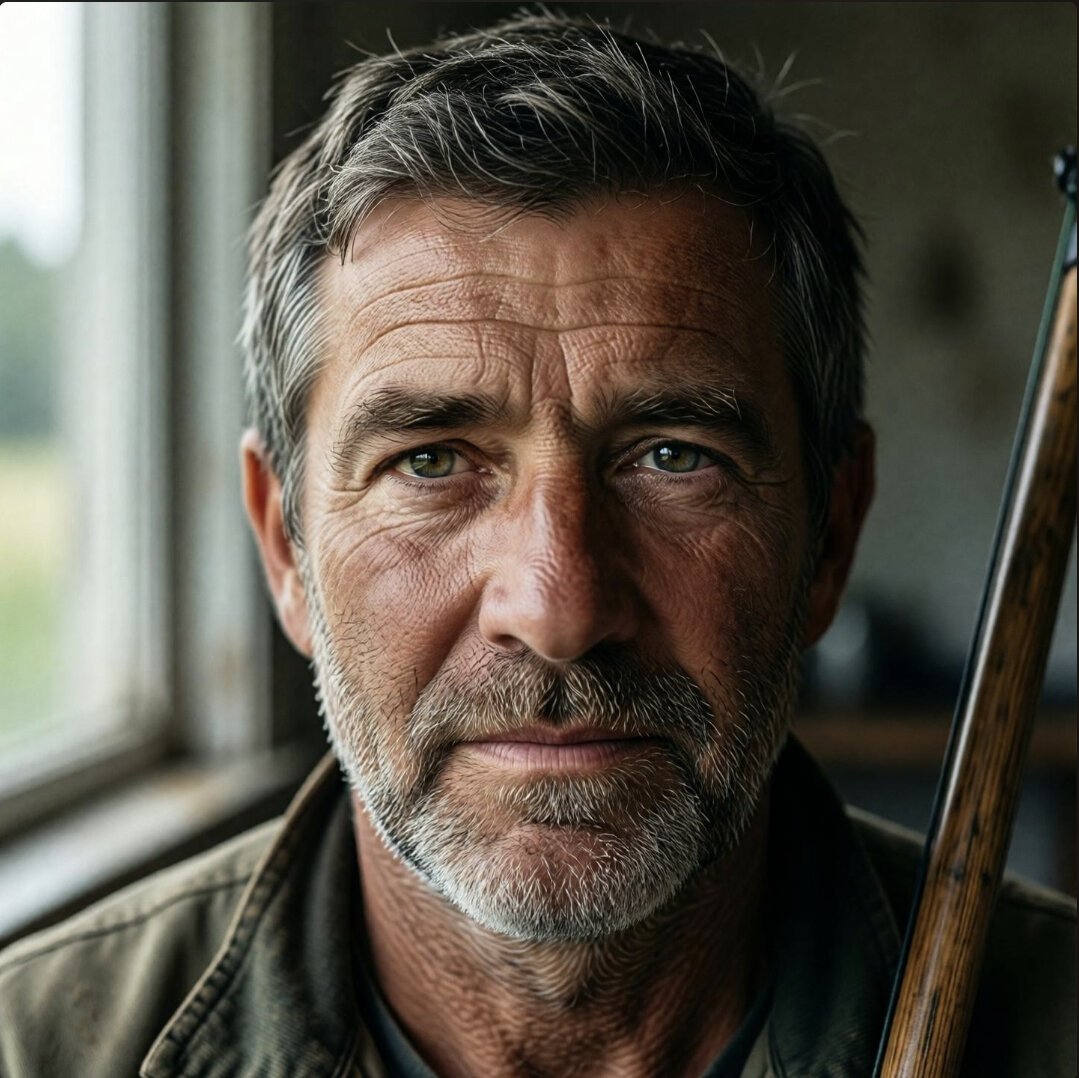
  • Elite photorealism. The fisherman portrait honored the no-retouching clause with real skin texture, and the Tokyo scene has the best wet reflections in the benchmark.
  • No catastrophic failures. Unlike the tools around it, Pixverse has no single embarrassing collapse. Its lowest image still scored 6.3; everything else is 7.7 or above.
Trade-offs

Where it falls short

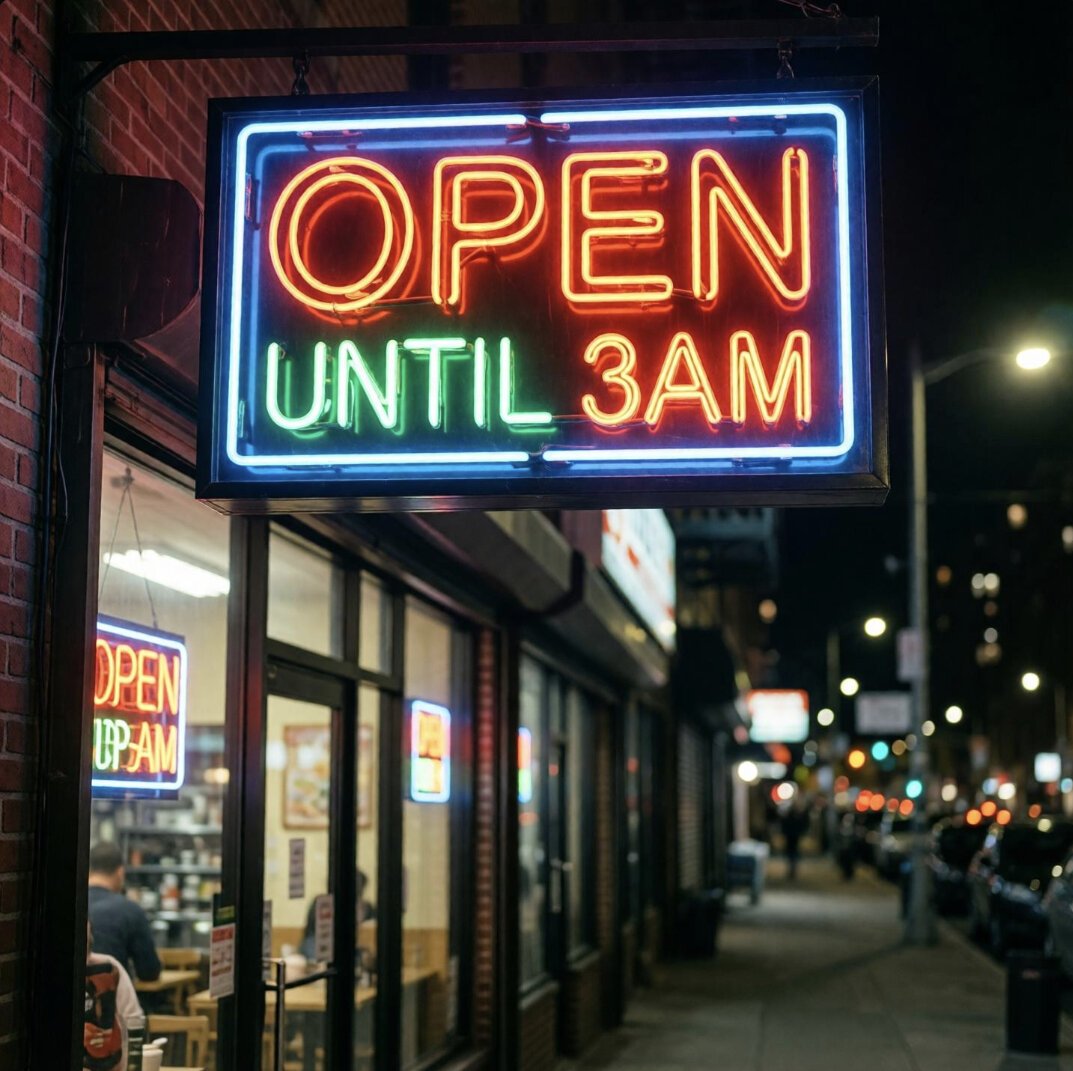
  • Text beyond one word garbles. It rendered a neon sign perfectly but turned a toothpaste tagline into nonsense (Stedtong In Yaebrang) and drifted the specified colour scheme. For packaging, labels, or any block of text, this is the wrong tool.
  • Fingers merge on close inspection. It managed a genuine two-hand exchange, but the right hand's fingers crowd together and the all-ten-fingers instruction was not cleanly met. Good at a glance, imperfect up close.
  • Style instructions are approximate. The anime portrait was a real illustration but read as smooth semi-realistic rendering rather than the requested soft cel shading. It gets the subject right and the specific style slightly wrong.
  • Images are a side feature. This is a video product first. The image mode is strong, but it sits inside a platform built for video, and some image runs may use third-party models rather than one consistent engine.

Our testing method, and why it's fair

Most best-of lists rank tools the author never opened. We do the opposite, and the method is deliberately strict so the scores mean something.

Every tool gets the identical nine prompts, pasted verbatim. We use default settings and keep the very first image, with no re-rolls and no picking the best of a batch. For Pixverse that meant testing its image mode exactly as a normal user would reach it, and keeping what it first produced, so it is judged on the same basis as every dedicated image tool.

We sell nothing on this list, so there is no commercial reason to rank one tool over another. The scores are the scores.

01

Same nine prompts, every tool

Two prompts each for text, photorealism, and spatial adherence, plus one each for hands, product, and anime.

02

Image mode, first output

We used Pixverse's text-to-image mode on default settings and kept the first image, with no re-rolls.

03

Three axes, full resolution

Adherence, coherence, and aesthetic, each scored at full size where artefacts actually show. Averaged per image.

04

No sponsorship, nothing for sale

We don't sell the tools we rank. Outbound links go to the tool's official site and are not affiliate links.

Pricing

Pixverse prices its plans around video generation; image generation draws from the same credit pool. Confirm current numbers on Pixverse before subscribing.

Pricing checked August 2026

Free
$0
  • Daily credit allowance
  • Image and video generation
  • Limits and terms vary, verify on site
Standard
~$10/mo
  • Monthly credit allocation
  • Faster generation
  • Everything in Free
Pro
~$30/mo
  • Higher credit allocation
  • Priority queue
  • Commercial use
Premium
~$60+/mo
  • Top credit tier
  • Highest limits
  • For heavy production use

Because Pixverse is a video-first product, credits are consumed mainly by video; image generation is comparatively cheap against the same pool. Verify exact pricing and credit costs on Pixverse directly.

Quick answers

Is Pixverse an image generator or a video generator?

Primarily a video generator. Pixverse is built for text-to-video and image-to-video, but it also has a text-to-image mode, which is what we benchmarked. If you mainly want still images, know that you are using a secondary feature of a video-first platform, though in our test it performed very well.

Is Pixverse good for image generation?

Surprisingly, yes. In our benchmark Pixverse's image mode scored 8.4, outperforming dedicated image generators. It is especially strong at precise instructions, product shots, and photorealism. Its one weakness is legible text beyond a single word.

Is Pixverse good for text in images?

Only for short, single-word text. Pixverse rendered a neon sign perfectly but garbled a product tagline into nonsense. For posters, packaging, or anything with a block of readable text, use a text-specialist like Ideogram instead.

Is Pixverse free?

There is a free tier with a daily credit allowance that covers both image and video generation, no card required to start. Because it is a video product, credits are consumed mainly by video, so image generation goes comparatively far. Verify current free limits on Pixverse directly.

Pixverse vs Ideogram for images, which is better?

Ideogram still leads overall, mainly on text rendering, where it is far ahead. But Pixverse matches or beats it on prompt adherence and is very close on product and photorealism. For text-in-image work choose Ideogram; for precise spatial compositions and product shots, Pixverse is genuinely competitive.

How much does Pixverse cost?

The free tier is $0 with daily credits. Paid plans run roughly $10/month (Standard) up to around $60 or more (Premium), priced mainly around video generation, with image generation drawing from the same credit pool. Confirm current pricing on Pixverse.

How did you test Pixverse?

We ran nine fixed prompts through Pixverse's image mode on default settings and kept the first image each time, with no re-rolls. Every generator we review gets the identical nine prompts, scored on the same three-axis rubric. We sell none of the tools we rank, and we disclose that Pixverse is a video-first tool tested on its image feature.

THE BOTTOM LINE

A genuinely strong image tool hiding inside a video product

Pixverse earns its score by being precise where it counts: the best instruction-following we have tested, ad-grade product shots, elite photorealism, and a real anime illustration. That a video-first tool outscored dedicated image generators is the whole story. If you need legible blocks of text, look elsewhere. For almost everything else, it is a serious option.

If you already use Pixverse for video, its image mode is a strong bonus rather than a compromise. If you are choosing an image tool on its own merits, it still performs near the top of the tools we have tested.

Buy it if

You want precise, instruction-heavy images (product, spatial, photoreal), or you already use Pixverse for video and want capable images from the same tool.

Look elsewhere if

Your work depends on legible text in the image, where a text-specialist like Ideogram will serve you far better.