image generation lab
Leaderboard Reviews By category

Hands-on benchmark · · August 2026

SeaArt AI review: nine prompts tested, first output kept and scored

Marketed for anime, strongest on photorealism — the in-image text is where it slips

SeaArt is marketed for anime and community models. We gave it the same nine prompts as every other generator, on default settings, first output kept. Every output is below, scored on the same rubric.

SeaArt · at a glance
MakerSeaArt (community platform)
TypeMulti-model, 200k+ community models
Free tierYes, daily stamina allowance
Paid from~$9.99/mo (Standard)
Best atFollowing precise instructions and spatial layouts, plus strong photorealism. The best instruction-follower we tested.
Weak atText on packaging, and a busy, trap-laden billing flow worth watching before you subscribe.
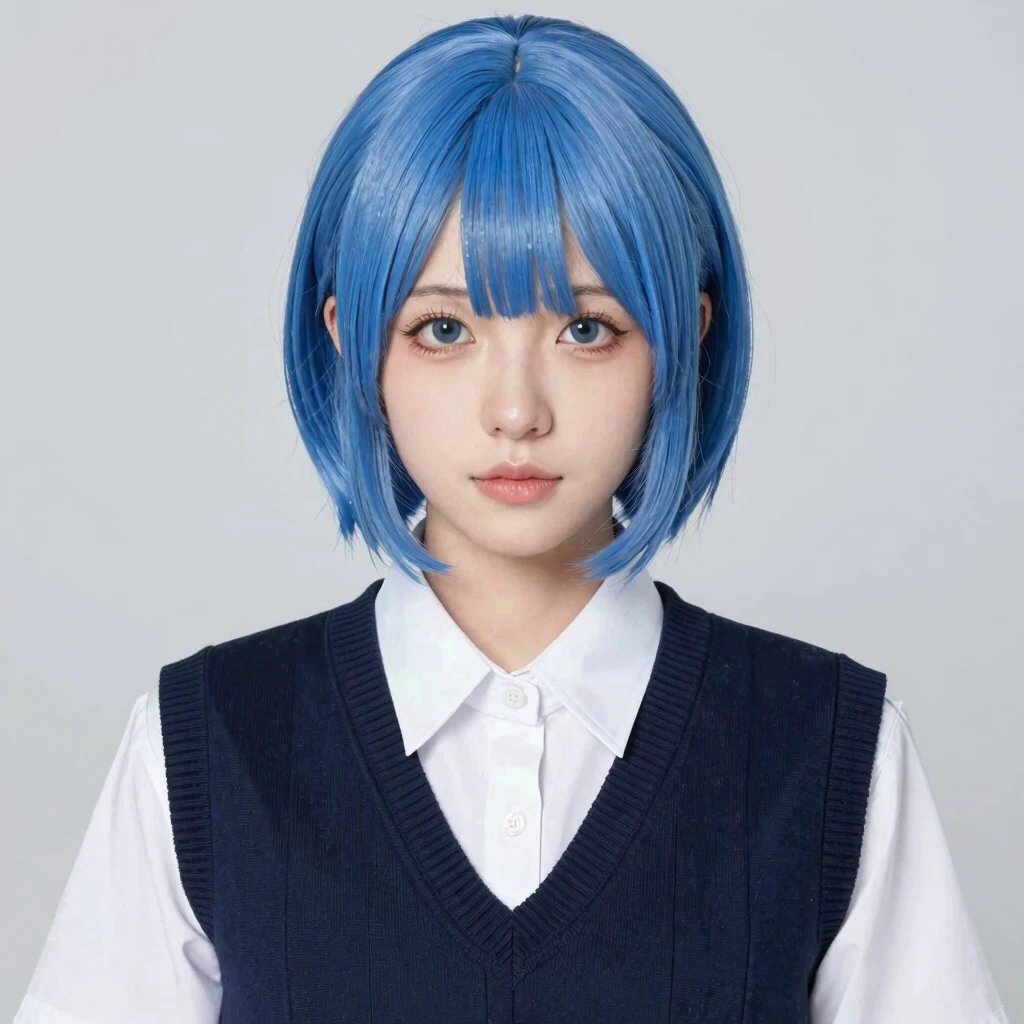
Bad atAnime. Despite its brand, it rendered our anime prompt as a live-action photo of a person in a wig.
9identical prompts, every tool
1stoutput kept, no re-rolls
3axes scored per image
0sponsored placements
THE VERDICT

SeaArt is the biggest surprise in this test. Its brand is anime, but its actual strength is precision: it posted the highest instruction-following score of any tool, nailed both spatial-logic prompts, and tied for the best photorealism. Then it fumbled the one prompt it should have owned, and its billing practices are worth reading carefully before you subscribe.

Best for

Precise photoreal scenes and exact instruction-following: layouts, environments, portraits where the brief must be met faithfully.

Watch for

Weak text rendering, an anime default that came back photoreal, and user reports of aggressive auto-renew billing. Read the terms first.

Category scores, broken down

Two prompts per category (one each for hands and product), averaged. The overall 8.0 is the mean of all nine images. Note the split personality: elite at the top, weak at the bottom.

Prompt adherence9.2

The best in our entire benchmark, higher than any tool in any category.

Photorealism8.8

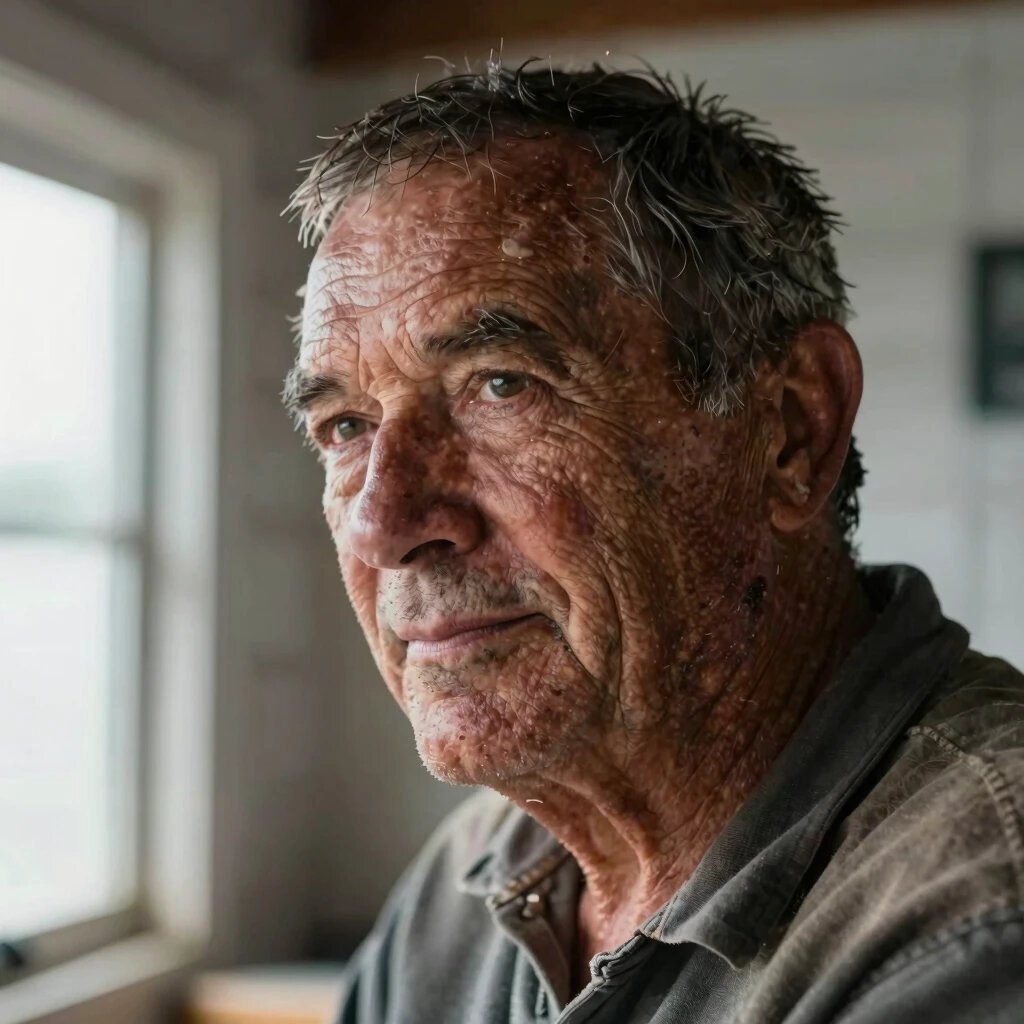
Elite faces and scenes, tied for the top photoreal score.

Product shot8.3

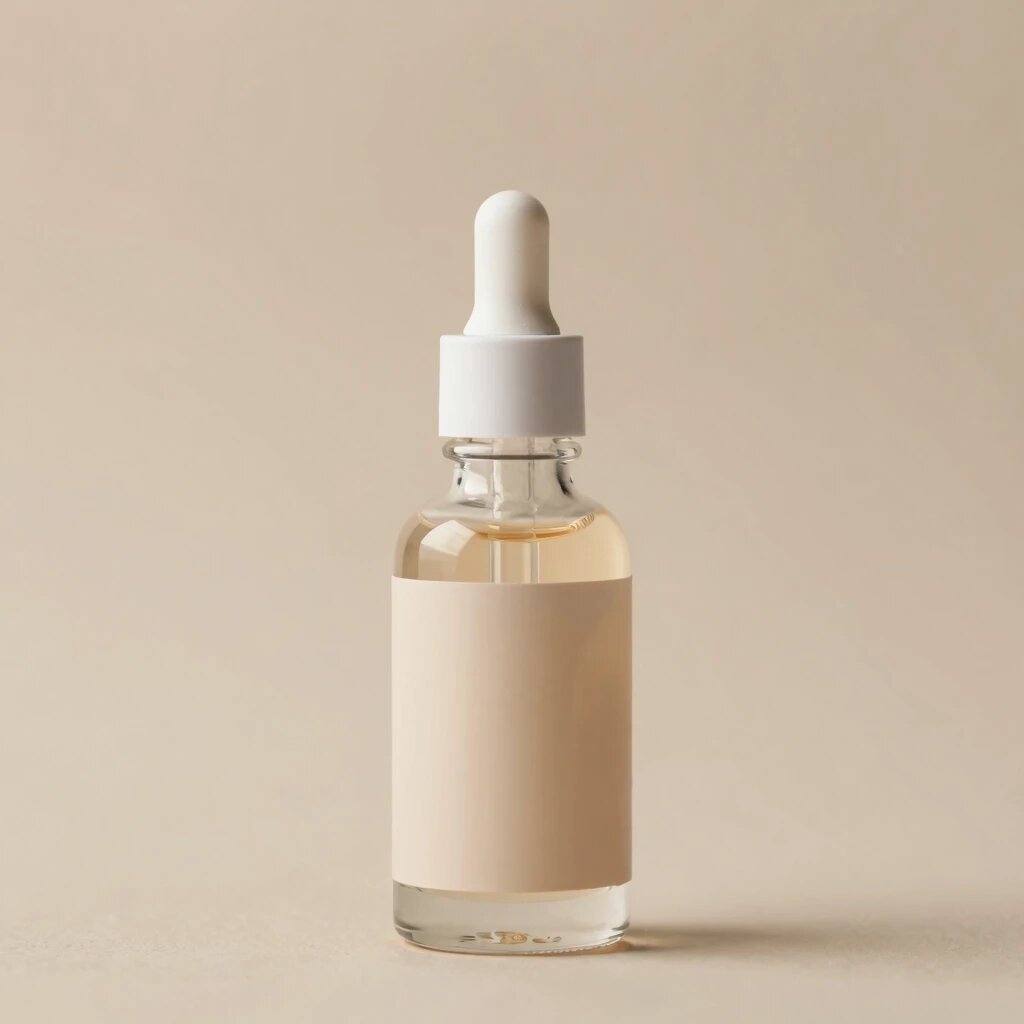
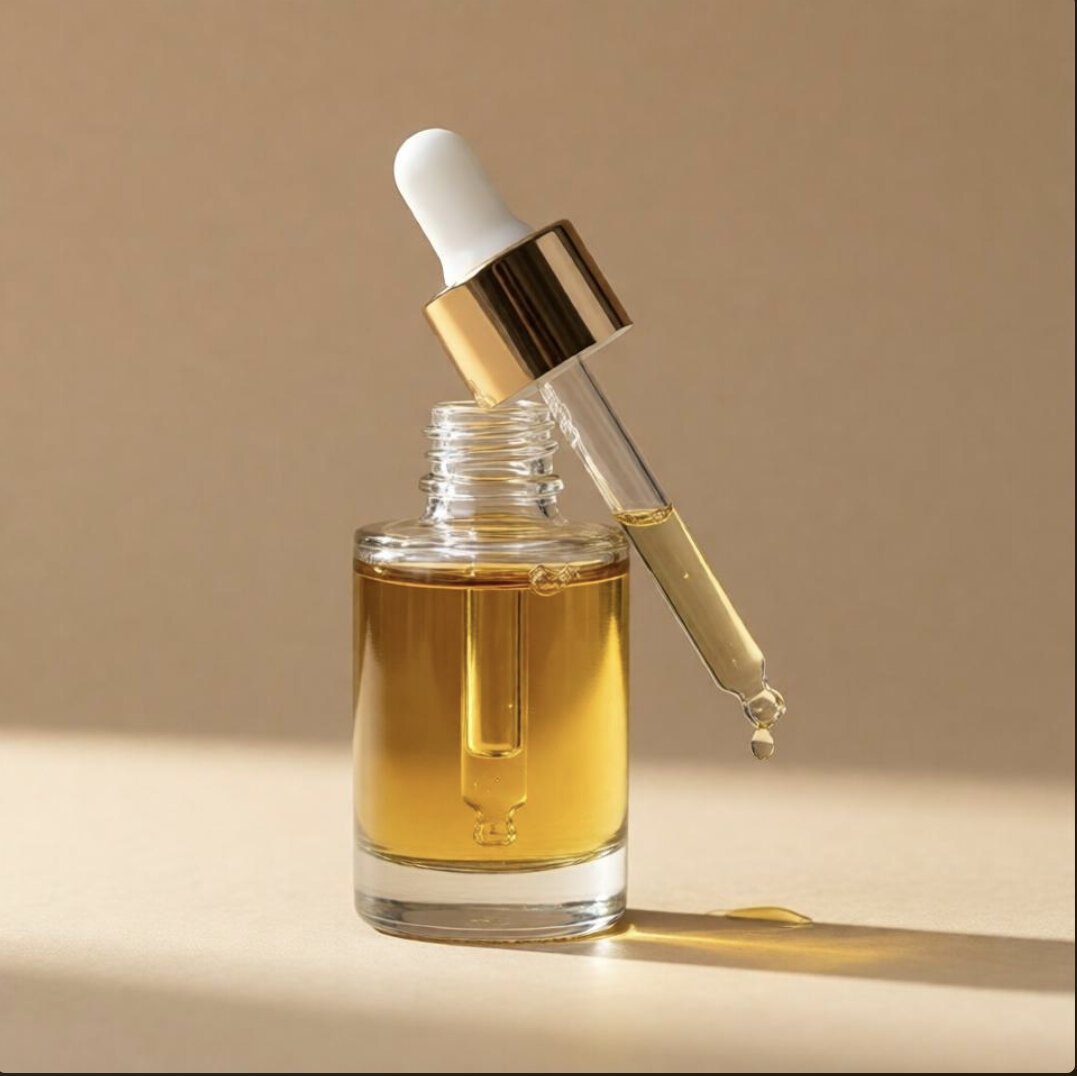
Clean form and materials, but it leaves labels blank.

Hands & anatomy8.3

The only genuine cup exchange we saw, with sound anatomy.

Text rendering6.3

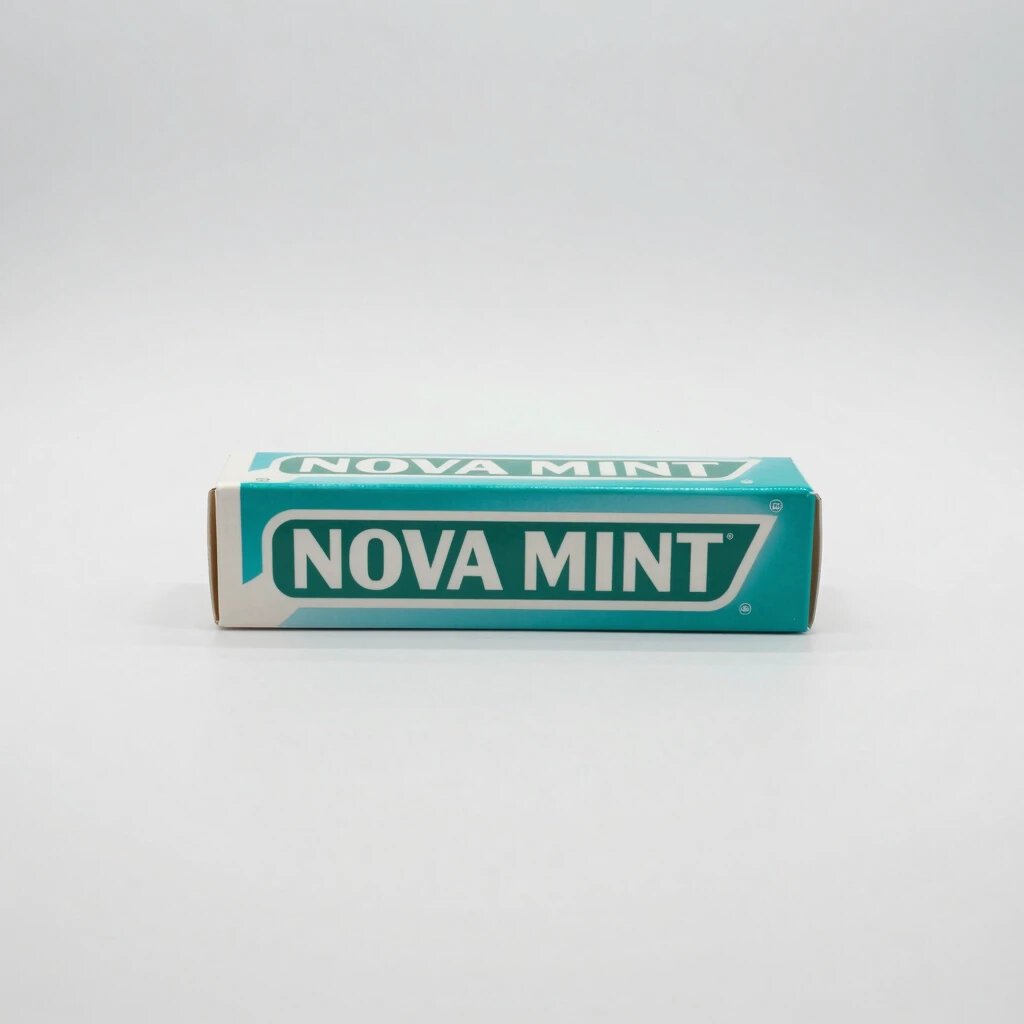
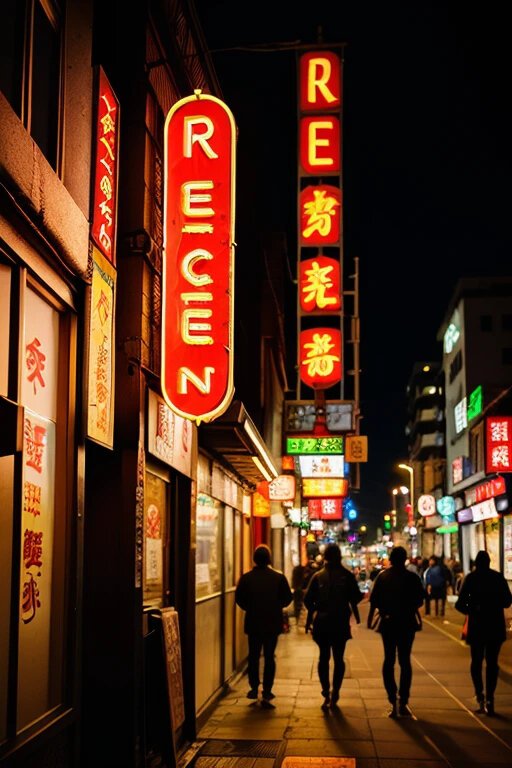
Flat packaging text works; curved neon text fails.

Anime & style6.3

The surprise weak spot, an anime prompt rendered as a photo.

Strengths, and the two real weaknesses

Every point below traces to a specific image above. SeaArt's profile is unusually lopsided, which makes naming the trade-offs essential.

Strengths

Where SeaArt leads

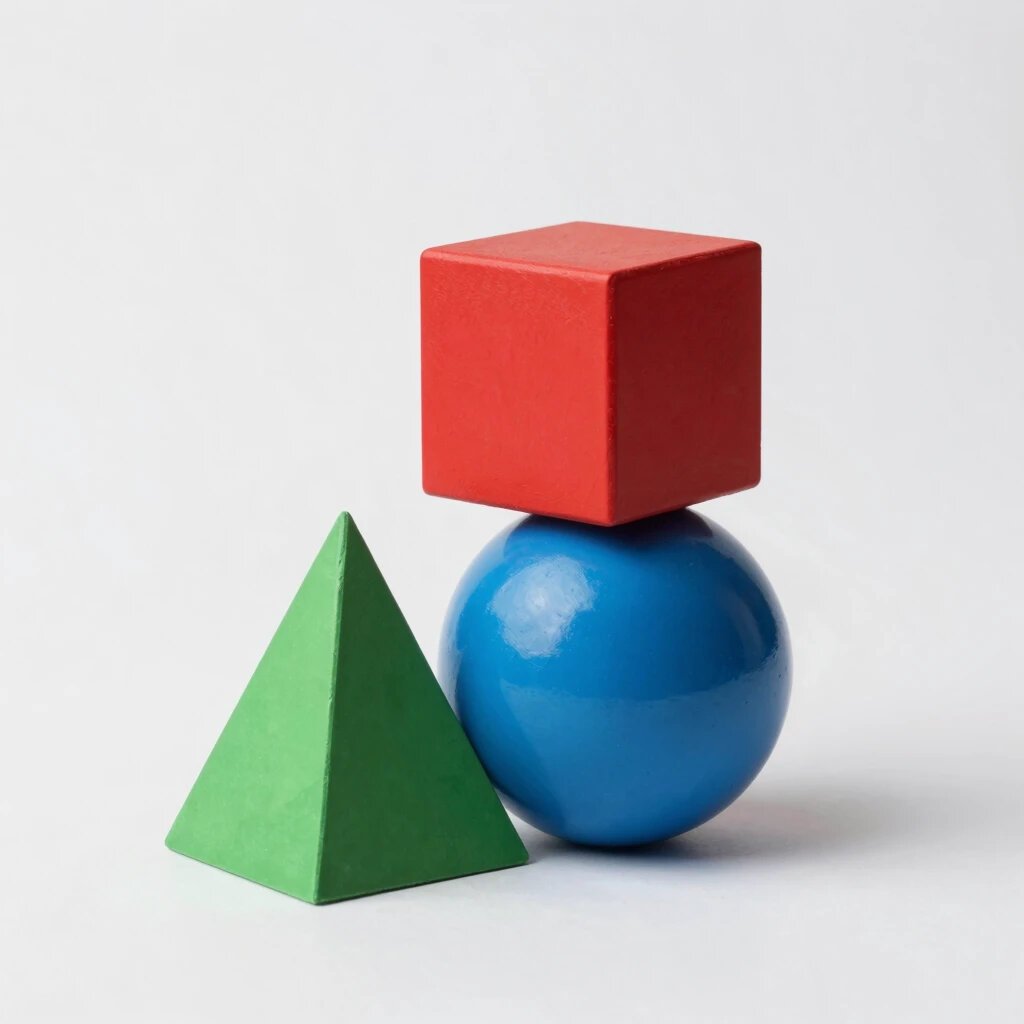
  • Best instruction-following in the benchmark. It scored 9.2 on adherence, higher than any tool in any category. Both hard spatial prompts came back exactly right, with a real pyramid and a correctly split desert-and-snow scene.
  • Elite photorealism. The fisherman portrait tied for the best in our test, and gave the most literal reading of natural window light. Faces and scenes are a genuine strength.
  • The only real cup exchange. Where other tools faked a static hold, SeaArt depicted an actual handoff with sound anatomy on both hands.
  • Clean product form. The serum bottle's internal pipette rendered correctly straight, a detail cheaper tools got wrong.
  • More material realism. On the shapes prompt, its painted-wood surfaces and contact shadows looked more physically convincing than the tool ranked above it.
Trade-offs

Where it falls short

  • Anime is the surprise miss. Asked for a cel-shaded anime portrait, SeaArt returned a photorealistic cosplay photo of a real person in a wig. On the category its brand implies it should own, it scored lowest of the three tools. You would likely need to select a specific anime model by hand to get an actual illustration.
  • Text rendering is weak. The neon sign came back as REEEN rather than the requested phrase. It recovered on flat packaging text, so the pattern is clear: printed text is fine, curved or glowing text fails.
  • It leaves labels blank. The serum bottle's label was empty, consistent with the text weakness. It renders product shapes well but not on-pack text.
  • Billing and app concerns. Beyond image quality, users report aggressive auto-renew and trial-to-paid traps, third-party trackers, and an unstable mobile app. These do not affect our scores, but they affect the experience, so read the subscription terms before paying.

Our testing method, and why it's fair

Most best-of lists rank tools the author never opened. We do the opposite, and the method is deliberately strict so the scores mean something.

Every tool gets the identical nine prompts, pasted verbatim. We use default settings and keep the very first image, with no re-rolls and no picking the best of a batch. That matters especially for SeaArt: we did not hand-select an anime model to flatter it, we took what its default produced, which is what a normal user gets.

We sell nothing on this list, so there is no commercial reason to rank one tool over another. The scores are the scores.

01

Same nine prompts, every tool

Two prompts each for text, photorealism, and spatial adherence, plus one each for hands, product, and anime.

02

Default model, first output

We used SeaArt's default, not a hand-picked anime model, and kept the first image with no re-rolls.

03

Three axes, full resolution

Adherence, coherence, and aesthetic, each scored at full size where artefacts actually show. Averaged per image.

04

No sponsorship, nothing for sale

We don't sell the tools we rank. Outbound links go to the tool's official site and are not affiliate links.

Pricing

Verified from SeaArt's plans. Prices and stamina limits change, and its billing has drawn complaints, so confirm the terms before subscribing.

Pricing checked August 2026

Free
$0
  • Daily stamina allowance
  • No card required
  • Limits and terms vary, verify on site
Standard
~$9.99/mo
  • More daily stamina and credits
  • Faster generation
  • Check auto-renew terms carefully
Pro
~$25/mo
  • Higher credit allocation
  • Priority queue
  • Everything in Standard
Master
~$150/mo
  • Top credit tier
  • Highest limits
  • For heavy commercial use

SeaArt uses a stamina-plus-credits system that can be hard to predict. Standard images cost around 6 credits; video costs far more. Verify current numbers on SeaArt directly.

Quick answers

Is SeaArt good for anime?

Surprisingly, not by default. In our test the anime prompt produced a photorealistic cosplay photo rather than a cel-shaded illustration. To get actual anime you would likely need to select a specific anime model by hand, because the default output missed the style entirely. This is worth knowing if anime is the reason you are considering SeaArt.

Is SeaArt good for realistic images?

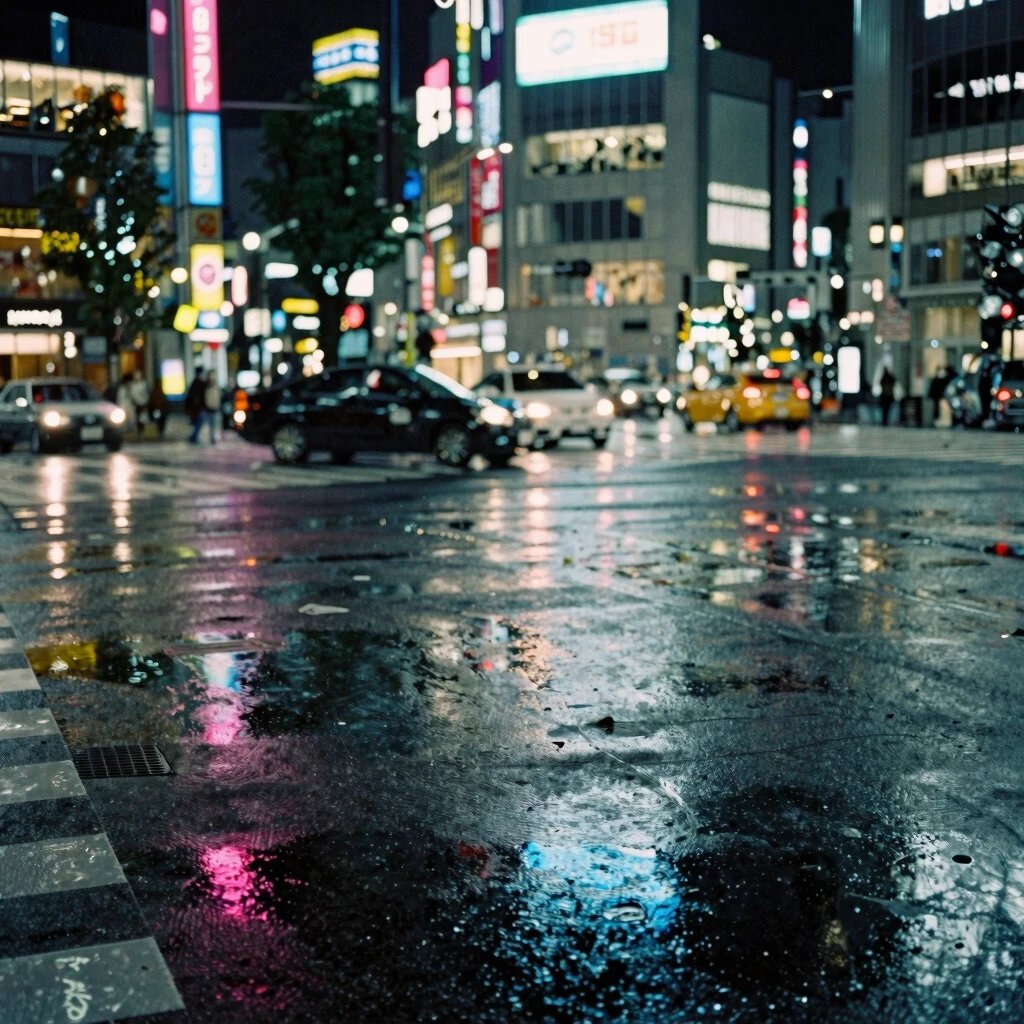
Yes, very. SeaArt tied for the best photorealism in our benchmark, gave the most literal reading of natural light, and followed precise scene instructions better than any other tool, including rendering an actual crossing and a genuine two-hand exchange.

Is SeaArt free?

Yes, there is a free tier with a daily stamina allowance and no card required. Watch the billing on paid plans, though: users report aggressive auto-renew and trial-to-paid traps, so check the cancellation terms before subscribing. Verify current free limits on SeaArt directly.

Is SeaArt safe and legit?

SeaArt's image quality is genuinely strong. That said, users have reported concerns around billing practices, third-party trackers, and an unstable mobile app. We treat the free tier as low risk and recommend reading the subscription terms carefully before you pay.

SeaArt vs Ideogram, which is better?

SeaArt matches Ideogram on photorealism and edges it on raw instruction-following, but Ideogram is far ahead on text rendering and on actual anime. For text-in-image work or illustration, choose Ideogram. For precise photoreal scenes on a free tier, SeaArt is a strong pick.

How much does SeaArt cost?

The free tier is $0 with a daily stamina allowance. Paid plans run roughly $9.99/month (Standard) up to around $150/month (Master), with a stamina-plus-credits model where standard images cost about 6 credits and video costs far more. Confirm current pricing on SeaArt.

How did you test SeaArt?

We ran nine fixed prompts on SeaArt's default settings and kept the first image each time, with no re-rolls and no hand-picking an anime model to flatter it. Every generator we review gets the identical nine prompts, scored on the same three-axis rubric. We sell none of the tools we rank.

THE BOTTOM LINE

A precise photoreal engine, mislabeled as an anime tool

SeaArt earns its score by being the best instruction-follower we tested and tying for the best photorealism. If you need a scene rendered exactly as described, or a convincing photoreal image on a free tier, it delivers. Just don't choose it for anime expecting an illustration, and read the billing terms before you subscribe.

The image quality is not in question. The caveats are the anime default and the billing practices, both real, both worth knowing up front.

Buy it if

You need precise photoreal scenes and faithful instruction-following on a free tier, and you'll read the subscription terms carefully.

Look elsewhere if

You want reliable anime illustrations or legible in-image text, where a purpose-built tool will serve you better.