“Prompt seen” means the prompt behind a viral AI photo edit. Copy one of the 18 prompts below, open Gemini or ChatGPT, attach one clear photo of yourself, paste the prompt and generate. Prompts are free everywhere — never pay a site for them. We tested 13 of them in both apps: Gemini kept both faces in 4 of 5 couple edits to ChatGPT’s 3, while ChatGPT kept the woman’s face in all 10 of her edits and followed lighting and styling more closely. So use Gemini for couples and try ChatGPT first for solo portraits.
“Prompt seen” is the search term for the text prompts behind viral AI photo edits, and the name of a popular prompt gallery (promptseen.com). You attach your photo in Gemini or ChatGPT, paste a prompt and get the same style with your own face. In our 13-prompt test, Gemini kept couples’ faces more often; ChatGPT followed styling more closely.
Pipgen hands-on test, 13 prompts in ChatGPT and Gemini, September 2026What “prompt seen” actually means
Updated 10 September 2026. We add new prompts as the trend moves; the engine scores come from our fixed benchmark and do not change with it.
Prompt Seen is the name of a popular prompt gallery — promptseen.com, its Android app and its Instagram account — and it has become the generic phrase people type to find the prompts behind viral AI portraits. The pattern is always the same: a creator posts an AI-stylised portrait (a chiffon saree in a mustard field, a rain-soaked couple shot, a retro studio look) and shares the prompt; the audience copies it, opens Gemini or ChatGPT, attaches a photo of themselves and gets the same style with their own face. Near-identical websites have since sprung up to catch the same searches — more on those below.
“Prompt seen” then became the shorthand people type into Google to find those prompts, and a wave of near-identical websites appeared to catch the traffic — several of them with almost the same name. The trend is heaviest in India, and the biggest sub-searches map to what people actually want to make: prompt seen girl (solo portraits), prompt seen couple (two people in one frame), and prompt seen chatgpt (the same edits run in ChatGPT instead of Gemini).
Two things about the trend that the prompt sites skip over:
- A prompt is not a product. It is plain text. Any site or app charging you to read prompts is charging you for something free.
- The model matters more than the prompt. The same wording produces a keeper on one model and a waxy, wrong-faced miss on another. That difference is measurable, and we have measured it — see the engine section.
What we did and did not test
The 18 prompts below are ours, written in the trend’s style — we are not republishing any creator’s or site’s prompt. We ran thirteen of them (1–8, 10, 11, 13, 14 and 15) in both Gemini and ChatGPT, pasted verbatim with the same reference photos, keeping the first output with no re-rolls, and published all 26 results under their prompts. We did not score those edits out of ten, because an edit of a person has no fixed ground truth; we report whether each app kept the face and followed the prompt. The engine scores on this page come from our separate 90-image benchmark.
How to use these prompts
From prompt to portrait, in under a minute
- Pick a prompt from the sections below and copy it.
- Open Gemini or ChatGPT — free tier is enough for both.
- Attach one clear photo of yourself: good light, face unobstructed, no heavy filter. For couple prompts, one photo with both people in it works better than two separate photos.
- Paste the prompt and generate. Every prompt below already ends with a face-lock line telling the model to keep your features. It improves the odds; no model guarantees it.
- Start a new chat for each prompt. Chat apps remember earlier turns: in our test, a red saree from one prompt turned up uninvited in the next.
- Regenerate once or twice if the first result misses. Small prompt edits (change the saree colour, the decade, the background) beat re-rolling blindly.
The one line that fixes most bad results: “Keep my face exactly the same as the uploaded photo — do not alter my facial features.” Identity drift is the most common failure in these edits, and instructing against it explicitly is the cheapest fix. Every prompt below includes it.
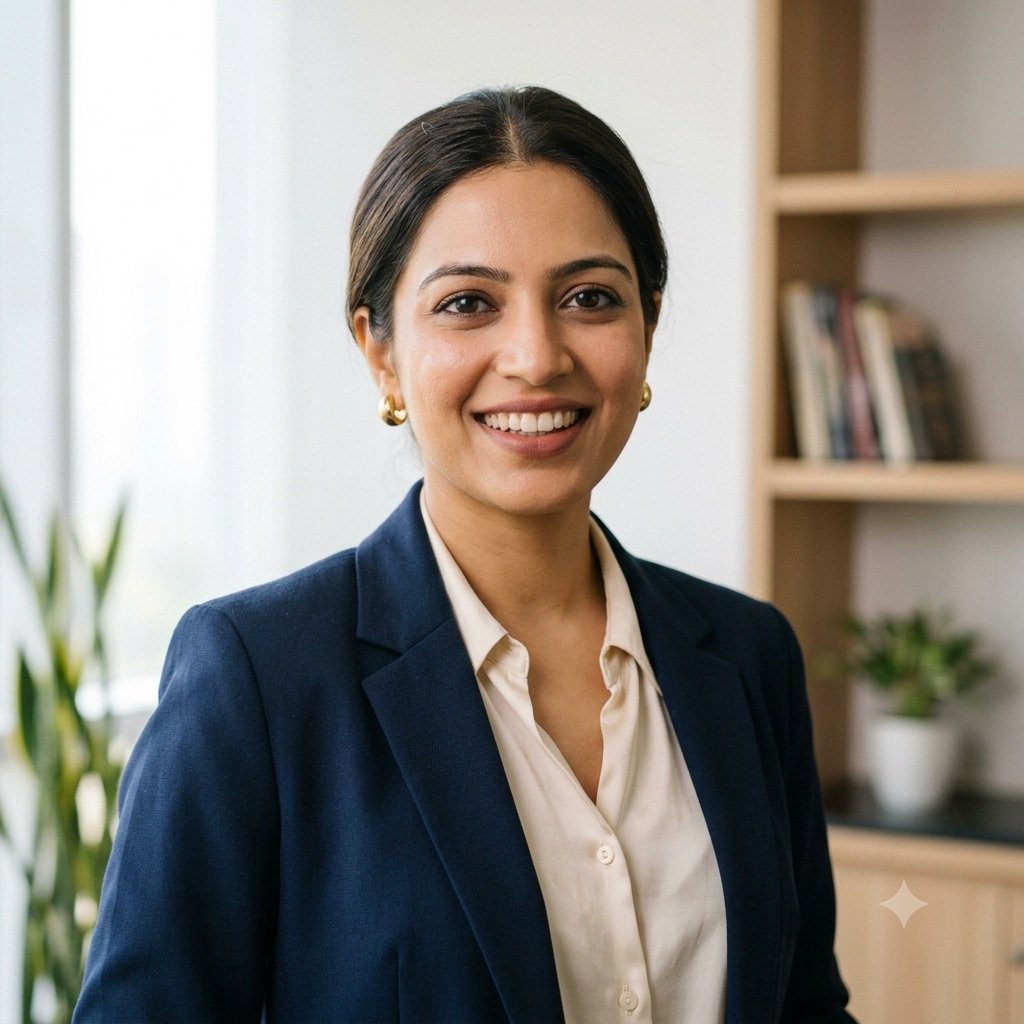
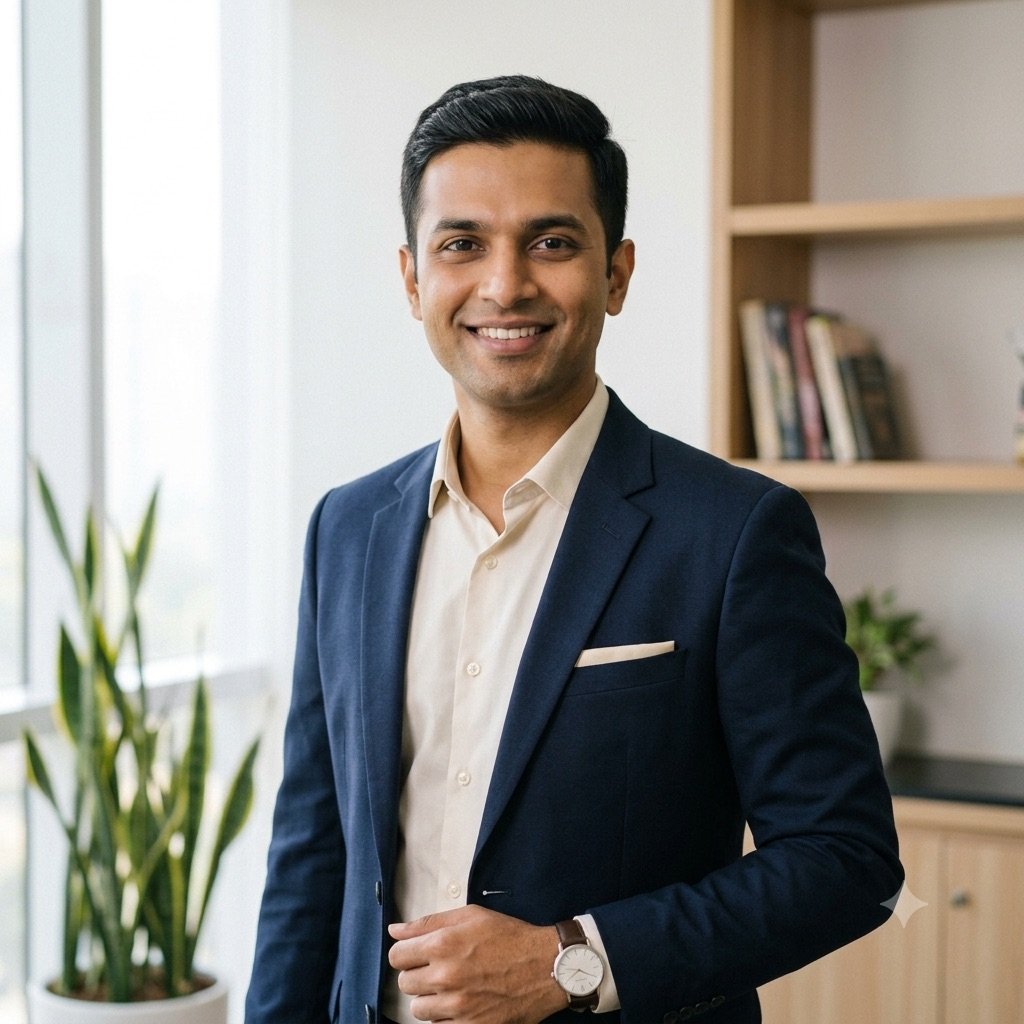
These are the two reference photos we used for every test on this page — AI-generated test personas, not real people, so nobody’s face is published without consent. Couple prompts got both photos attached together.
Prompt seen girl: solo portrait prompts
The solo-portrait branch is where the trend started. These three cover the looks that keep going viral: the 90s Bollywood chiffon saree, the black saree night shot, and the retro studio portrait. More solo looks — saree, lehenga, traditional and birthday — are on our Gemini prompts for girls page.
1. The 90s Bollywood chiffon saree
Create a retro 90s Bollywood style portrait of me from the uploaded photo. I am standing in a field of yellow mustard flowers at golden hour, wearing a flowing red chiffon saree, hair loose and moving in the wind, soft cinematic film grain, warm nostalgic tones, shallow depth of field. Keep my face exactly the same as the uploaded photo — do not alter my facial features.
Our test: same prompt, same reference photo, first output
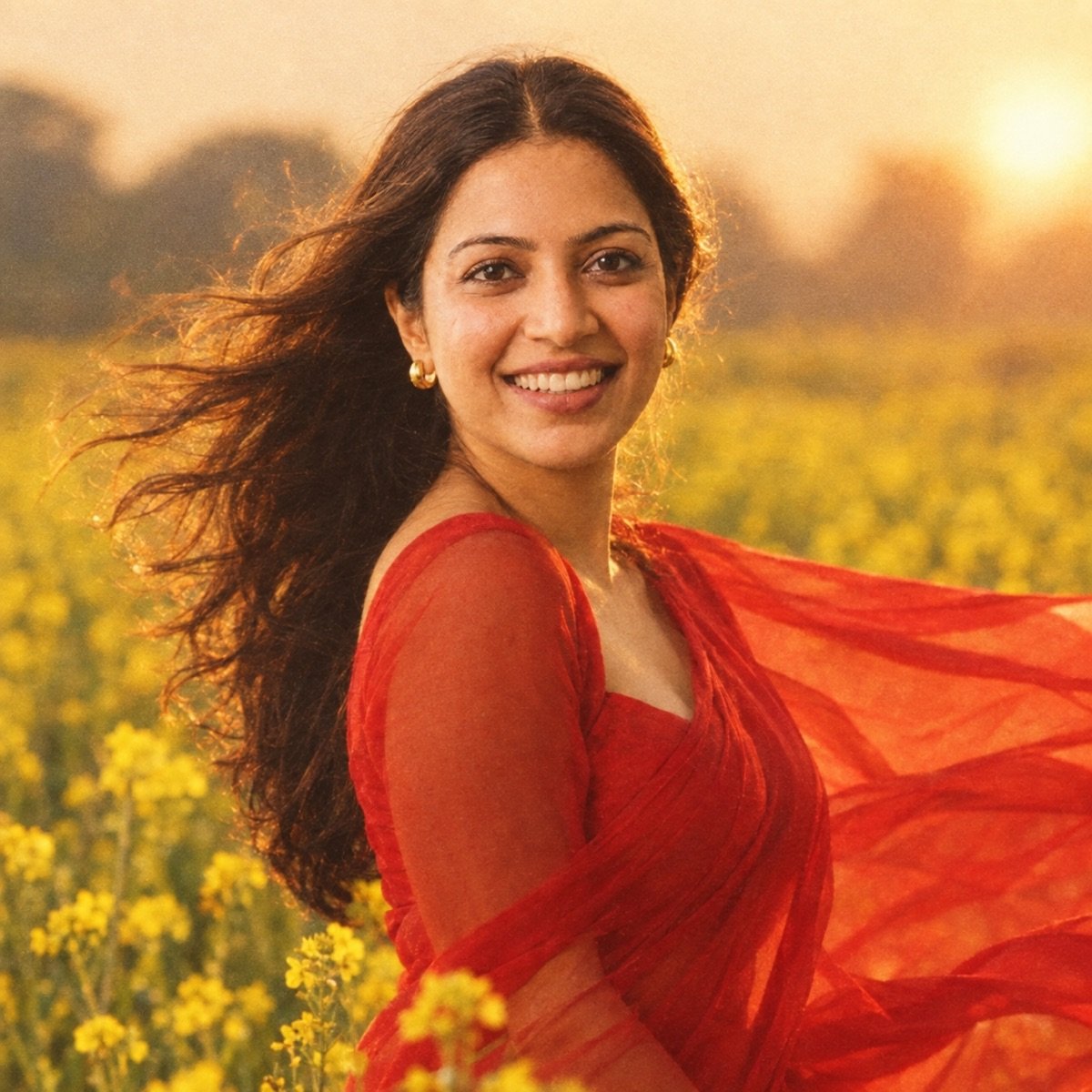
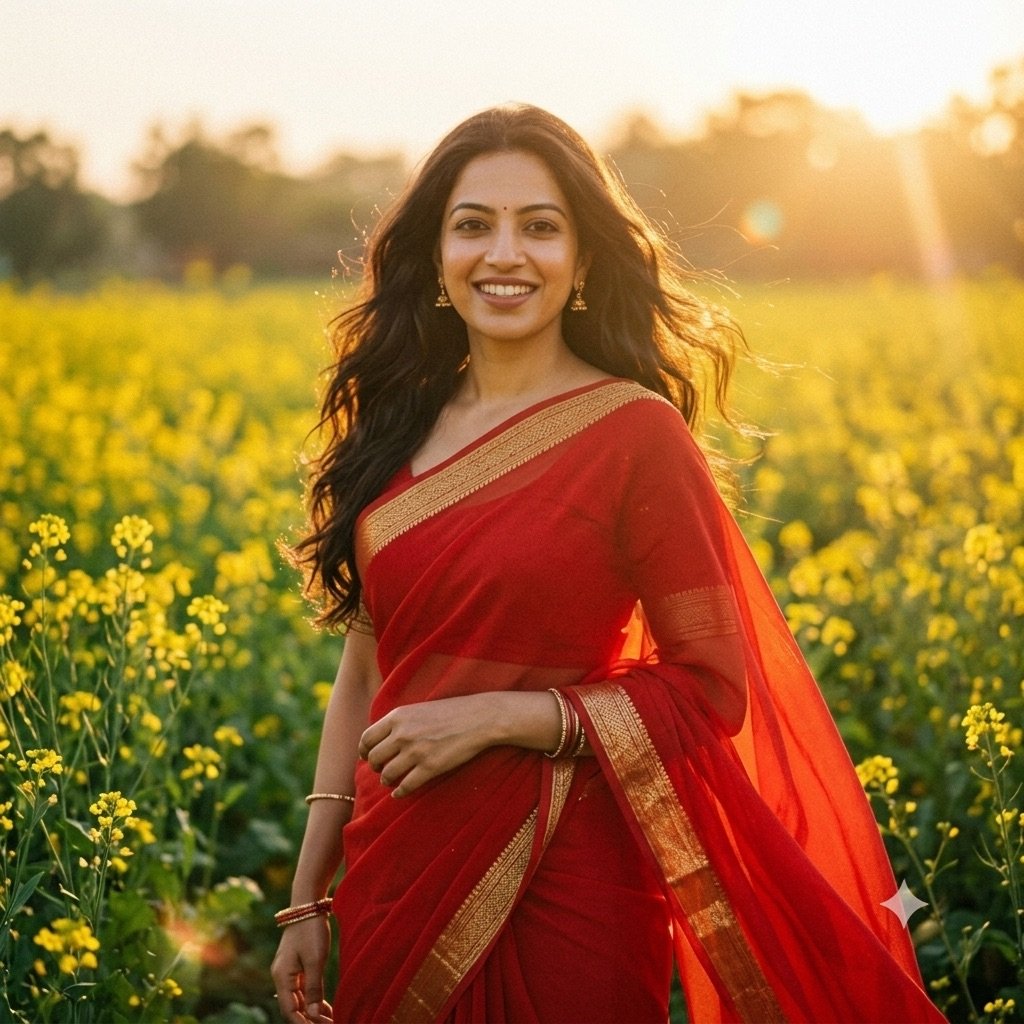
The single most copied look of the trend. The golden-hour flare and film grain are what sell it — if your result looks too clean, add “shot on 35mm film” to the end. Want the decade before? Our 1980s photo prompts cover the 80s version of the trend, and our 90s photo prompts page has sixteen more 90s looks.
2. Black saree, city lights at night
Edit the uploaded photo into a cinematic night portrait: I am wearing an elegant black saree with a thin gold border, standing on a quiet city street at night, warm bokeh lights behind me, gentle rim light on my hair, moody and premium editorial style. Keep my face exactly the same as the uploaded photo — do not alter my facial features.
Our test: same prompt, same reference photo, first output
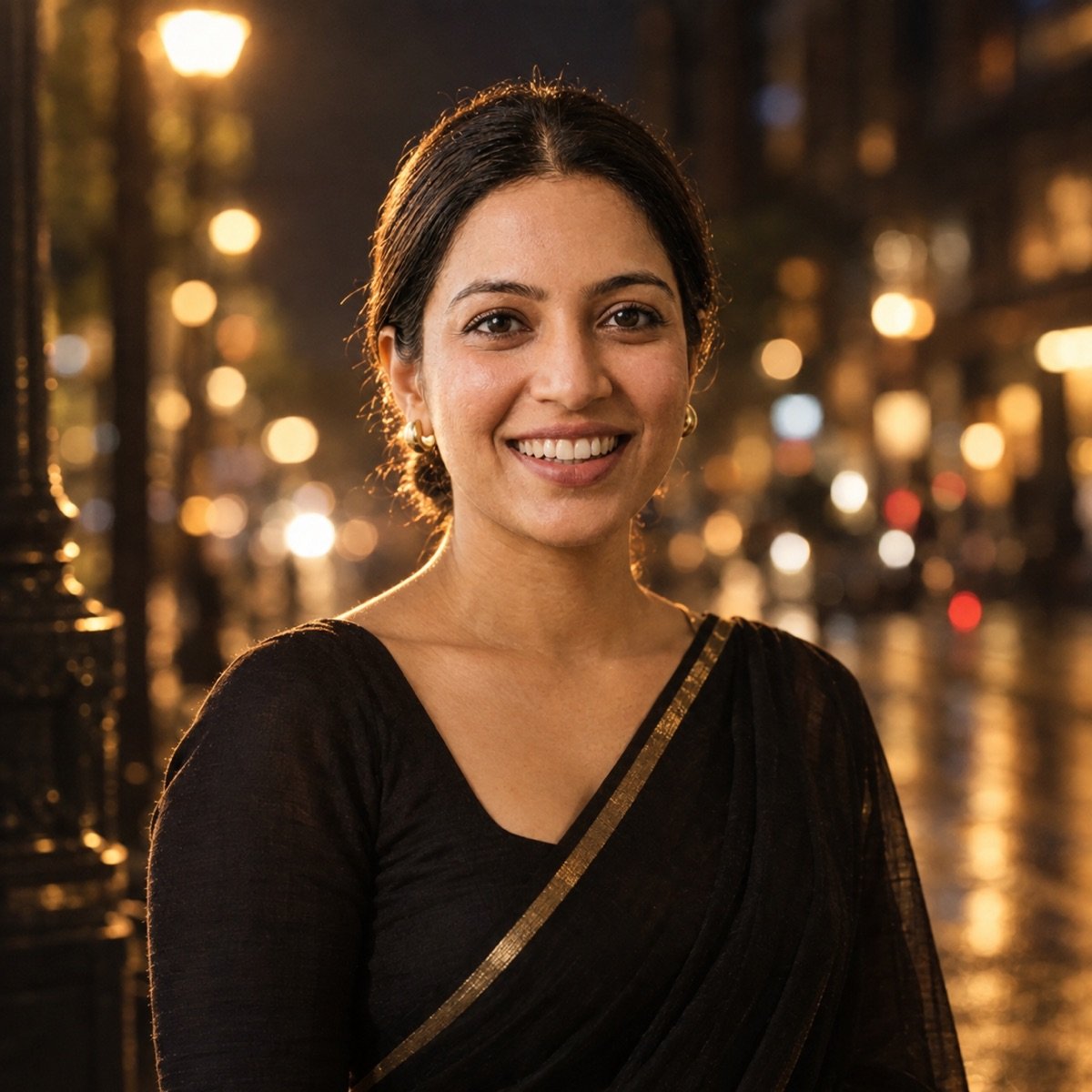
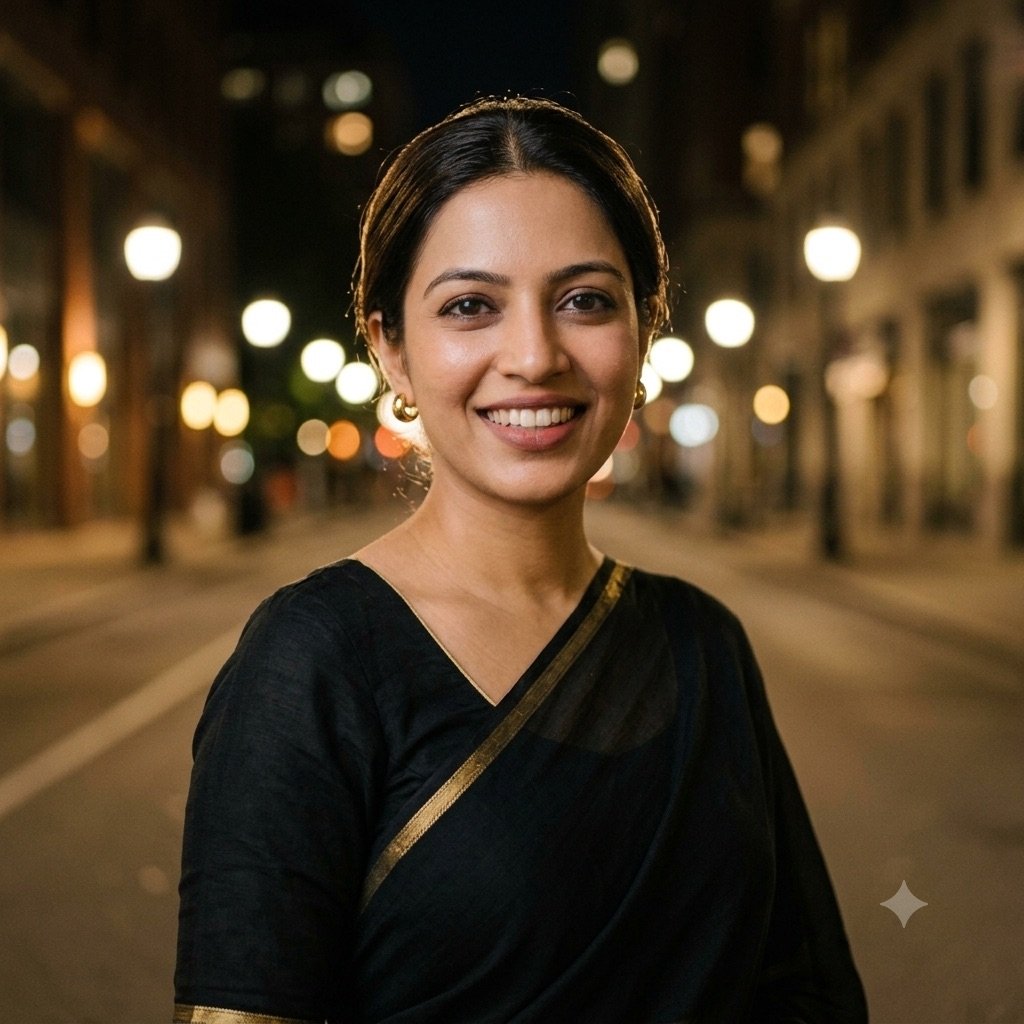
Night scenes are harder than they look — cheap models flatten the bokeh into a wall of orange dots. This is one of the prompts where the engine choice shows up most clearly.
3. Retro studio portrait
Turn the uploaded photo into a vintage 1970s Indian studio portrait: painted canvas backdrop, soft tungsten lighting, slight film fade, kajal-accented eyes, jasmine flowers in my hair, the look of an old photo studio print with subtle grain and warm faded colours. Keep my face exactly the same as the uploaded photo — do not alter my facial features.
Our test: same prompt, same reference photo, first output
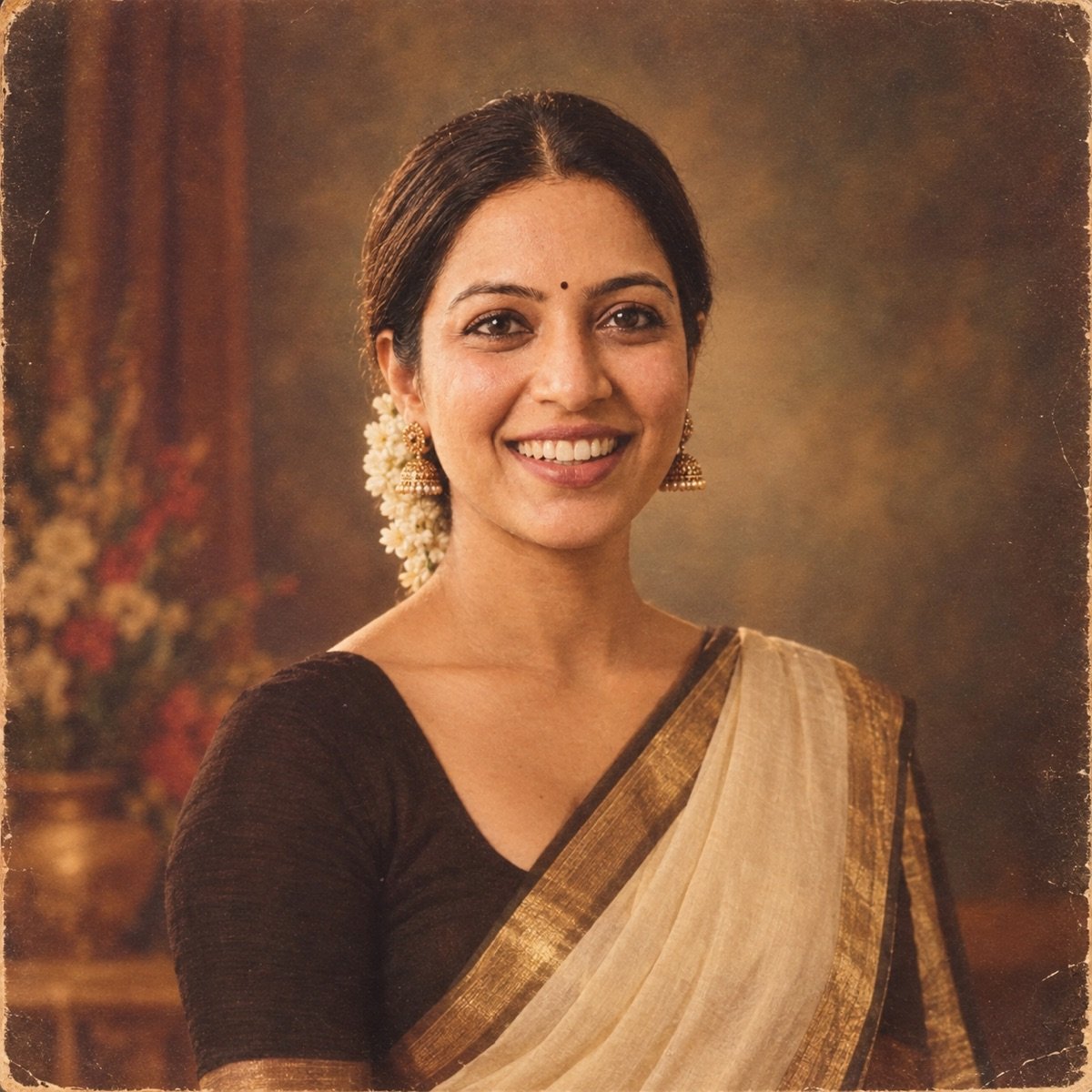
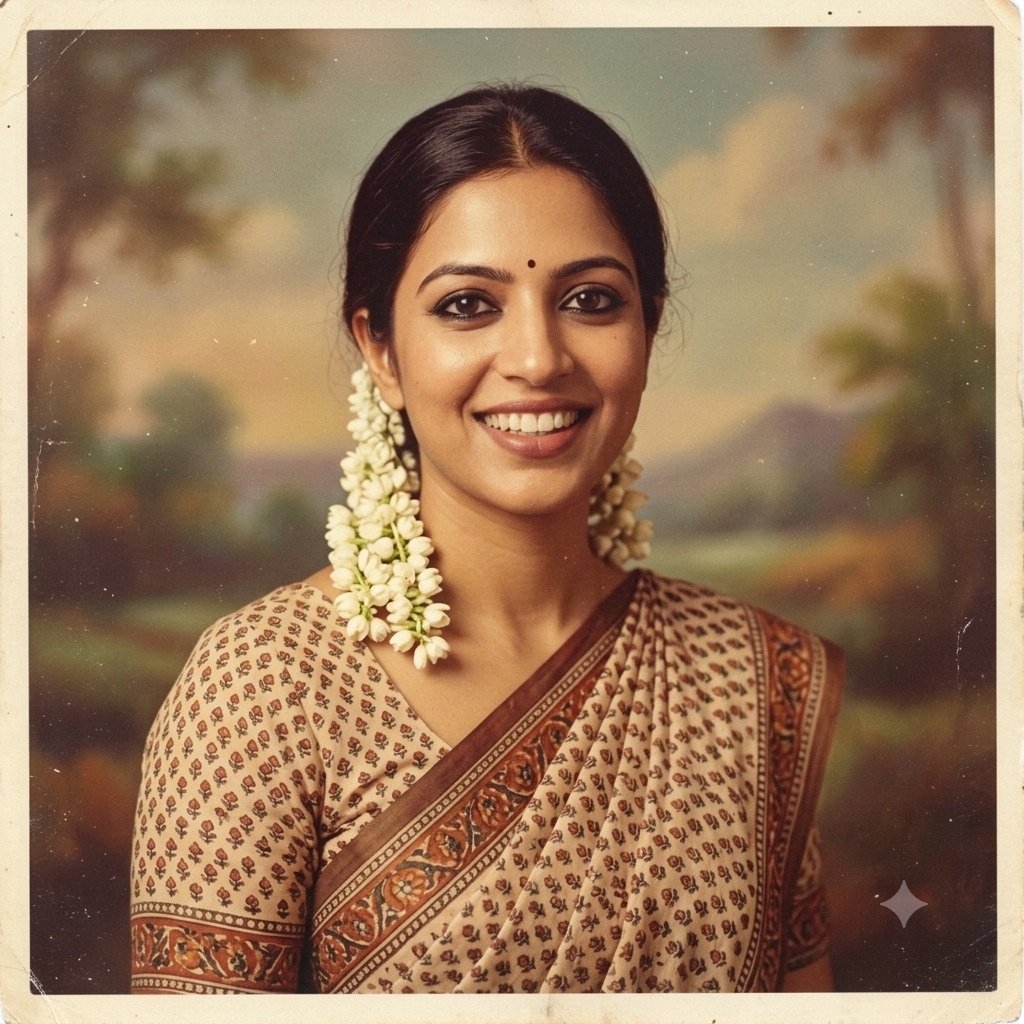
Prompt seen couple: romantic couple prompts for two people
“Prompt seen romantic couple” is the biggest couple sub-search, so three of the four prompts here are romantic and one is a wedding portrait. Couple edits fail more often than solo edits, for a simple reason: the model has two identities to preserve, and it usually sacrifices one. Start from a single photo that already contains both faces, and expect one extra regeneration. More two-person looks are on our couple prompts page.
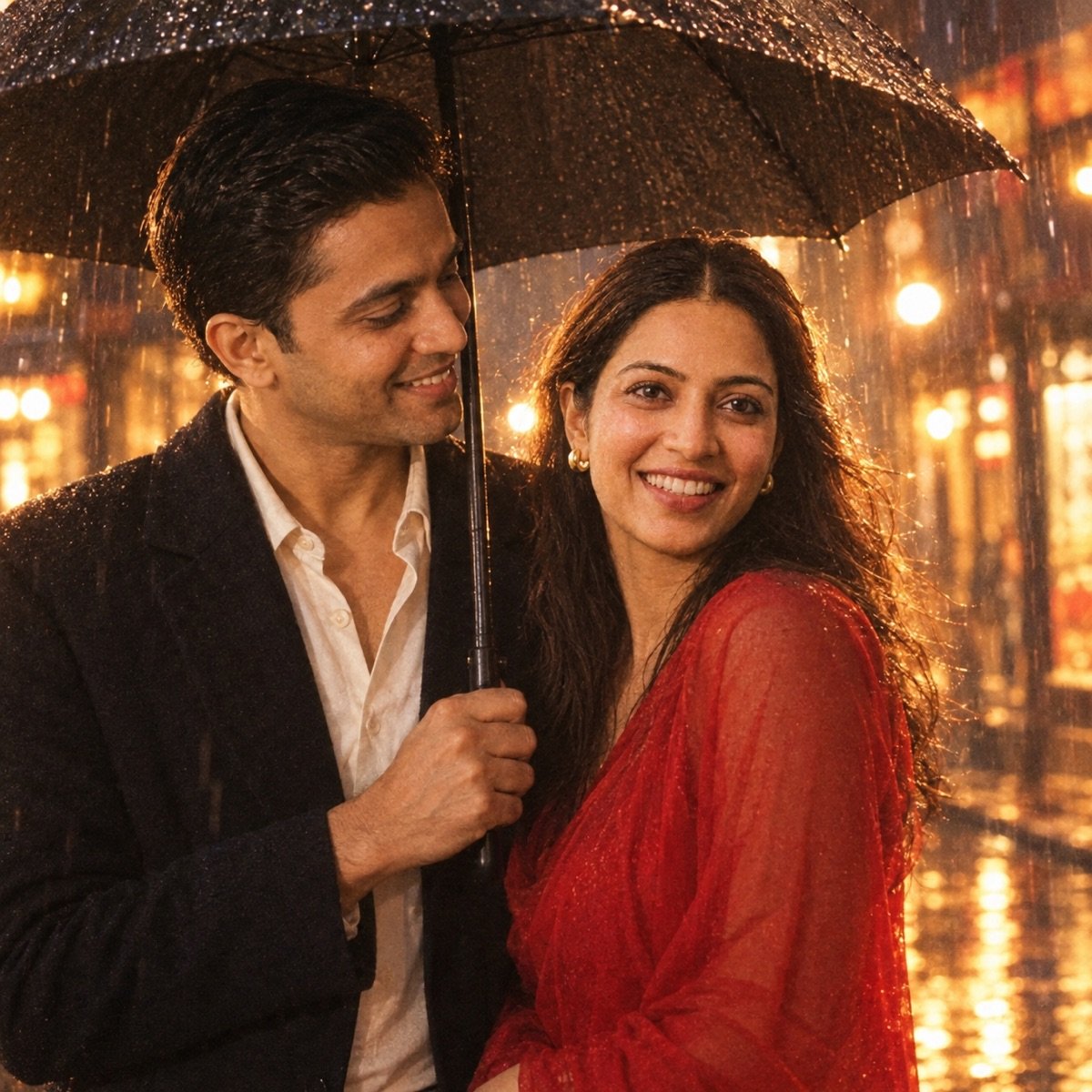
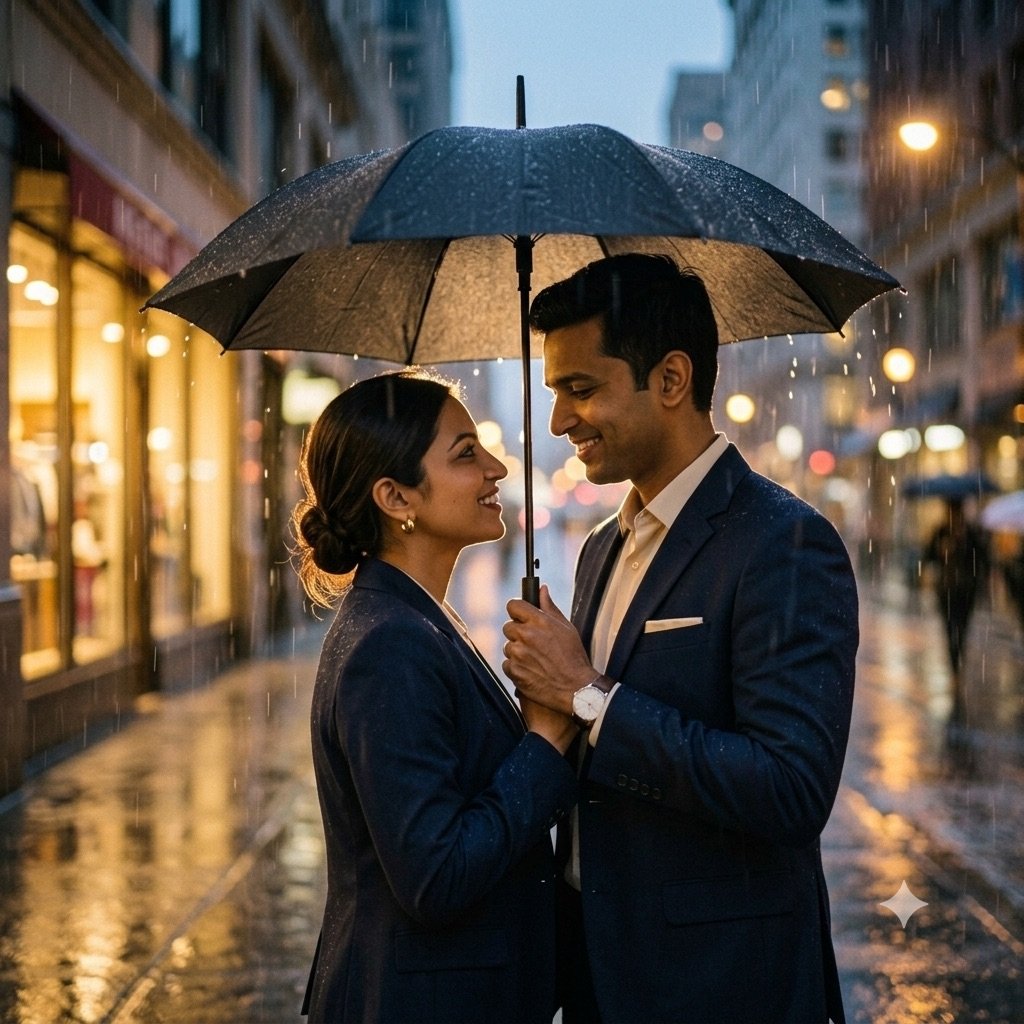
4. Romantic rain, one umbrella
Create a romantic cinematic edit of the uploaded photo: the two of us sharing one black umbrella in soft evening rain, wet street reflecting warm shop lights, my partner looking at me, gentle backlight through the rain, 90s romance film aesthetic with light grain. Keep both of our faces exactly the same as the uploaded photo — do not alter our facial features.
Our test: same prompt, same reference photo, first output
5. Retro couple, scooter and marigolds
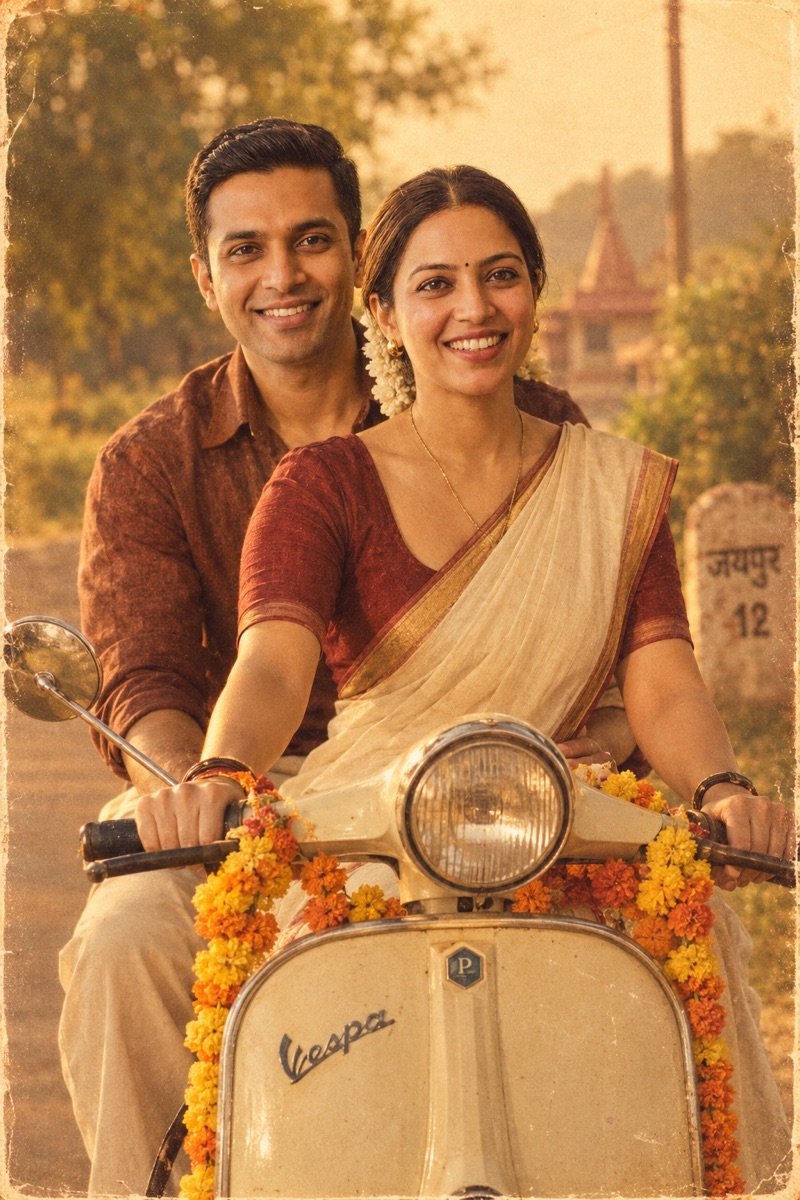
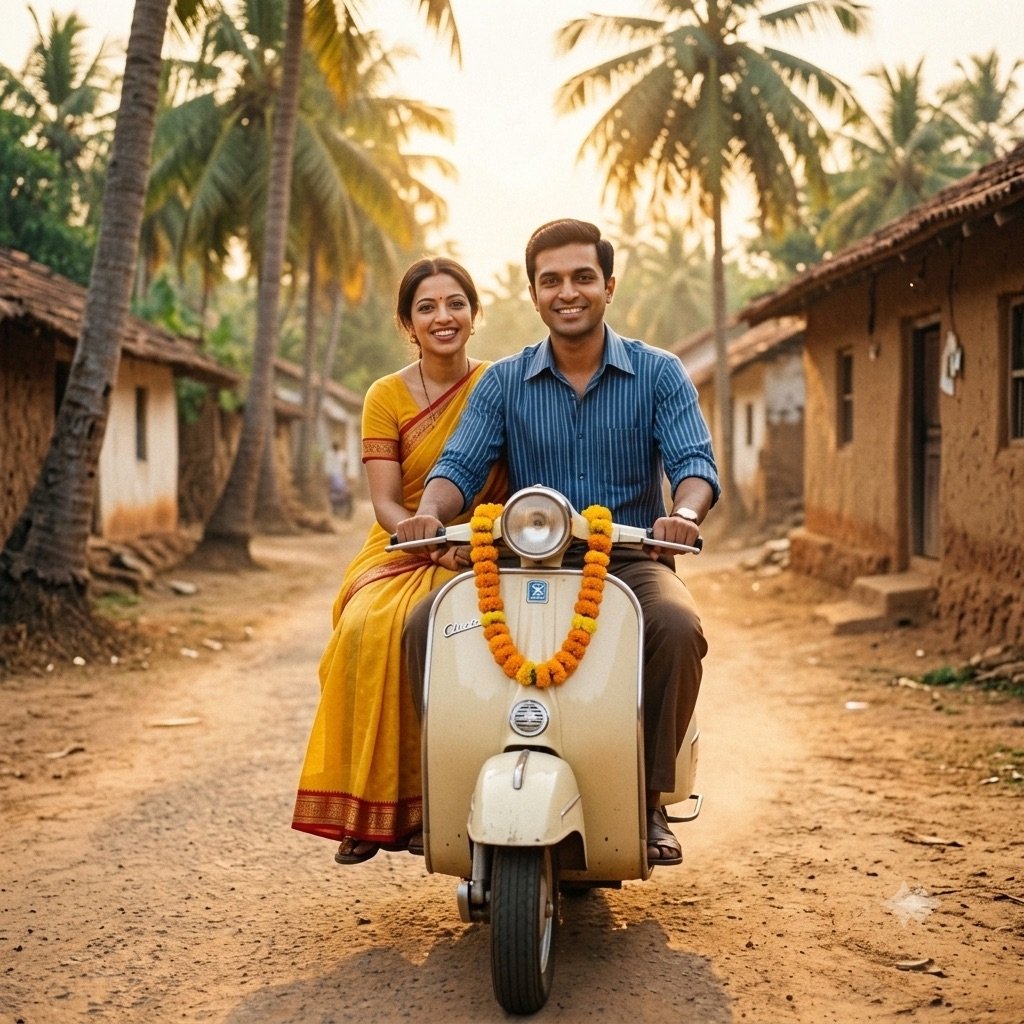
Edit the uploaded photo into a retro Indian romance scene: the two of us on a vintage cream-coloured scooter on a village road, marigold garlands on the handlebars, golden afternoon light, 1980s film poster colour palette, soft nostalgic grain. Keep both of our faces exactly the same as the uploaded photo — do not alter our facial features.
Our test: same prompt, same reference photo, first output
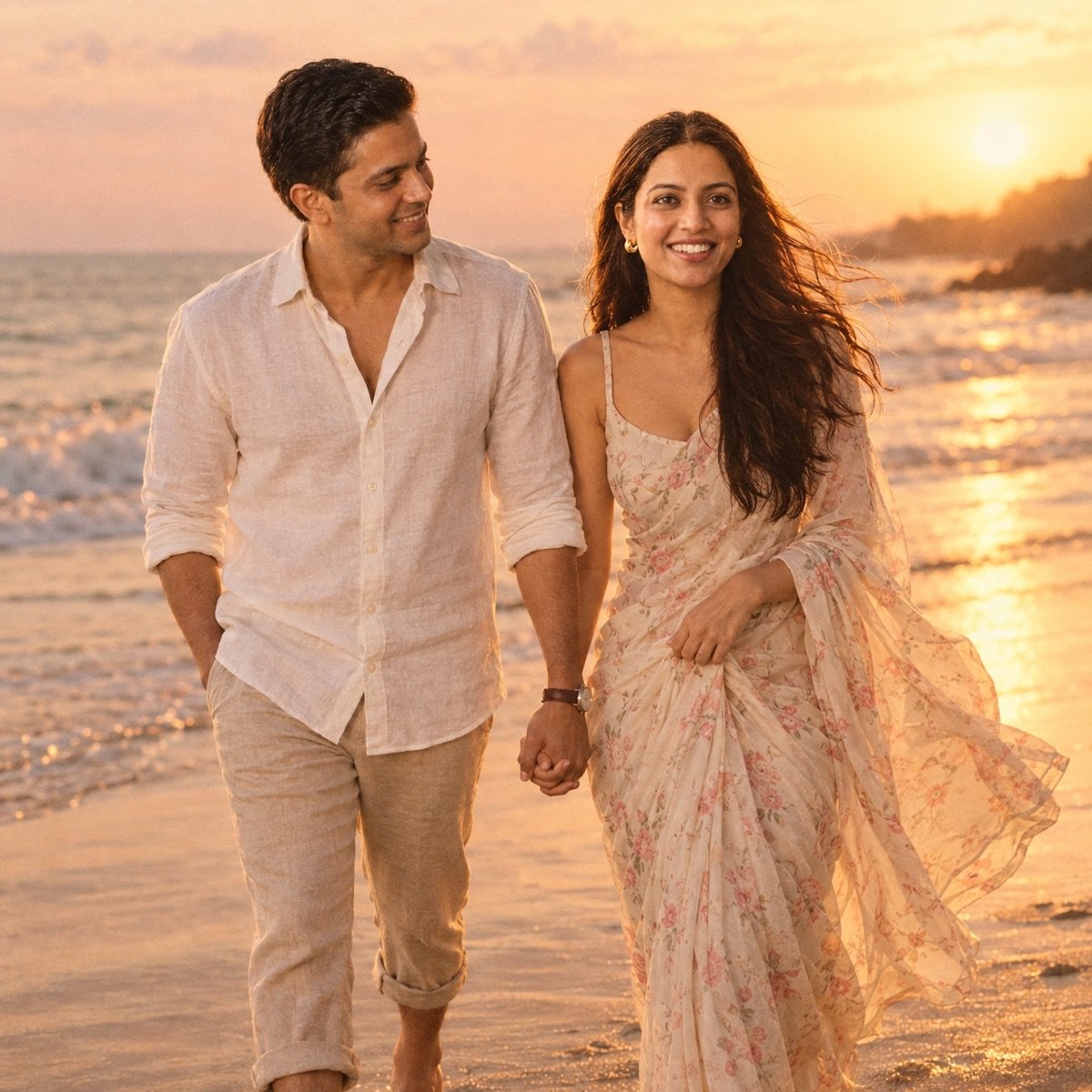
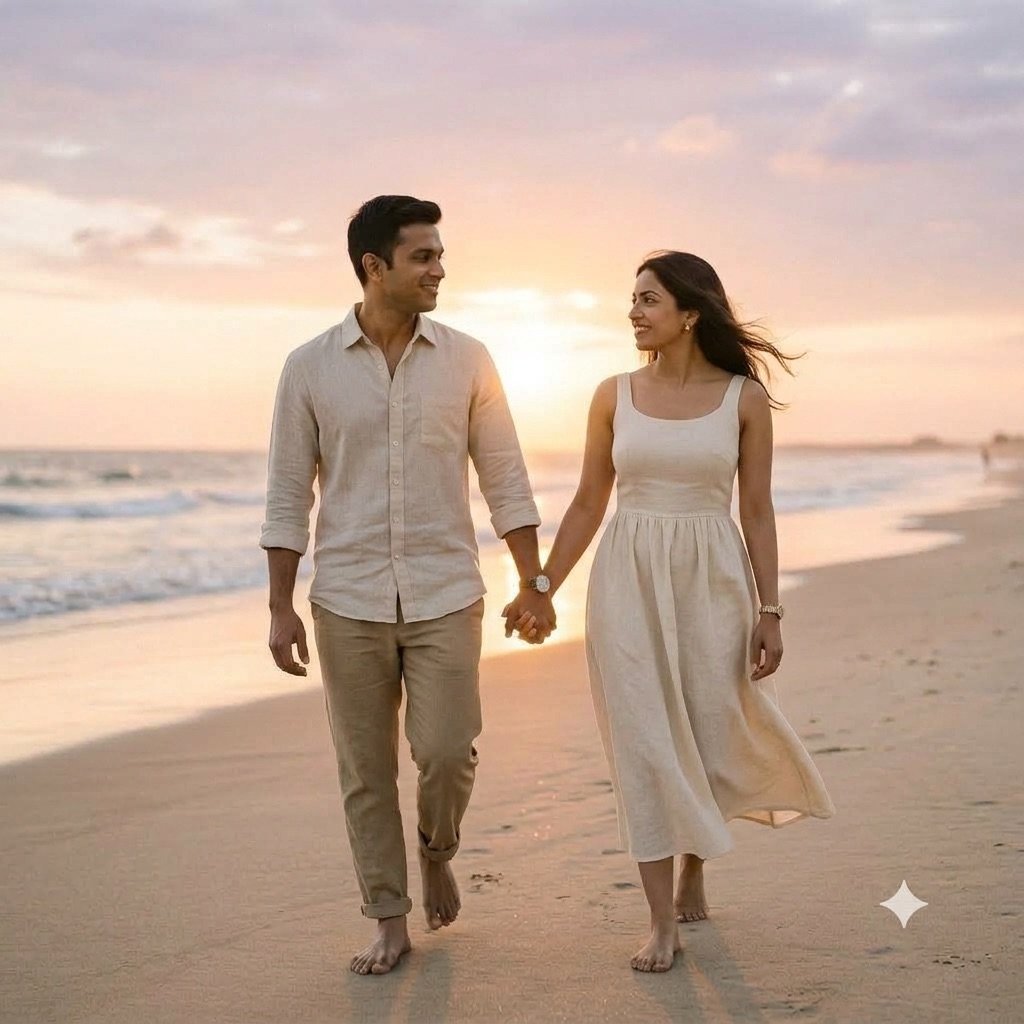
6. Romantic couple at sunset on the beach
Create a romantic cinematic edit of the uploaded photo: the two of us walking barefoot along a quiet beach at sunset, my partner’s hand in mine, warm golden backlight, a light sea breeze in the hair, soft pastel sky, shallow depth of field, warm film-photo tones. Keep both of our faces exactly the same as the uploaded photo — do not alter our facial features.
Our test: same prompt, same reference photo, first output
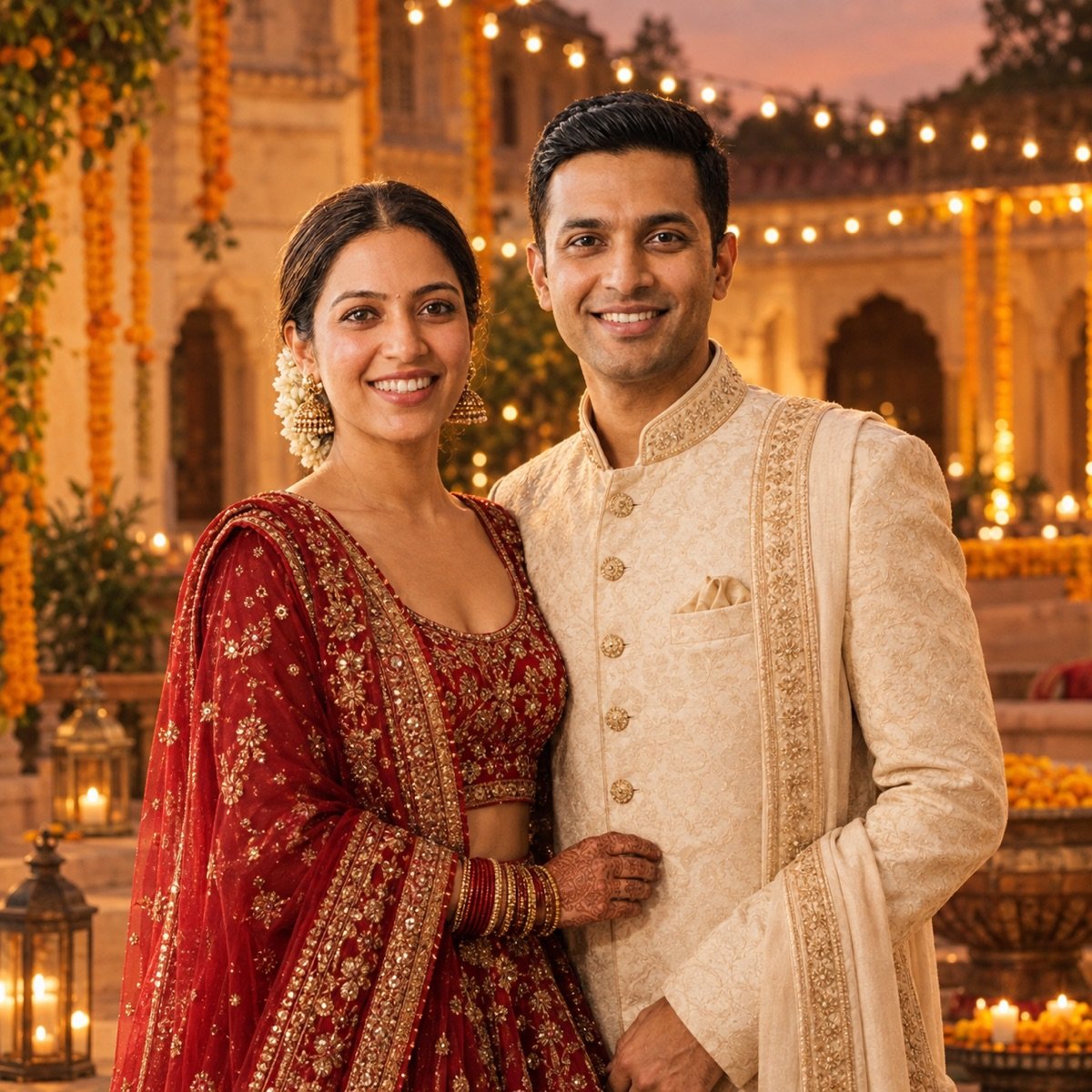
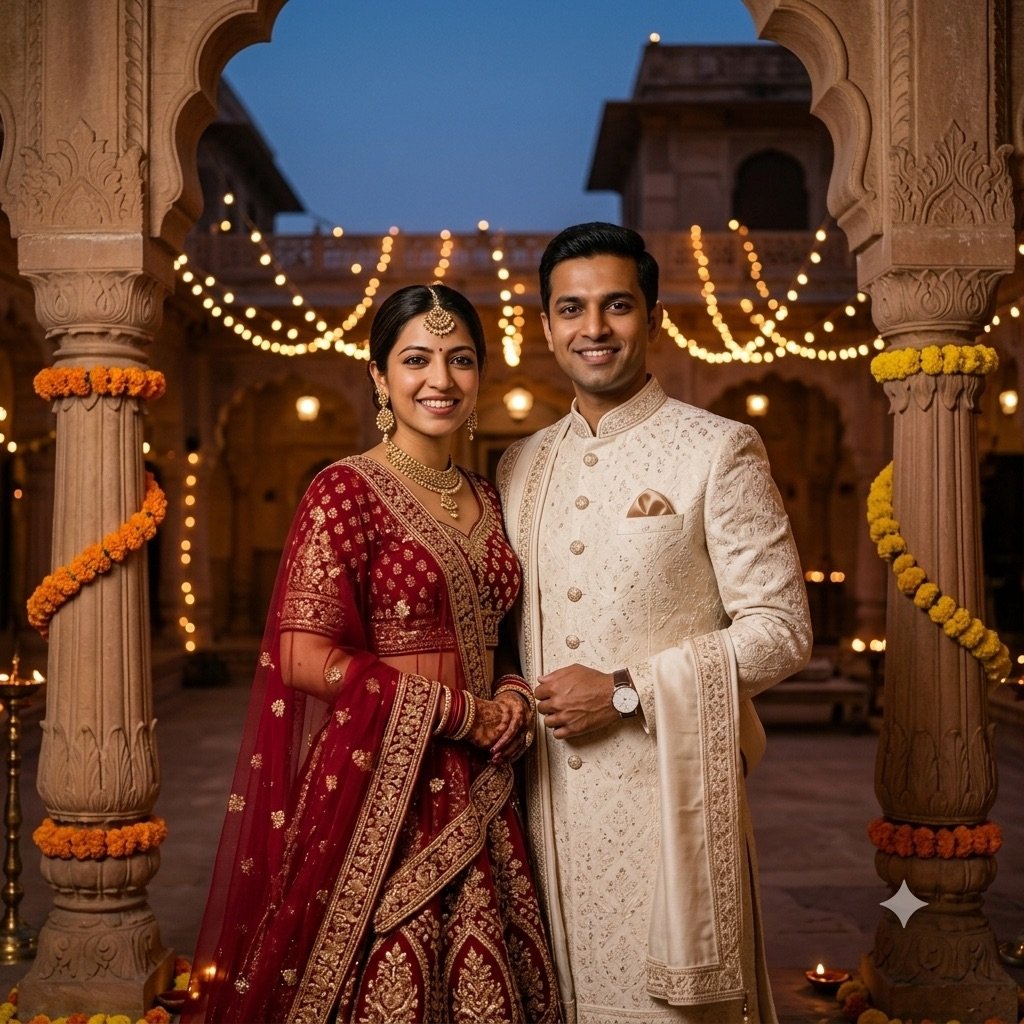
7. Traditional wedding portrait
Transform the uploaded photo into an elegant traditional wedding portrait: I am in a deep red lehenga with gold embroidery, my partner in an ivory sherwani, standing in a haveli courtyard with string lights and marigold decor at dusk, rich warm tones, editorial wedding photography style. Keep both of our faces exactly the same as the uploaded photo — do not alter our facial features.
Our test: same prompt, same reference photo, first output
Prompt seen boy: prompts for men
Three looks for men below; attitude, stylish, birthday and traditional prompts are on our prompts for boys page.
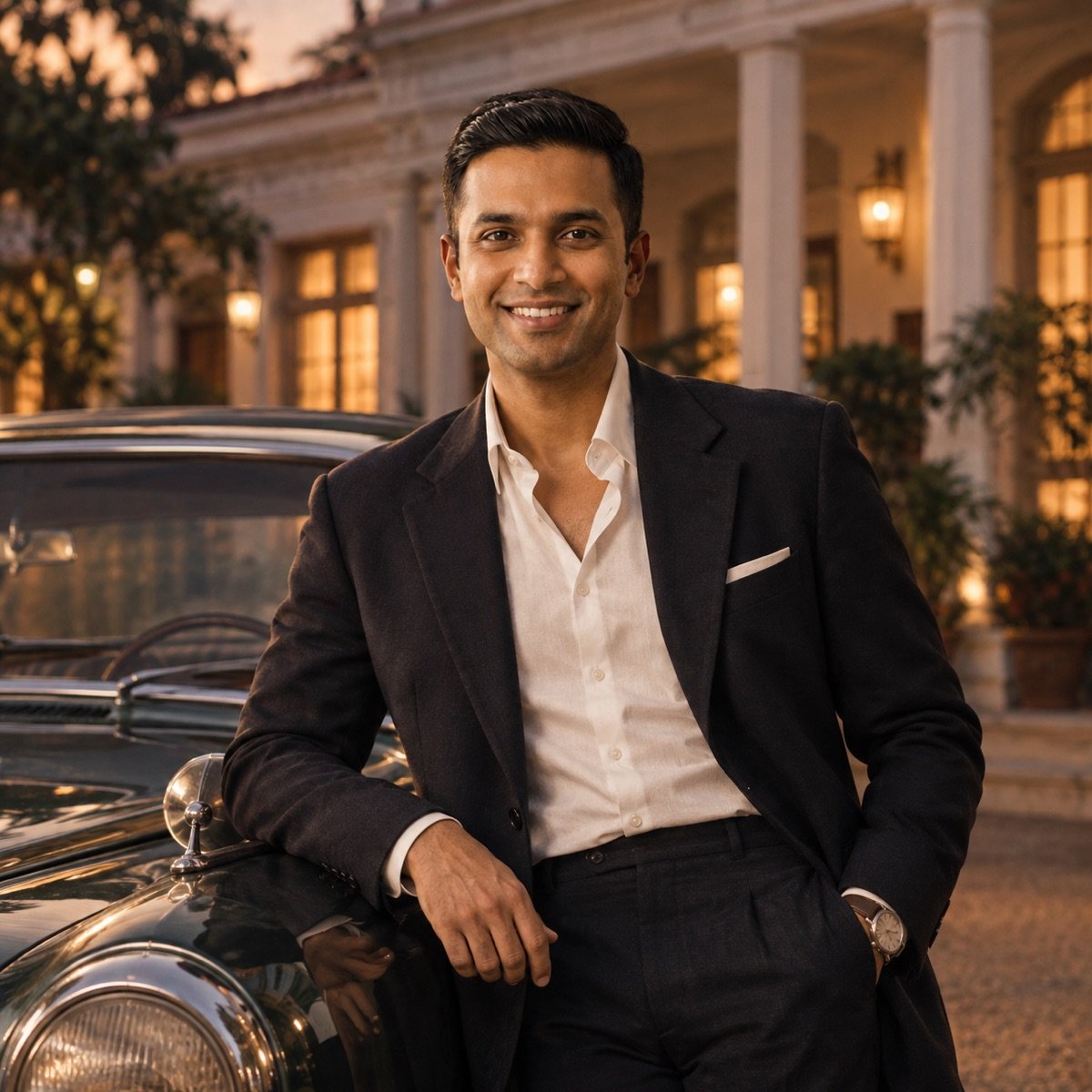
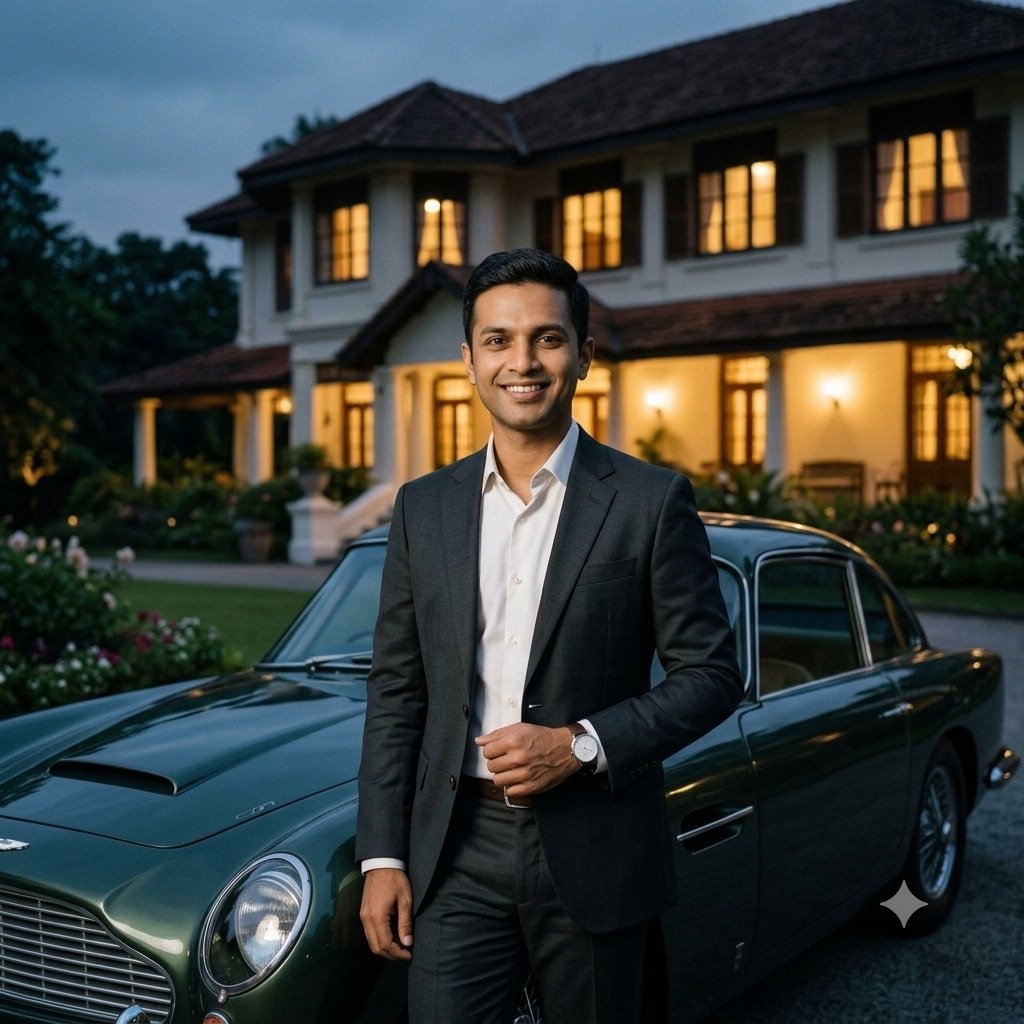
8. Old money evening look
Edit the uploaded photo into an old-money style portrait: I am wearing a dark tailored suit with an open collar, leaning against a vintage car at dusk outside a colonial-era bungalow, warm window light, understated luxury, editorial magazine photography. Keep my face exactly the same as the uploaded photo — do not alter my facial features.
Our test: same prompt, same reference photo, first output
9. Retro 90s hero portrait
Create a 90s Bollywood hero style portrait from the uploaded photo: denim jacket over a white t-shirt, wind in my hair, standing on a rooftop at sunset with the city behind me, dramatic warm backlight, film grain, vintage poster colour grading. Keep my face exactly the same as the uploaded photo — do not alter my facial features.
“Prompt seen Pramod Singh” is one of the largest sub-searches in this trend. It is a style label that spread with a wave of bold, low-angle, sunglasses-and-city-lights edits; we could not verify who or what the name originally refers to, so treat it as a look rather than a person. This prompt is written in that look.
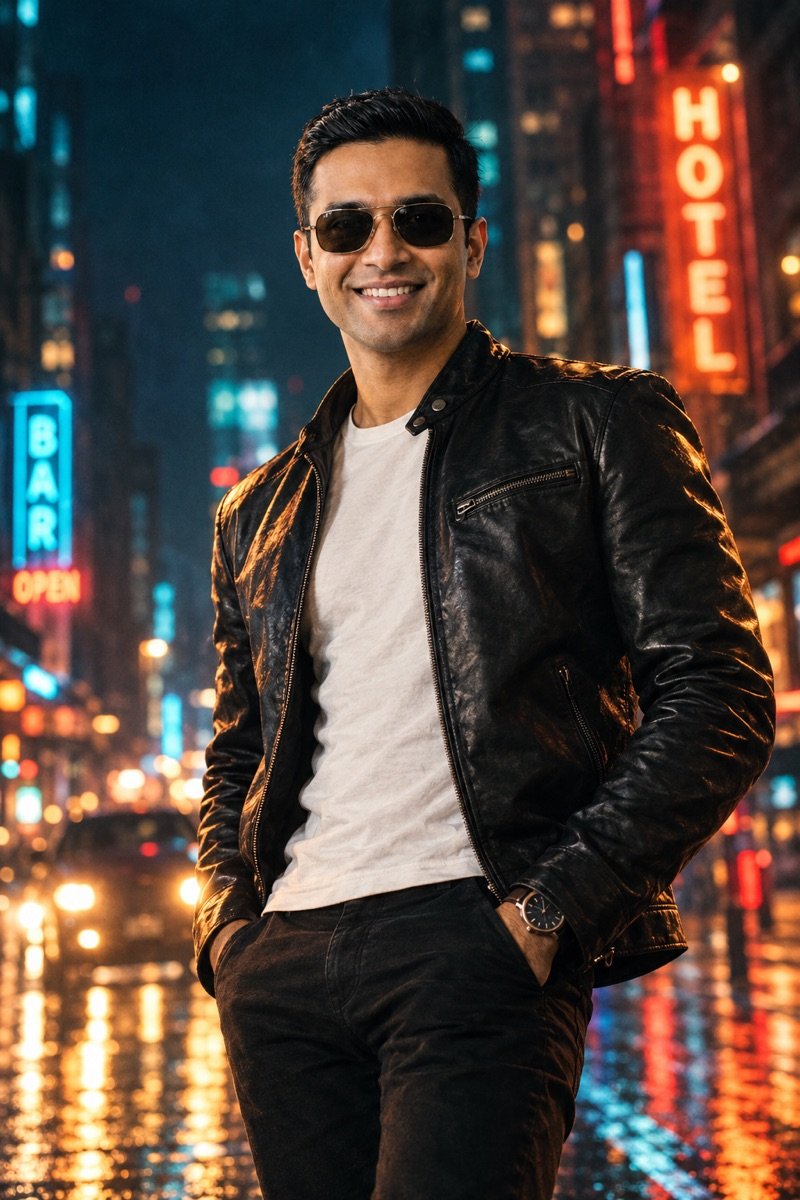
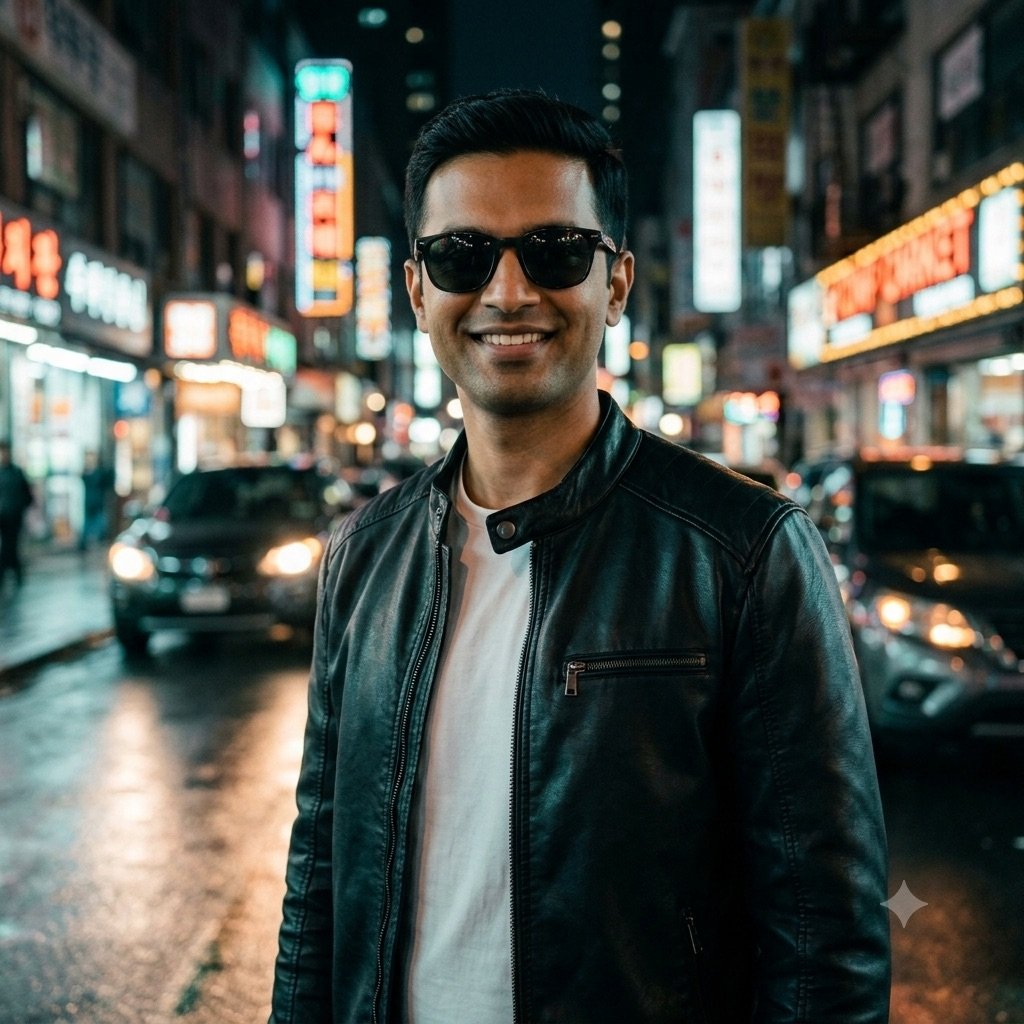
10. Cinematic street portrait (the “Pramod Singh” look)
Create a bold cinematic street portrait of me from the uploaded photo: black leather jacket over a white tee, dark sunglasses, standing on a rain-washed city street at night with neon signs and headlights blurred behind me, low-angle framing, dramatic side light, teal-and-orange colour grade, confident stance. Keep my face exactly the same as the uploaded photo — do not alter my facial features.
Our test: same prompt, same reference photo, first output
Ganesh Chaturthi AI photo prompts (14 September 2026)
Ganesh Chaturthi falls on Monday, 14 September 2026, and it is the biggest spike in this trend each year. These three cover the moments people actually post: the idol at home, bringing Bappa home, and the procession.
Edit yourself, not the deity. Every prompt below keeps the Ganpati idol as it is and places you beside it — asking an AI to put a face on the idol, or to alter it, is something many people find disrespectful.
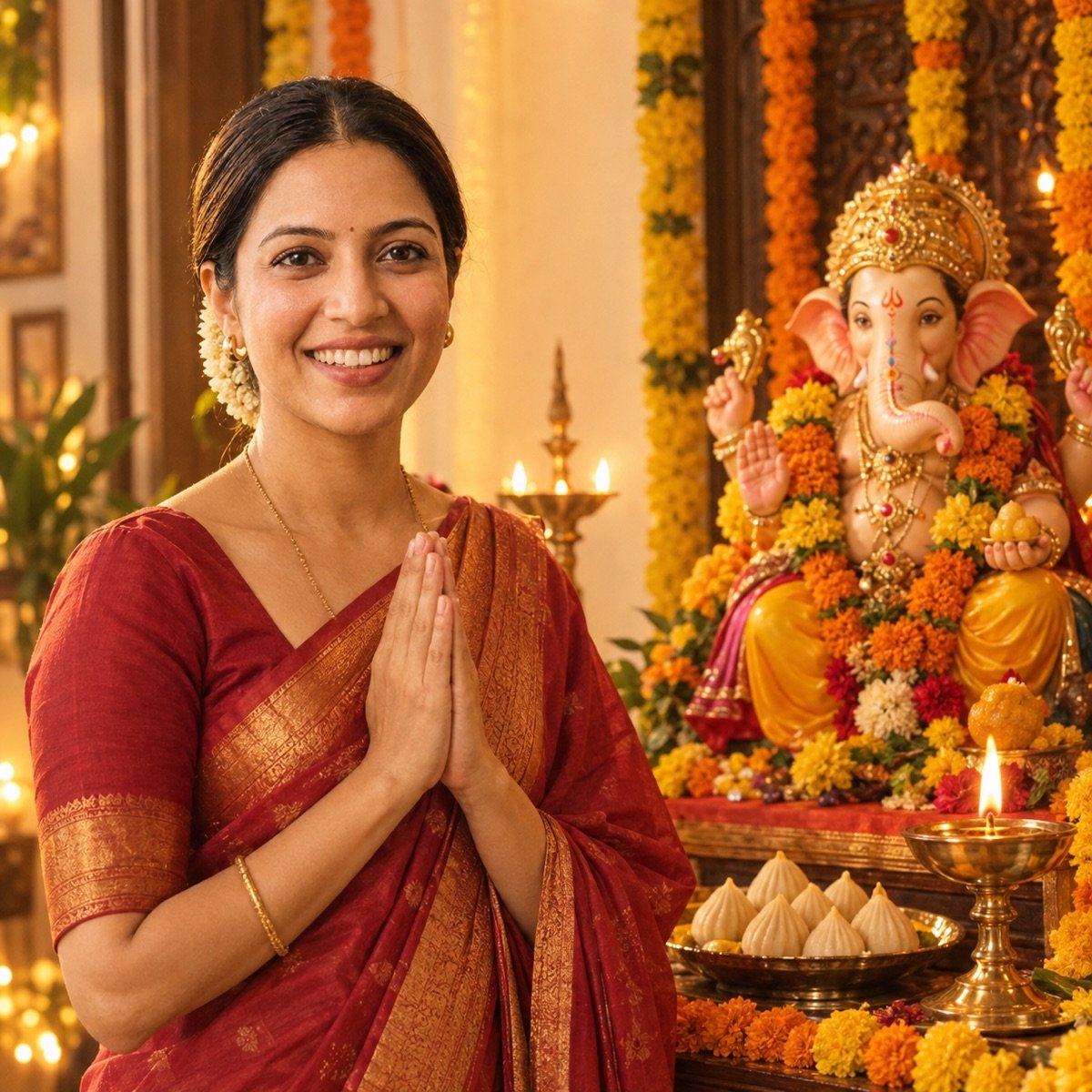
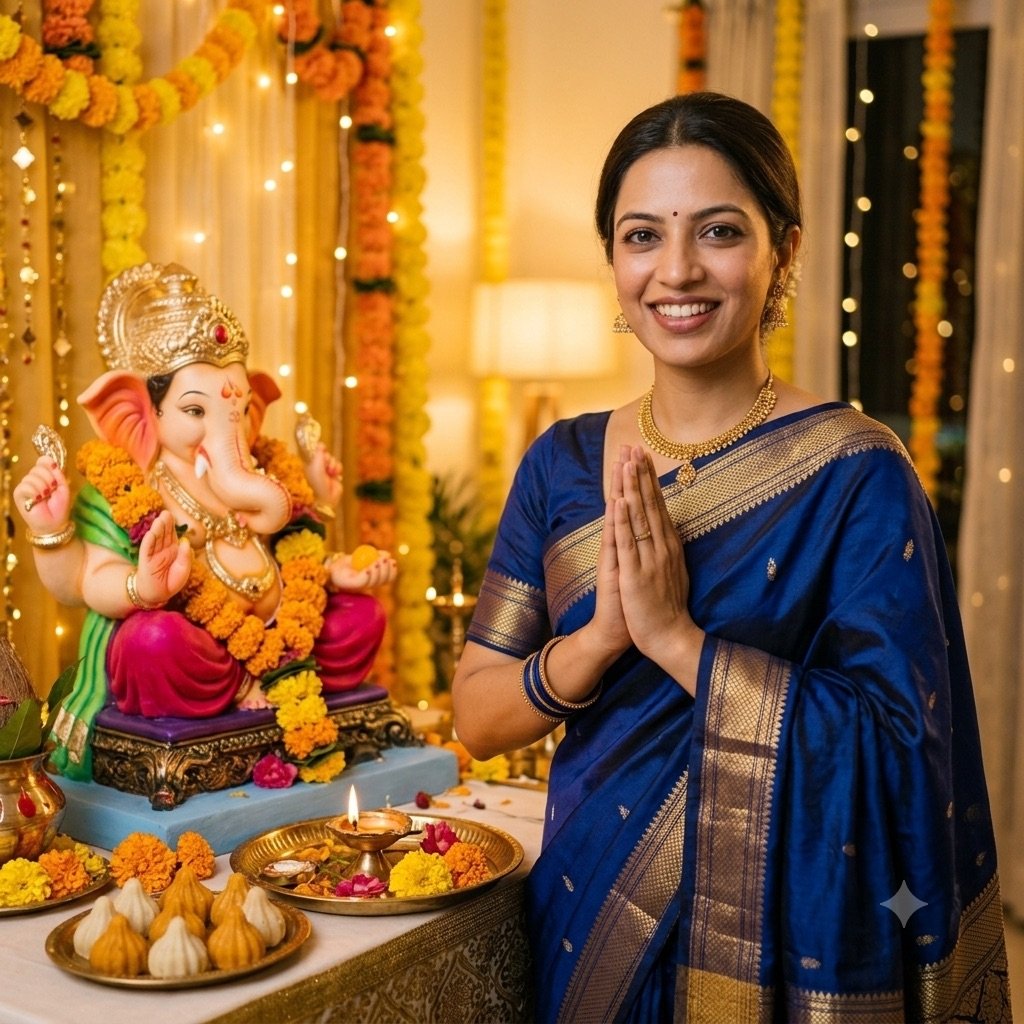
11. Ganpati sthapana at home
Edit the uploaded photo into a Ganesh Chaturthi portrait: I am standing beside a beautifully decorated Ganpati idol at home, hands folded in prayer, marigold garlands, a plate of modak and a brass aarti thali with a lit diya, warm golden festive light, traditional outfit (silk saree or kurta), devotional and joyful mood. Keep the Ganesha idol unchanged. Keep my face exactly the same as the uploaded photo — do not alter my facial features.
Our test: same prompt, same reference photo, first output
12. Welcoming Bappa home
Create a cinematic edit of the uploaded photo: the two of us welcoming a small eco-friendly clay Ganpati idol at our doorstep, fresh rangoli on the floor, a toran and marigold strings above the door, soft morning light, happy festive expressions, traditional clothes. Keep the Ganesha idol unchanged. Keep both of our faces exactly the same as the uploaded photo — do not alter our facial features.
Works for a family photo too — change “the two of us” to “our family” and “both of our faces” to “all of our faces”.
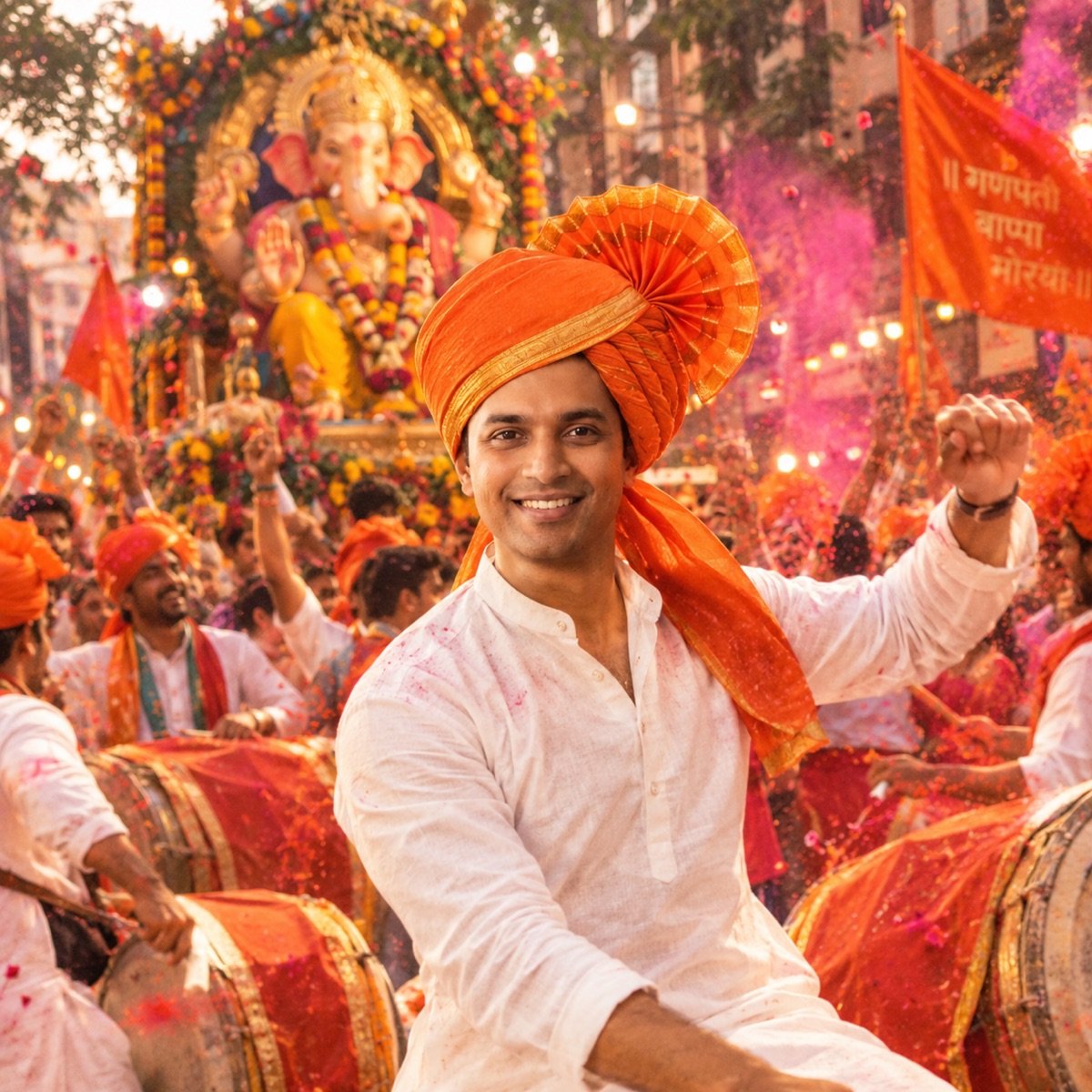
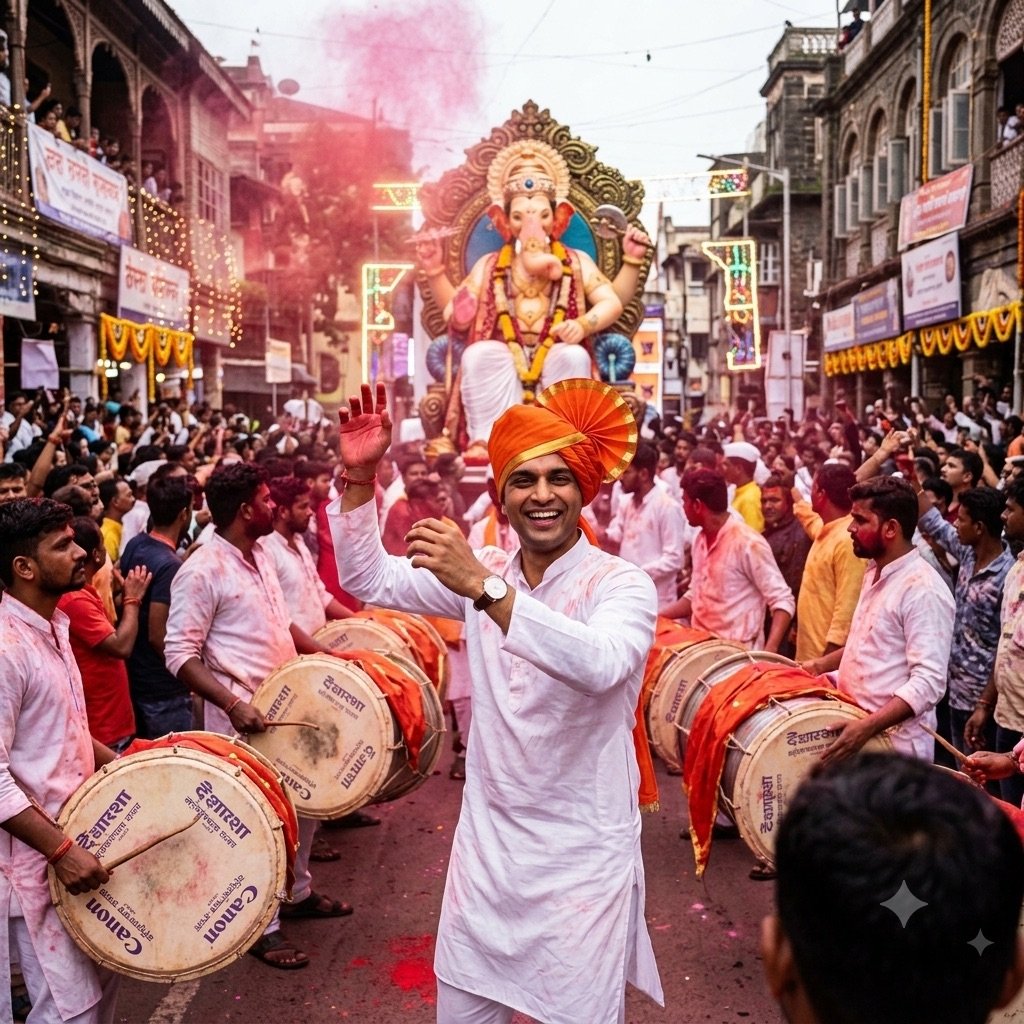
13. Dhol-tasha procession
Transform the uploaded photo into a Ganeshotsav street-procession scene: I am in a white kurta with a saffron pheta, dancing to dhol-tasha drums, a joyful crowd and a large decorated Ganpati idol on a float in the background, pink and red gulal drifting in the air, festive street lights, energetic documentary style. Keep my face exactly the same as the uploaded photo — do not alter my facial features.
Our test: same prompt, same reference photo, first output
Navratri, garba and dandiya prompts (11–20 October 2026)
Sharad Navratri runs from Sunday 11 October to Dussehra on Tuesday 20 October 2026. Nine nights means nine outfits, which is why garba, dandiya and colour-of-the-day edits dominate the trend for the whole fortnight.
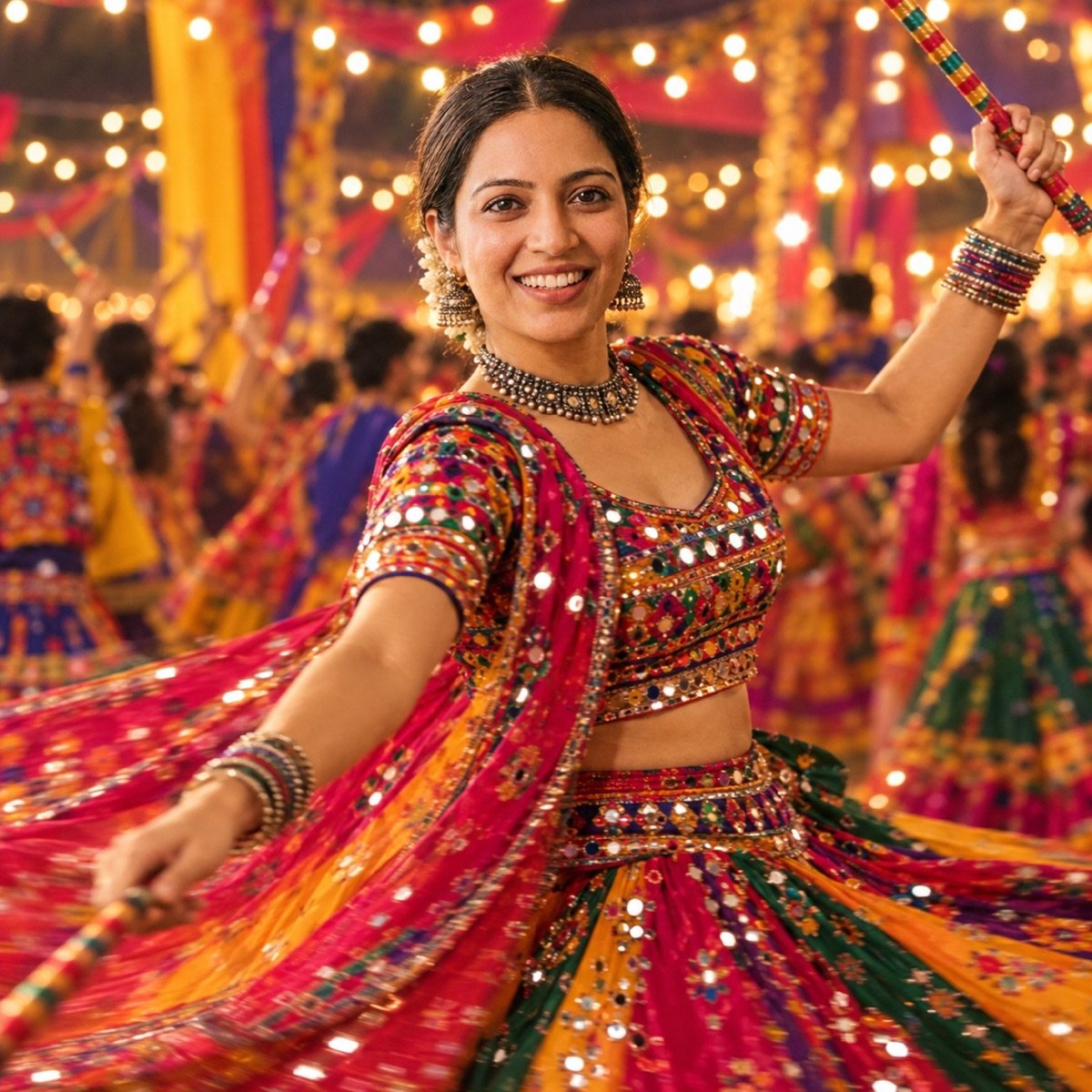
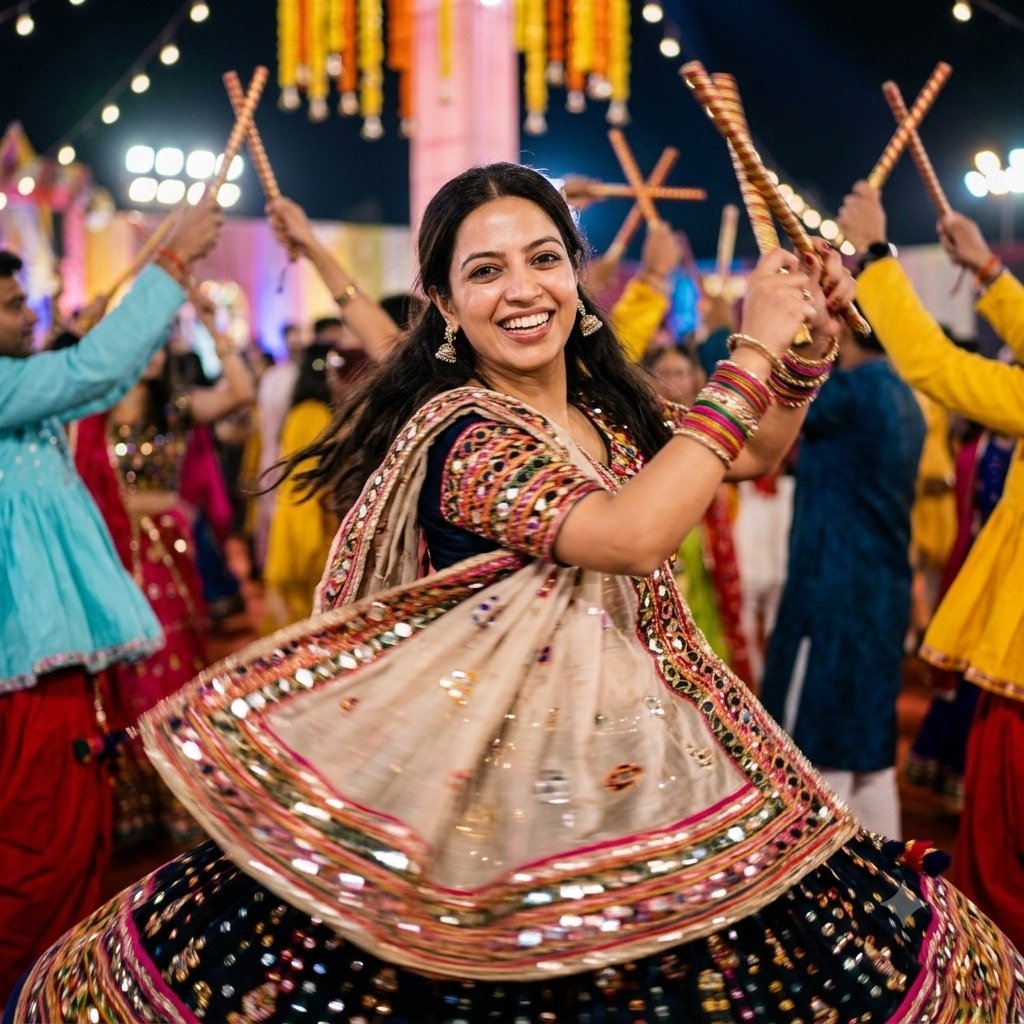
14. Garba night
Transform the uploaded photo into a Navratri garba night scene: I am mid-dance in a mirror-work chaniya choli (or kediyu for men), motion blur in the swirling fabric, festive lights and dandiya sticks in the background, energetic and joyful, vibrant colour palette. Keep my face exactly the same as the uploaded photo — do not alter my facial features.
Our test: same prompt, same reference photo, first output
15. Dandiya couple
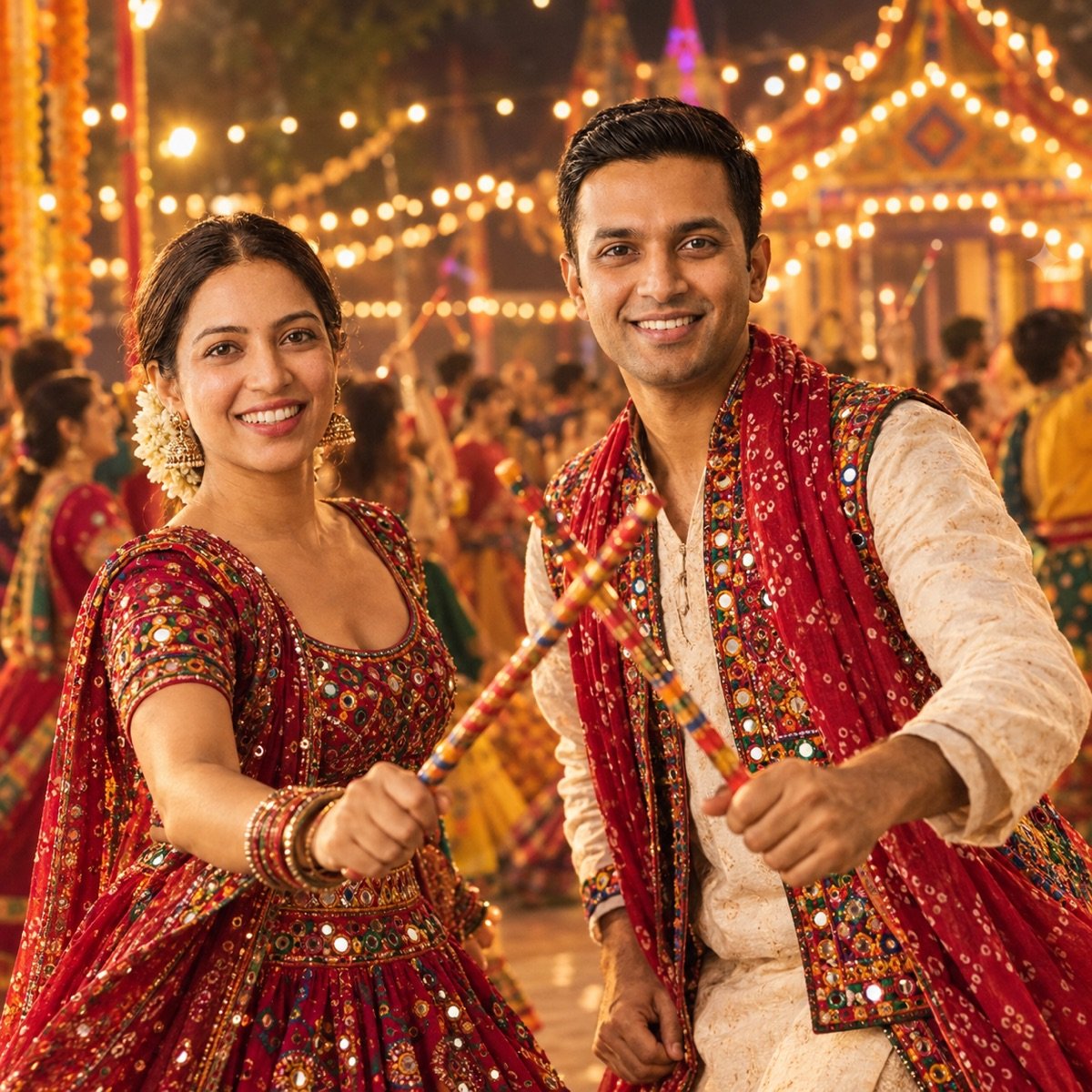
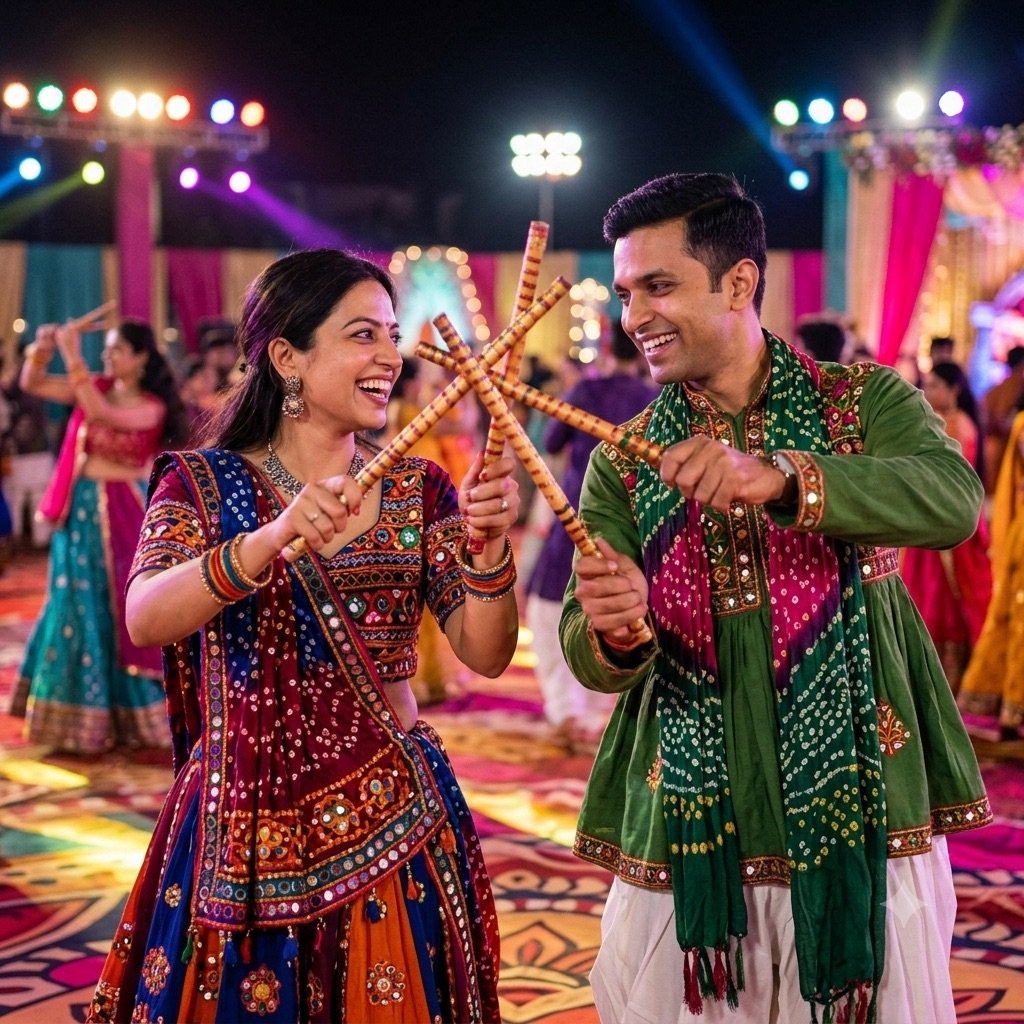
Create a vibrant Navratri edit of the uploaded photo: the two of us playing dandiya together, sticks crossing mid-strike, I wear a mirror-work chaniya choli and my partner wears a kediyu with a bandhani dupatta, glowing festival lights and a crowd dancing garba in soft focus behind us, joyful expressions, rich festive colours. Keep both of our faces exactly the same as the uploaded photo — do not alter our facial features.
Our test: same prompt, same reference photo, first output
16. Navratri colour of the day
Edit the uploaded photo into a Navratri portrait in [COLOUR]: I wear a [COLOUR] silk saree (or kurta) with gold jewellery, standing in front of a softly lit pandal decorated with flowers and diyas, warm cinematic light, graceful festive pose. Keep my face exactly the same as the uploaded photo — do not alter my facial features.
Replace both [COLOUR] placeholders with the day’s colour before you generate. The nine colours change every year depending on which weekday each day falls on, so check your local calendar rather than last year’s list.
17. Durga Puja dhunuchi portrait
Edit the uploaded photo into a Durga Puja evening portrait: I wear a white saree with a bold red border (laal paar) and gold jewellery, holding a smoking dhunuchi, soft incense smoke in the air, a brightly lit pandal with the Maa Durga idol softly out of focus behind me, warm festive light, Kolkata puja atmosphere. Keep the idol unchanged. Keep my face exactly the same as the uploaded photo — do not alter my facial features.
Diwali prompt
18. Diwali diya portrait
Edit the uploaded photo into a festive Diwali portrait: I am holding a lit clay diya close to my chest, warm candlelight glow on my face, dark background with soft strings of lights and gentle sparkler bokeh, traditional festive outfit, rich warm cinematic tones. Keep my face exactly the same as the uploaded photo — do not alter my facial features.
Single-source warm light on a face is a genuinely hard rendering test — it is close to the window-light portrait we use in our own benchmark, which is why the engines that win there win here.
Prompt seen ChatGPT vs Gemini: the engine question nobody answers
Every prompt seen site tells you to “paste this in Gemini or ChatGPT” as if the two were interchangeable. They are not — they run different image models, and we have benchmarked both of them against eight competitors: Gemini’s image model is Nano Banana, and ChatGPT’s is GPT Image. In our 90-image test they finished first and second of ten, tied on average — but they win different things.
The two engines behind the trend, benchmarked
| What the edit needs | Nano Banana 2 (Gemini) | GPT Image 2 (ChatGPT) |
|---|---|---|
| Instruction-following (multi-part prompts like these) | 9.5 — best of 10 tools | 9.2 |
| Portrait realism (skin, light on a face) | 9.2 | 9.5 — best of 10 tools |
| Hands (holding a diya, dandiya sticks) | 9.7 — best of 10 tools | 9.0 |
| Overall average (9 prompts) | 9.4 | 9.4 |
We also ran thirteen of the prompts on this page through both apps, with the same two reference photos and the first output kept every time. Here is what happened to the faces:
Thirteen prompts, both apps, first output: did the face survive?
| Woman kept (10 edits) | Man kept (8 edits) | Both faces kept in couple shots (5) | Added a bindi nobody asked for | |
|---|---|---|---|---|
| ChatGPT | 10 of 10 | 6 of 8 | 3 of 5 | 2 edits |
| Gemini | 9 of 10 | 7 of 8 | 4 of 5 | 4 edits |
The practical read: for couple edits, Gemini is the safer bet, but only narrowly — it kept both faces in four of five couple prompts to ChatGPT’s three. For solo portraits with specific styling, start with ChatGPT: it kept the woman’s face in all ten edits and followed lighting and styling cues more closely — the film-poster grain, the warm golden light, leaning against the car rather than standing beside it, and a Marathi procession banner spelled correctly. Gemini did better on action, catching the dandiya strike and the garba swirl mid-movement. Gemini also added a bindi to her face in four edits where no prompt asked for one, so if that matters to you, add “no bindi” to the prompt. And neither app is reliable enough to skip checking the face before you post.
That split fits our benchmark, where Nano Banana leads on instruction-following and GPT Image on photographic realism. Below is that benchmark portrait test, same prompt on every model, first output kept:
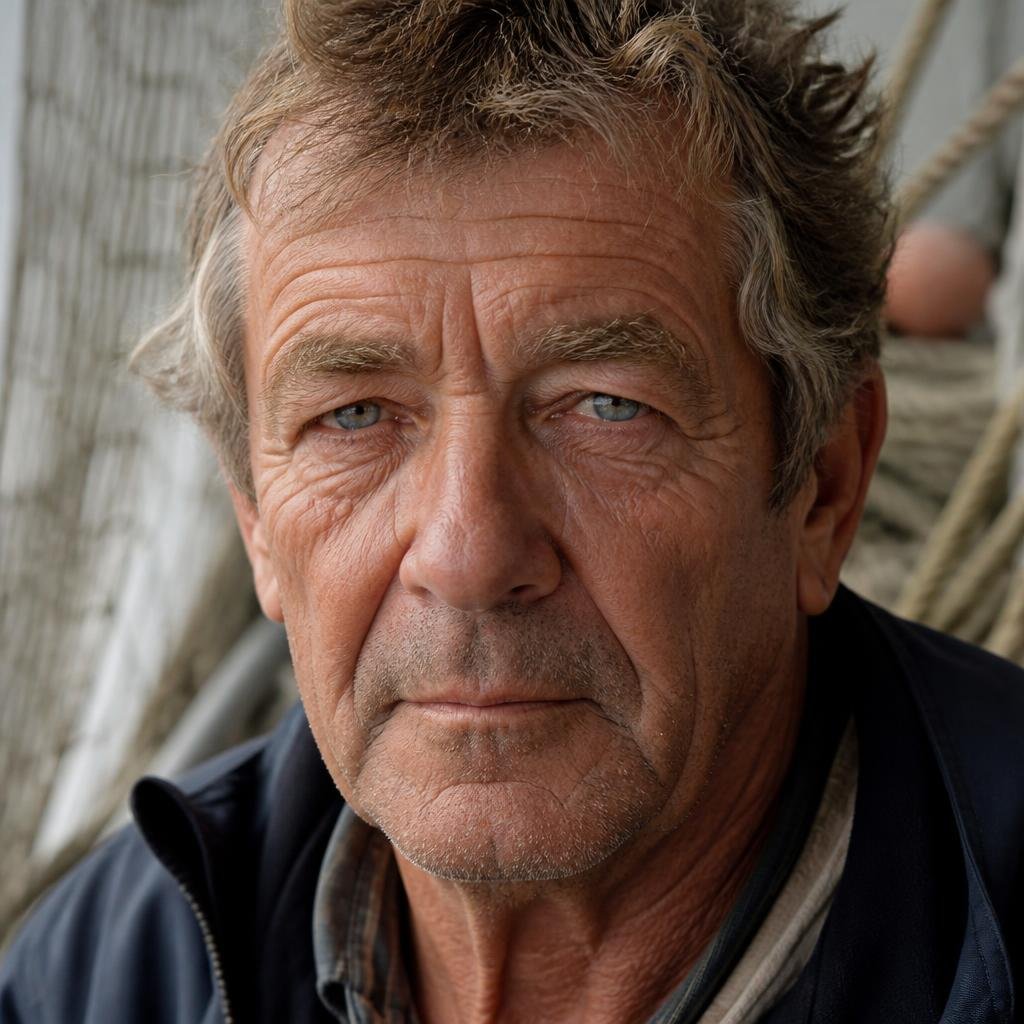
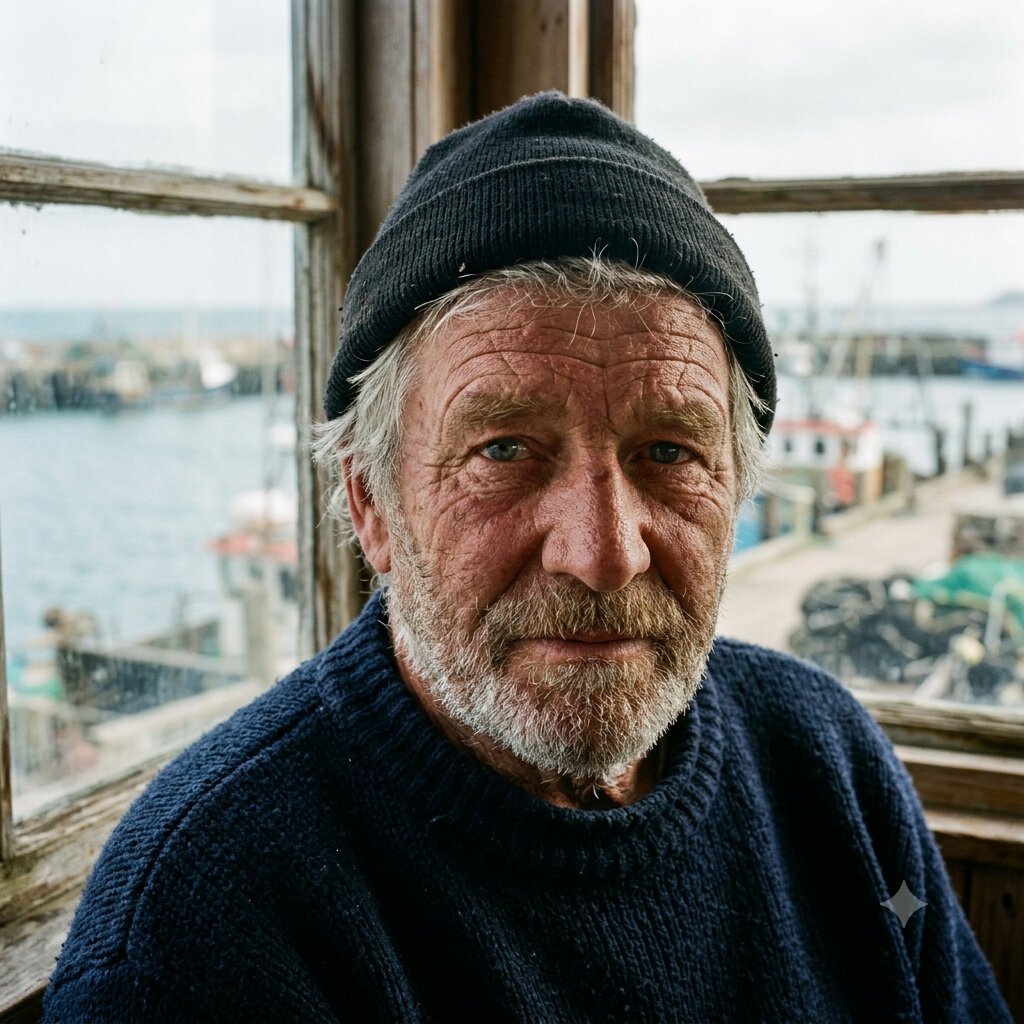
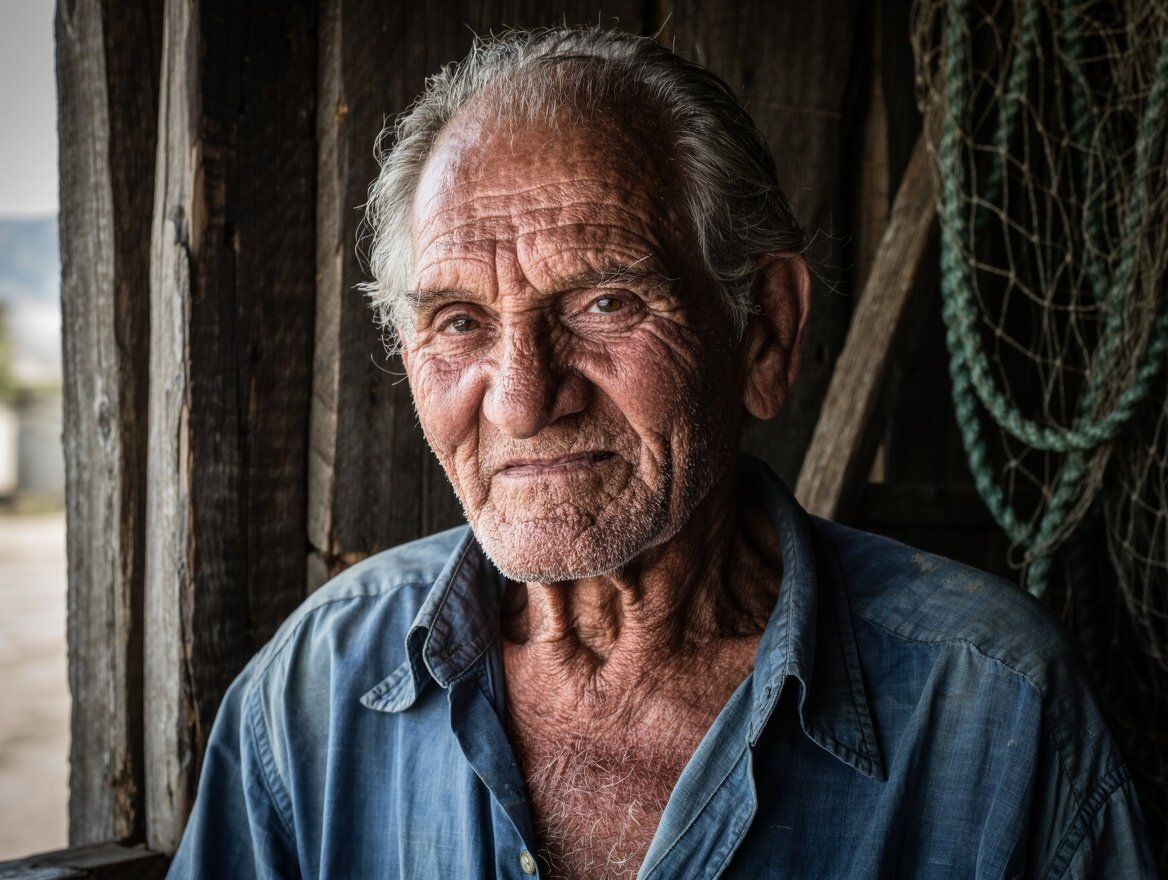
Our standard portrait benchmark prompt (“60-year-old fisherman, weathered skin, natural window light”), not a trend edit — but it is exactly the skill a saree or diya portrait leans on: believable skin under directional light. All ten results are in the realism guide.
And if you graduate from photo edits to generating scenes from scratch — no uploaded photo, just the prompt — the full ranking of all ten models is on the benchmark leaderboard, with the free options broken out in the free generators guide.
Prompt Seen the brand, and the lookalikes around it
Unlike most search trends, this one does have an origin: promptseen.com and its Android app, Prompt Seen: AI Photo Prompts, published by Promptseen Tech. The app lists 100K+ downloads and a 4.2 rating from roughly 9,800 reviews, advertises “1000+ ready-to-use” prompts, and carries ads and in-app purchases. Its Instagram, Facebook and Pinterest accounts are where most of the viral edits first circulate. The phrase is also widely typed as “promote seen”, “prompt scene” and “promptseen”.
Around that brand sits a crowd of near-identical names built to catch the same searches: promptseen.io, promptseen.ai, prompt-seen.com, promptcreen.com, promptseenn.com. Whichever one you land on, three things hold:
- The prompt is plain text. You never need an account, an app or a download to use one — it is right there on the page, and the same prompts circulate free everywhere, including here.
- Do not pay to “unlock” prompts. A gallery, official or not, that puts prompt text behind a payment or a forced install is charging for something free.
- Do not upload your photo to a gallery site’s own “generator”. The edit happens in Gemini or ChatGPT either way; a middleman only adds another place for your face to end up. More on this below.
Before you upload your face
These edits require handing an AI system a clear photo of your face, so it is worth thirty seconds of thought:
- Stick to the official apps. Gemini and ChatGPT are covered by Google’s and OpenAI’s data policies — you can delete your uploads and opt out of model training in settings. A no-name website’s upload form gives you none of that.
- Skip photos of other people. Editing someone else’s face without their consent — especially into romantic couple scenes — is exactly the misuse these tools get criticised for. Keep it to yourself and people who have said yes.
- Watch for the watermark. Gemini images carry an invisible SynthID watermark, and platforms are getting better at labelling AI images automatically. Post them as the fun edits they are; do not present them as real photography.
- Expect identity drift. Even the best models sometimes return a face that is close to you, but not quite you. That is a model limitation, not your prompt — regenerate, or switch engines.
Frequently asked questions
What does prompt seen mean?
“Prompt seen” is the search term people use to find the text prompts behind viral AI-edited photos on Instagram and YouTube. Creators post a stylised AI portrait, viewers ask for the prompt, and “prompt seen” pages collect those prompts so you can copy one, attach your own photo in Gemini or ChatGPT, and generate the same style with your face.
How do I use a prompt seen prompt?
Open Gemini or ChatGPT, attach one clear photo of yourself, paste the prompt, and add a line asking the model to keep your face identical to the uploaded photo (every prompt on this page already ends with one). The edit takes under a minute and works on the free tier of both apps.
Is prompt seen free?
The prompts themselves are just text and are free everywhere. Running them is also free on Gemini’s and ChatGPT’s free tiers, within daily image limits — the exact limits per tool are in our free generators guide. You never need to pay a website or app just to read prompts.
Which app is best for prompt seen photo editing?
Gemini and ChatGPT, the two apps the trend runs on, and neither wins outright. We ran thirteen of the prompts on this page through both with the same reference photos: Gemini kept both faces in four of five couple edits to ChatGPT’s three, while ChatGPT kept the woman’s face in all ten of her edits and followed lighting and styling cues more closely. So use Gemini for couples and try ChatGPT first for solo portraits. In our separate 90-image benchmark their models tied at 9.4/10, the two best of the ten we tested.
What is the prompt seen girl trend?
It is the solo-portrait branch of the trend: prompts that restyle a woman’s photo into looks such as a 90s Bollywood chiffon saree portrait, a black saree night shot, or a retro studio portrait. The couple version does the same for two people in one frame — it fails more often because the model has two faces to preserve.
Is it safe to upload my photo for these edits?
Uploading to Gemini or ChatGPT is governed by Google’s and OpenAI’s data policies, which let you delete your data and opt out of training. Be more careful with small unknown websites that ask you to upload a photo to “generate” a trend edit — the same prompt works in the official apps, so there is rarely a reason to hand your face to a third-party site.
Prompt seen kaise banaye?
Koi bhi prompt copy karo, Gemini ya ChatGPT kholo, apni ek clear photo attach karo, prompt paste karo aur generate dabao. Prompt ke end mein “keep my face exactly the same as the uploaded photo” zaroor rakho, warna chehra badal jata hai. In English: copy a prompt, open Gemini or ChatGPT, attach one clear photo of yourself, paste and generate — and keep the face-lock line at the end.
Is Prompt Seen an app, and do I need it?
There is an official Android app, Prompt Seen: AI Photo Prompts by Promptseen Tech, with 100K+ downloads, ads and in-app purchases. You do not need it: every prompt is plain text you paste into Gemini or ChatGPT, and the eighteen on this page work without any app.
Who is Pramod Singh in prompt seen?
“Prompt seen Pramod Singh” is a style label attached to a wave of bold, cinematic, low-angle street portraits. We could not verify a specific creator behind the name, so we treat it as a look, not a person — prompt 10 above is written in that style.
When is Ganesh Chaturthi 2026, and when is Navratri?
Ganesh Chaturthi is on Monday, 14 September 2026. Sharad Navratri runs from Sunday, 11 October to Dussehra on Tuesday, 20 October 2026. The prompt seen trend spikes around both, so the festival prompts above are worth saving now.
Is it okay to make AI photos with Ganpati or Maa Durga?
Keep the edit about you, not the deity. Every festival prompt on this page places you beside the idol and tells the model to leave the idol unchanged. Putting your face on a deity, or asking the AI to redesign an idol, is something many people find disrespectful, and it is the kind of edit that draws backlash when shared.