GPT Image 2 leads photorealism at 9.5, with gallery-grade portraits and natural light that looks like it came through a real window. Imagine Art (9.3) is the runner-up, with the single best wet-street scene of any tool we tested. Nano Banana 2 (9.2) rounds out the top three and is the best realistic option that is free. The floor is high: even the lowest scorer (PicLumen, 8.2) produces images that pass as photographs at a glance.
The most realistic AI image generators in 2026 are GPT Image 2 (9.4/10), Nano Banana 2 (9.4/10), and Kling AI (8.8/10). All three produce portraits that pass casual inspection. The biggest remaining tell is hands, not faces — skin texture and lighting are effectively solved.
Pipgen benchmark, 10 tools, 90 images, August 2026Every AI image generator ranked on photorealism
These scores come from two photorealism prompts in our nine-prompt benchmark: a close-up portrait of a weathered 60-year-old fisherman in natural window light, and a street photo of a rainy Tokyo crossing at night. Both test whether a tool can produce images that look like they were taken with a real camera.
| # | Tool | Photo score | Overall | Standout quality |
|---|---|---|---|---|
| 1 | GPT Image 2 | 9.5 | 9.4 | Gallery-grade skin, natural window light |
| 2 | Imagine Art | 9.3 | 9.1 | Best wet-street reflections, convincing neon |
| 3 | Nano Banana 2 | 9.2 | 9.4 | Correct Japanese signage in street scene |
| 4 | Krea | 9.0 | 8.9 | Clean, natural skin texture |
| 5 | Leonardo | 9.0 | 8.3 | Strong portrait lighting |
| 6 | Ideogram | 8.8 | 9.0 | Solid but not a specialist |
| 7 | SeaArt | 8.8 | 8.0 | Good photoreal, weak everywhere else |
| 8 | Kling AI | 8.7 | 8.6 | Competent, slightly stylised |
| 9 | Pixverse | 8.5 | 8.4 | Video tool, decent stills |
| 10 | PicLumen | 8.2 | 7.1 | Atmospheric, favours mood over accuracy |
The key finding: photorealism is close to solved. Every tool scored 8.2 or higher, the highest floor of any category. A convincing photoreal scene is no longer what separates these models. The differences are in the details: skin texture, light physics, and whether reflections behave like real water.
The portrait test: same fisherman, 10 tools
We asked every tool to generate "a weathered fisherman in his 60s, golden hour light, shallow depth of field." This is the hardest photorealism test — it demands accurate skin texture, natural eye reflections, realistic hair, and convincing bokeh. Here is every first result.
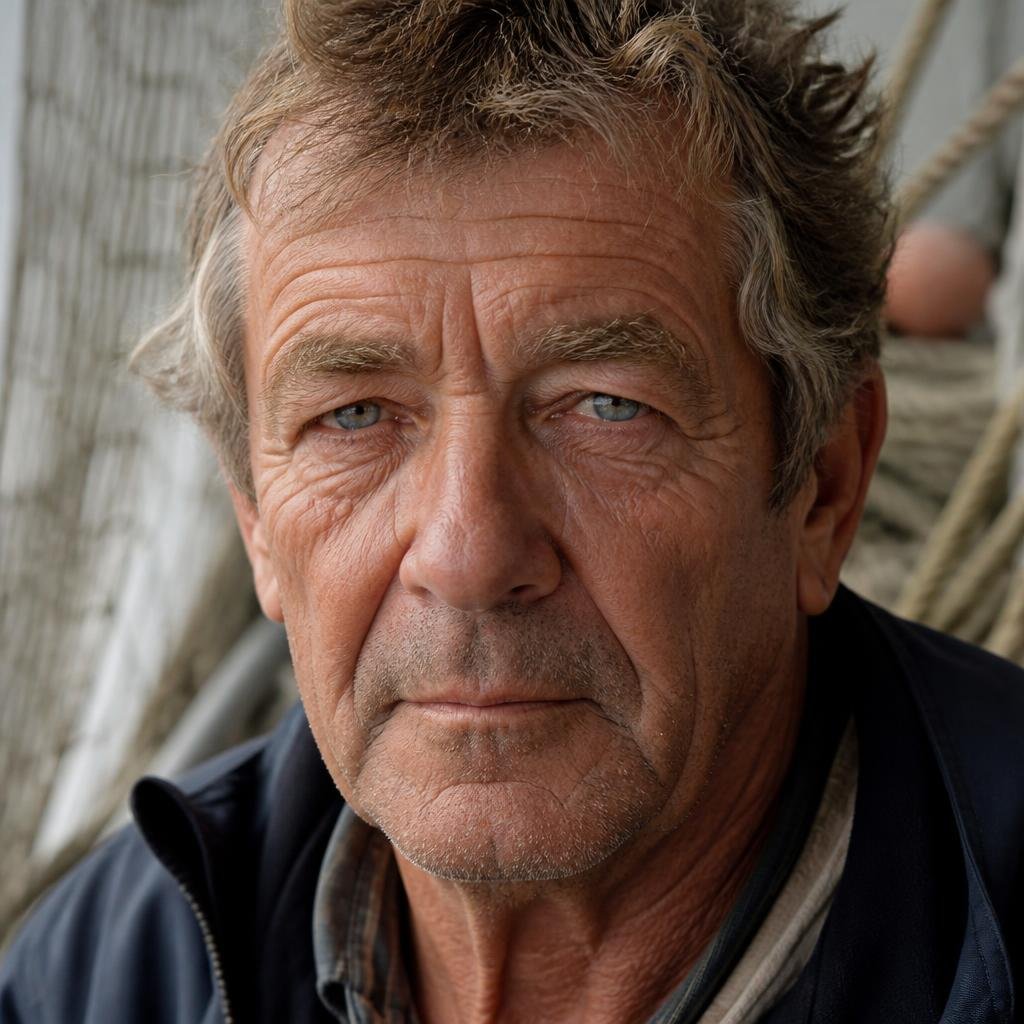
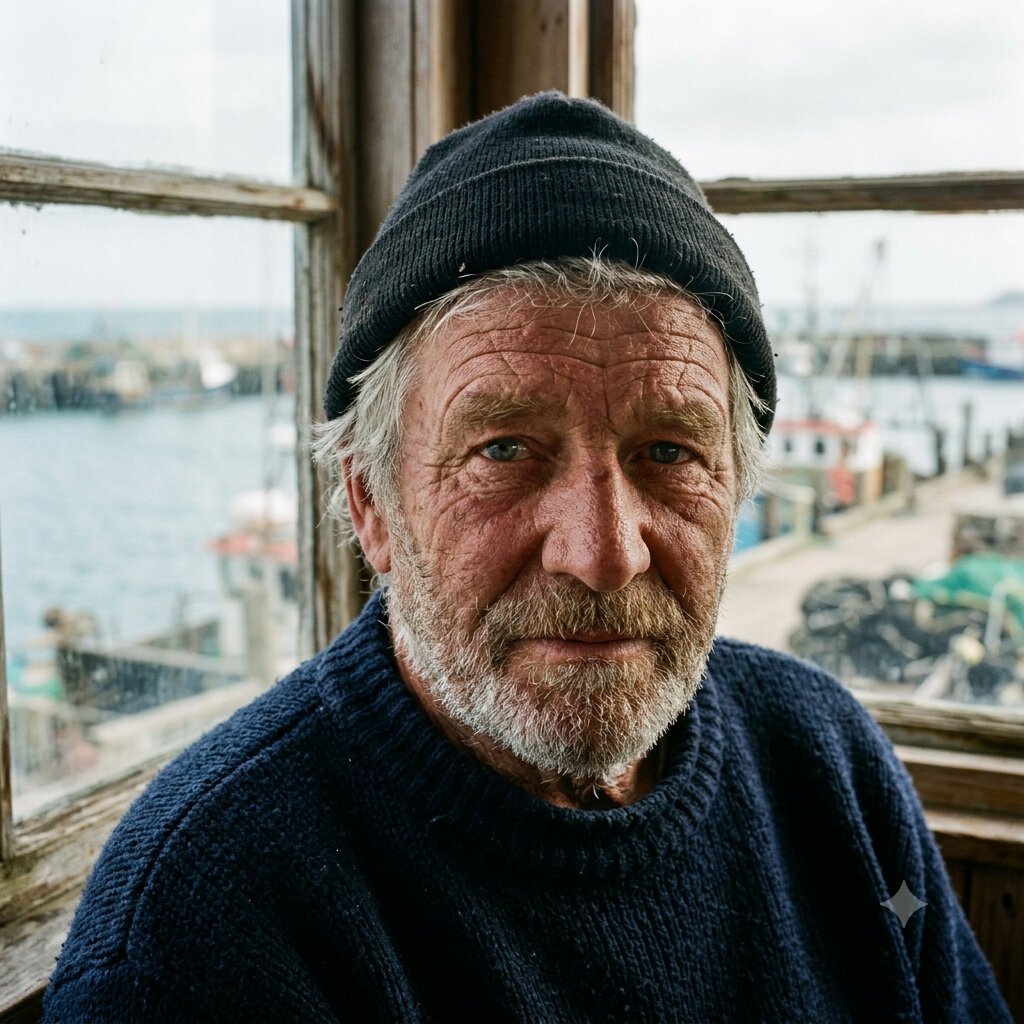
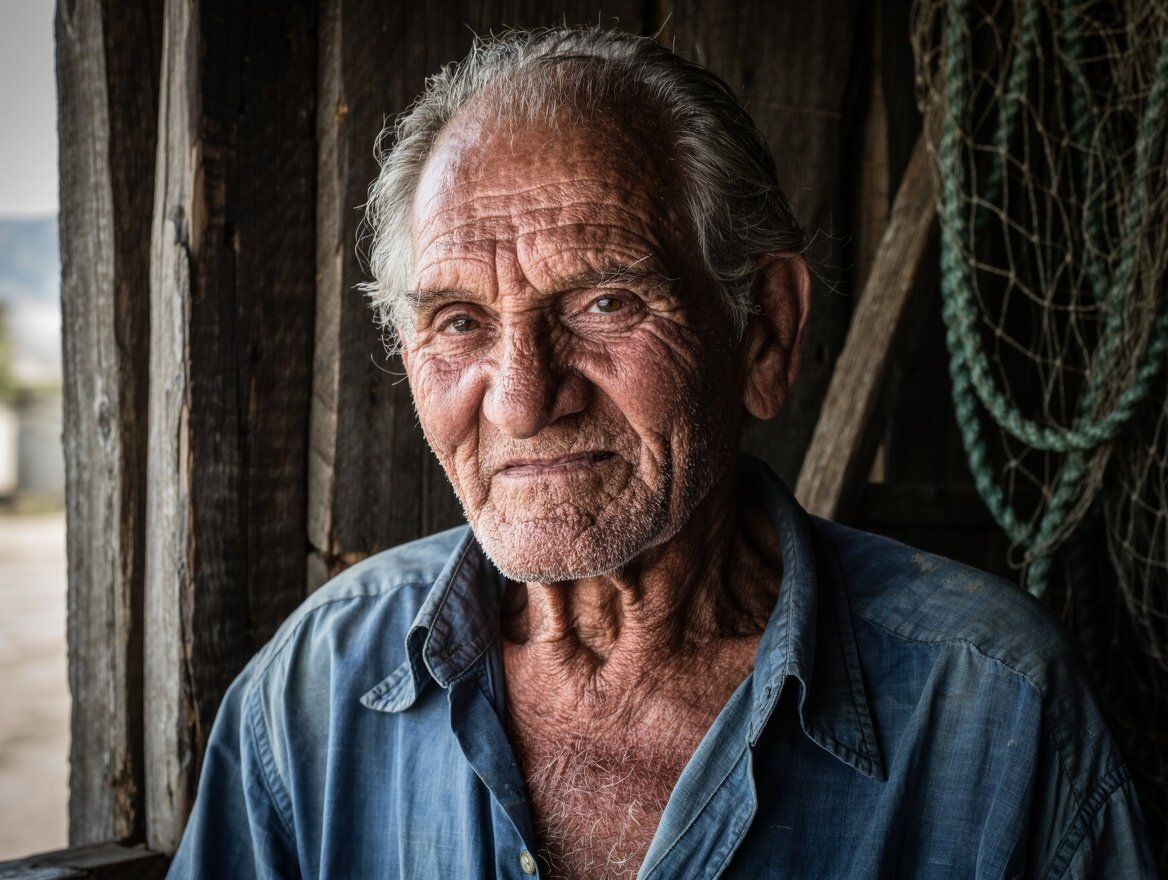
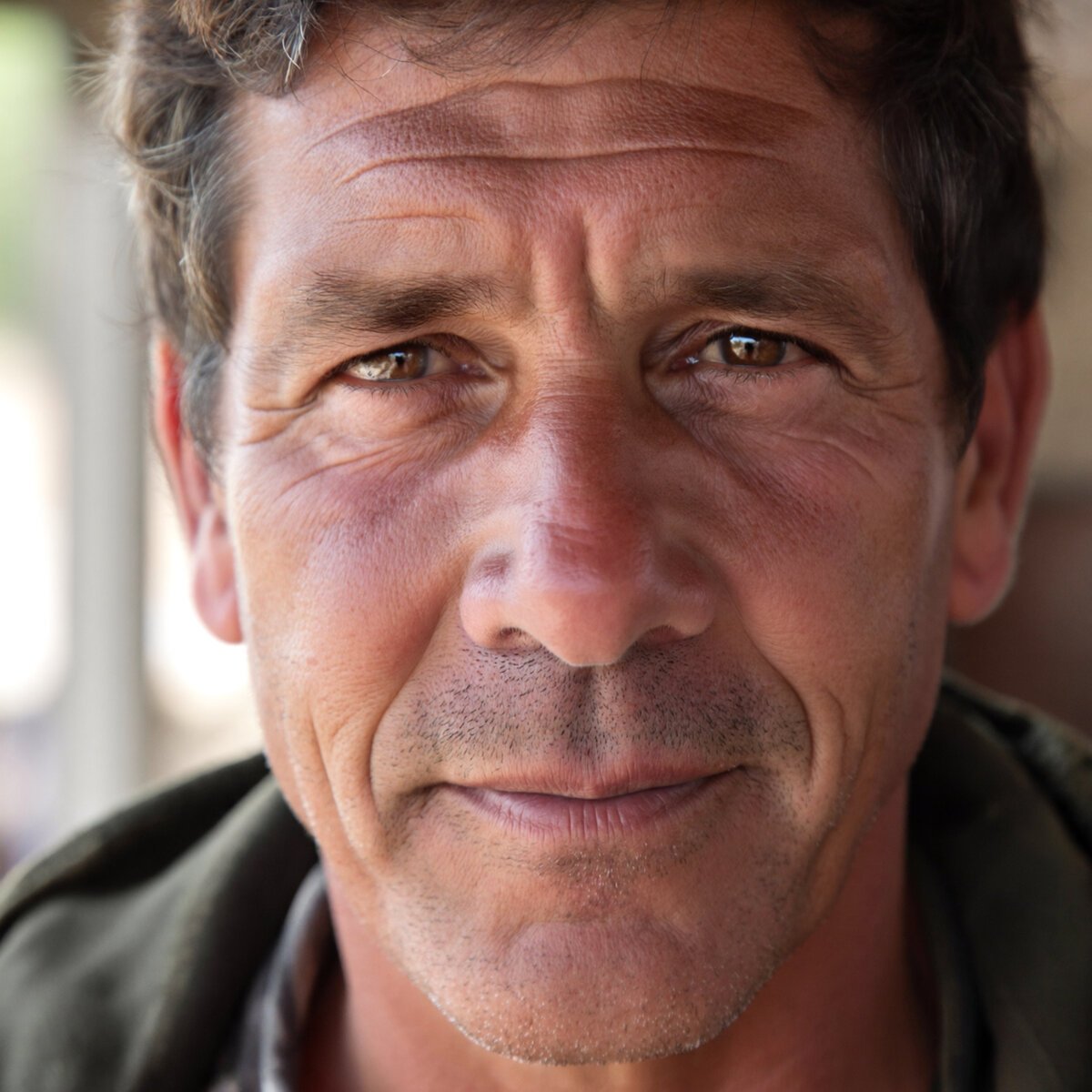
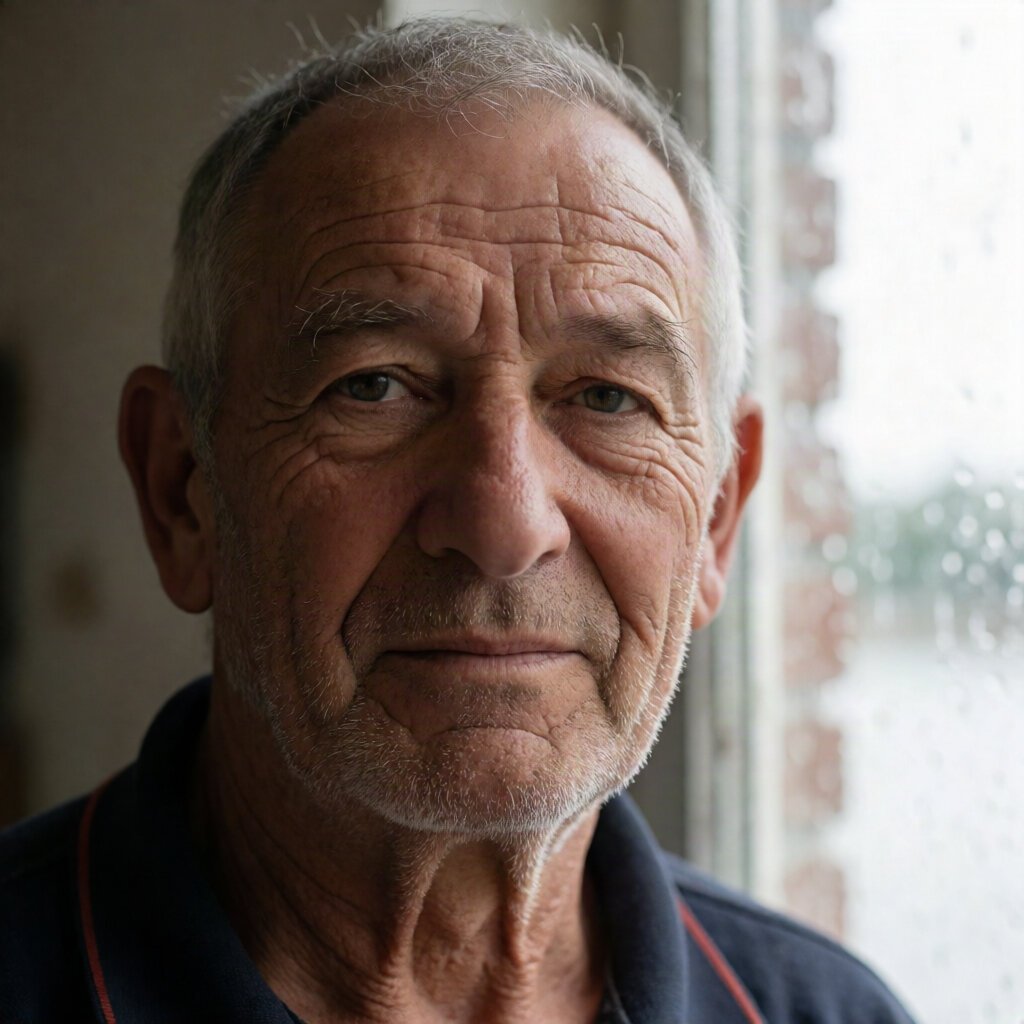
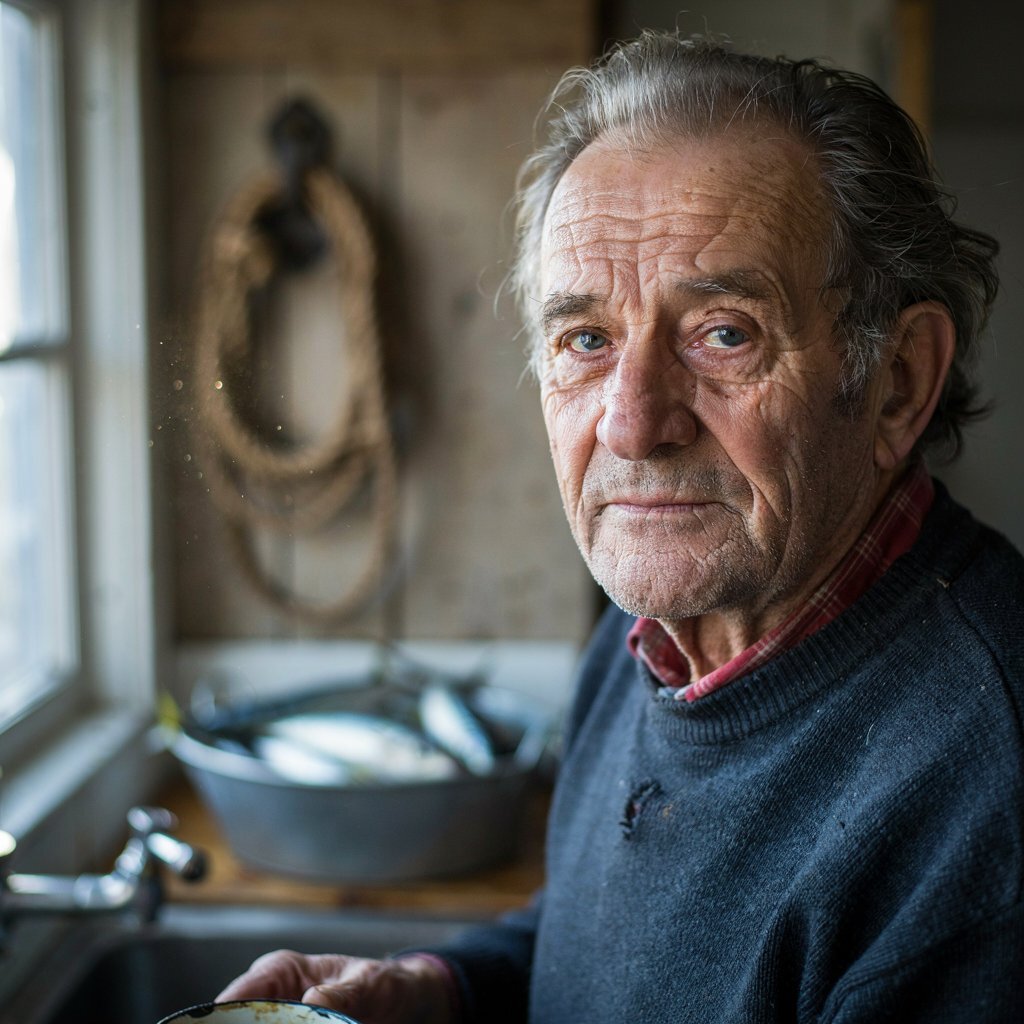
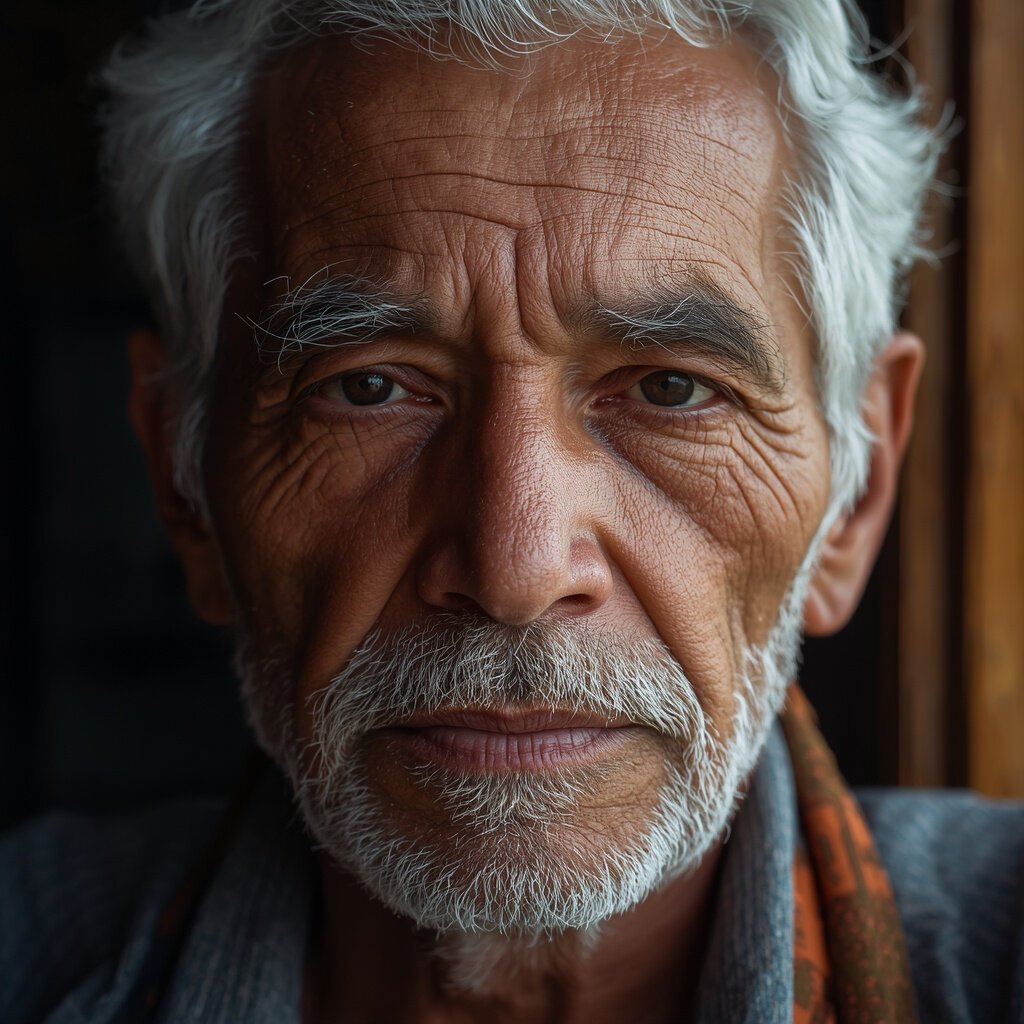
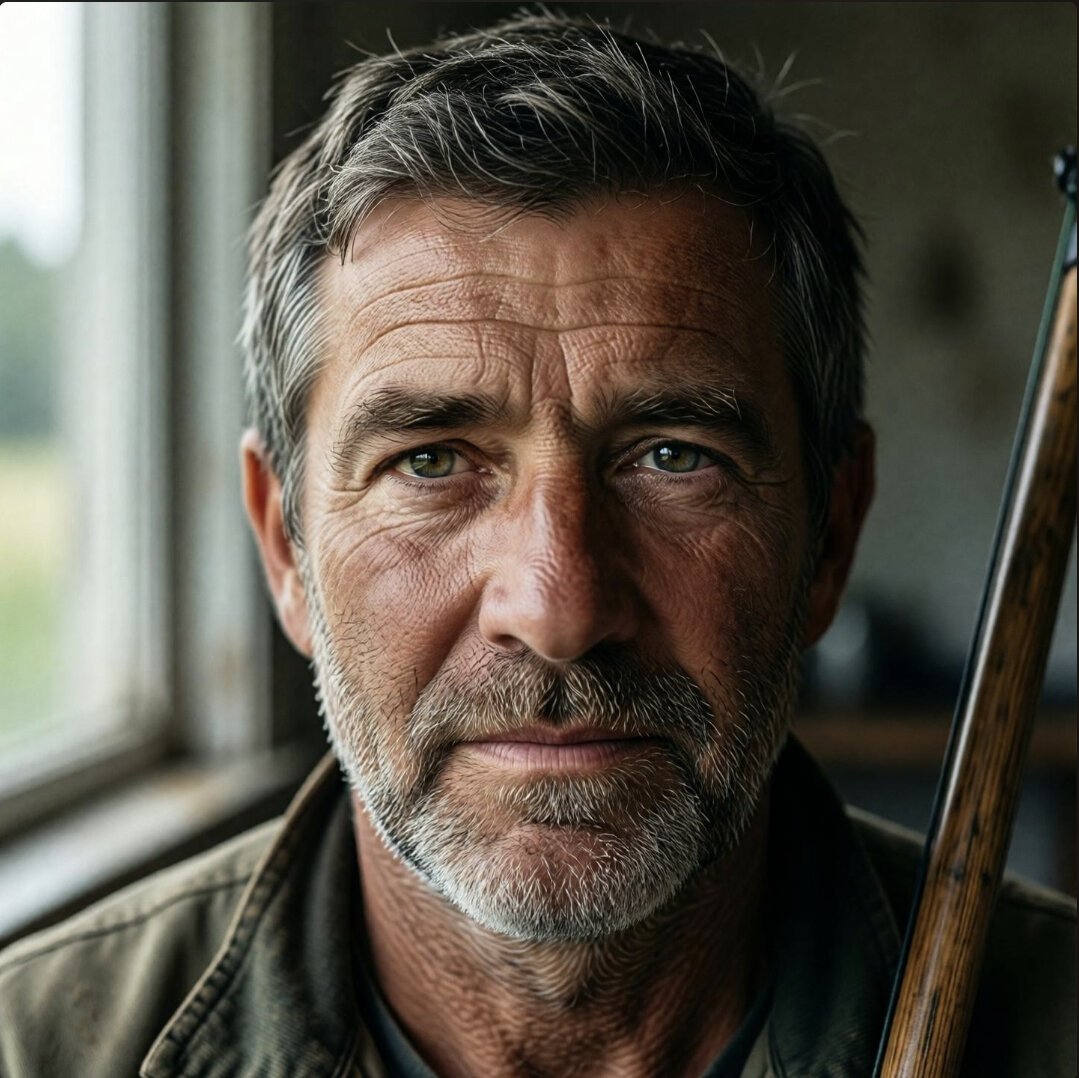
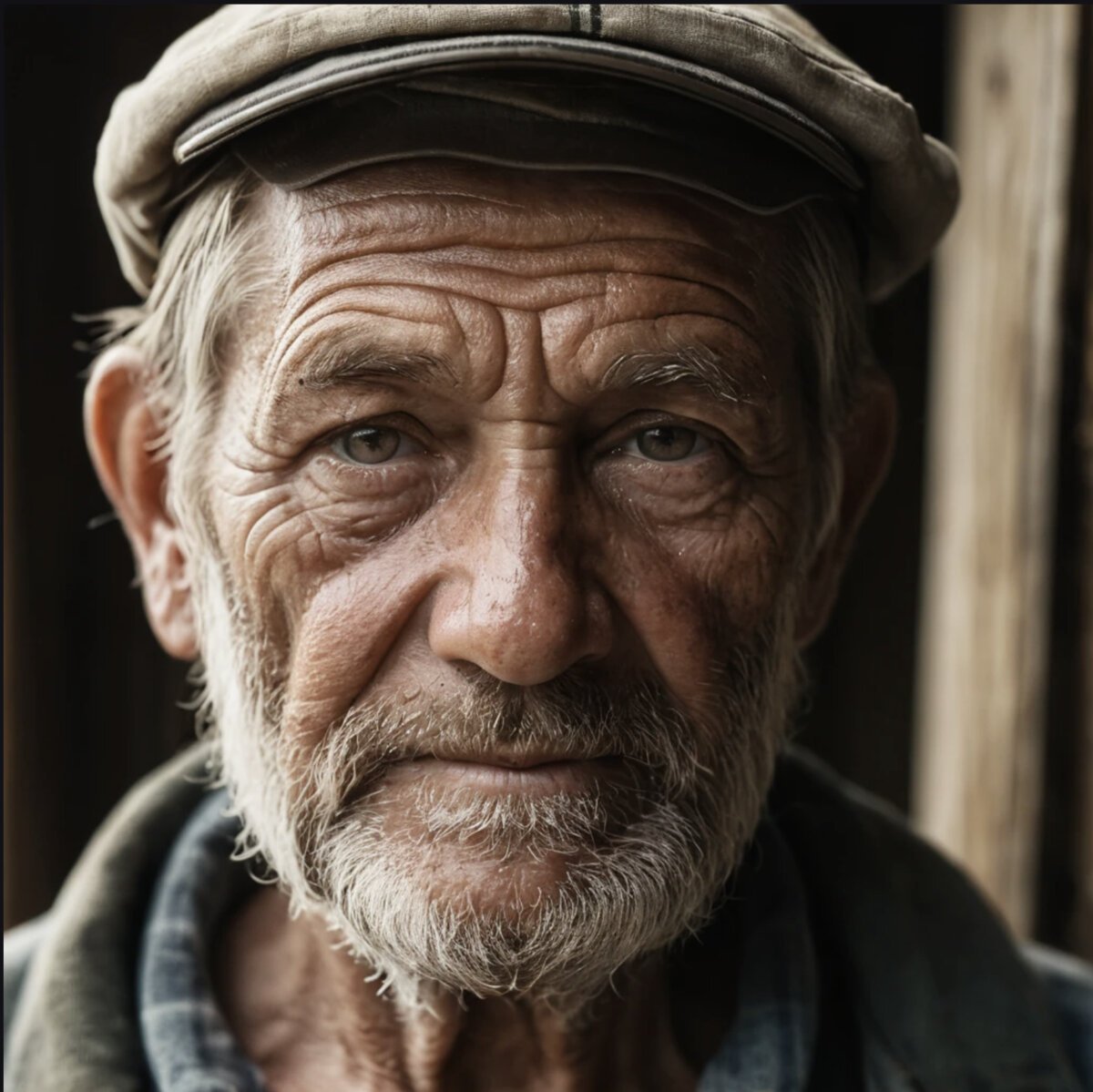
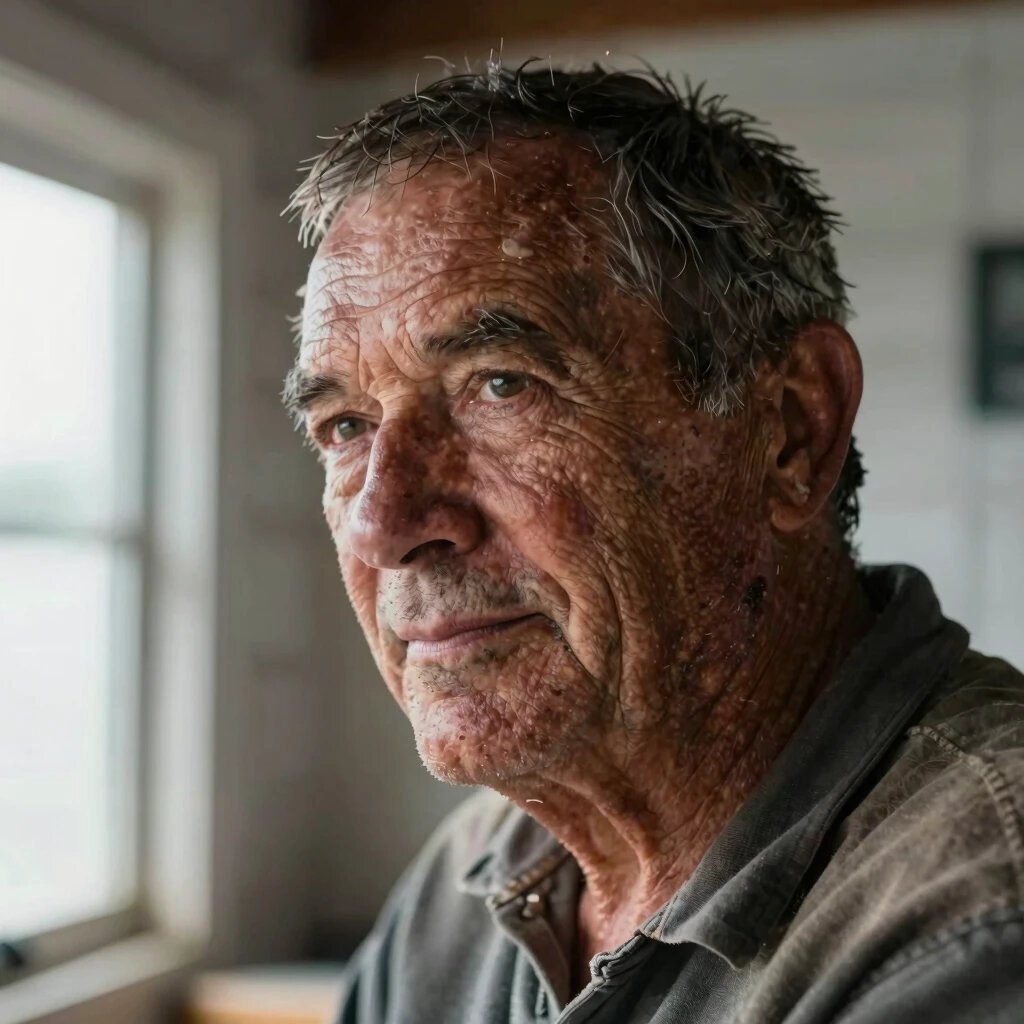
Same prompt, same wording, first output kept. The top three are nearly indistinguishable from photographs at social media resolution. The bottom three have a visible "AI look" — smoothed skin, unnatural catchlights, or stylized hair. Click any tile for the full review with all nine test images.
The street scene test: Tokyo at night, all 10 tools
Portraits are one thing — can these tools handle a complex urban scene? Wet pavement reflections, neon signage, depth, and crowds. This is the environmental photorealism test.
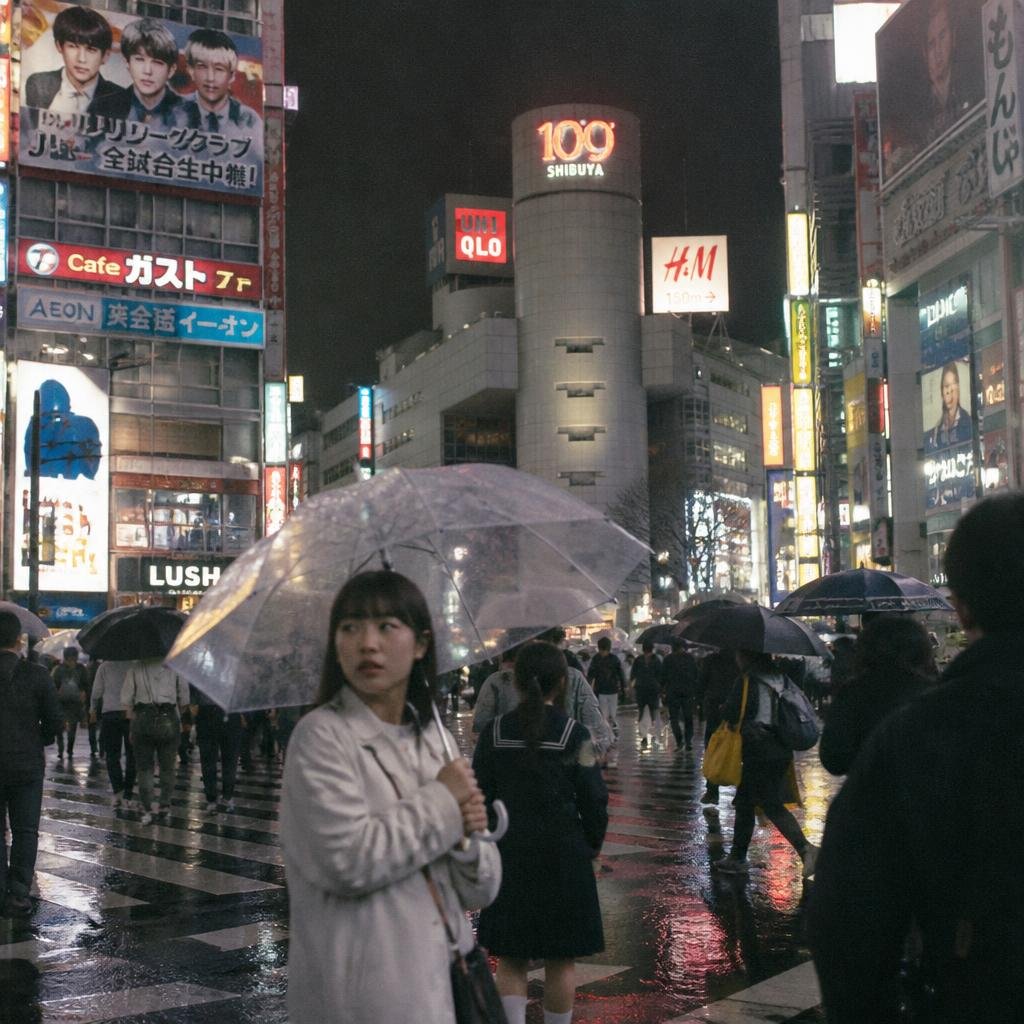
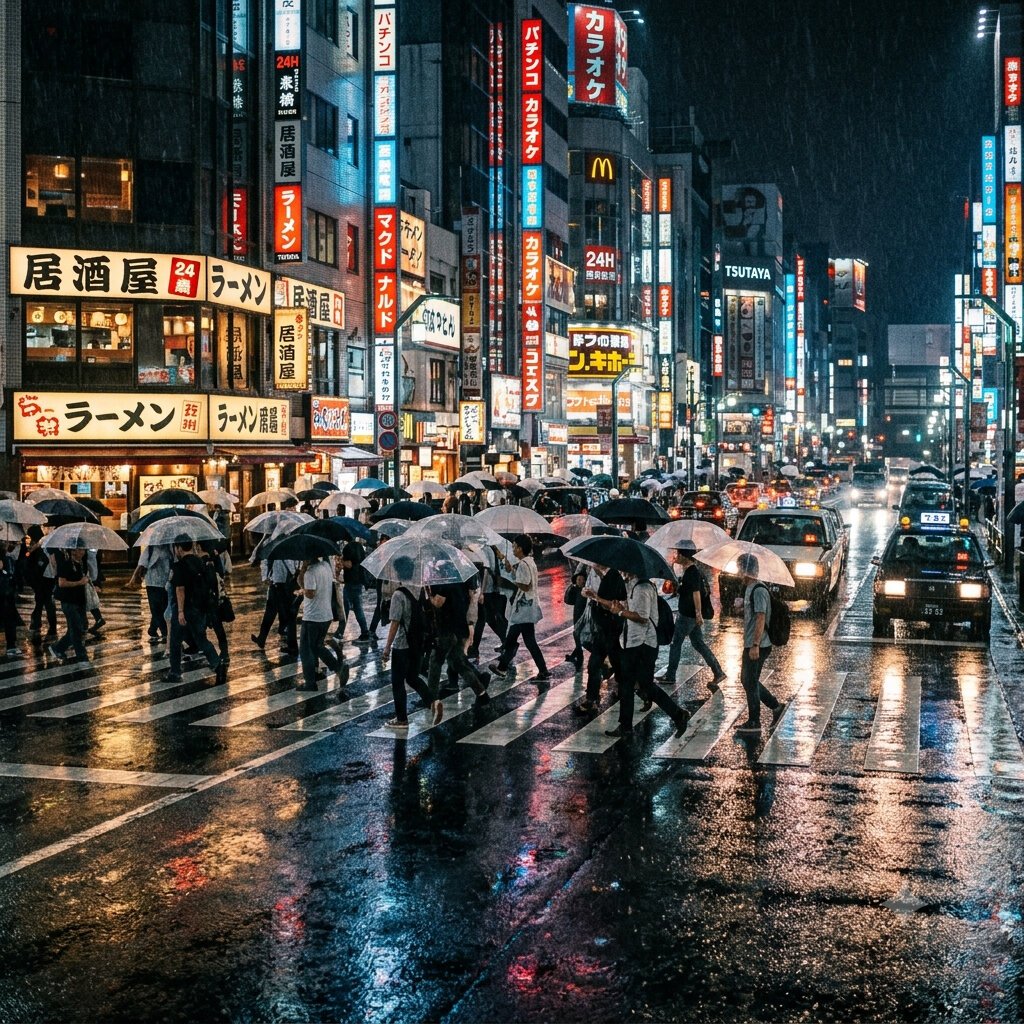
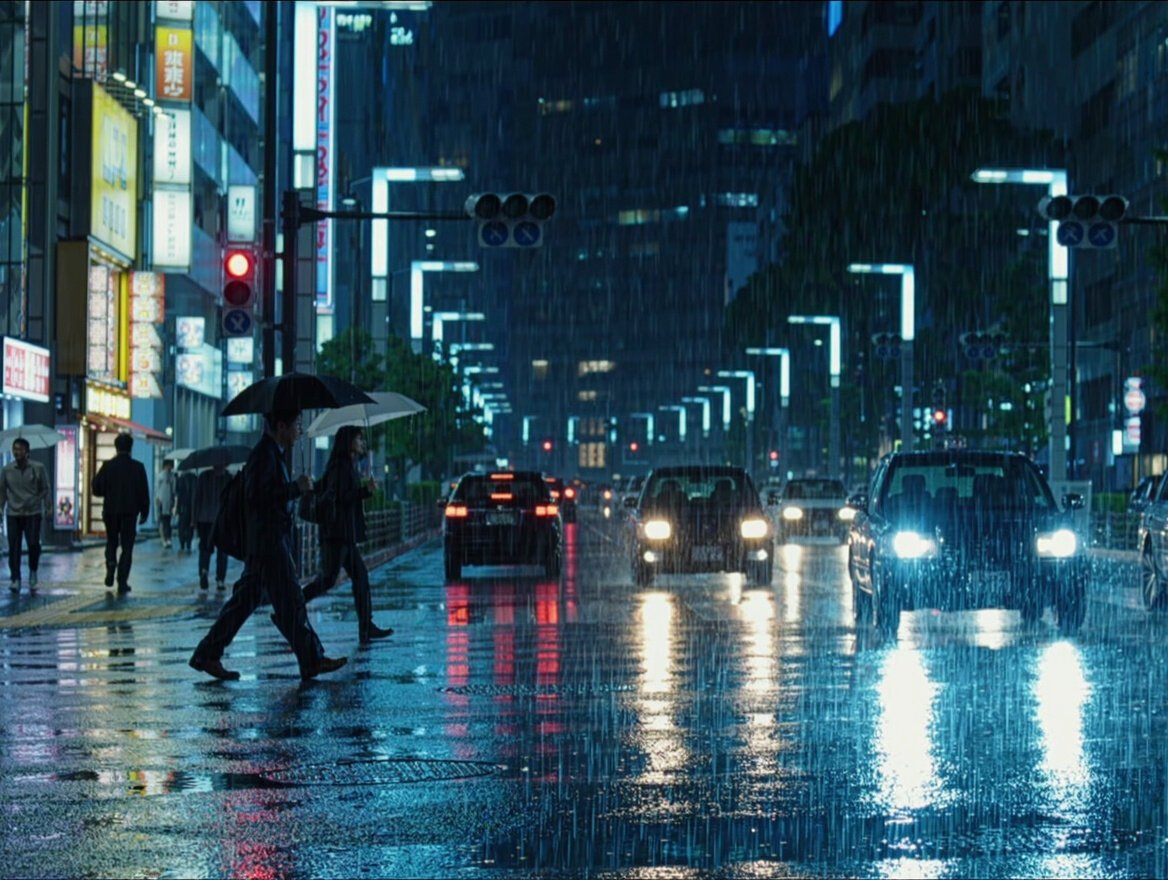
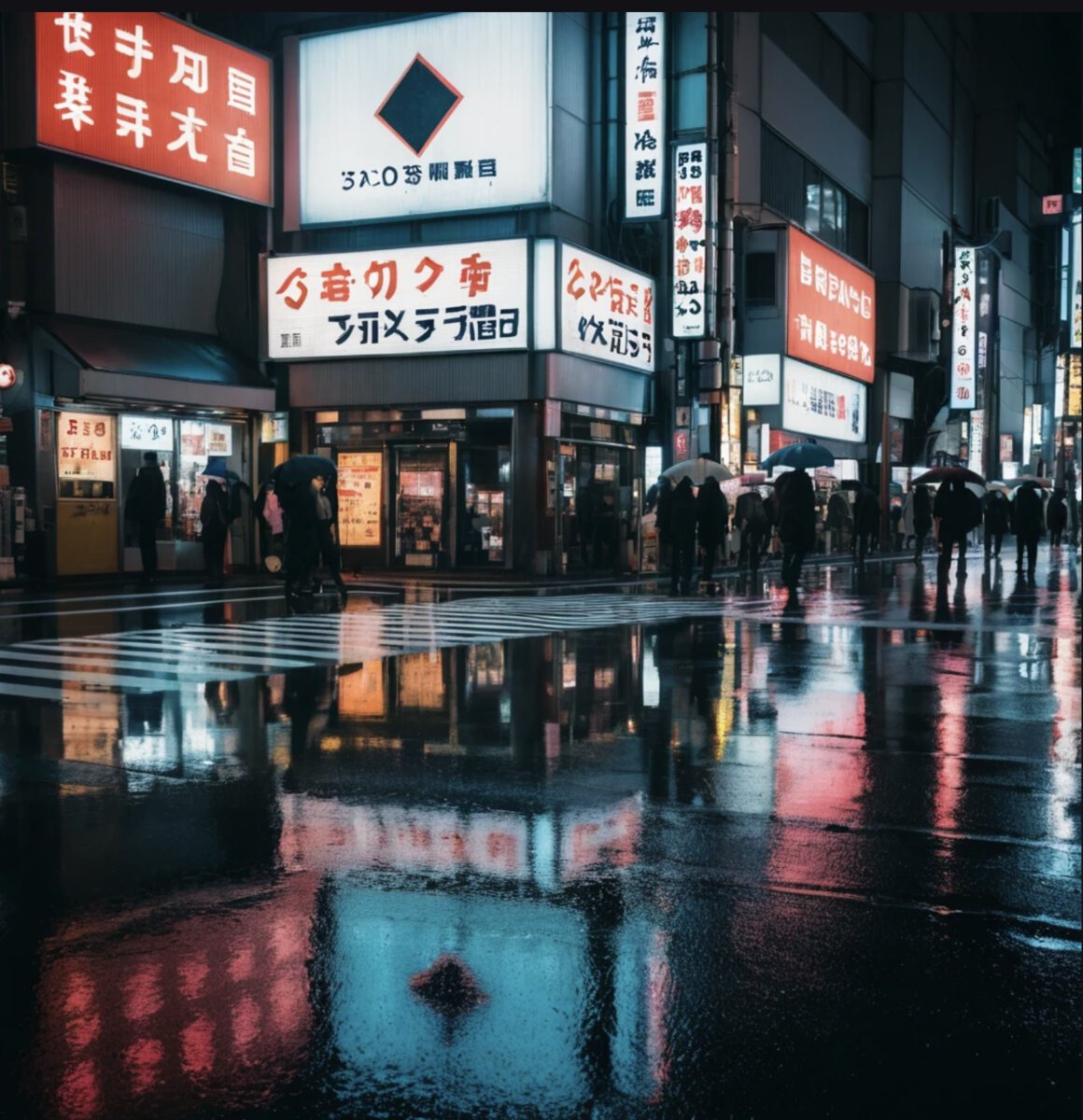
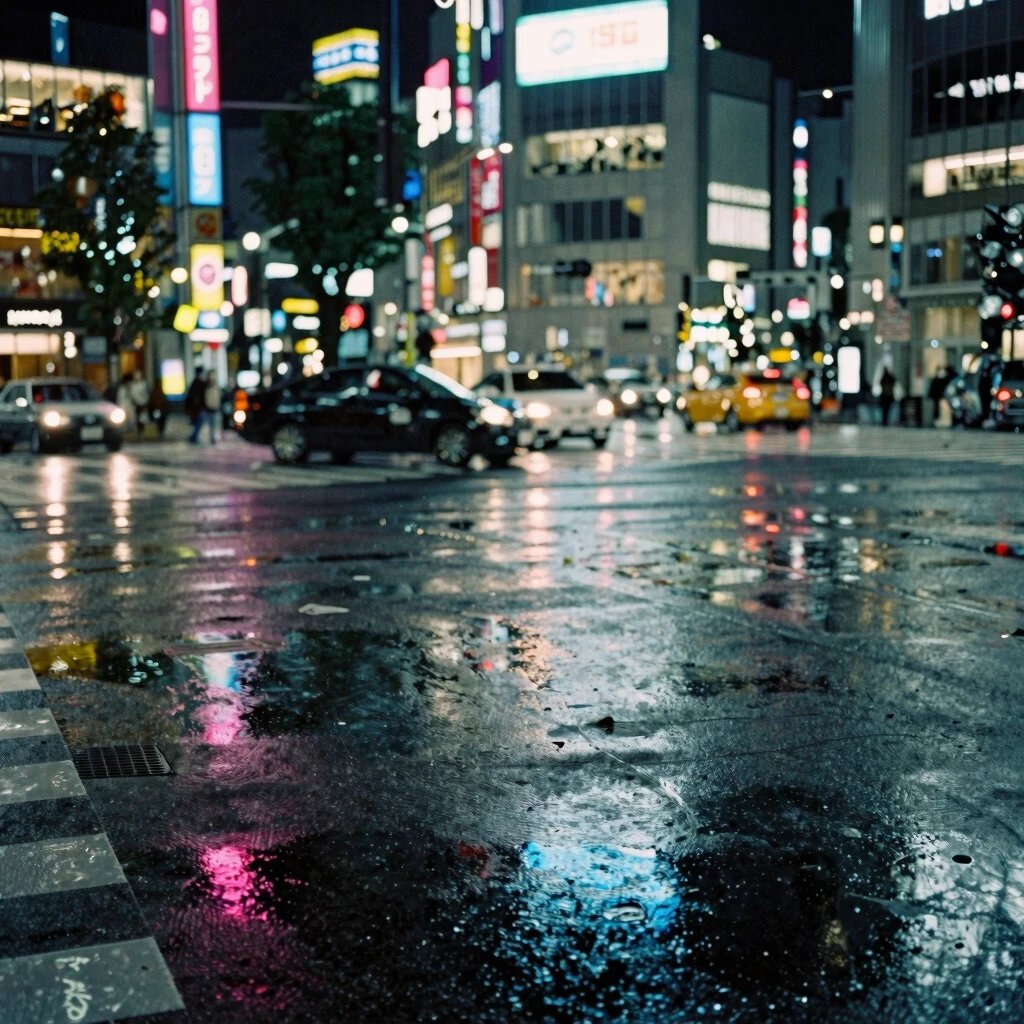
The Tokyo street prompt tests environmental realism: reflections, neon, depth, and crowd rendering. The top tools nail wet-pavement reflections; the bottom tools show repeating patterns and color banding in dark areas.
1. GPT Image 2: the photorealism leader
The fisherman portrait had real skin: pores, weathering, the slight unevenness of a face that has been in the sun for decades. The window light fell correctly, soft on the near side, dropping off naturally. The Tokyo street had accurate wet reflections and readable signage. At full resolution, this is the tool where the "AI look" is hardest to find.
Why it leads. Two things separate GPT Image 2's photorealism from the rest. First, skin. Where most tools over-smooth faces into a waxy sheen, this one preserves micro-detail: pores, fine lines, the slightly uneven colour of real skin. Second, light. The shadow fall-off in the fisherman portrait matches what an 85mm lens at f/2 would actually produce, soft but not flat, bright side and shadow side with a natural transition.
The limitation. No free tier. You access it through ChatGPT paid plans, the OpenAI API, or partner platforms. For photorealism specifically, that cost is worth it if you need images that hold up at print resolution.
2. Imagine Art: the scene specialist
The rainy Tokyo crossing was the single most visually impressive street scene in our entire benchmark. The wet asphalt reflected neon realistically, with the slight distortion you get from actual water on uneven pavement. The portrait was strong too: natural skin, correct eye reflections.
Portraits vs scenes. If you are generating street photography, environmental shots, product-in-context images or anything with complex lighting and reflections, Imagine Art may be the better pick over GPT Image 2. GPT Image 2 leads on portraits and clinical product shots; Imagine Art leads on scenes with atmosphere.
The free angle. Imagine Art offers daily free credits, enough to experiment with a few images per day. The free tier is non-commercial, so client work requires a paid plan (from about $9 per month).
3. Nano Banana 2: the best realistic option for free
Only 0.3 points behind the leader. The fisherman portrait had convincing texture and correct eye detail. The Tokyo scene was notable for getting the Japanese signage right, something almost no other tool managed. Realistic output from a free tool, with the caveat of a watermark on free generations.
Why the top three are all strong picks. With only 0.3 points separating first from third, the real question is not which one produces the most realistic image in a vacuum, but which one does the other things you also need. GPT Image 2 adds the best text. Imagine Art adds the best product shots and reflections. Nano Banana 2 adds the best hands and overall versatility, and it is free.
4-10: the rest of the field
Krea and Leonardo (both 9.0) are both competent at photorealism. Krea has cleaner skin texture; Leonardo has stronger portrait lighting. Neither has a standout weakness on realism specifically, though Leonardo's hands score (6.3) means any photoreal image with visible hands is risky.
Ideogram and SeaArt (both 8.8) produce good photoreal images but are not specialists. Ideogram's strength is text, not realism. SeaArt's photorealism is actually decent, but its low scores on text (6.3) and anime (6.3) mean it only makes sense if photorealism is your sole requirement.
Kling AI (8.7), Pixverse (8.5) and PicLumen (8.2) all produce recognisable photographs but with increasingly visible tells: slightly over-processed skin, flat lighting, or an atmospheric-filter look that sacrifices accuracy for mood. PicLumen in particular optimises for aesthetic atmosphere rather than photographic accuracy, which is why it sits last despite still scoring 8.2.
What separates a realistic AI image from an obvious one
After looking at 20 photorealism images across ten tools at full resolution, three things separate the leaders from the rest.
- Skin texture. The most common "AI look" is waxy, over-smoothed skin. The top tools preserve pores, fine lines and the slight colour variation of real faces. At thumbnail size every tool passes; at full resolution, the top three are the only ones where you would not immediately think "that is AI".
- Light physics. Real light drops off, reflects, bounces. Weaker tools light every surface evenly, which the eye reads as "studio composite, not a photograph". The best tools get fall-off, ambient bounce and specular highlights that match a real lens.
- Reflection accuracy. Wet surfaces, glass, eyes. In the Tokyo crossing prompt, the top tools produced reflections that distort correctly on uneven pavement. Weaker tools either skip reflections or produce mirror-like surfaces that look impossible.
Which realistic AI generator for which job
- Portraits: GPT Image 2 (9.5). The best skin and the best window light.
- Street and environmental scenes: Imagine Art (9.3). The best reflections and atmospheric lighting.
- Realistic images for free: Nano Banana 2 (9.2). Free through Gemini, watermark only.
- Realistic images that also need text: GPT Image 2. It leads both photorealism and text rendering.
- Realistic images that also need hands: Nano Banana 2 (hands 9.7). The only tool that combines strong photorealism with correct hand anatomy.
What gives AI images away: the 5 tells that survive in 2026
Faces are no longer the giveaway — the top three tools render skin, eyes, and hair convincingly. After examining 90 test images at full resolution, we found five artifacts that still reliably reveal an AI origin, ranked by how often they appear.
1. Hands and fingers
Still the most reliable tell. Extra fingers, fused joints, and anatomically impossible thumb placement appear in 6 of 10 tools. Even GPT Image 2 occasionally produces a sixth finger in wide shots where hands are small.
2. Background text and signage
Street scenes generate plausible-looking but nonsensical text on signs, storefronts, and posters. Japanese and Chinese characters are especially prone to being "almost right" — recognizable radicals in impossible combinations.
3. Reflection inconsistencies
Wet surfaces, mirrors, and glasses frequently show reflections that don't match the scene. A storefront window might reflect a sky that isn't in the image, or a puddle might show a different angle than the camera's.
4. Texture repetition at edges
Grass, gravel, fabric weave, and brick patterns near the image borders often tile visibly. The model runs out of context for surfaces far from the focal point and falls back on repeating patches.
In 2026, the most reliable way to spot an AI-generated image is to check hands (extra fingers in 6 of 10 tools), background text (nonsensical signage), and reflections (mismatched angles). Faces and skin texture are no longer reliable tells in the top 3 tools.
Pipgen visual analysis, 90 images at full resolution, August 2026Which lighting conditions produce the most realistic AI images
Not all prompts are equally realistic. After our benchmark, we noticed that lighting style has a bigger effect on perceived realism than the choice of tool — a mediocre tool with golden hour light beats a top tool with flat studio lighting.
Lighting conditions ranked by realism, from our 90-image test
- Golden hour / low-angle warm light — the most forgiving. Warm tones hide skin texture artifacts, long shadows add depth, and the naturally soft contrast reduces the "HDR look" that flags AI images.
- Overcast / soft diffused daylight — good for environmental scenes. Eliminates the harsh shadow problems that mid-tier tools struggle with, though it can make images look flat if the subject lacks colour contrast.
- Neon / mixed artificial light — strong for urban scenes. Colour casts and mixed temperatures are something AI models handle well because they've seen thousands of similar training images. Wet surfaces amplify the effect.
- Direct midday sunlight — the hardest for AI. Sharp shadows require precise geometry, and most tools produce shadows that don't quite match the light source angle. Skin looks especially artificial under harsh top-down light.
- Studio flash / beauty lighting — surprisingly weak. The perfectly even lighting eliminates the natural imperfections that make faces look real. AI faces under ring-light conditions look the most "AI" of any setup.
Golden hour lighting produces the most photorealistic AI images across all tools tested. Direct midday sunlight and studio flash lighting produce the least realistic results because they expose shadow geometry errors and skin texture smoothing.
Pipgen lighting analysis, 90 images, August 2026How we tested photorealism
Two of the nine prompts in our full benchmark test photorealism directly:
- Portrait prompt: "close-up portrait of a 60-year-old fisherman, weathered skin, natural window light, 85mm lens, no retouching." Tests skin rendering, eye detail and natural lighting.
- Street prompt: "street photo of a rainy Tokyo crossing at night, wet asphalt reflections, neon signage, 35mm documentary style." Tests reflections, complex scenes and the look of real street photography.
Same method as every category: identical prompts, default settings, first output kept, scored on adherence, coherence and aesthetic at full resolution. Every image published in the individual reviews.
Common questions about realistic AI images
What is the most realistic AI image generator in 2026?
GPT Image 2 leads photorealism at 9.5 out of 10 in our benchmark, with the most convincing skin texture and natural light physics. Imagine Art (9.3) is the close runner-up, especially for scenes with reflections and atmospheric lighting. See our full review.
Can AI-generated images look like real photos?
At the top tier, yes. The three highest-scoring tools produce images that are difficult to distinguish from photographs at normal viewing sizes. The remaining tells, waxy skin, impossible reflections, flat lighting, have largely been solved by the current generation. Full-resolution viewing still reveals differences, but the gap is narrowing fast.
Which free AI image generator is most realistic?
Nano Banana 2, scoring 9.2 on photorealism and free through Google Gemini (watermark on free outputs). Imagine Art also has a free tier with daily credits and scores 9.3. Both produce convincing photoreal images at no cost. See our free tools guide.
How do you tell AI-generated photos from real ones?
Common signs: over-smoothed skin that lacks pores and micro-detail, reflections that do not match the light source, backgrounds with subtle physics errors (floating objects, impossible shadows), and text that is garbled. At the top tier, casual viewing does not reveal these; you need full-resolution, close-crop inspection.