Copy a prompt, open ChatGPT or Gemini, attach your photo, paste and send. An editing prompt works when it says three things in this order: what to keep (“keep my pose, clothes and background”), the one thing to change, and the face-lock line at the end. For a quick fix use the dark-photo repair or remove people from the background; for a new look, DSLR blur, the studio headshot or the Navratri portrait; for an old family print, restore and colourise. 92 more looks, each with its result, are in the library.
An editing prompt is a written instruction you give an AI image editor, usually ChatGPT or Gemini, along with your own photo, telling it what to change and what to leave alone. A good one names what stays the same, the single change wanted, the light and camera, and ends with a line that locks the face. This page collects 112 copy-paste editing prompts, from removing people and fixing dark photos to studio headshots, restorations, anime and festival portraits.
Pipgen hands-on test in ChatGPT, September 2026; search data from AhrefsWhat an editing prompt is
An editing prompt is a plain-text instruction for an AI image editor. You upload a photo you already have, paste the prompt, and the app returns the same photo with the change made. It is what people in India mean when they search “editing prompt”, “photo editing prompt”, “ChatGPT photo editing prompts” or “Gemini photo editing prompt”; the words differ, the thing is the same, and any prompt on this page works for all of them.
It is not the same as an image prompt. An image prompt describes a picture that does not exist yet. An editing prompt starts from your picture, so its most important words are the ones that say what must not change. That is the difference between an edit that still looks like you and one that returns a well-lit stranger.
What is on this page
20 editing prompts written for this page, grouped by the job: fixing a photo, changing the background, light and colour, style transfers, festival and outfit edits, and product photos. They are ours; we are not republishing any creator’s prompt. We ran all 20 in ChatGPT on 30 September 2026, pasted verbatim, in a new chat each time, and kept the first output; each result sits beside its prompt, misses included. Then a library of 92 more looks from our other prompt pages, each already run in ChatGPT with the first output published. We test in ChatGPT only; every prompt is written to run in Gemini as well. The reference photos are two AI-generated test personas, not real people, and the four “before” photos used for repairs are AI-generated too, so no real person’s picture was uploaded anywhere. Prompt 9 was run with the woman’s photo.
How to use an editing prompt in ChatGPT or Gemini
Photo in, edit out, in under a minute
- Pick a prompt below and tap Copy.
- Open ChatGPT or Gemini and start a new chat. In Gemini, choose the image tool if it asks.
- Attach the photo you want edited. For anything with your face in it, use a clear, front-facing photo in decent light.
- Paste the prompt and send. Change the words in the prompt that do not fit your photo, such as the outfit or the place, before you send.
- Check the face and the hands first. If the face is no longer yours, regenerate or try the other app; rewording rarely fixes a face.
- New edit, new chat. Chat apps carry details from one image into the next.
Free plan limits: ChatGPT’s free plan allows only a few images a day, and the number moves with demand. When it runs out, the same prompt runs in Gemini. What each free tool allows is in our free generators guide.
The editing prompt formula: keep, change, light, camera, face
Every prompt below is built from the same five parts. Learn them once and you can write an editing prompt for any photo.
What a photo editing prompt needs to say
| Part | What to write | Why it matters |
|---|---|---|
| 1. Keep | “Keep my pose, clothes, background and framing exactly as they are” | The app redraws the whole picture. Anything you do not protect is free to change |
| 2. Change | One thing: the background, the light, the outfit, the style | Two changes in one prompt fight each other. Run a second edit on the result instead |
| 3. Light | “Warm low sun from one side”, “flat even studio light”, “the glow of a diya” | A new background with the old light is what makes an edit look pasted |
| 4. Camera | Where the camera is and what lens: “at eye level in front of me”, “85mm at f/1.8” | Say where the camera is, never where to look. Tell the app “look away” and you get a stiff side-on face |
| 5. Face | “My face sharp”, then the face-lock line as the last sentence | A changed face is the most common way these edits fail |
The face-lock line: “Keep my face exactly the same as the uploaded photo — do not alter my facial features.” Every photo prompt here ends with it. The style prompts, where the face is redrawn as a cartoon or a sketch, end with a likeness line instead.
Editing prompts that fix the photo you have
These four change nothing about you. They repair the picture: strangers behind you, a dark and noisy shot, a hairstyle you wish you had, a family print that has been in a drawer for fifty years.
1. Remove people from the background
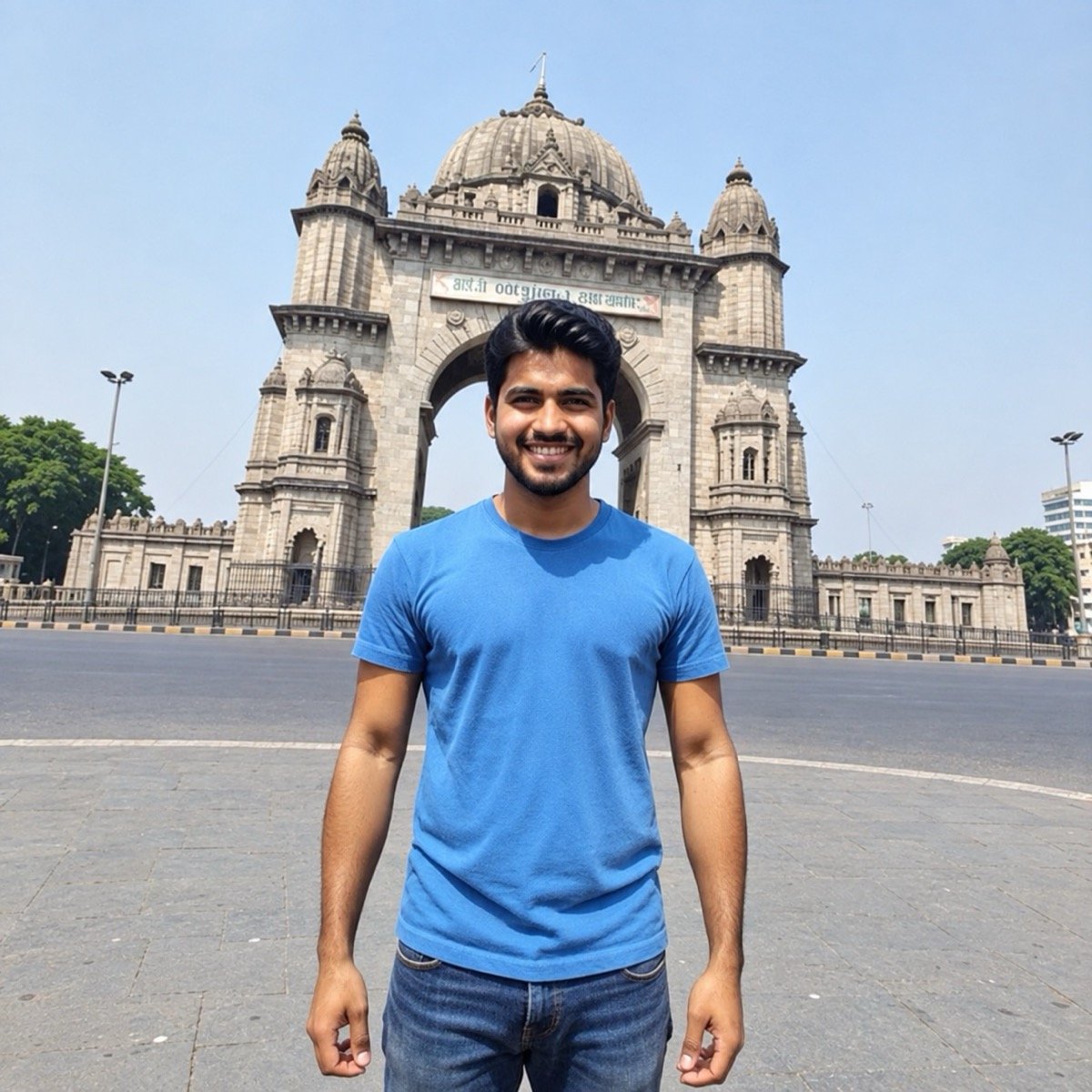
Edit the uploaded photo: remove every other person so I am the only person in the picture, and rebuild what was behind them, the monument, the paving, the road and the sky, so it looks untouched. Keep me, my pose, my clothes, the framing, the light and the colours exactly as they are, with no new objects added. Keep my face and facial hair exactly the same as the uploaded photo — do not alter my facial features.
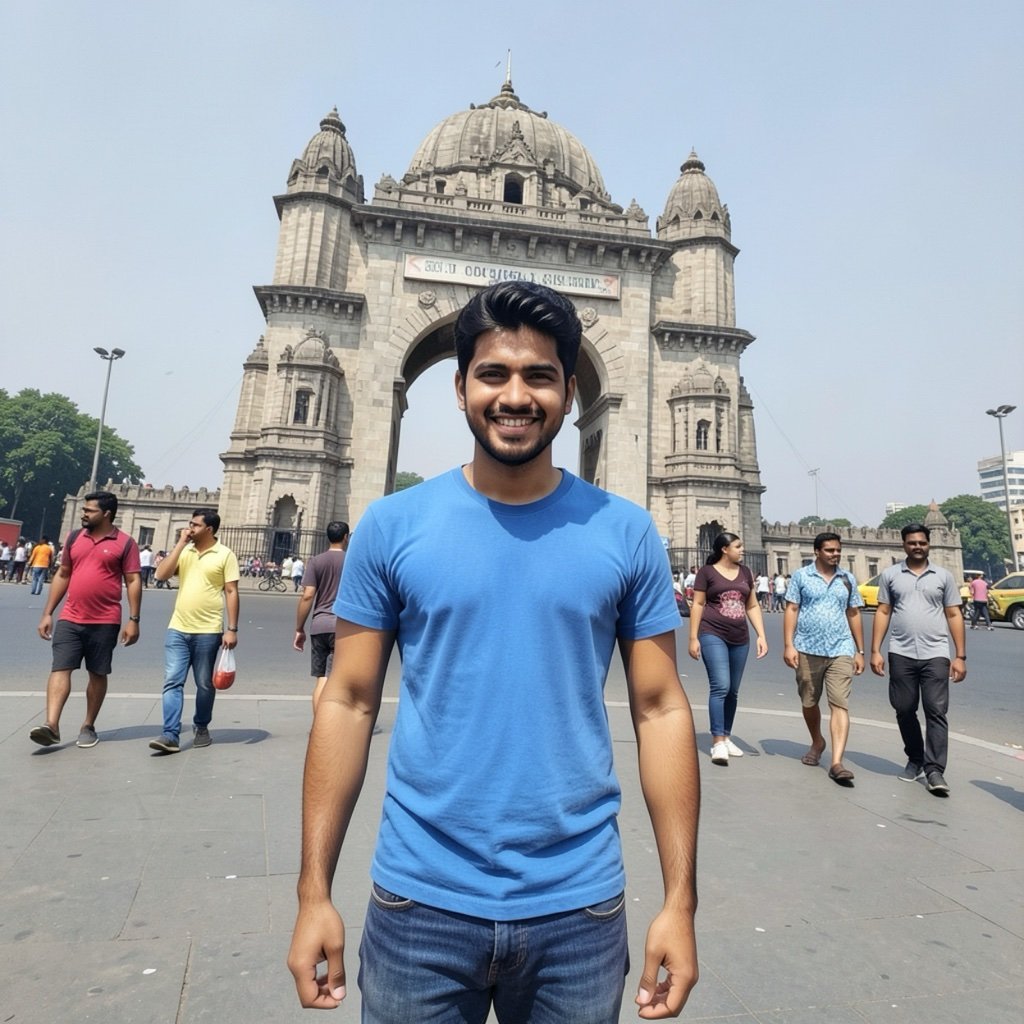
The words that matter are “rebuild what was behind them”. Without them the app often leaves a smear where each person stood. To remove one thing only, name it and where it is: “remove the man in the red shirt on the left”.
↑ All looks2. Fix a dark, blurry photo (the HD edit)
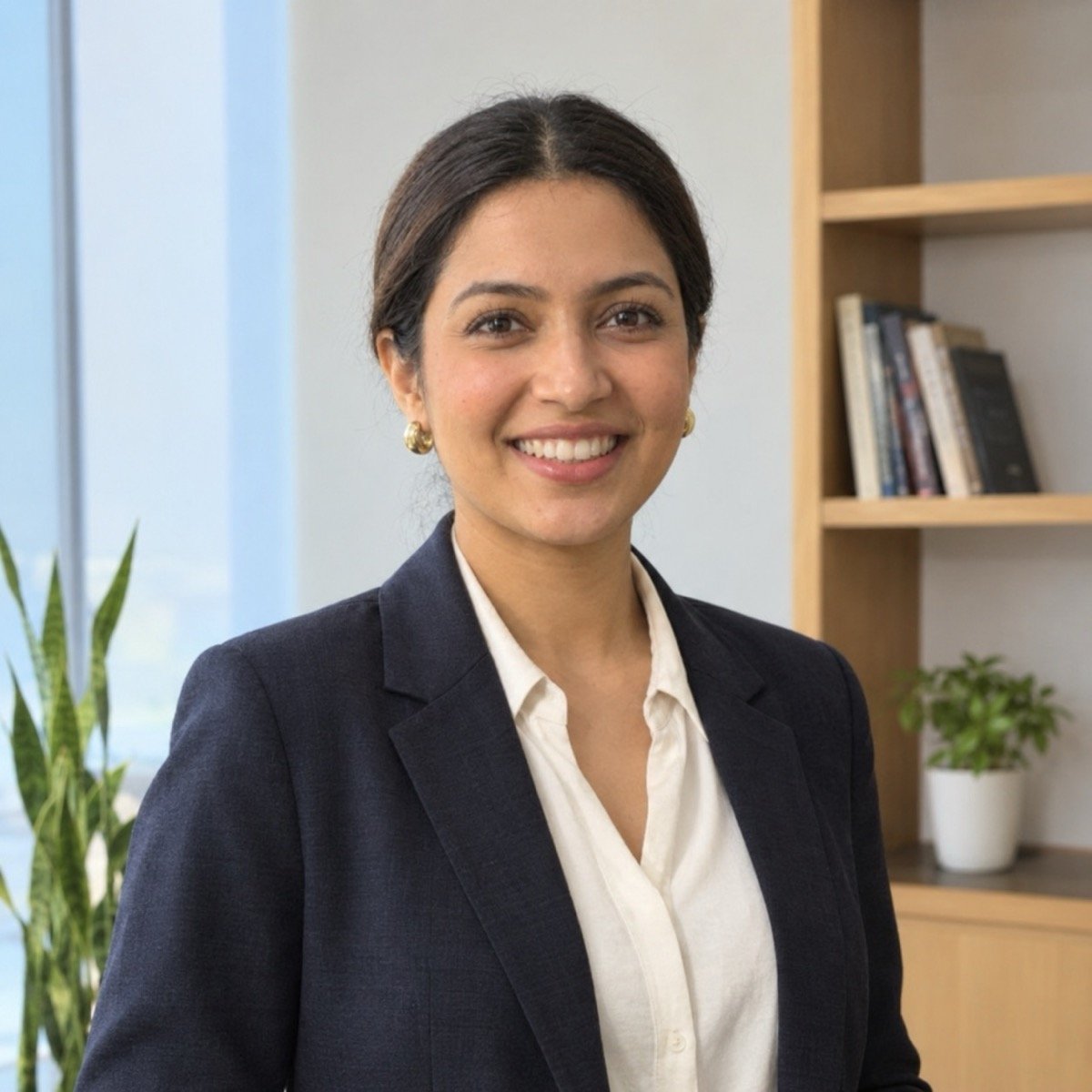
Edit the uploaded photo into a clean, sharp version of the same picture: lift the exposure so my face is evenly lit, remove the noise and the blur, correct the orange colour cast to natural skin tones, and recover detail in my hair and clothes. Keep the same pose, expression, clothes, background and framing, with natural skin texture and no smoothing or beauty filter, so it looks like the same photo taken on a good camera in good light. Keep my face exactly the same as the uploaded photo — do not alter my facial features.

This is the prompt behind most “HD photo editing prompt” and “4K editing prompt” searches. Asking for “4K” or “8K” does nothing on its own; describing the faults, dark, noisy, blurred, orange, is what gets them fixed.
↑ All looks3. Change only the hairstyle
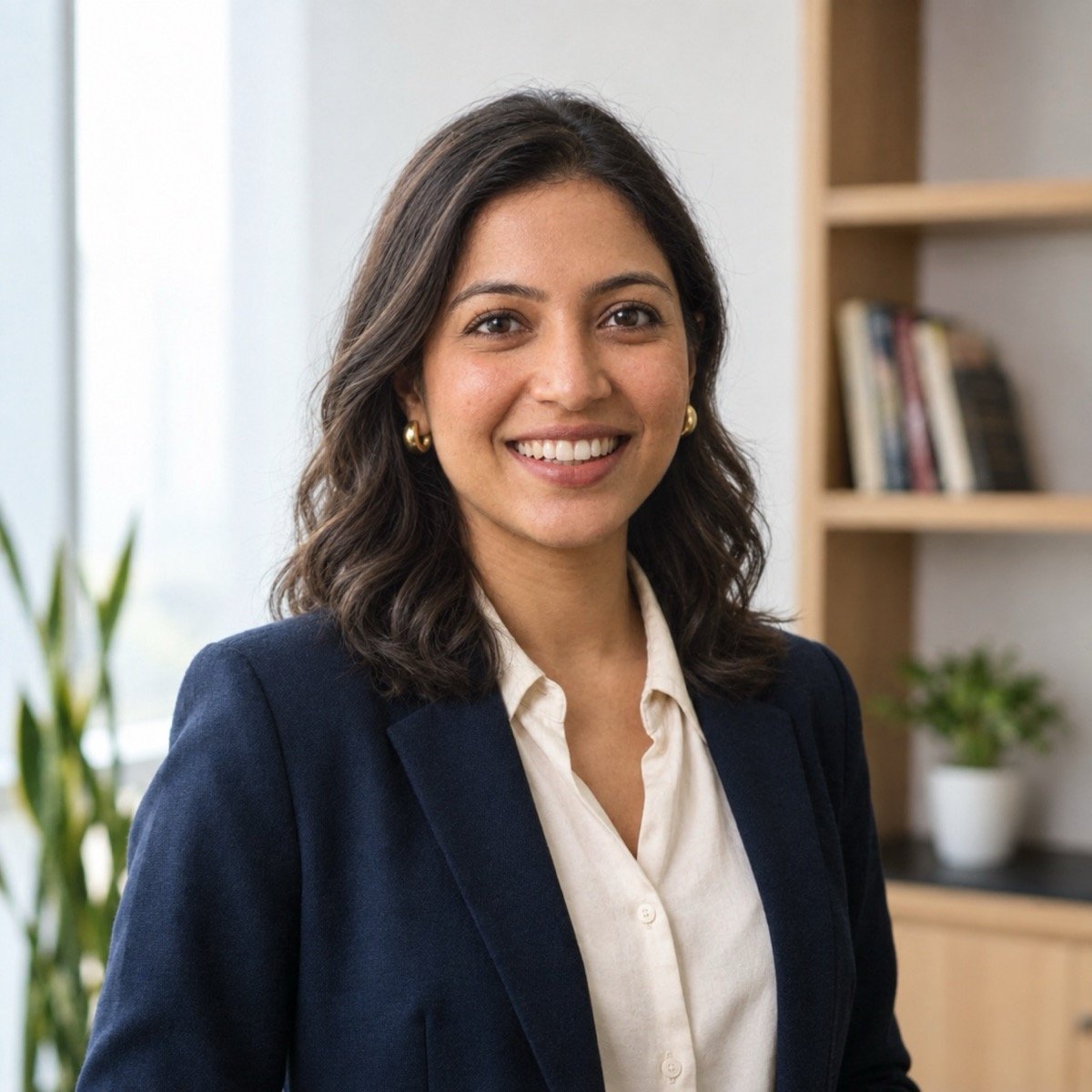
Edit the uploaded photo and change only my hairstyle: loose, shoulder-length soft waves with a side parting, the same hair colour, a natural hairline and a few flyaway strands. Keep my make-up, earrings, outfit, pose, background, lighting and framing exactly as they are. Keep my face exactly the same as the uploaded photo — do not alter my facial features.
Swap the description for any cut: “a sleek high ponytail”, “a short bob at jaw length”, “a trimmed full beard”. Keeping the hair colour in the prompt stops the app from restyling you into a different person.
↑ All looks4. Restore and colourise an old photo
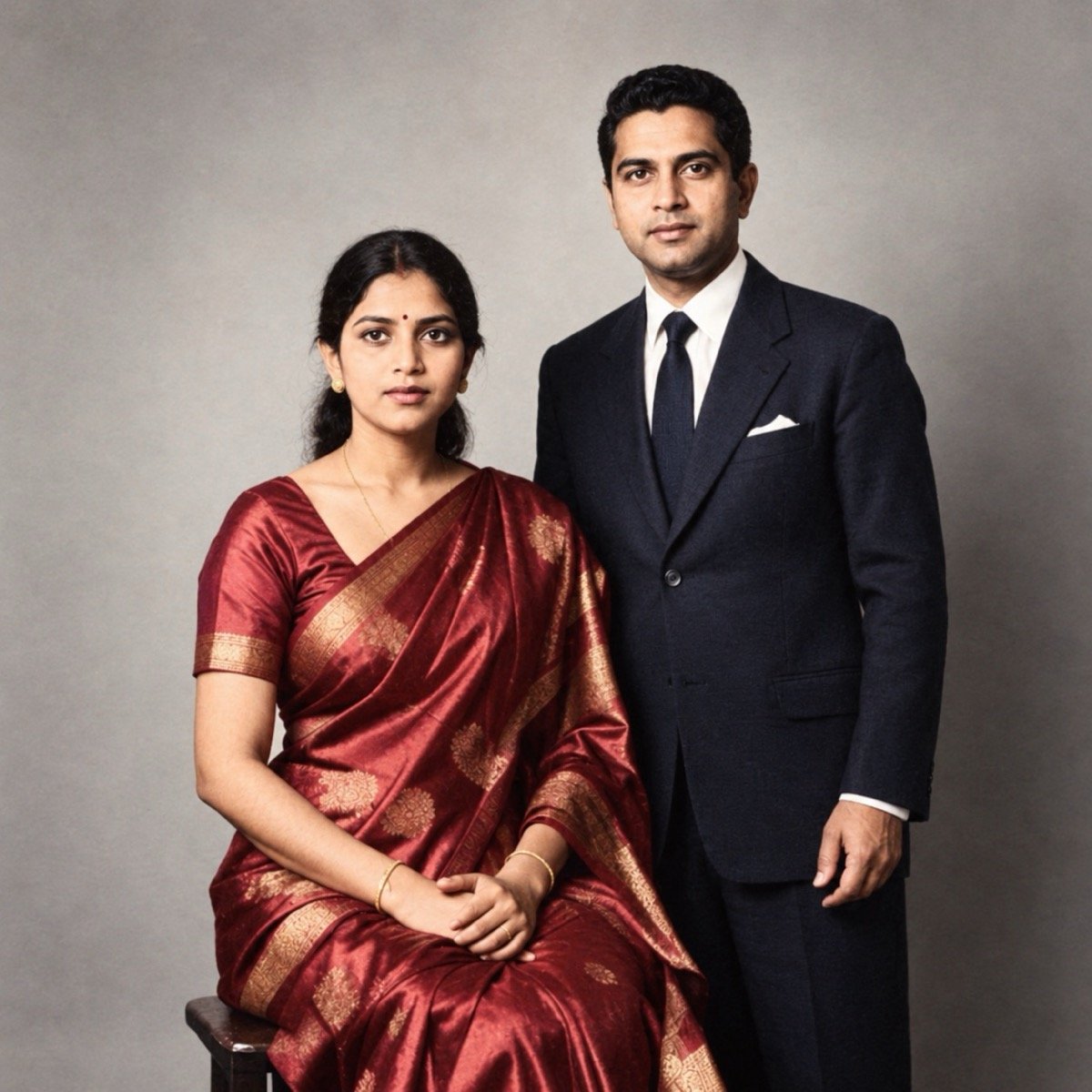
Restore the uploaded old photograph: remove the scratches, stains, the crease and the fading, rebuild the torn corners to match what surrounds them, and sharpen gently. Then colourise it with natural skin tones and colours that suit the period and the clothes. Keep the composition, the poses, the expressions and the studio backdrop exactly as in the original, do not modernise anything, and keep every face exactly as it is in the photograph, so the result looks like the same print in perfect condition.
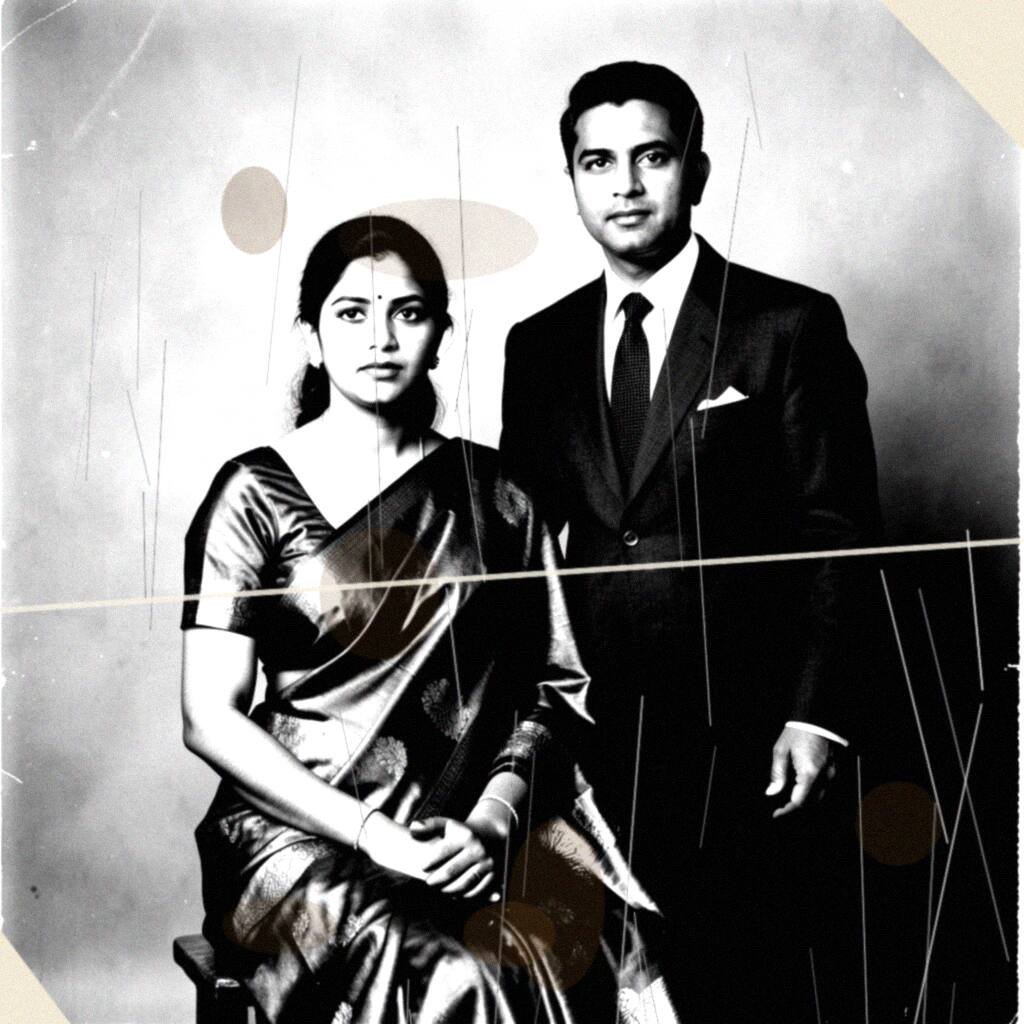
For a black-and-white restoration, delete the sentence that starts “Then colourise”. Restoration invents detail it cannot see: both faces here came back sharper and subtly different from the print, even with the instruction to keep them. Treat the result as a good-looking reconstruction, not a recovery, and compare it with the original before you frame it. Our Pica AI review shows the same trade-off in a dedicated restoration app.
↑ All looksEditing prompts that change the background
Background edits are the most searched kind. The rule for all four: say what stays, replace only the backdrop, and describe the new light so you do not look pasted in.
5. DSLR blur background
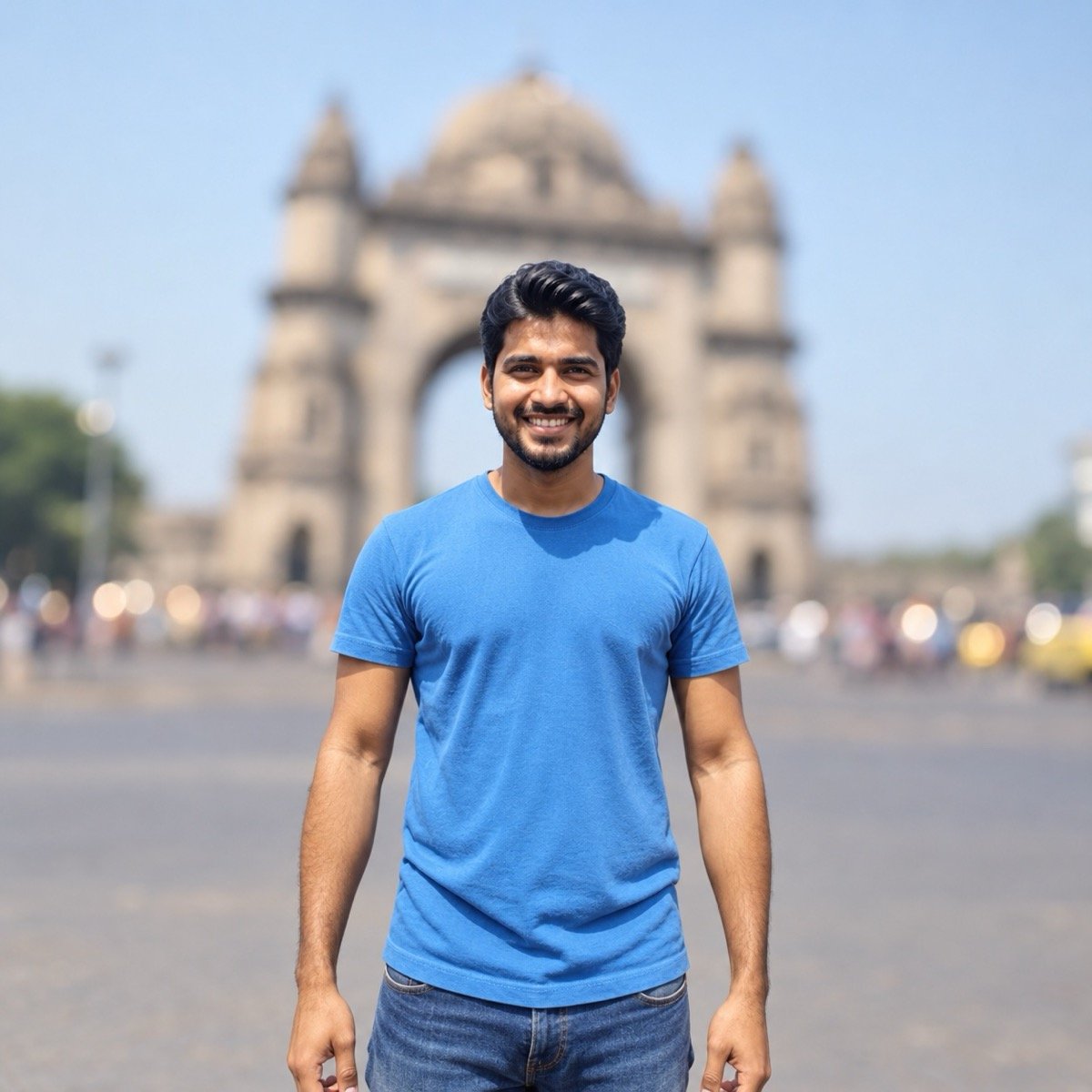
Edit the uploaded photo to look like it was taken on a full-frame DSLR with an 85mm lens at f/1.8: keep me exactly as I am and sharp from my hair to my waist, and blur the background into smooth, creamy bokeh with soft round highlights. Keep the same scene and colours behind me, a clean natural edge around my hair with no cut-out halo, and no change to my pose, clothes or framing. Keep my face and facial hair exactly the same as the uploaded photo — do not alter my facial features.
Same input as prompt 1, different edit. “No cut-out halo” is the phrase that stops the glowing outline phone portrait modes leave around hair.
↑ All looks6. Studio headshot for LinkedIn or a CV
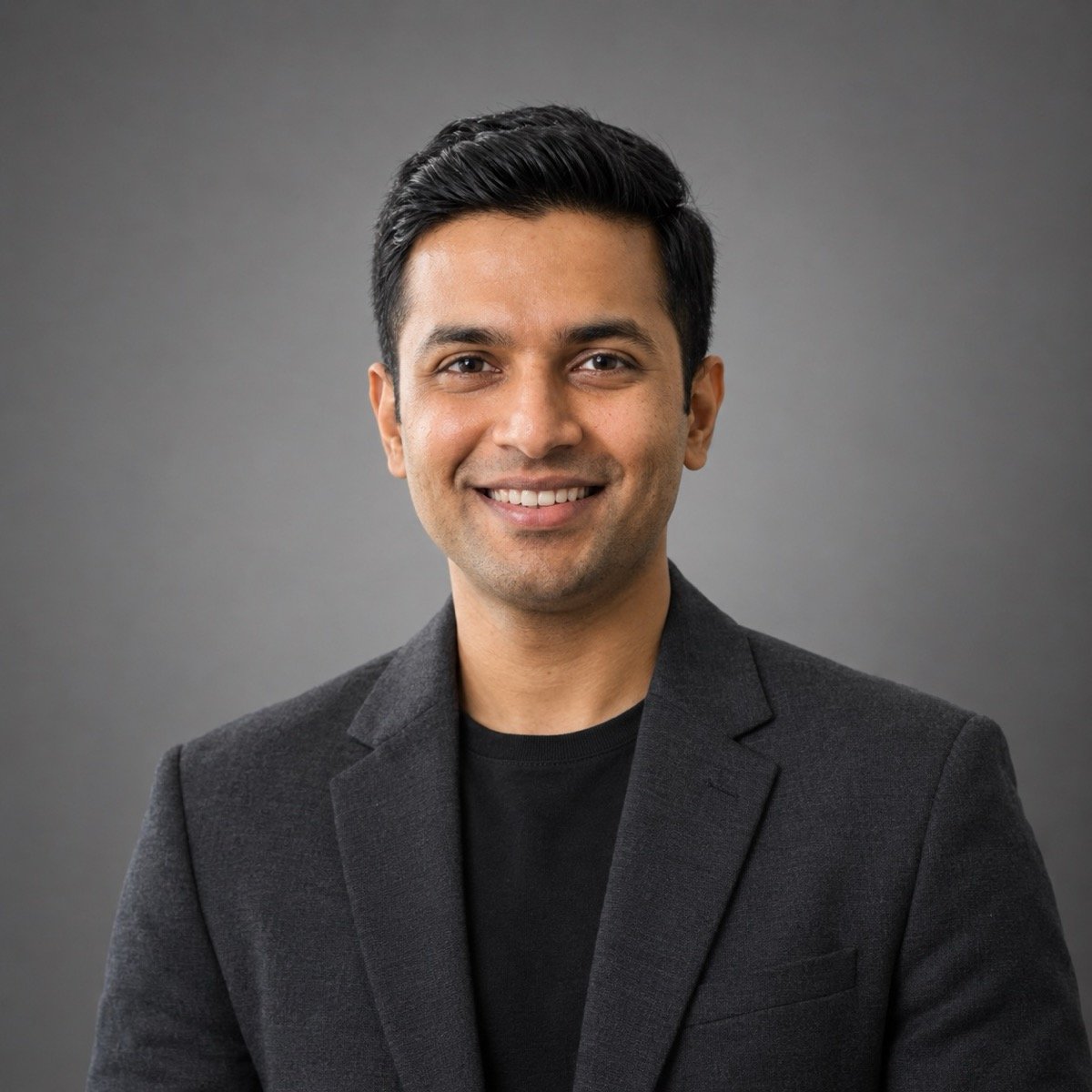
Turn the uploaded photo into a professional studio headshot of me: a charcoal blazer over a plain black crew-neck, neat hair, framed from the chest up and centred, a plain mid-grey seamless backdrop with a soft falloff toward the edges, a soft key light from the front-left with gentle fill, the camera at eye level in front of me, a relaxed, confident expression, my face sharp with natural skin texture, no text or logos. Keep my face and facial hair exactly the same as the uploaded photo — do not alter my facial features.
Change the clothes to what you would actually wear to the interview. The backdrop and the light are what make it read as a studio.
↑ All looks7. Passport-style photo on a white background
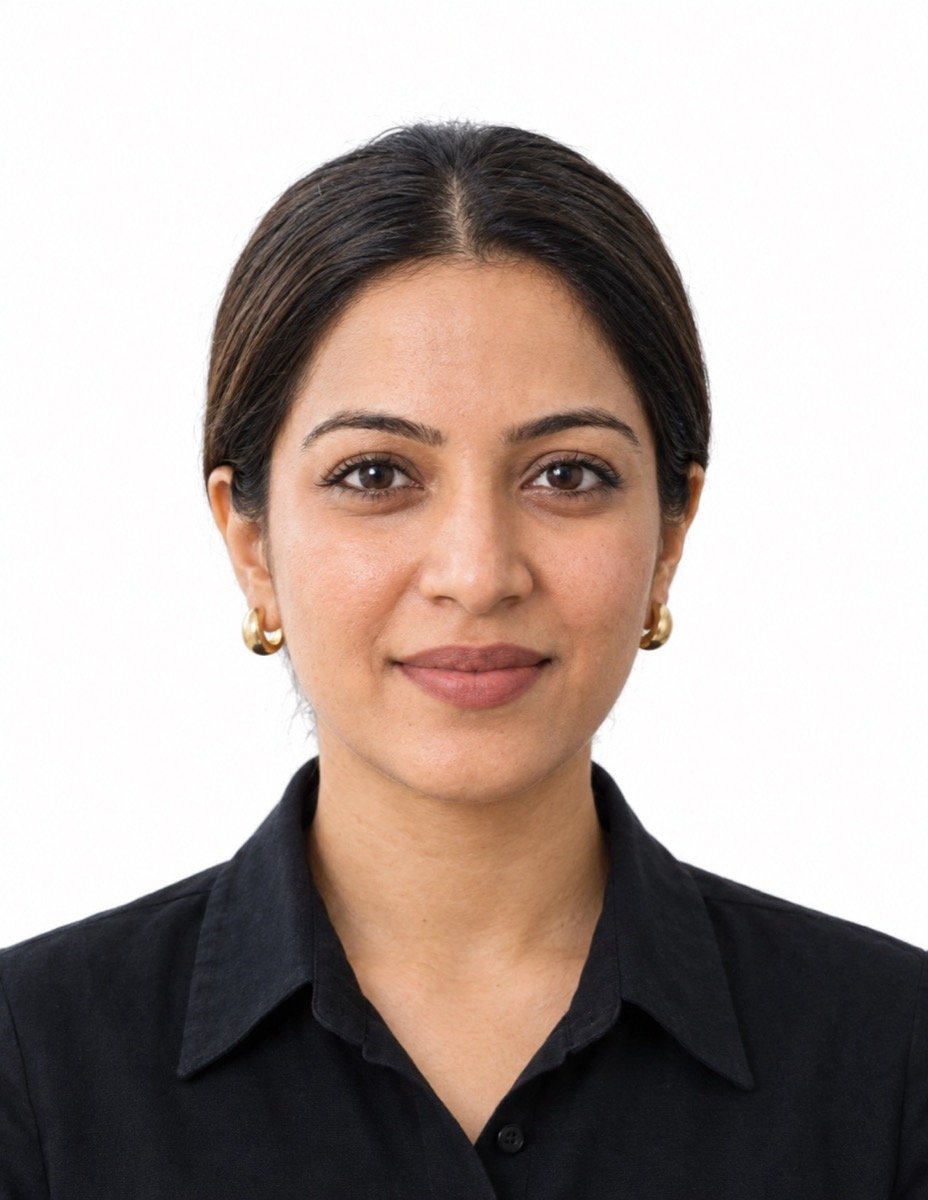
Turn the uploaded photo into a passport-style ID photo of me: head and the top of my shoulders, centred, a plain white background with no shadow, flat even lighting, a neutral expression with my mouth closed, a plain dark collared shirt, hair tucked behind my ears, the camera straight in front of me at eye level, my face sharp with natural skin texture, in 35 mm by 45 mm portrait proportions, no border or text. Keep my face exactly the same as the uploaded photo — do not alter my facial features.
Use it for forms and profiles, not for an actual passport. Passport and visa rules require an unaltered photograph, and an AI edit changes your clothes and expression and can subtly change your face. For an official document, get a real photo taken.
8. Put me somewhere else: Marine Drive at sunset
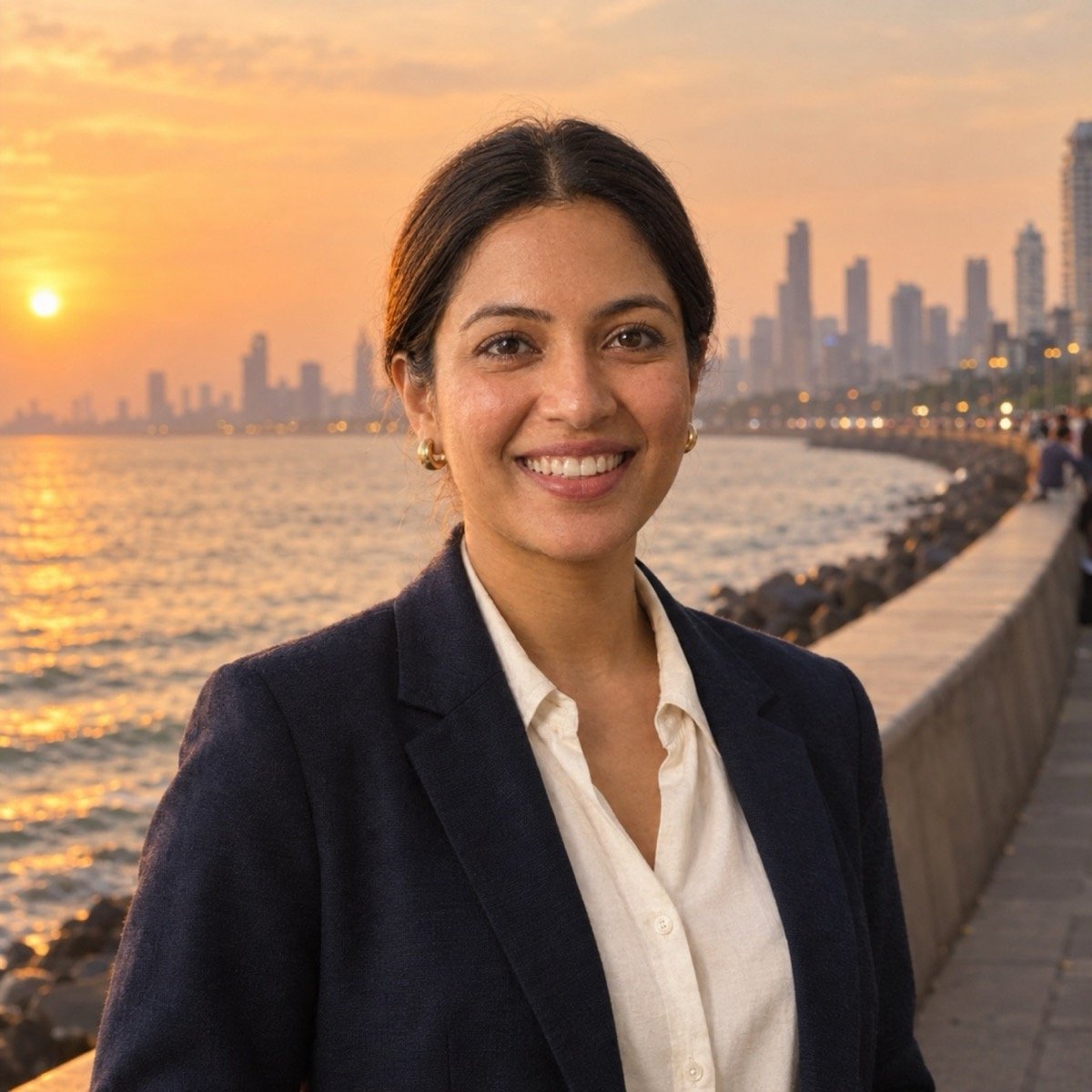
Edit the uploaded photo so I am standing on the promenade at Marine Drive, Mumbai, at sunset: keep my outfit, hair and pose, and replace only the background with the curving sea wall, the Arabian Sea and the skyline with its lights just coming on. Relight me with warm low sun from the sea side so the light and the shadows match the scene, a phone photo taken by a friend a few steps in front of me, my face sharp, no readable text or signs. Keep my face exactly the same as the uploaded photo — do not alter my facial features.
Swap the place for yours: “in front of the Taj Mahal at sunrise”, “on a snowy road in Manali”, “at a Goa beach shack at dusk”. Keep the relighting sentence; it is what sells the move.
↑ All looksEditing prompts for light and colour
The edits a photographer would call grading. Nothing moves; the light and the colour change.
9. Golden-hour relight
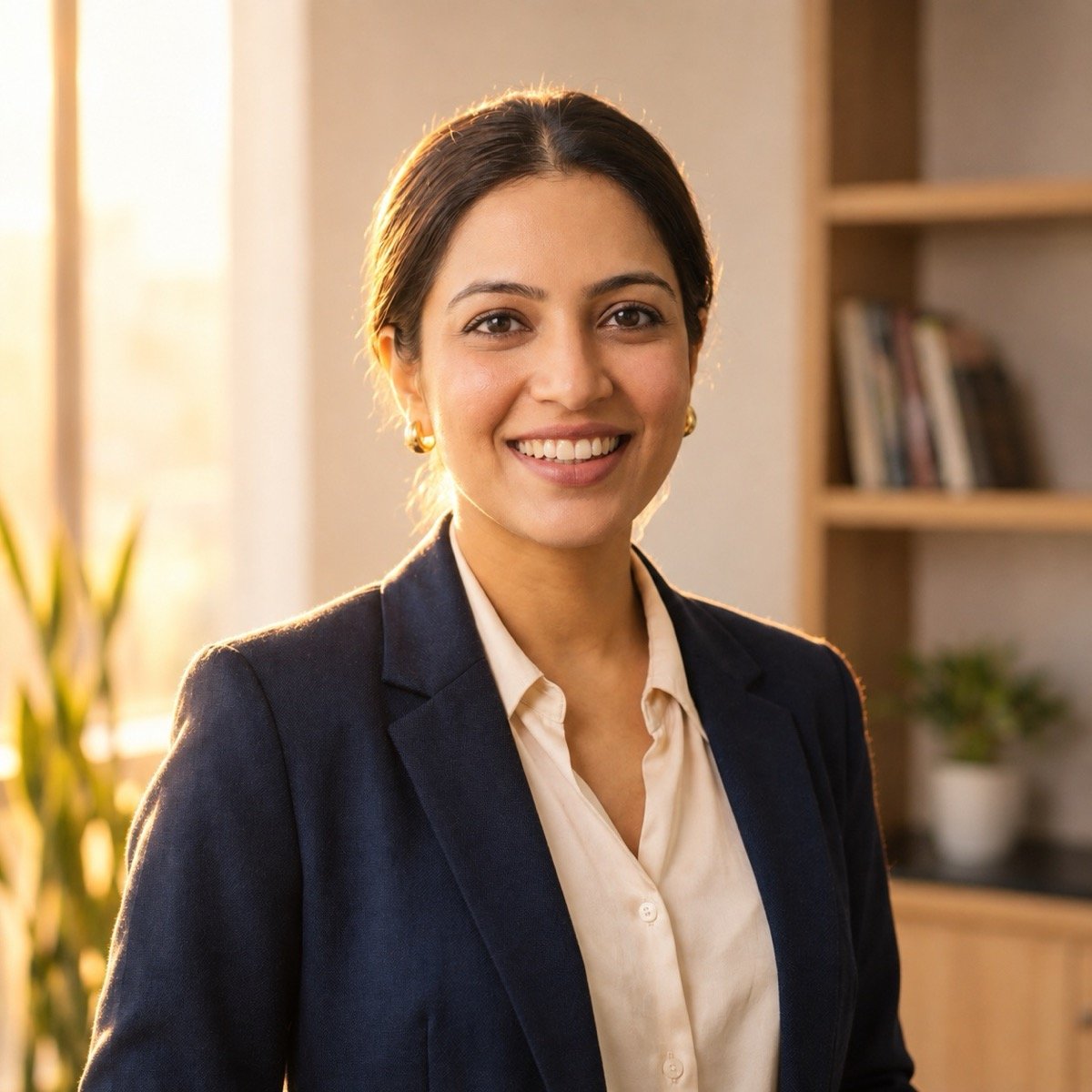
Relight the uploaded photo as if it was taken at golden hour: warm, low sunlight from behind and to one side, with a soft rim of light on my hair and shoulders, gentle warm fill on my face, long soft shadows and slightly lifted shadows. Keep the same pose, clothes, background and framing, my face sharp, natural skin texture. Keep my face and facial hair exactly the same as the uploaded photo — do not alter my facial features.
The rim light is the tell of a real golden-hour photo, and it is the part to keep if you shorten the prompt.
↑ All looks10. Cinematic film frame
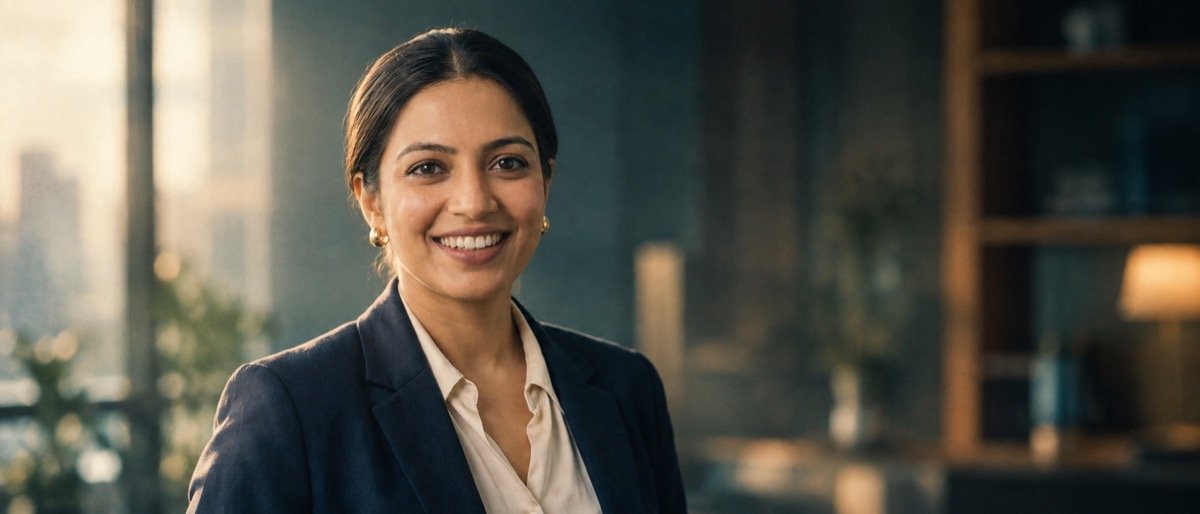
Turn the uploaded photo into a frame from a feature film: a 2.39:1 widescreen crop with me off-centre, teal shadows and warm skin tones, soft directional light from a window at one side, shallow depth of field with the background out of focus, fine film grain and a little haze in the air. Keep my outfit and hair, my face sharp, no subtitles or text. Keep my face exactly the same as the uploaded photo — do not alter my facial features.
“2.39:1” is the widescreen shape of a cinema frame, and it does more for the film look than any colour word.
↑ All looks11. Black-and-white editorial portrait
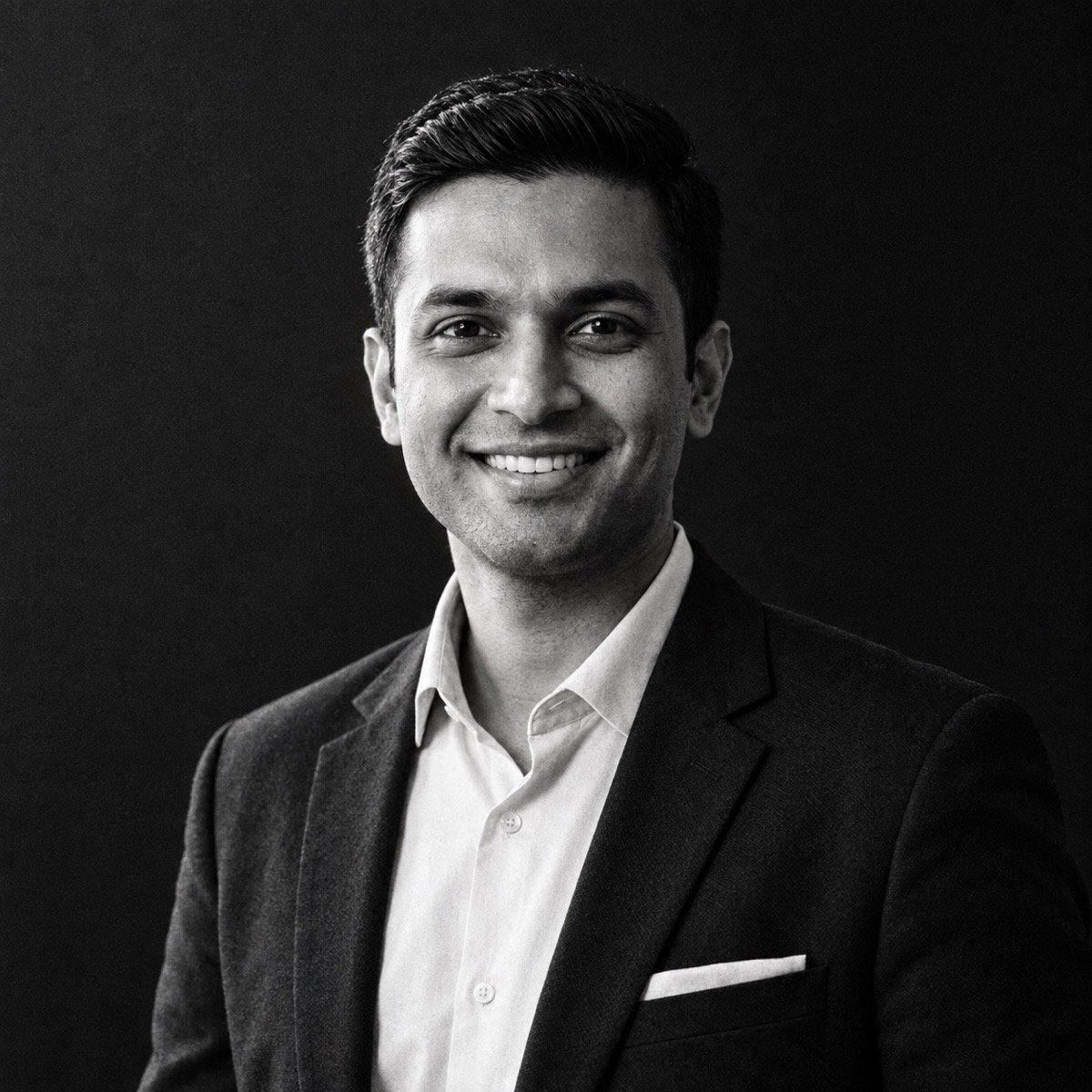
Convert the uploaded photo into a black-and-white editorial portrait of me: deep blacks and clean highlights, strong light from one side with soft shadow on the other, visible skin texture, a plain dark background, framed from the chest up, the fine grain of a medium-format film scan. Keep my hair and clothes, my face sharp. Keep my face and facial hair exactly the same as the uploaded photo — do not alter my facial features.
Editing prompts that change the style: anime, 3D, sketch
Style transfers redraw you, so a face-lock cannot apply literally. These end with a likeness line instead, and they name the things that make you recognisable: face shape, hairstyle, outfit.
12. Anime film illustration (Ghibli-like)
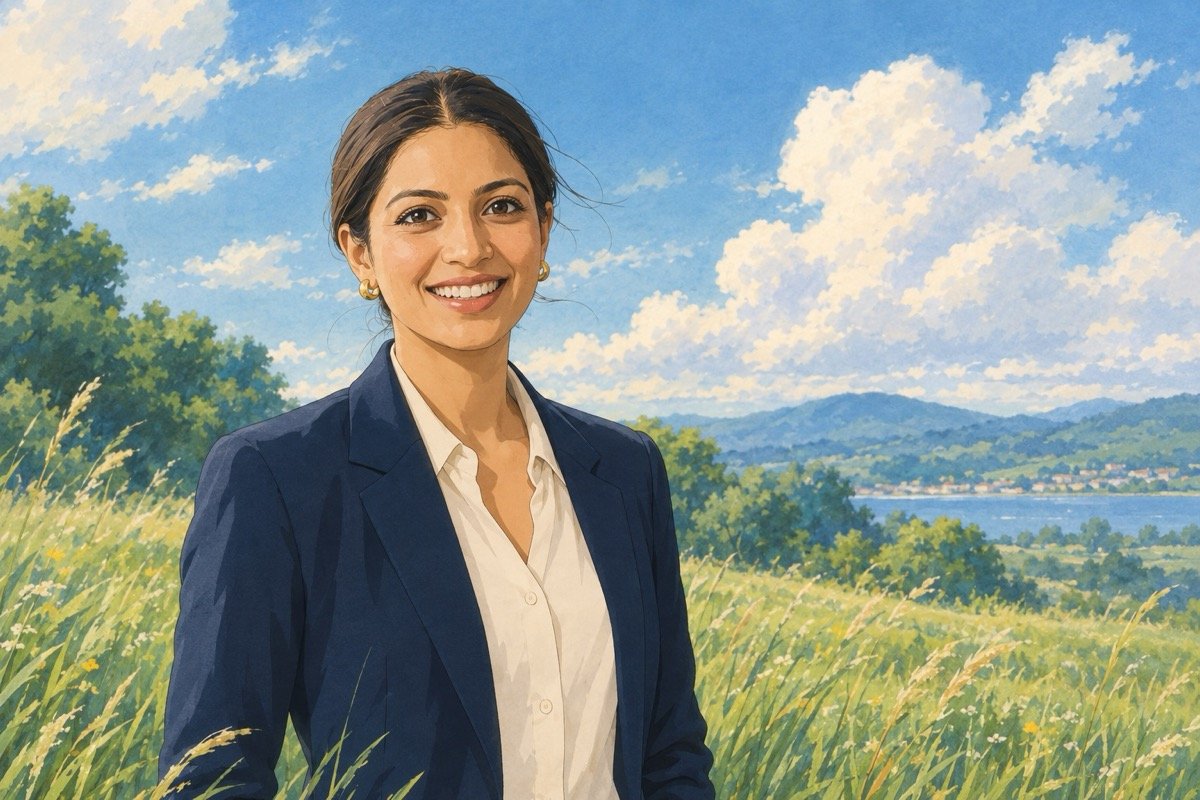
Redraw the uploaded photo as a hand-painted illustration in the style of a classic Japanese animated film, Ghibli-like: soft watercolour backgrounds, clean line work and gentle natural colours. Show me with the same hairstyle, face shape and outfit, standing in a sunlit meadow with tall grass and drifting clouds, a light breeze in my hair, a wide frame with me slightly off-centre, no text or signature. Keep my likeness clearly recognisable — the same face shape, hairstyle and features as the uploaded photo, drawn in this style.
13. 3D collectible figurine on a desk
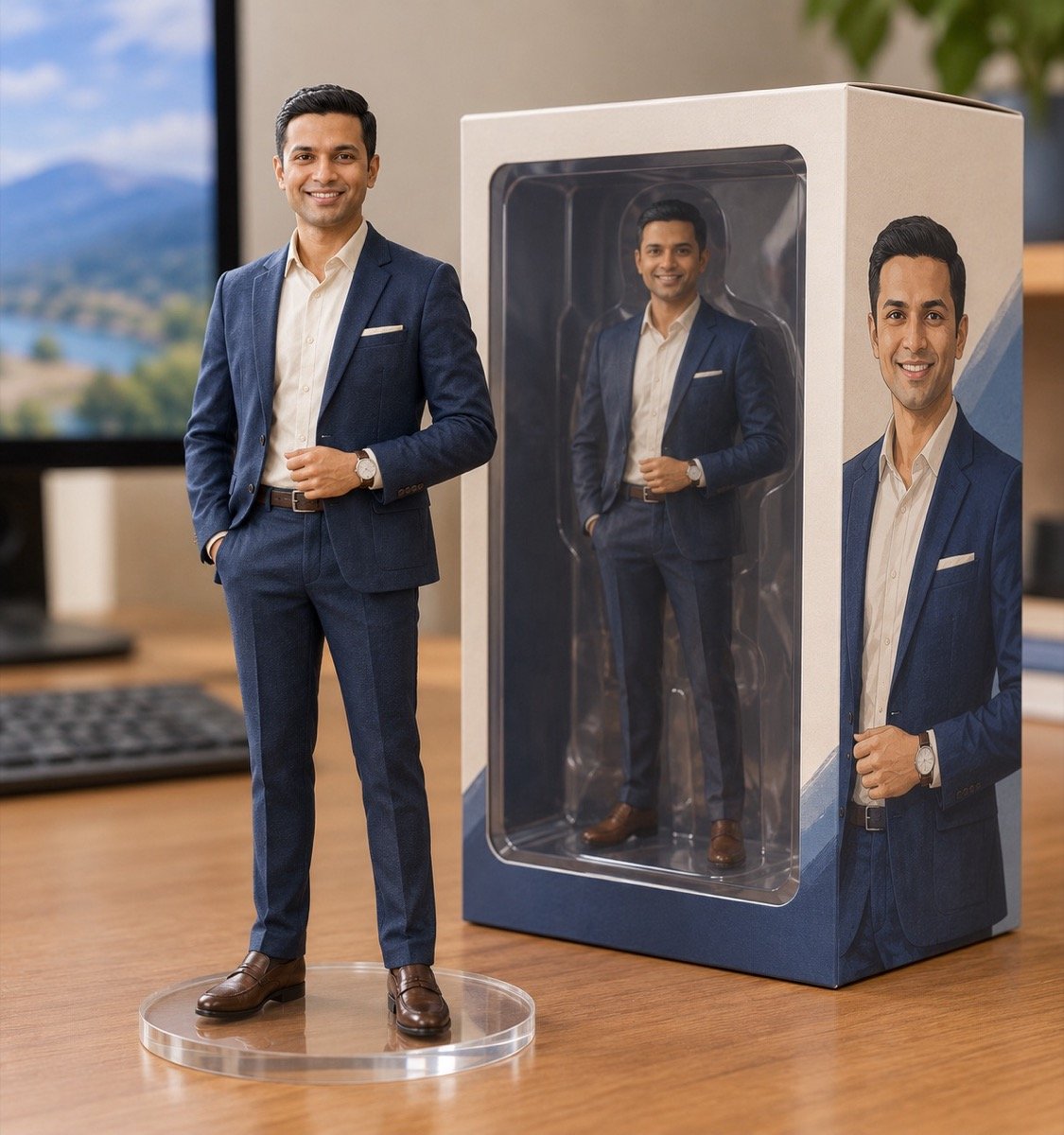
Turn the uploaded photo into a photo of a 1/7 scale collectible figurine of me standing on a round clear acrylic base on a wooden computer desk: the figurine wears the same outfit and hairstyle as the photo, with a realistic painted PVC finish, and beside it stands its retail box with a clear window and an illustration of the same figure, with no readable text or logos. A monitor out of focus behind, soft room light, a close-up product photo, the figurine's face sharp and clearly mine. Keep my face and facial hair exactly the same as the uploaded photo — do not alter my facial features.
The figurine trend that made Gemini’s Nano Banana model famous. “No readable text or logos” keeps invented brand names off the box.
↑ All looks14. Pencil sketch portrait
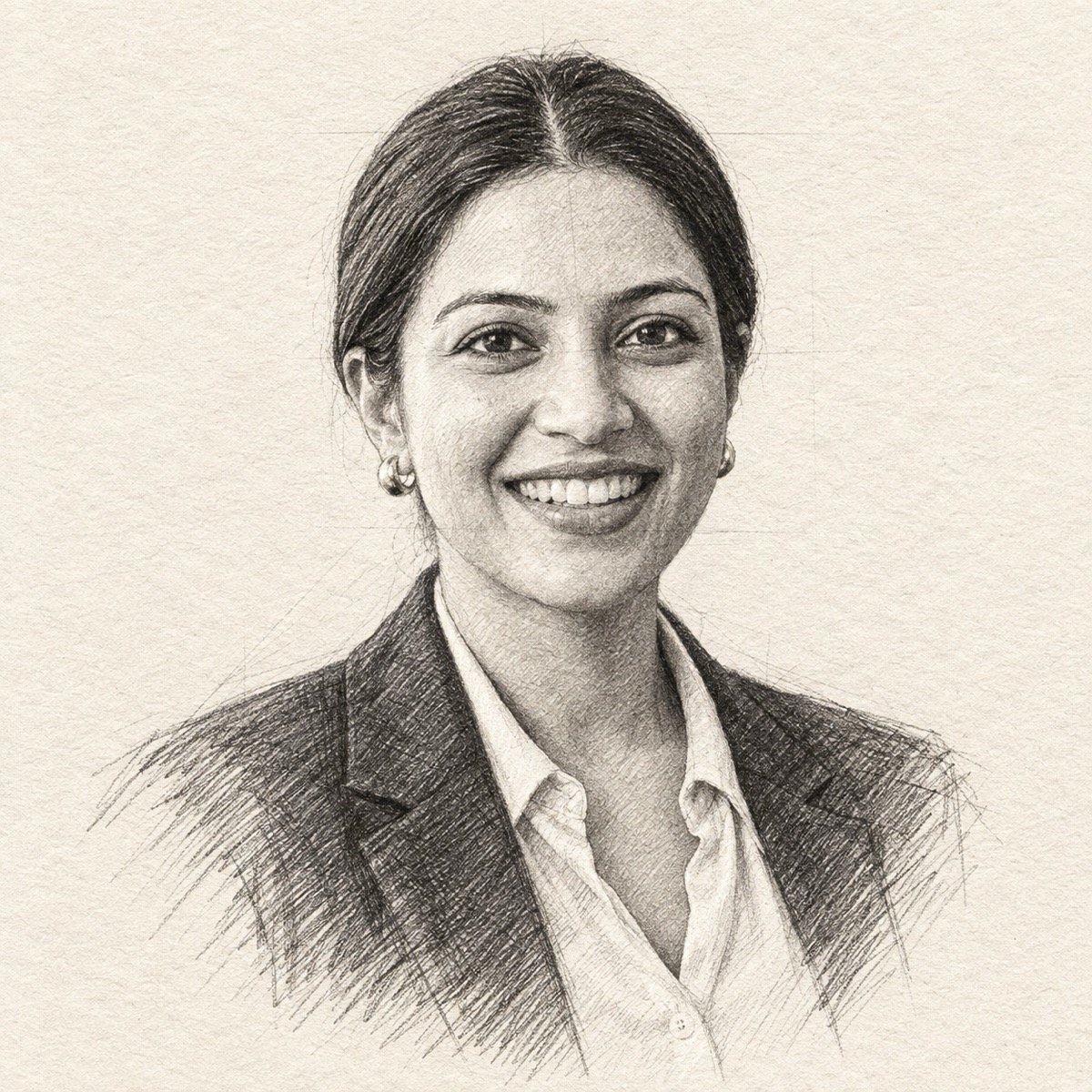
Turn the uploaded photo into a hand-drawn graphite pencil portrait of me on textured off-white paper: fine cross-hatching in the shadows, loose sketch lines at the shoulders fading into blank paper, accurate proportions, the same hairstyle and expression, framed from the shoulders up, a few visible construction lines, no colour, no signature or text. Keep my likeness clearly recognisable — the same face shape, hairstyle and features as the uploaded photo, drawn in this style.
15. 3D animated-film character
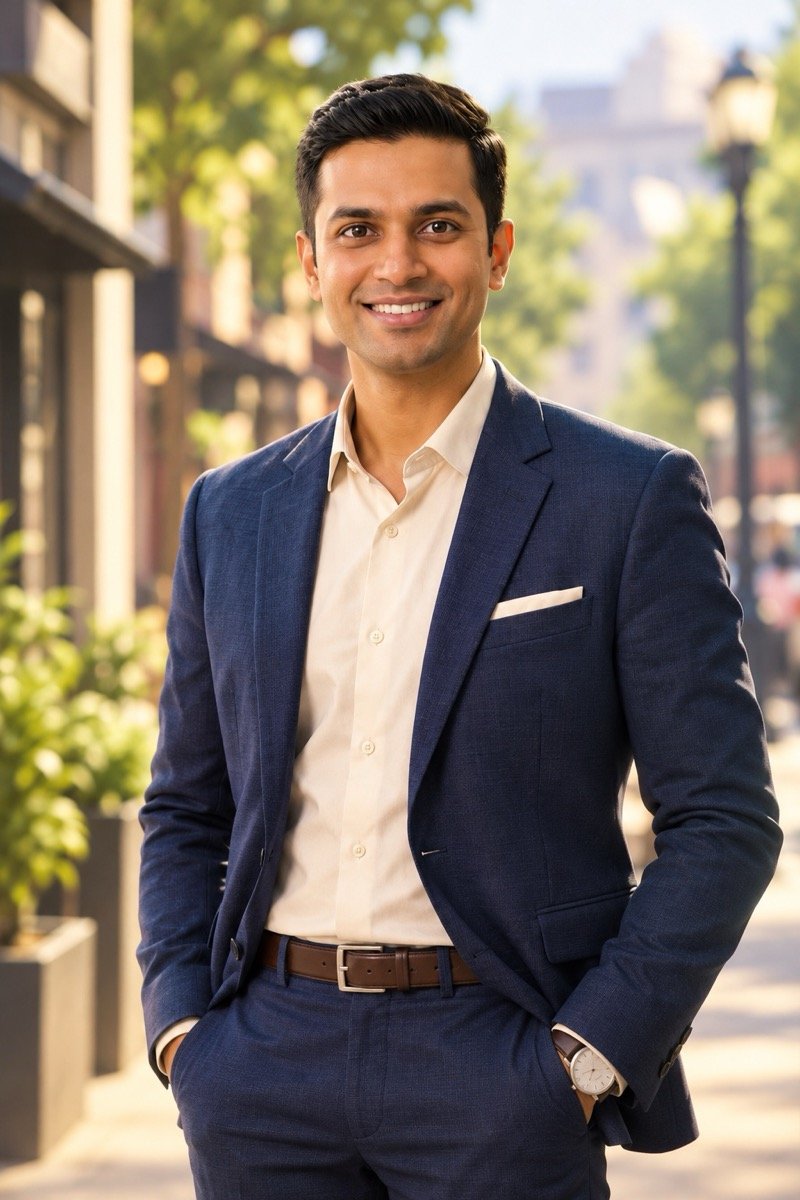
Turn the uploaded photo into a 3D animated-film character of me: large expressive eyes, slightly stylised proportions, smooth skin with soft subsurface light, detailed hair, wearing the same outfit as the photo, standing with my hands in my pockets on a sunny city street with soft depth of field, warm cinematic lighting, a medium shot, a high-quality render, no text. Keep my likeness clearly recognisable — the same face shape, hairstyle and features as the uploaded photo, drawn in this style.
We are showing what the first run returned, not a re-roll. The likeness line and the everyday outfit seem to have pulled it back to a photograph. If yours comes back as a photo too, say so in the prompt: add “a stylised cartoon character, not a photograph” and regenerate. The anime and sketch prompts above did change the style on the first try.
↑ All looksEditing prompts for festivals, outfits and occasions
Navratri starts on 11 October 2026 and Diwali falls on 8 November, so these are the edits people will be making for the next six weeks. The first two dress you for the festival; the third changes nothing but the clothes; the fourth is for birthdays.
16. Navratri garba night
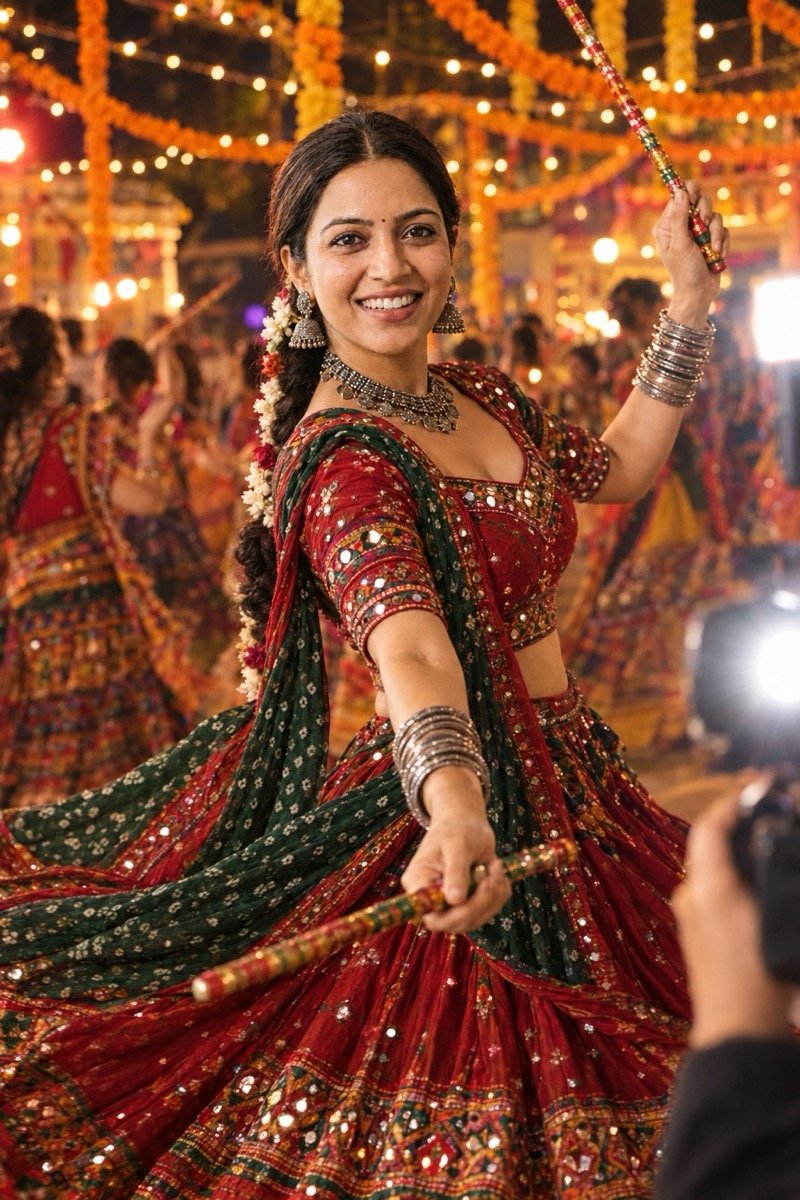
Turn the uploaded photo into a Navratri garba night portrait of me: a mirror-work chaniya choli in deep red and green with a bandhani dupatta, oxidised silver jewellery and bangles, hair in a braid with flowers, caught mid-twirl with a pair of dandiya sticks in my hands and the skirt flaring, strings of marigolds and fairy lights overhead, other dancers blurred behind me, a festival photographer in front of me with the flash on, warm colourful light, my face sharp. Keep my face exactly the same as the uploaded photo — do not alter my facial features.
The photographer in the corner is our doing: the prompt says “a festival photographer in front of me”, and ChatGPT drew one. Write “photographed from in front of me with the flash on” to keep the camera out of the picture. For a man, swap the outfit for “an embroidered kediyu and dhoti with a red turban”. More festive and couple looks are in the library below.
↑ All looks17. Diwali portrait by diya light
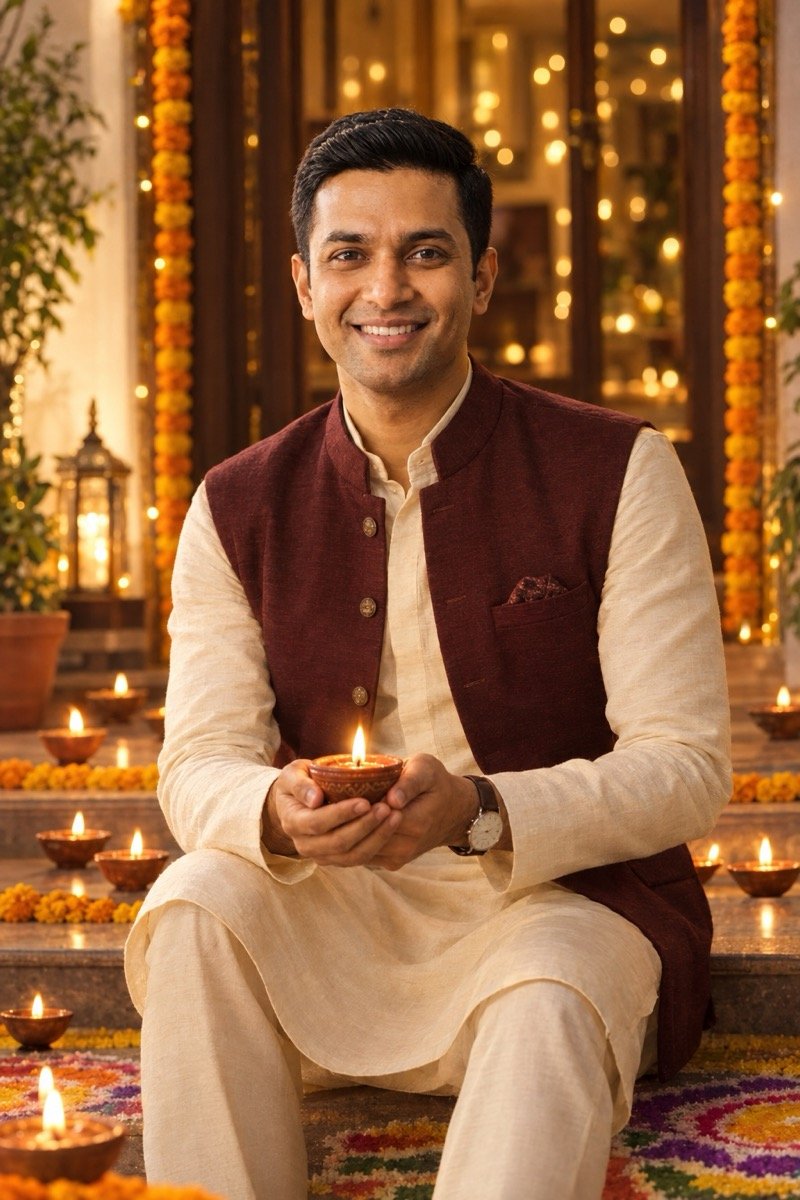
Turn the uploaded photo into a Diwali night portrait of me: a cream silk kurta with a maroon Nehru jacket, sitting on the front steps of a house holding a lit clay diya in both palms, rows of diyas and a rangoli of coloured powder on the floor around me, marigold garlands on the doorway, the warm glow of the diya as the main light on my face with soft fairy lights out of focus behind, the camera at my eye level a few steps in front of me, my face sharp. Keep my face and facial hair exactly the same as the uploaded photo — do not alter my facial features.
18. Change only the outfit
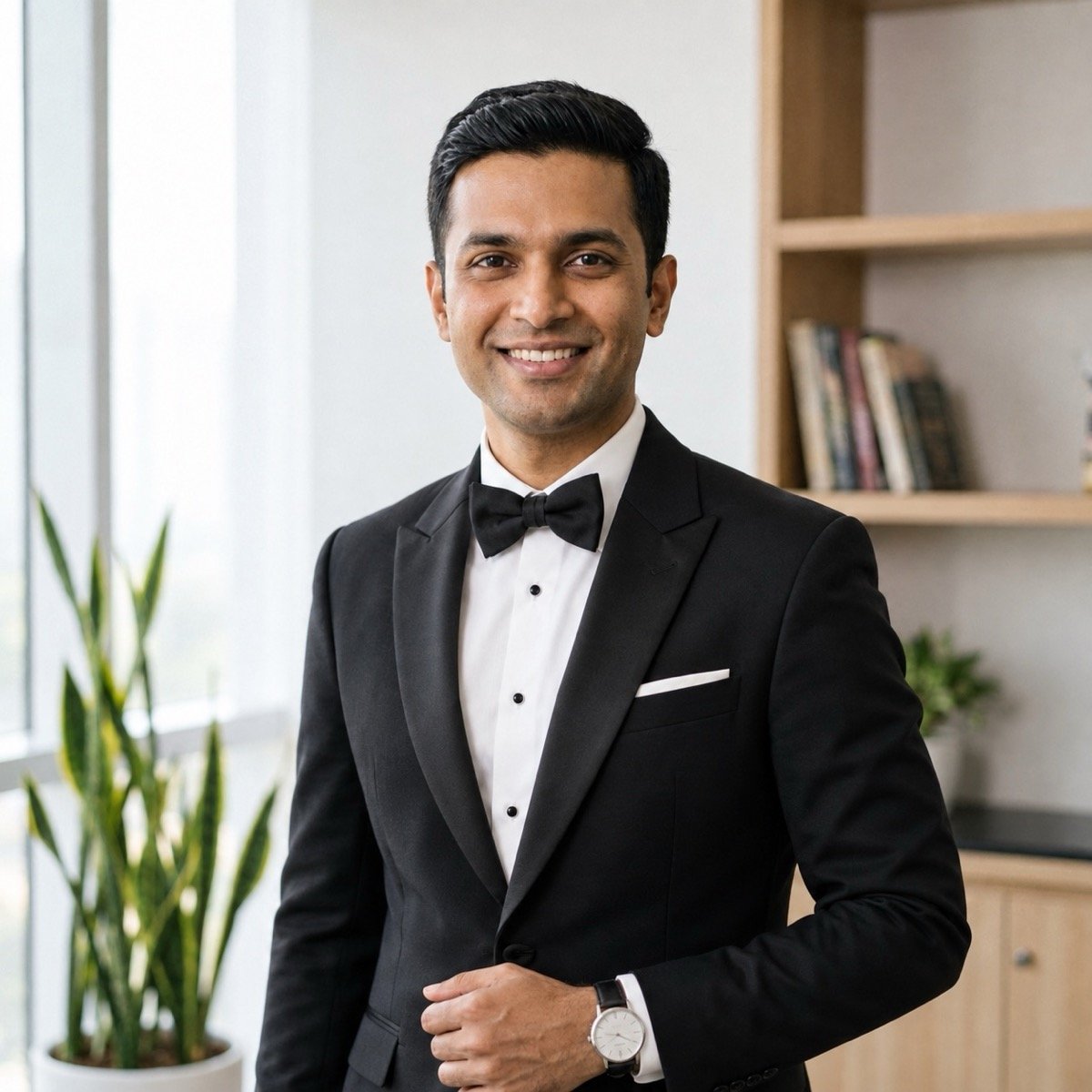
Edit the uploaded photo and change only my outfit: replace it with a well-fitted black tuxedo, a white dress shirt and a black bow tie, with realistic fabric folds and a correct fit at the shoulders and collar. Keep my pose, hands, hair, background, lighting and framing exactly as they are. Keep my face and facial hair exactly the same as the uploaded photo — do not alter my facial features.
The pure outfit swap: a saree, a sherwani, a cricket jersey, a lehenga. Name the garment, the colour and the fabric, and protect everything else.
↑ All looks19. Birthday photo with cake and balloons
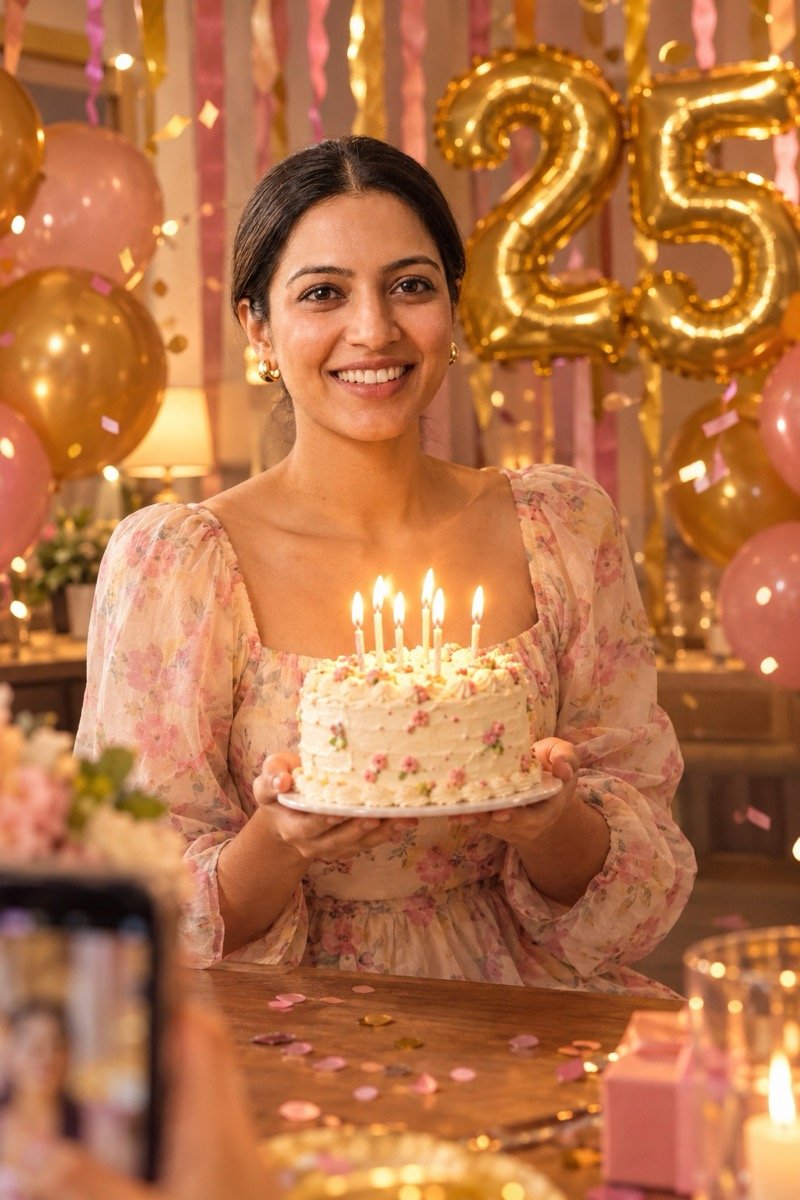
Turn the uploaded photo into a birthday photo of me: a pastel party dress, holding a small frosted cake with lit candles in both hands, gold and pink balloons and a foil number balloon reading 25 behind me, paper streamers, confetti in the air, warm indoor light with the candle glow on my face, a friend's phone photo from across the table, my face sharp, no other text. Keep my face exactly the same as the uploaded photo — do not alter my facial features.
Change 25 to the age you need. Two digits on a balloon is about as much text as these apps get right every time; how each tool handles lettering is in our text-in-images guide.
↑ All looksEditing prompt for product photos
If you sell on Instagram, Meesho or WhatsApp, this is the edit that matters: the photo you took on the kitchen counter, turned into a clean listing image without changing the product.
20. Product on a clean white background
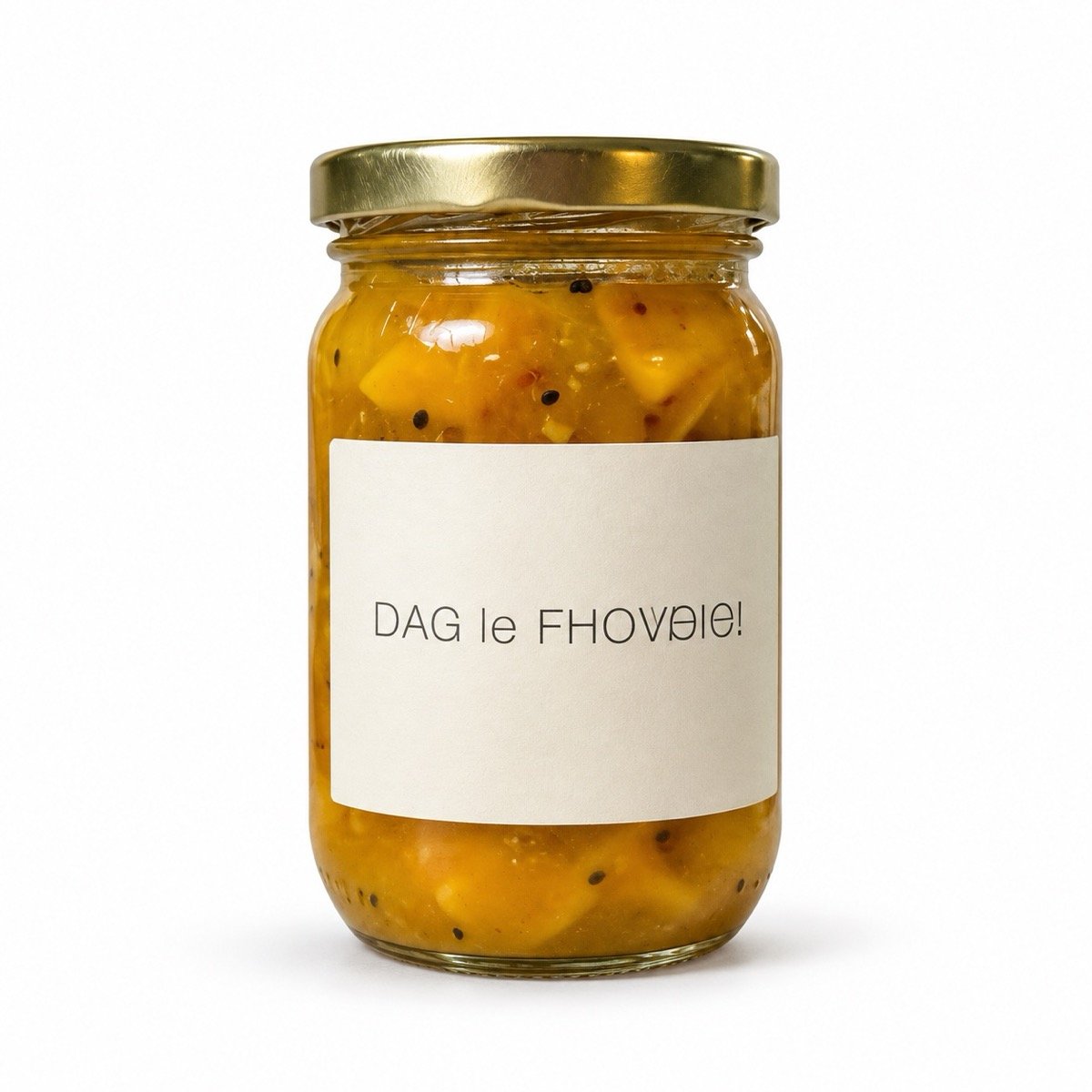
Edit the uploaded product photo for an online shop listing: keep the product exactly as it is, including its shape, lid, label, colours and any text on it. Remove everything else and place the product centred on a pure white seamless background with a soft natural shadow underneath, even studio lighting with gentle reflections on the glass, sharp focus across the whole product, a square 1:1 frame with clean margins, no props, no added text or logos.
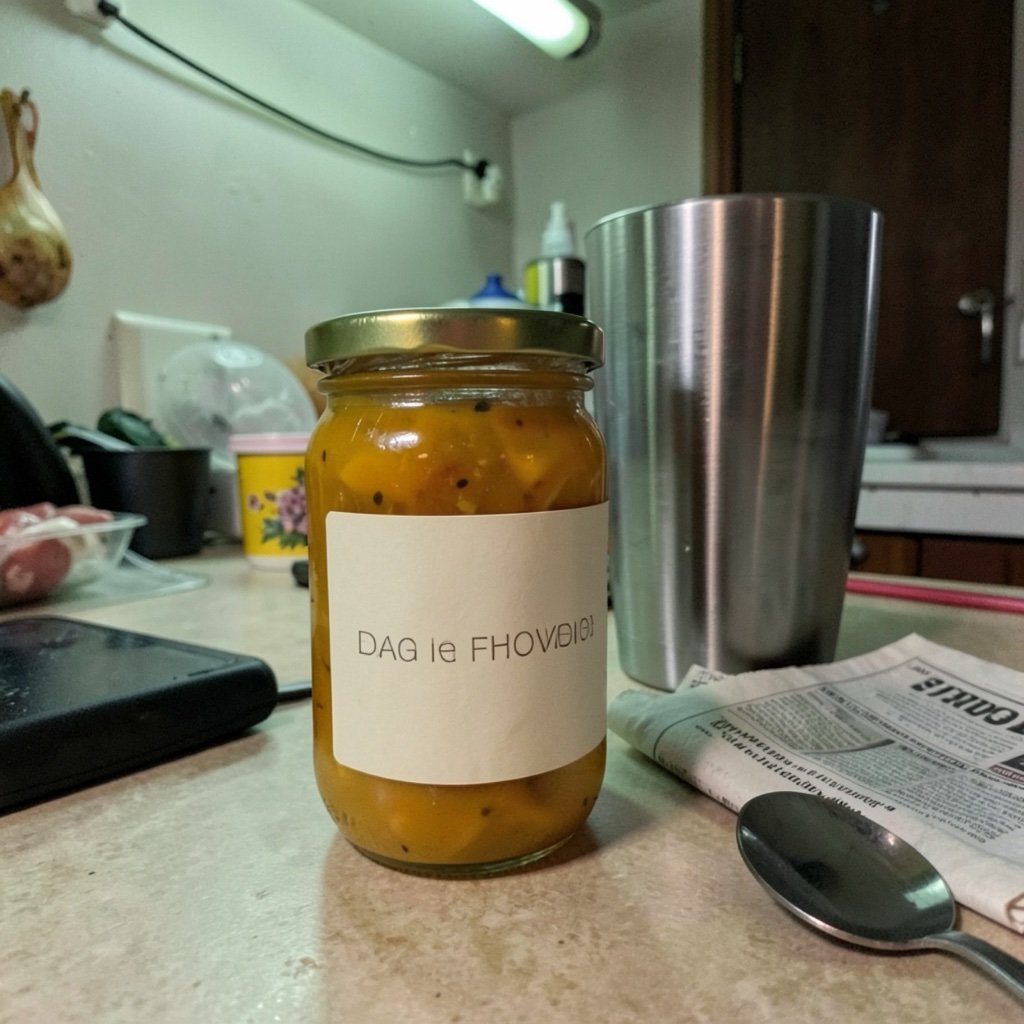
Check the label afterwards. Image models redraw text: here the first nine letters survived and the tail did not, and on a real label one wrong letter is worse than the messy original. If yours changes, add “do not redraw the label; keep every letter identical” and regenerate, or paste the original label back on in any photo editor.
↑ All looks92 more editing prompts, each with its ChatGPT result
These are the looks from our six other prompt pages. Every tile is a real first-output ChatGPT result from the prompt behind its Copy button, made with one of our two AI-generated test personas. Tap Copy to take the prompt, or “Result & notes” to see the full-size image and what the app got right and wrong.
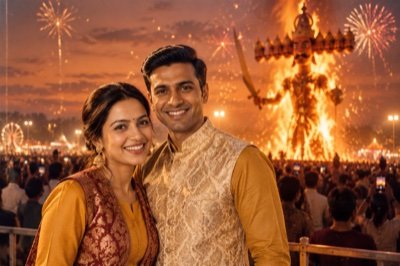
Edit the uploaded photo into a Dussehra evening portrait: I stand at the front of a crowded open ground at dusk in a mustard kurta and a sleeveless brocade jacket, a towering Ravan effigy bursting into flames far behind me, fireworks and drifting sparks against a deep orange sky, the crowd in silhouette, warm firelight catching one side of my face, cinematic wide shot. Keep my face exactly the same as the uploaded photo — do not alter my facial features.
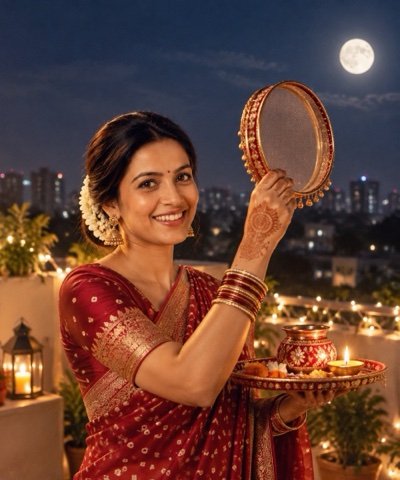
Edit the uploaded photo into a Karwa Chauth night portrait: I stand on a rooftop terrace in a deep red bandhani saree with gold jewellery and mehendi on my hands, holding a decorated steel sieve and a puja thali with a lit diya, a bright moon rising over the city behind me, cool moonlight mixed with warm diya glow, fairy lights along the railing, a calm and hopeful mood. Keep my face exactly the same as the uploaded photo — do not alter my facial features.
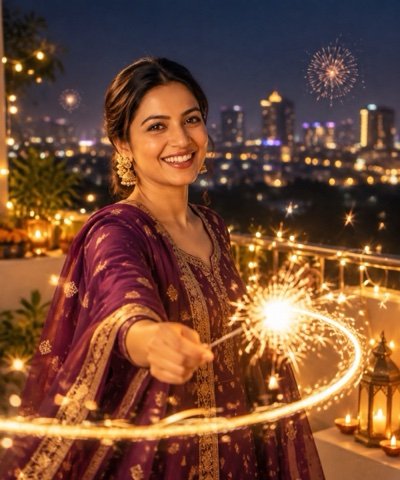
Edit the uploaded photo into a Diwali night portrait: I stand on a balcony in a deep purple silk kurta set with gold earrings, holding a lit sparkler that draws a glowing golden trail through the air, the city behind me dotted with string lights and a few distant fireworks, warm sparkler light on my face against the cool blue of the night, a delighted smile, slight motion blur in the sparks, crisp festive colours. Keep my face exactly the same as the uploaded photo — do not alter my facial features.
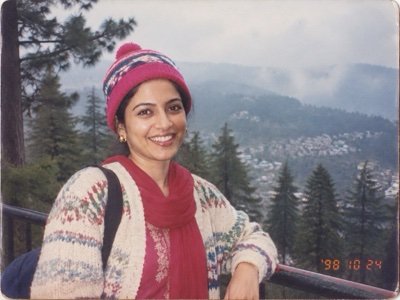
Turn the uploaded photo into a real 1990s holiday snapshot of me at a misty hill-station viewpoint: a hand-knitted cardigan over a salwar kameez, a bright woollen cap, pine trees and an iron railing behind me, shot on a cheap film point-and-shoot with the flash firing in daylight, slightly overexposed colour-negative film, soft corners, and an orange digital date stamp reading '98 10 24' in the bottom right corner. Keep my face exactly the same as the uploaded photo — do not alter my facial features.
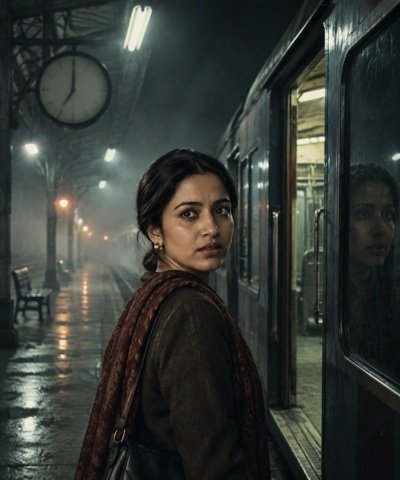
Turn the uploaded photo into a still from an Indian horror film: I stand alone on an empty railway platform at two in the morning, one flickering tube light overhead, fog drifting over the tracks, the doors of a completely empty train standing open beside me, a station clock with no readable numbers, cold green-grey light, my reflection in the dark train window, suspenseful and eerie, no blood or gore. Keep my face exactly the same as the uploaded photo — do not alter my facial features.
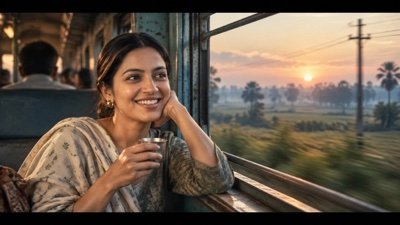
Turn the uploaded photo into a still from an Indian art-house film: I sit by the open window of a moving train at dawn, gazing out, a small steel tumbler of tea in my hand, fields and electricity poles blurring past, soft blue morning light on my face, a wide cinematic frame with thin black bars top and bottom, a muted teal and amber grade, fine film grain, no subtitles or text. Keep my face exactly the same as the uploaded photo — do not alter my facial features.
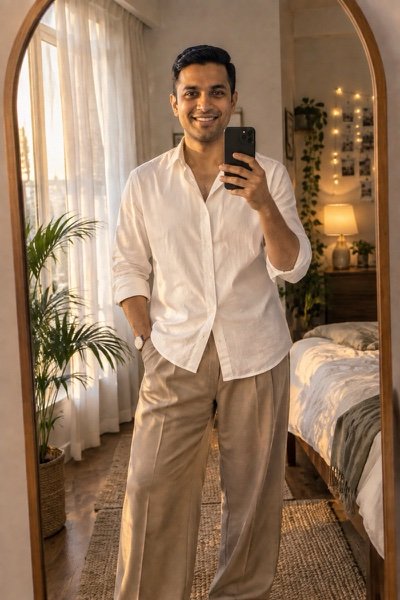
Turn the uploaded photo into an aesthetic mirror selfie: I stand in front of a tall arched mirror in a softly lit bedroom, holding a plain phone with no logo at chest height so my whole face shows in the reflection, an oversized white shirt with wide-leg beige trousers, warm fairy lights and a potted plant behind me, late-afternoon sun through sheer curtains, natural skin texture, a relaxed candid pose. Keep my face exactly the same as the uploaded photo — do not alter my facial features.
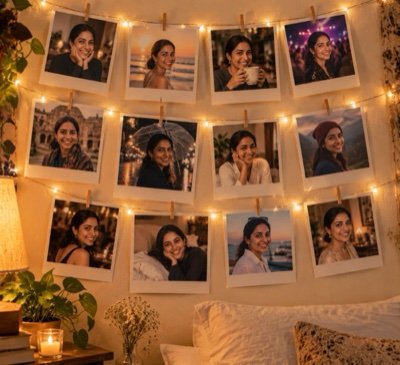
Create an aesthetic photo of a bedroom wall covered in square instant photos with thick white borders, pinned with tiny wooden clips to strings of warm fairy lights; each photo shows me in a different candid moment — laughing, on a beach, holding a coffee, at a concert, walking in the rain — soft evening lamplight, cosy mood, no logos or text. Keep my face exactly the same as the uploaded photo in every picture — do not alter my facial features.
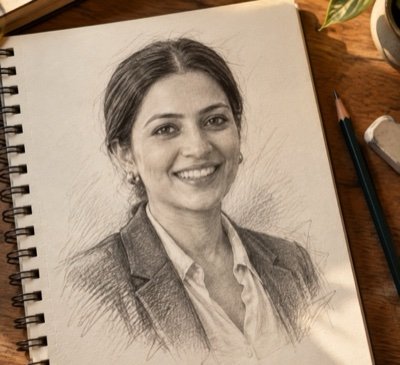
Turn the uploaded photo into a realistic graphite pencil sketch of me on textured off-white sketchbook paper: fine cross-hatching in the shadows, soft smudged shading on my cheeks and hair, a few loose construction lines left around the edges, the open sketchbook lying on a wooden desk beside a pencil and an eraser, soft natural window light. Keep my face exactly the same as the uploaded photo — do not alter my facial features.
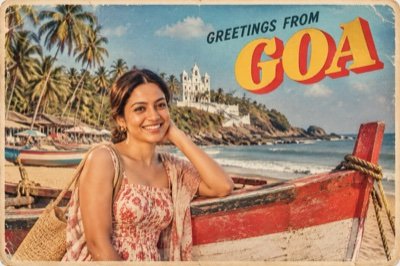
Turn the uploaded photo into a vintage travel postcard: me standing on a Goa beach beside a red-and-white wooden fishing boat, palm trees and a whitewashed hilltop church behind me, bright 1960s printed colours with slightly off-register ink, the words 'GREETINGS FROM GOA' in big bold retro letters across the sky, a thin white border and softly worn corners. Keep my face exactly the same as the uploaded photo — do not alter my facial features.
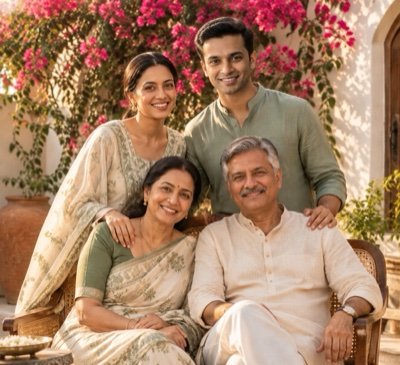
Turn the uploaded photo into a warm family portrait of all of us together in a sunlit courtyard, a wall of pink bougainvillea behind us: coordinated outfits in cream and sage green, the eldest seated in the middle on a cane chair, everyone else standing close around them with a hand on a shoulder, soft late-afternoon light, relaxed and genuine smiles, the polish of a professional family photoshoot. Keep all of our faces exactly the same as the uploaded photo — do not alter our facial features.
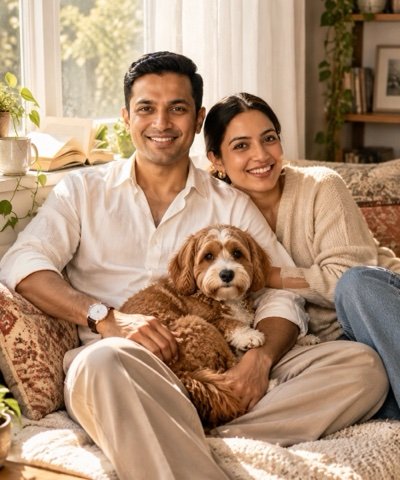
Using both uploaded photos, create a portrait of me and my pet together: we sit on a sunlit window seat piled with cushions, my pet curled on my lap and looking at the camera, soft morning light through a white curtain, an open book on the sill, a calm and cosy mood, natural colours, shallow depth of field. Keep my pet looking exactly like the animal in the second photo. Keep my face exactly the same as the first uploaded photo — do not alter my facial features.
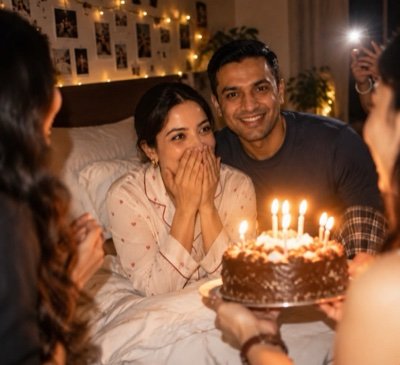
Edit the uploaded photo into a candid midnight birthday surprise: I am sitting up in bed in comfortable pyjamas, caught mid-laugh with my hands over my mouth as friends lean in from the edges of the frame carrying a cake with lit candles, their faces out of focus, fairy lights on the wall, the room dark except for the candles and a phone torch, a little flash blur, warm tones. Keep my face exactly the same as the uploaded photo — do not alter my facial features.

Edit the uploaded photo into a clean professional headshot: head and shoulders, facing the camera with a relaxed, confident smile, a well-fitted navy blazer over a plain white shirt, a smooth light-grey studio background, soft even light from the front with a gentle fill, sharp focus on the eyes, natural skin texture with no heavy retouching, ready for a work profile. Keep my face exactly the same as the uploaded photo — do not alter my facial features.
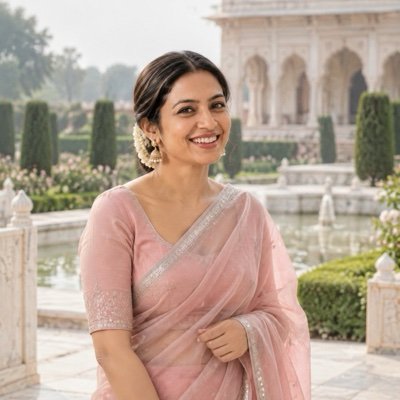
Turn the uploaded photo into a soft editorial portrait of me in a blush-pink organza saree with a thin silver zari border and an elbow-sleeve blouse, the pallu held lightly in one hand, standing in a Mughal-style garden with a marble fountain and clipped hedges, bright overcast light, gentle pastel colours, a relaxed smile, shallow depth of field, natural skin texture. Keep my face exactly the same as the uploaded photo — do not alter my facial features.
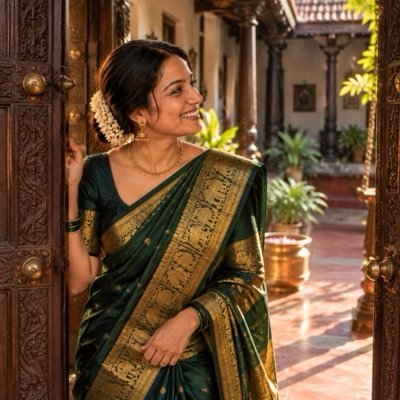
Turn the uploaded photo into a traditional South Indian portrait of me: a deep bottle-green Kanjeevaram silk saree with a wide gold temple border, gold jhumkas and a simple gold necklace, hair in a low bun, standing in the carved teak doorway of an old courtyard house with a red-oxide floor, warm morning sun falling across one side of my face, rich jewel-toned colours, fine detail in the silk weave. Keep my face exactly the same as the uploaded photo — do not alter my facial features.
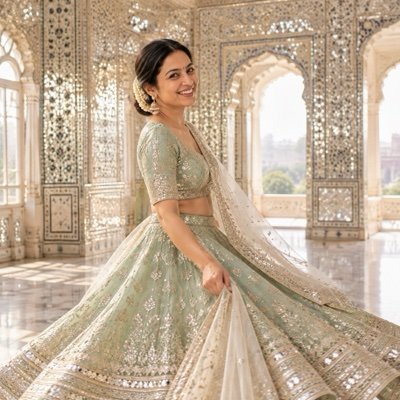
Turn the uploaded photo into a festive portrait of me in a mint-green lehenga with silver gota-patti work and an elbow-length blouse, a sheer ivory dupatta draped over one shoulder, caught mid-twirl so the skirt flares out, inside a palace hall covered in tiny mirror tiles, soft afternoon light from tall arched windows, sparkling reflections on the walls, a pastel and silver palette, crisp embroidery detail. Keep my face exactly the same as the uploaded photo — do not alter my facial features.
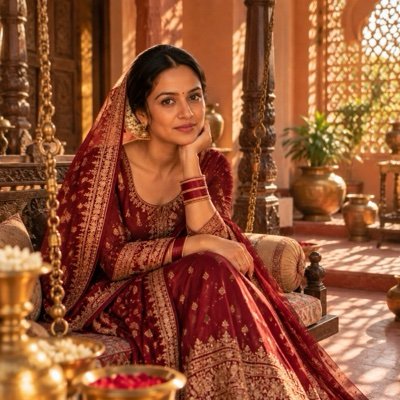
Turn the uploaded photo into a traditional Indian portrait of me: a deep maroon silk anarkali with fine gold zari work, a matching dupatta draped over my head, small gold jhumkas and glass bangles, sitting on a carved wooden jhoola in a sunlit courtyard with terracotta walls and brass pots, late-afternoon light through a jali screen casting patterned shadows, warm earthy tones, a calm, graceful expression. Keep my face exactly the same as the uploaded photo — do not alter my facial features.
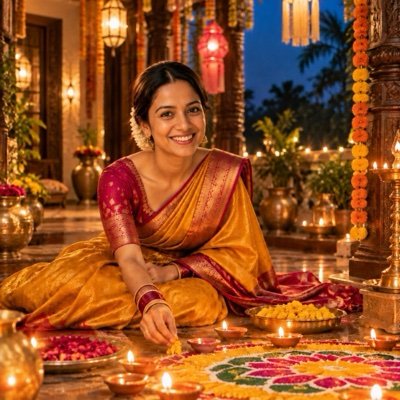
Turn the uploaded photo into a Diwali evening portrait of me: a mustard-yellow silk saree with a magenta border and gold earrings, sitting on the floor of a veranda as I finish a colourful rangoli, clay diyas glowing around its edge, paper lanterns and marigold torans overhead, the deep blue of dusk outside and warm lamplight on my face, a gentle smile, rich festive colours, soft background bokeh. Keep my face exactly the same as the uploaded photo — do not alter my facial features.
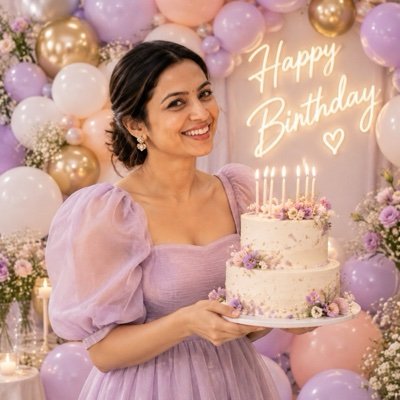
Turn the uploaded photo into a birthday portrait of me: a pastel lilac midi dress with puffed sleeves, holding a small two-tier cake with lit candles, standing in front of a wall of balloons in lilac, peach and white with a few gold ones, soft even studio light, a joyful laugh, clean bright colours, sharp focus on my face and the candle flames. Keep my face exactly the same as the uploaded photo — do not alter my facial features.
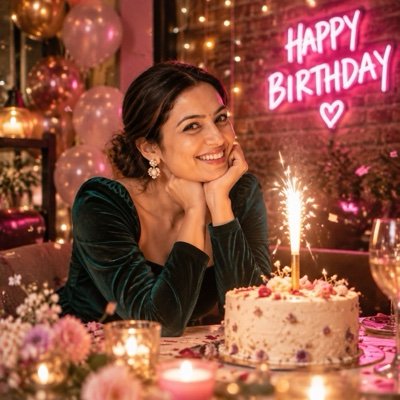
Turn the uploaded photo into a candid birthday-night photo of me: a deep emerald velvet dress with full sleeves, sitting at a table with a small cake topped by one sparkler candle, a pink neon sign on the brick wall behind me that reads 'HAPPY BIRTHDAY', fairy lights and a little confetti in the air, warm low light with a pink glow on my face, slight film grain, a surprised, happy smile. Keep my face exactly the same as the uploaded photo — do not alter my facial features.
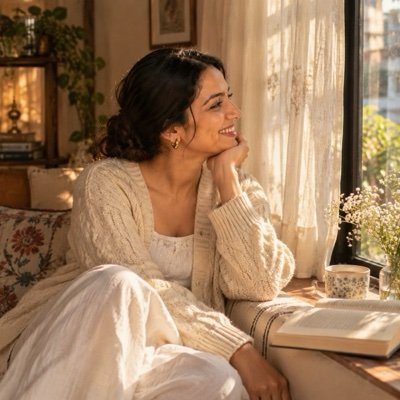
Turn the uploaded photo into a soft, aesthetic Instagram portrait of me: a cream cable-knit cardigan over a white cotton top, sitting on a window seat beside sheer white curtains, patches of morning sunlight across my face and hands, a cup of tea and an open book beside me, a muted beige and warm-white palette, the gentle grain of 35mm film, looking out of the window. Keep my face exactly the same as the uploaded photo — do not alter my facial features.
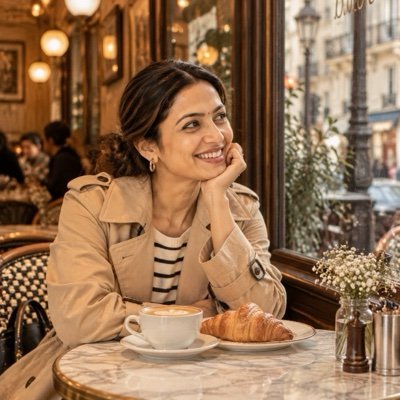
Turn the uploaded photo into a candid cafe lifestyle photo of me: a beige trench coat over a striped shirt, sitting at a small marble table by a big cafe window with a cappuccino in a plain white cup and a croissant, the street softly blurred through the glass, warm pendant lights and wooden interiors, a relaxed half-smile as I look away from the camera, warm brown and cream tones, lifestyle-magazine framing. Keep my face exactly the same as the uploaded photo — do not alter my facial features.
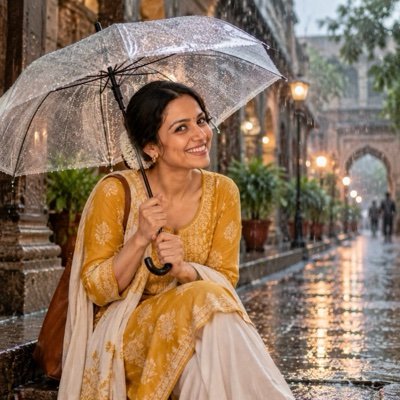
Turn the uploaded photo into a monsoon portrait of me: a mustard-yellow cotton kurta with white palazzo trousers, holding a clear transparent umbrella dotted with raindrops, standing on a rain-washed old street lined with stone arches, puddles reflecting soft lights, steady rain falling in streaks, cool grey-green daylight, a calm, happy expression as I look up at the rain, cinematic depth of field. Keep my face exactly the same as the uploaded photo — do not alter my facial features.
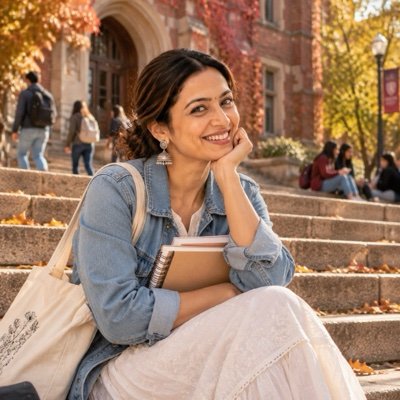
Turn the uploaded photo into a candid campus photo of me as a university student: a light-blue denim jacket over a white cotton kurti, a canvas tote bag and two notebooks, sitting on the wide stone steps of a red-brick university building, trees with autumn leaves around the entrance, late-afternoon sun, a relaxed laugh, natural colours with a slight film look. Keep my face exactly the same as the uploaded photo — do not alter my facial features.
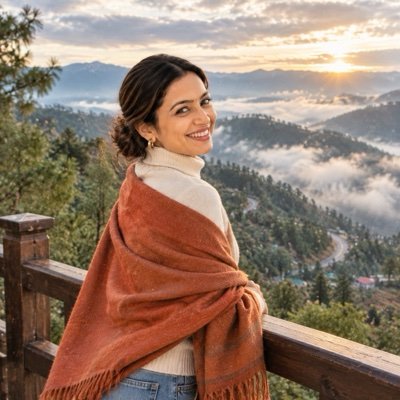
Turn the uploaded photo into a travel photo of me at a hill-station viewpoint: a rust-orange wool shawl over a cream turtleneck sweater and jeans, standing at a wooden railing with pine-covered mountains and a winding road below, drifting morning mist, cool soft light with the sun just breaking through the clouds, looking back over my shoulder at the camera, crisp travel-magazine colours. Keep my face exactly the same as the uploaded photo — do not alter my facial features.
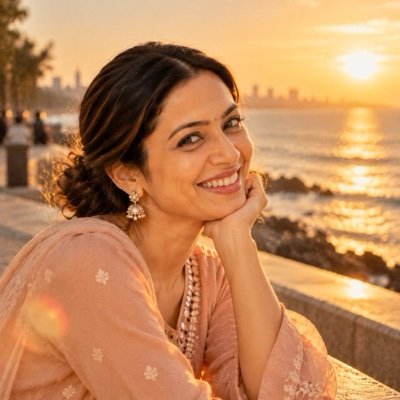
Turn the uploaded photo into a golden-hour close-up portrait of me: a soft peach cotton kurta with small mirror buttons, sitting on a seaside promenade wall with the low sun behind me, warm light rimming my hair and shoulders, a soft lens flare in one corner, the sea blurred into gold behind me, framed from the shoulders up, honey and amber tones, natural skin texture, soft film grain. Keep my face exactly the same as the uploaded photo — do not alter my facial features.
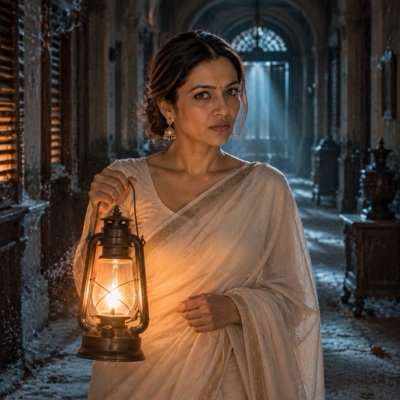
Turn the uploaded photo into a still from an Indian horror film: me in a plain ivory cotton saree, standing at the end of a long, dusty haveli corridor, holding an old brass lantern with a flickering flame, cold blue moonlight through broken wooden shutters, dust drifting in the air, long shadows stretching toward the camera, a desaturated teal palette, a calm but uneasy expression, no blood or gore. Keep my face exactly the same as the uploaded photo — do not alter my facial features.
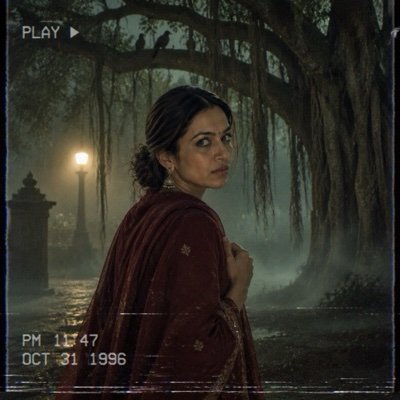
Turn the uploaded photo into a frame from a 1990s horror movie on VHS: me in a dark maroon salwar kurta with a shawl around my shoulders, standing under a huge banyan tree with hanging roots at midnight, thick fog at ground level, a single street lamp behind me, crows on the branches, green-grey colours, VHS tape noise and scan lines, glancing sideways at something off-frame, eerie and quiet, no blood or gore. Keep my face exactly the same as the uploaded photo — do not alter my facial features.
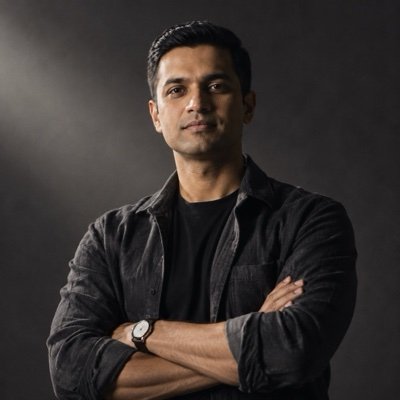
Edit the uploaded photo into a moody attitude portrait of me: a black crew-neck T-shirt under an open charcoal overshirt, arms folded, chin slightly raised, a calm, serious expression straight into the lens, a plain dark-grey backdrop, one hard light from the side that leaves half my face in shadow, deep blacks, muted colour and fine grain, sharp texture in the fabric. Keep my face and facial hair exactly the same as the uploaded photo — do not alter my facial features.
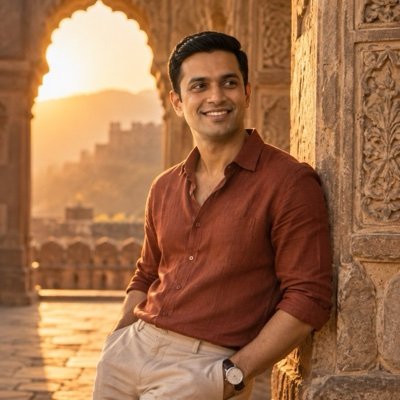
Turn the uploaded photo into a golden-hour attitude shot of me: leaning one shoulder against the carved gateway of an old fort, arms loose, head turned three-quarters away from the camera, eyes on the distance, a rust-coloured linen shirt with rolled sleeves and beige trousers, the setting sun through the arch edging my jaw and hair in gold, warm dust in the air, a soft film-like finish. Keep my face exactly the same as the uploaded photo — do not alter my facial features.
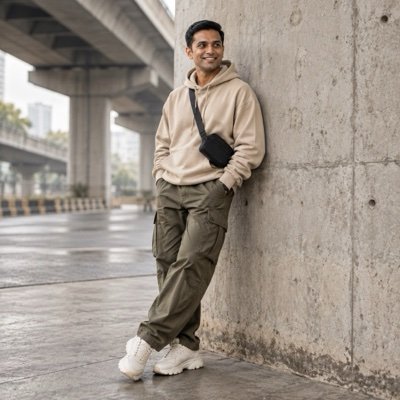
Edit the uploaded photo into a stylish streetwear portrait of me: an oversized sand-coloured hoodie, loose olive cargo trousers and chunky white trainers with no logos, a small black crossbody bag, standing against a bare concrete wall under a city flyover, hands in my pockets and one foot forward, soft overcast daylight, clean muted colours, full-length fashion-lookbook framing from head to toe. Keep my face exactly the same as the uploaded photo — do not alter my facial features.
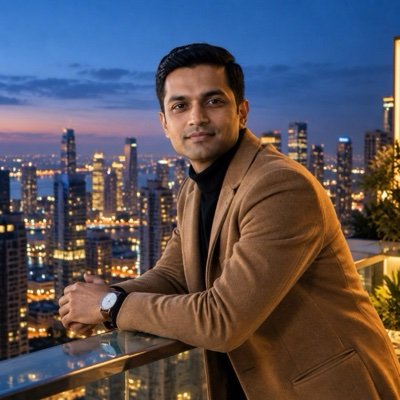
Turn the uploaded photo into a cinematic rooftop portrait of me at blue hour: leaning with both forearms on a glass railing high above the city, turned three-quarters toward the camera, a black turtleneck under a camel overcoat, the sky deep blue just after sunset, thousands of warm windows and streetlights glowing below, cool sky light on my left cheek and warm city glow on my right, crisp detail. Keep my face exactly the same as the uploaded photo — do not alter my facial features.
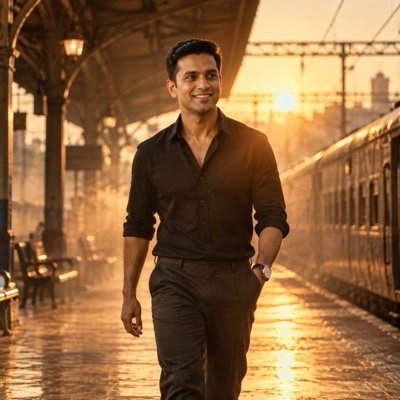
Turn the uploaded photo into a hero-entry shot of me, like the key frame of an Indian film trailer: walking slowly toward the camera along an empty railway platform at dawn, drifting haze lit gold by the low sun behind me, a black shirt with rolled sleeves and dark trousers, a steady, determined look, a wide lens at chest height, amber lens flare, deep contrast, a warm bronze grade. Keep my face and facial hair exactly the same as the uploaded photo — do not alter my facial features.
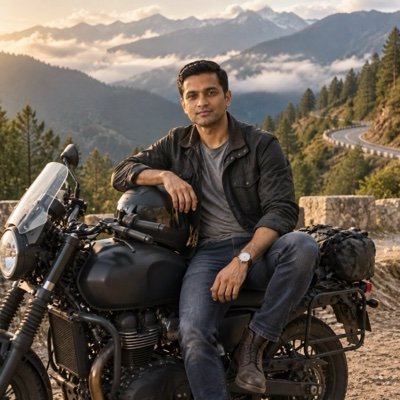
Edit the uploaded photo into a travel portrait of me with my motorbike: sitting sideways on a parked matte-black touring motorcycle with no logos or badges, at a viewpoint beside a winding mountain road, my helmet resting on the fuel tank, a dark waxed jacket over a grey T-shirt, jeans and boots, pine-covered hills and low clouds behind me, soft late-afternoon light, earthy colours, crisp detail on the leather and metal. Keep my face exactly the same as the uploaded photo — do not alter my facial features.
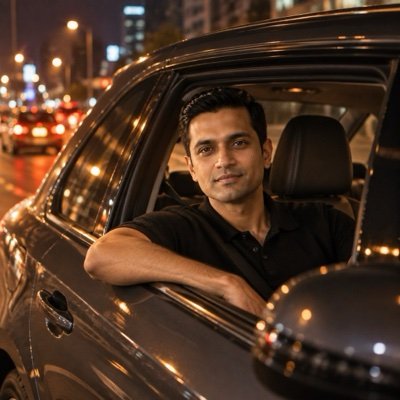
Turn the uploaded photo into a night-time car portrait of me: sitting in the driver’s seat of a car parked at the roadside, window rolled down, one arm resting on the door as I look toward the camera, the soft amber glow of the dashboard on my face, blurred city lights and red tail-lights behind, streetlight reflections sliding across the dark-grey paint, a black knit polo shirt, shallow depth of field, rich shadows. Keep my face exactly the same as the uploaded photo — do not alter my facial features.
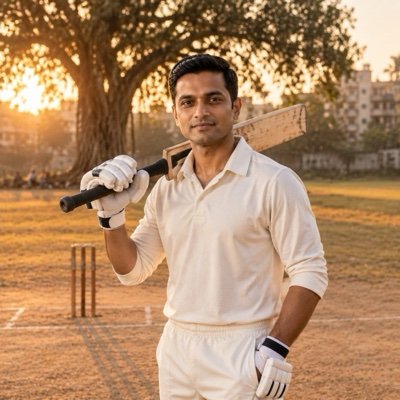
Edit the uploaded photo into a cricket portrait of me: plain cricket whites with no logos, batting gloves on and a bat resting on my shoulder, standing on a dusty local ground at golden hour, wooden stumps and a worn pitch behind me, a big banyan tree and low apartment blocks at the edge of the field, long shadows across dry grass, a relaxed, confident stance, warm natural colours. Keep my face exactly the same as the uploaded photo — do not alter my facial features.
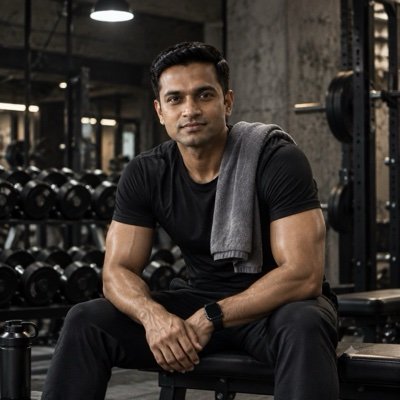
Turn the uploaded photo into a gym portrait of me: resting on a bench between sets with a towel over one shoulder, a fitted black training T-shirt, a rack of dumbbells behind me, a dark industrial gym with bare concrete walls, one hard overhead light carving out my shoulders and arms, a light sheen of sweat, a focused expression, gritty desaturated colour, high contrast. Keep my face exactly the same as the uploaded photo — do not alter my facial features.
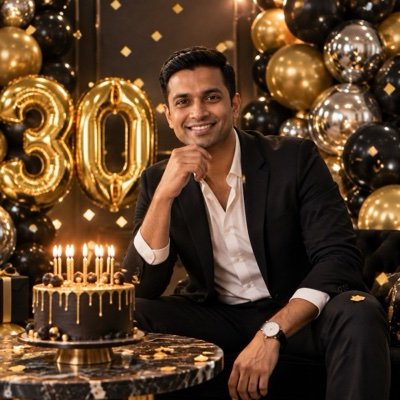
Edit the uploaded photo into a birthday photoshoot of me: posing beside a backdrop of black, gold and chrome-silver balloons, large gold foil number balloons reading [AGE] next to me, a black cake with gold drip icing and lit candles on a small marble table, a crisp white shirt under a black blazer, soft studio lighting, gold confetti drifting down, a big natural smile, clean premium colours. Keep my face exactly the same as the uploaded photo — do not alter my facial features.
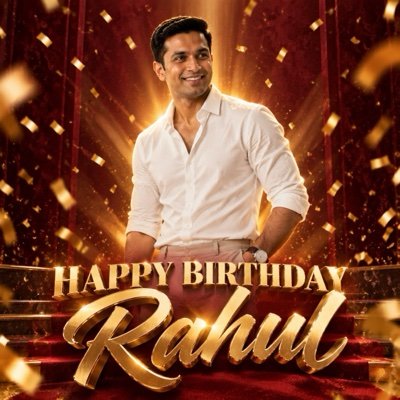
Turn the uploaded photo into a bold birthday poster starring me, in the style of an Indian film poster: a crisp white shirt with the sleeves rolled up, one hand in my pocket, a confident half-smile, a deep maroon background with rays of gold light and falling gold confetti, dramatic rim light around my shoulders, the title HAPPY BIRTHDAY [NAME] in large gold 3D letters across the bottom, a glossy poster finish. Keep my face exactly the same as the uploaded photo — do not alter my facial features.
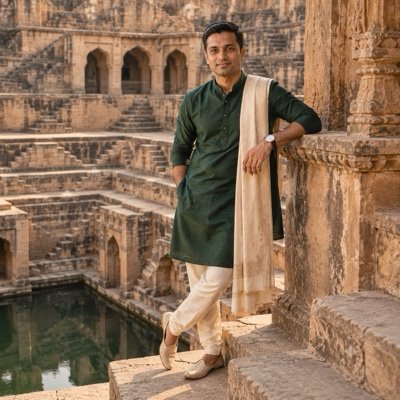
Edit the uploaded photo into a traditional portrait of me: a bottle-green silk kurta with a cream churidar, a thin cream stole over one shoulder and embroidered mojari shoes, standing on the carved stone steps of an old stepwell, the geometric steps and arches repeating behind me, soft late-afternoon sun, warm sandstone and deep green colours, a calm half-smile, editorial fashion-magazine framing. Keep my face and facial hair exactly the same as the uploaded photo — do not alter my facial features.
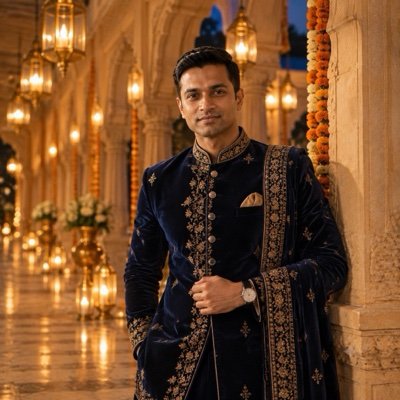
Turn the uploaded photo into a wedding-season portrait of me: a midnight-blue velvet sherwani with fine gold threadwork and a matching stole, standing in a palace corridor of carved arches lit by glowing brass lanterns at dusk, strings of marigolds between the pillars, warm lantern glow falling across my face from the left, deep sapphire and gold tones, the corridor softly blurred behind me, a calm, regal posture. Keep my face and facial hair exactly the same as the uploaded photo — do not alter my facial features.
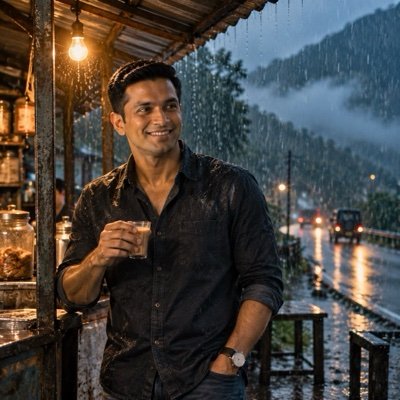
Edit the uploaded photo into a rainy monsoon evening shot of me: standing under the tin awning of a roadside tea stall in heavy rain, holding a small glass of chai, a dark denim shirt with rain-darkened shoulders and damp hair, raindrops caught as bright lines in the glow of a single bare bulb, a wet road and misty green hills behind me, cool blue-green tones against the warm bulb light, fine grain. Keep my face exactly the same as the uploaded photo — do not alter my facial features.
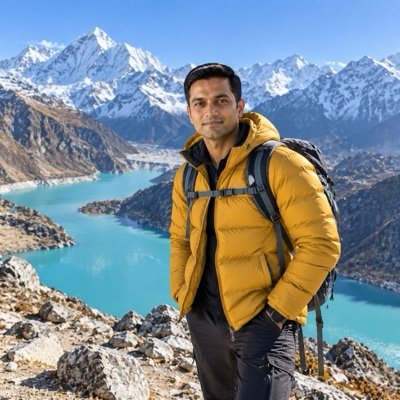
Turn the uploaded photo into a mountain travel portrait of me: standing on a rocky trail high above a turquoise glacial lake, snow-capped peaks behind me, a mustard puffer jacket, dark trekking trousers and backpack straps over my shoulders, facing the camera with an easy grin, a cold breeze tugging at my jacket, bright clear morning light, a cloudless sky, sharp detail, vivid true-to-life colour. Keep my face exactly the same as the uploaded photo — do not alter my facial features.
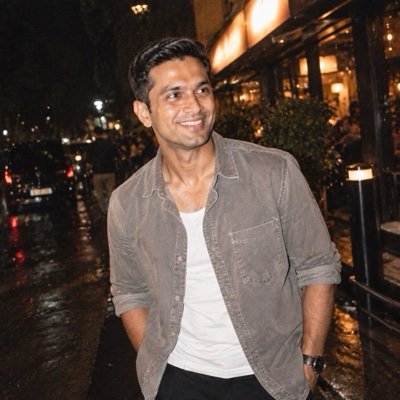
Turn the uploaded photo into a candid night-out flash photo of me, the kind that goes in a casual Instagram photo dump: harsh direct on-camera flash, slightly overexposed skin with natural texture, a boxy washed-grey shirt over a white vest, a relaxed half-smile, a dark street and a glowing shop sign with no readable text blurred behind me, slightly tilted framing, the grain of a cheap 35mm point-and-shoot, vertical frame. Keep my face exactly the same as the uploaded photo — do not alter my facial features.
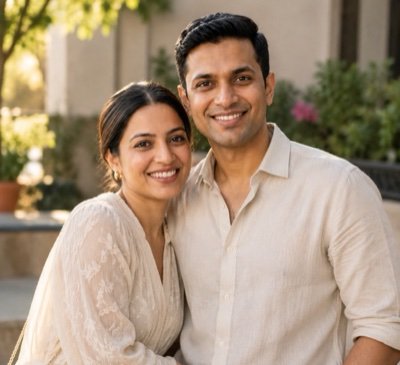
Turn the uploaded photo into a realistic, professionally shot portrait of the two of us: standing close together, relaxed and smiling, in coordinated outfits in soft neutral colours, a softly blurred outdoor background that suits the photo, warm natural light from one side, true-to-life skin texture with no airbrushing, shallow depth of field, like a real photograph from a good camera rather than an AI render. Keep both of our faces exactly the same as the uploaded photo — do not alter our facial features.
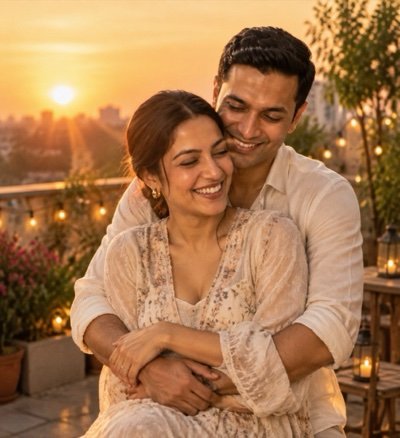
Create a romantic couple photo from the uploaded photo: my partner hugging me from behind on a rooftop terrace at golden hour, arms wrapped around my waist, my hands resting on theirs, both of us laughing with our eyes half closed, warm fairy lights and potted plants behind us, a soft orange sky, gentle lens flare, natural skin texture, warm film tones. Keep both of our faces exactly the same as the uploaded photo — do not alter our facial features.
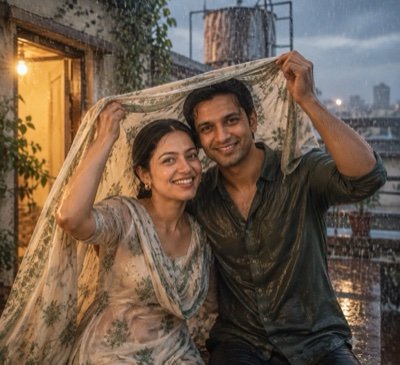
Transform the uploaded photo into a monsoon romance scene: the two of us caught in heavy rain on an old terrace, laughing, holding one cotton dupatta stretched over both our heads, soaked hair and clothes, a rusty water tank and grey-blue clouds behind us, warm yellow light spilling from an open doorway, raindrops frozen mid-air, slightly muted cinematic colour, light film grain. Keep both of our faces exactly the same as the uploaded photo — do not alter our facial features.
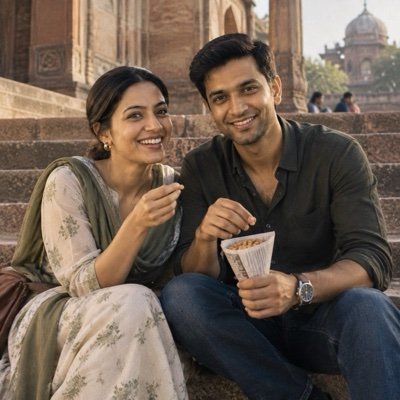
Turn the uploaded photo into a realistic candid photograph of the two of us, as if a friend took it: sitting side by side on the worn sandstone steps of an old monument, sharing a paper cone of roasted peanuts, my partner mid-laugh at something I said, casual cotton clothes, soft winter afternoon light, natural skin texture with small imperfections, a 35mm documentary look, no posing, no retouching. Keep both of our faces exactly the same as the uploaded photo — do not alter our facial features.
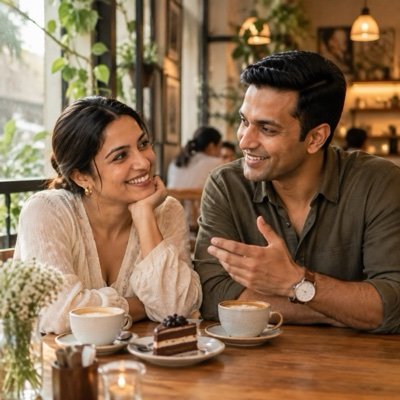
Create a cosy cafe-date photo of the two of us from the uploaded photo: sitting across a small wooden table by a big window, two cups of coffee and one slice of cake between us, my chin resting on my hand while my partner tells a story, trailing plants and warm pendant lamps inside, soft daylight from the window, muted earthy colours, shallow depth of field. Keep both of our faces exactly the same as the uploaded photo — do not alter our facial features.
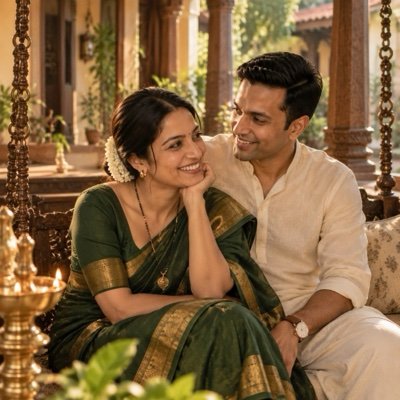
Turn the uploaded photo into a warm married-couple portrait: the two of us sitting together on a carved wooden swing in the verandah of an old family home, I wear a deep green cotton-silk saree with a gold border and a mangalsutra, my partner wears an off-white kurta, a brass lamp glowing beside us, afternoon sun between the pillars, my partner looking at me while I laugh. Keep both of our faces exactly the same as the uploaded photo — do not alter our facial features.
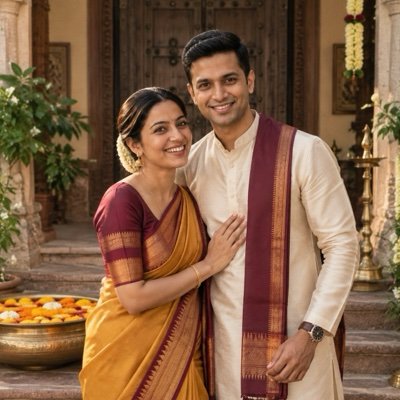
Create a traditional Indian couple portrait from the uploaded photo: I wear a mustard silk saree with a maroon temple border, gold jhumkas and a string of jasmine in my hair, my partner wears a cream silk kurta with a maroon stole, we stand in the courtyard of an old house in front of heavy carved wooden doors, a brass urli of floating marigolds at our feet, soft diffused daylight. Keep both of our faces exactly the same as the uploaded photo — do not alter our facial features.
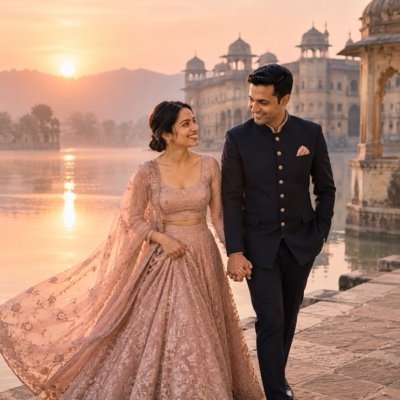
Transform the uploaded photo into a pre-wedding shoot photo: the two of us walking hand in hand along the stone edge of a lake at sunrise, an old palace reflected in the still water behind us, I wear a flowing blush-pink lehenga with a long sheer dupatta trailing in the breeze, my partner wears a navy bandhgala, light mist over the water, soft pink and gold light, editorial wedding photography. Keep both of our faces exactly the same as the uploaded photo — do not alter our facial features.
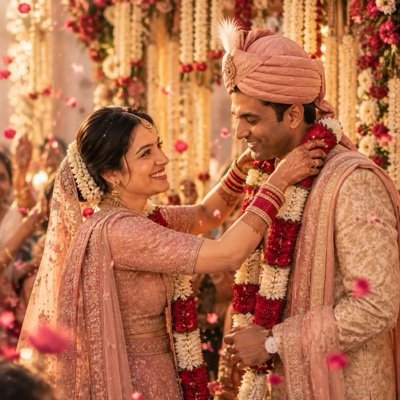
Create a candid wedding-day photo from the uploaded photo: the varmala moment on a flower-decked stage, I am placing a thick garland of red roses and white tuberose around my partner’s neck, I wear a rose-pink bridal lehenga with heavy zari work, my partner wears a gold sherwani with a pink safa, rose petals falling around us, warm fairy lights, joyful faces, documentary wedding photography. Keep both of our faces exactly the same as the uploaded photo — do not alter our facial features.
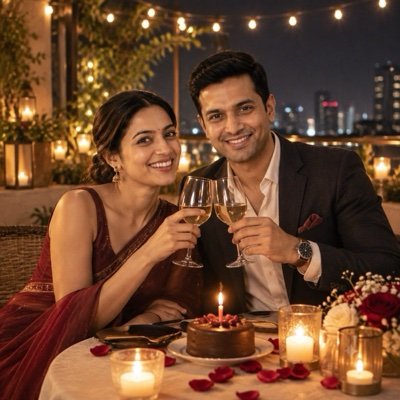
Create an anniversary dinner photo from the uploaded photo: the two of us at a candlelit table for two on a rooftop at night, raising our glasses in a toast, a small round cake with a single lit candle and no lettering, I wear a wine-red chiffon saree, my partner wears a charcoal blazer over a white shirt, strings of warm lights overhead, candle glow on our faces. Keep both of our faces exactly the same as the uploaded photo — do not alter our facial features.
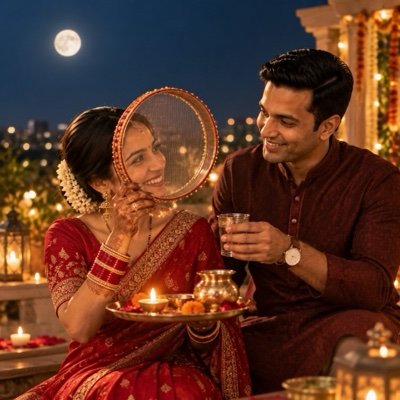
Transform the uploaded photo into a Karwa Chauth night portrait on our rooftop: I wear a red saree, mehndi on my hands, and look at my partner through a decorated steel sieve, holding a puja thali with a lit diya, my partner in a maroon kurta holds out a small glass of water for me, a bright moon in a deep blue sky, warm diya light on our faces. Keep both of our faces exactly the same as the uploaded photo — do not alter our facial features.
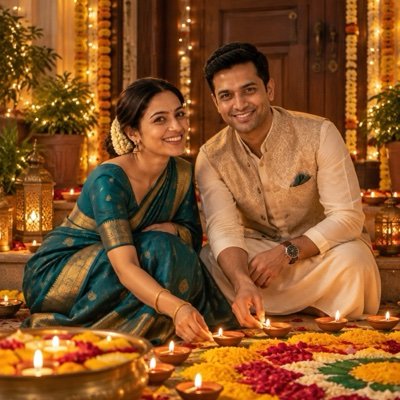
Create a Diwali evening photo from the uploaded photo: the two of us kneeling at our doorstep, lighting a row of clay diyas together beside a fresh rangoli of marigold petals and coloured powder, I wear a teal silk saree with gold jewellery, my partner wears an ivory kurta with a bandi jacket, strings of warm lights around the door frame, soft diya glow on our faces, rich festive colours. Keep both of our faces exactly the same as the uploaded photo — do not alter our facial features.
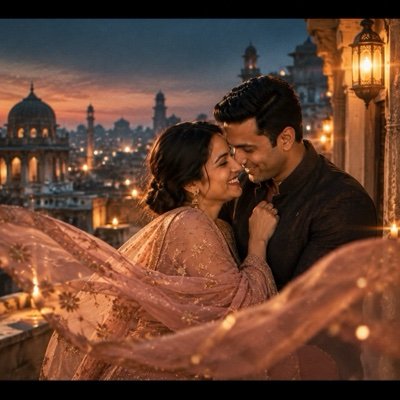
Turn the uploaded photo into a still from a modern Bollywood romance film: the two of us on a rooftop in an old city at blue hour, forehead to forehead, wind lifting my chiffon dupatta across the frame, domes and rooftops fading into haze behind us, anamorphic lens flare from a street lamp, a teal-and-amber colour grade, widescreen framing with thin black bars, fine film grain. Keep both of our faces exactly the same as the uploaded photo — do not alter our facial features.
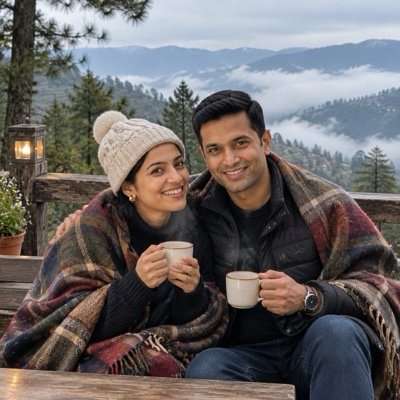
Create a travel photo of the two of us from the uploaded photo: sharing one thick woollen shawl on a wooden bench at a misty hill-station viewpoint, steam rising from two cups of tea in our hands, tall pine trees and a valley full of low cloud behind us, a knitted beanie on me and a quilted jacket on my partner, soft overcast light, muted greens and greys. Keep both of our faces exactly the same as the uploaded photo — do not alter our facial features.
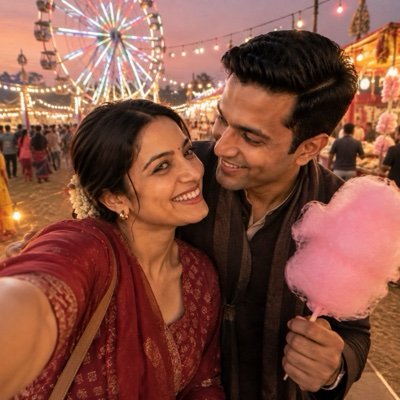
Turn the uploaded photo into a casual phone selfie of the two of us at a village fair at dusk: taken at arm’s length, faces close together and grinning, a lit giant wheel and strings of coloured bulbs behind us, pink candy floss in my partner’s hand, the slight wide-angle look and soft grain of a phone’s front camera, warm evening light, unposed and happy. Keep both of our faces exactly the same as the uploaded photo — do not alter our facial features.
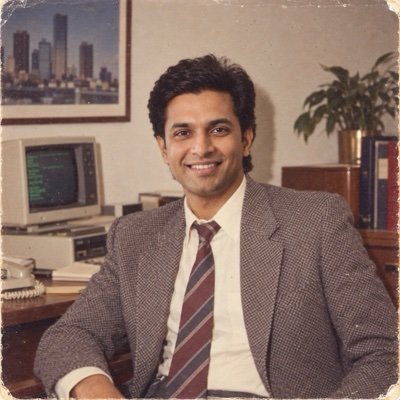
Turn the uploaded photo into an authentic photograph from the 1980s: a 1980s hairstyle and clothes, a setting typical of the decade, lit the way a 1980s camera would light it, a slightly faded colour print with soft focus and visible film grain, so it looks like a real photo from 1985 and not a filter. Keep my face exactly the same as the uploaded photo — do not alter my facial features.
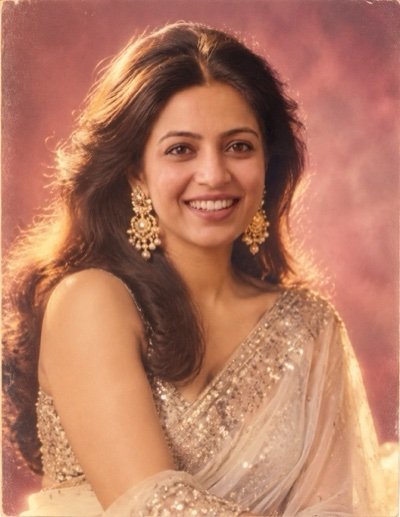
Turn the uploaded photo into a 1980s Bollywood film-magazine portrait of me: big, glossy blow-dried hair with volume at the crown, a shimmering chiffon saree with a sequinned border, large gold statement earrings, a soft-focus glow around the edges, a painted studio backdrop in dusky pink, warm tungsten studio light, a slightly faded colour print with fine film grain. Keep my face exactly the same as the uploaded photo — do not alter my facial features.
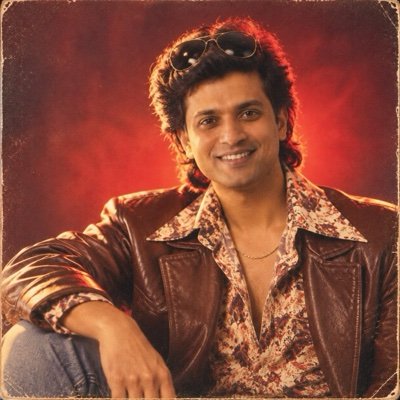
Turn the uploaded photo into a 1980s Bollywood hero publicity still of me: thick feathered hair, a wide-collar printed shirt under a brown leather jacket, a thin gold chain, aviator sunglasses pushed up on my head, dramatic low-key studio light with a red glow behind me, grainy film-poster colours. Keep my face and facial hair exactly the same as the uploaded photo — do not alter my facial features.
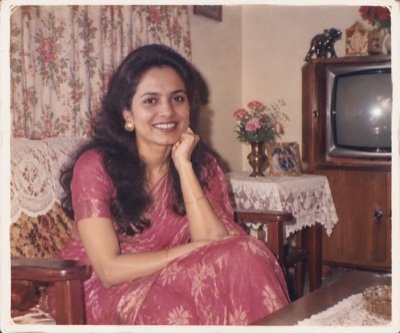
Turn the uploaded photo into a real 1980s Indian family-album photograph: me sitting on a wooden sofa in a middle-class living room with floral curtains, a lace cloth on the side table and an old wooden-cabinet television in the corner, 1980s clothes, taken on a cheap point-and-shoot camera with on-camera flash, slightly faded colours, soft focus, a thin white print border. Keep my face exactly the same as the uploaded photo — do not alter my facial features.
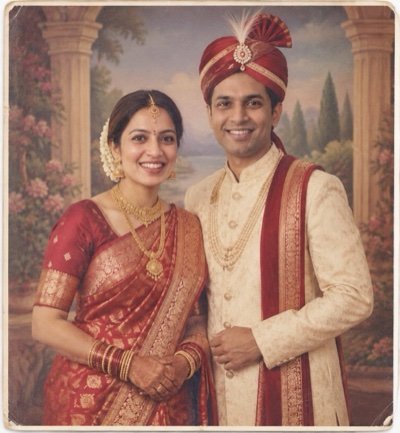
Transform the uploaded photo into a 1980s Indian wedding studio portrait of the two of us: I wear a red Banarasi silk saree with heavy gold jewellery and a maang tikka, my partner wears a cream sherwani with a red safa, we stand side by side in front of a painted backdrop of pillars and a garden, a stiff formal pose, flat studio flash, the warm faded colours and grain of a 40-year-old print. Keep both of our faces exactly the same as the uploaded photo — do not alter our facial features.
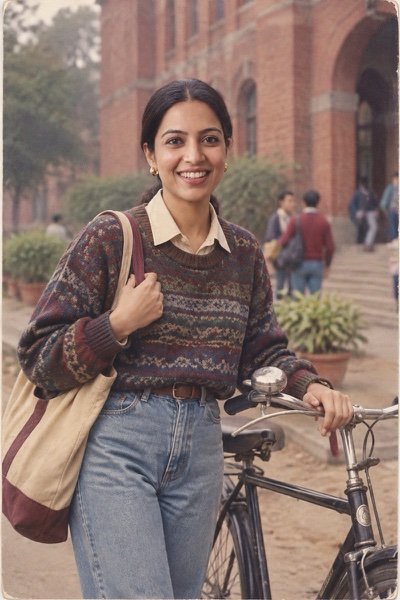
Turn the uploaded photo into a 1980s college campus photo of me: high-waisted jeans, an oversized knit sweater over a collared shirt, a cloth bag on my shoulder, standing next to an old black bicycle outside a red-brick college building, overcast daylight, muted colours, the grain of 35mm film. Keep my face exactly the same as the uploaded photo — do not alter my facial features.
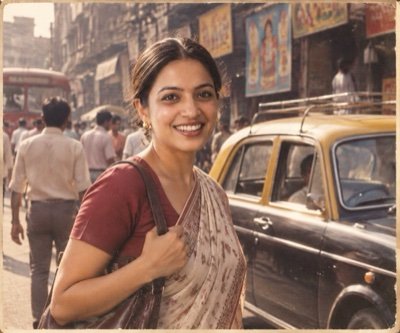
Transform the uploaded photo into a candid 1985 street photograph of me in Bombay: a black-and-yellow vintage taxi and hand-painted shop signs behind me with no readable text, 1980s clothes, afternoon sun and dust in the air, muted warm film colours, documentary street-photography framing, visible film grain. Keep my face exactly the same as the uploaded photo — do not alter my facial features.
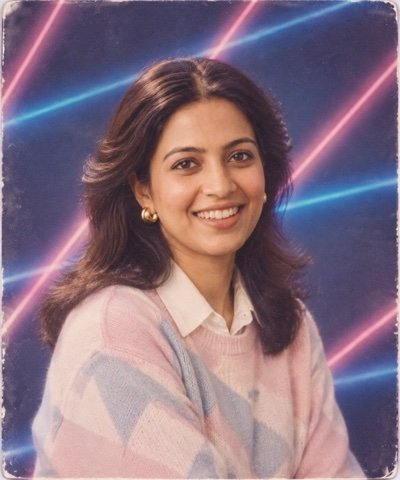
Turn the uploaded photo into a 1980s school yearbook portrait of me: a blue studio backdrop crossed by bright pink and blue laser beams, soft diffused studio light, feathered hair, a pastel sweater over a collared shirt, head tilted slightly, a soft-focus glow, the colours and grain of an old printed photo. Keep my face exactly the same as the uploaded photo — do not alter my facial features.
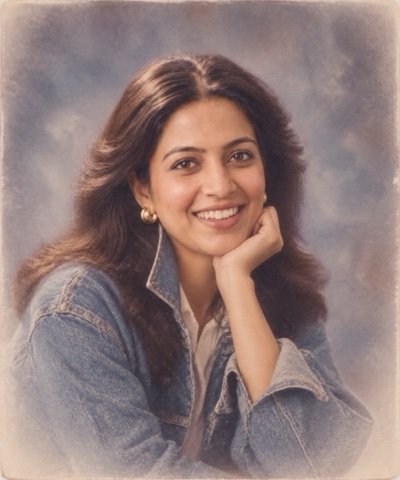
Turn the uploaded photo into a 1980s mall portrait-studio photograph of me: a mottled grey-blue canvas backdrop, big softbox lighting, a soft white vignette around the edges, a denim jacket with the collar turned up, posed with my chin resting on my hand, slightly soft focus, faded colour and fine grain. Keep my face exactly the same as the uploaded photo — do not alter my facial features.
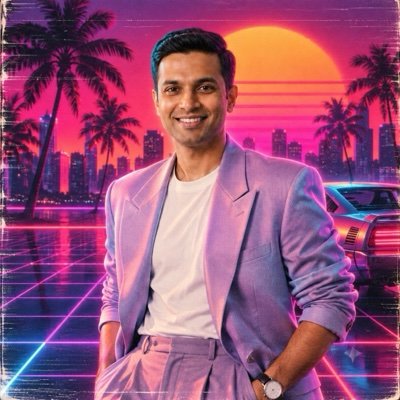
Create a 1980s neon synthwave portrait of me from the uploaded photo: a pastel blazer with the sleeves pushed up over a white T-shirt, a magenta and cyan neon grid floor, a glowing orange sunset and palm silhouettes behind me, chrome reflections, VHS scan lines and a soft glow. Keep my face exactly the same as the uploaded photo — do not alter my facial features.
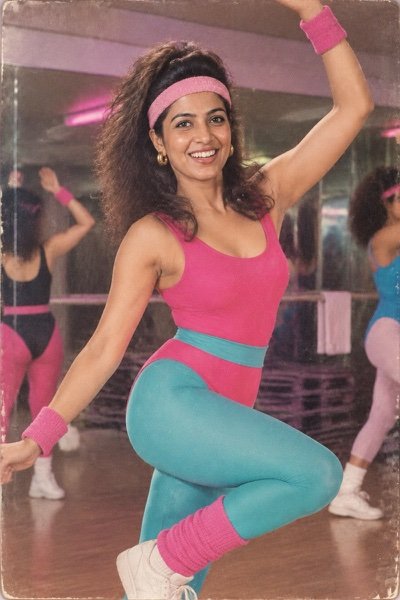
Turn the uploaded photo into a 1980s aerobics-class photograph of me: a bright leotard with leg warmers and a terry-cloth headband, mid-move in a mirrored studio, big hair, fluorescent pink and teal colours, on-camera flash, the grain of a glossy magazine print. Keep my face exactly the same as the uploaded photo — do not alter my facial features.
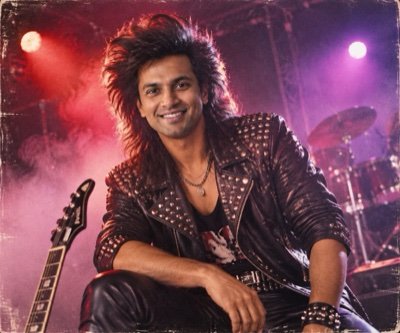
Turn the uploaded photo into a 1980s glam rock band promo photo of me: huge teased hair, a black leather jacket with silver studs, smoky stage haze, purple and red coloured lights, a low camera angle, hard flash, gritty film grain. Keep my face exactly the same as the uploaded photo — do not alter my facial features.
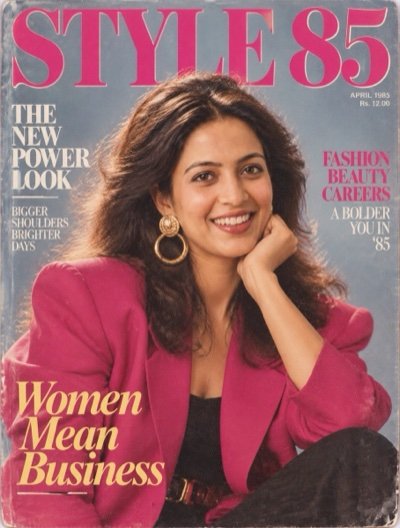
Turn the uploaded photo into a 1985 fashion magazine cover starring me: a power-dressing blazer with big shoulder pads, oversized earrings, glossy lips, big voluminous hair, a flat bright studio backdrop, the masthead 'STYLE 85' in large bold serif letters across the top, glossy print texture. Keep my face exactly the same as the uploaded photo — do not alter my facial features.
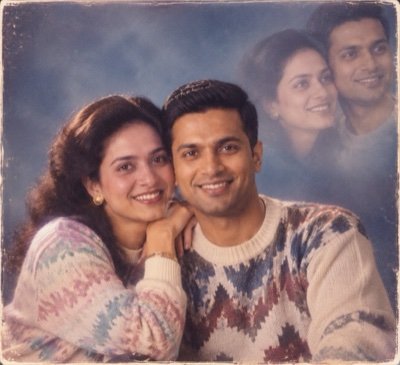
Create a classic 1980s couple portrait-studio photo from the uploaded photo: the two of us posed cheek to cheek in front of a soft blue mottled backdrop, a faint double exposure of our faces glowing in the top corner, a soft-focus vignette, warm studio light, matching knit sweaters, a faded colour print with grain. Keep both of our faces exactly the same as the uploaded photo — do not alter our facial features.
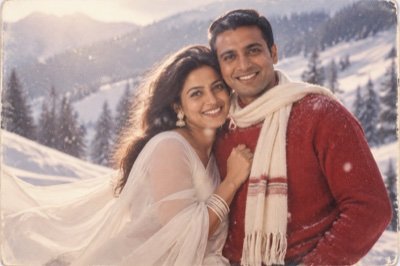
Transform the uploaded photo into a scene from a 1980s Bollywood romantic song: the two of us on a snowy mountain slope, I wear a flowing white chiffon saree and my partner wears a red sweater with a scarf, snow falling, soft misty backlight, a dreamy soft-focus glow, the grainy warm colours of an old film print. Keep both of our faces exactly the same as the uploaded photo — do not alter our facial features.
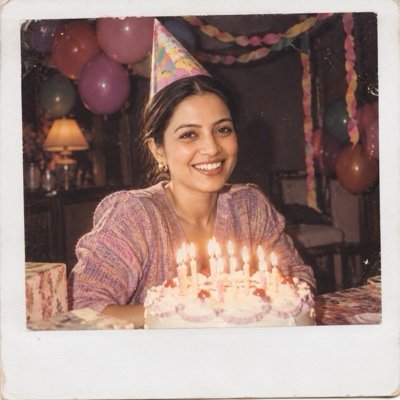
Turn the uploaded photo into a 1980s instant-camera snapshot of my birthday party: me behind a cake with lit candles, paper streamers and balloons, a paper party hat, harsh on-camera flash against a dark background, slightly washed-out colours, the thick white border of an instant photo. Keep my face exactly the same as the uploaded photo — do not alter my facial features.
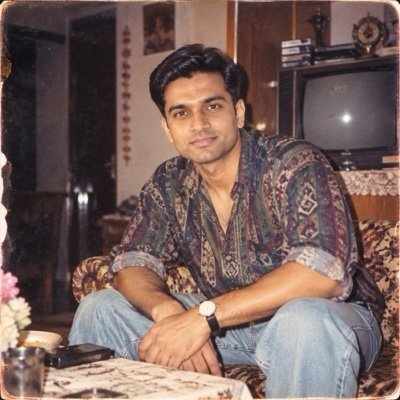
Turn the uploaded photo into an authentic photograph from the 1990s: a 1990s hairstyle and clothes, a setting typical of the decade, a snapshot taken by a friend on a cheap point-and-shoot film camera with the flash on, my face sharp and in focus, slightly faded and mildly oversaturated colour-negative film, fine grain and soft corners over the whole print, so it looks like a real 4x6 print from 1996 and not a filter. Keep my face exactly the same as the uploaded photo — do not alter my facial features.
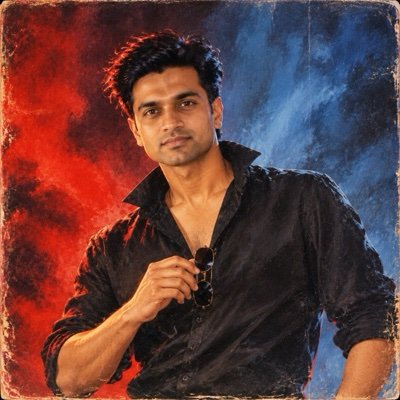
Turn the uploaded photo into a 1990s Bollywood film-poster portrait of me: a black shirt open at the collar with the sleeves rolled up, one hand holding dark sunglasses at my chest, hair blown back by a wind machine, a steady unsmiling look, a studio backdrop lit red from one side and blue from the other, my face rendered clearly, the bold brushy colour and canvas texture of a hand-painted poster everywhere else, no title or text anywhere. Keep my face and facial hair exactly the same as the uploaded photo — do not alter my facial features.
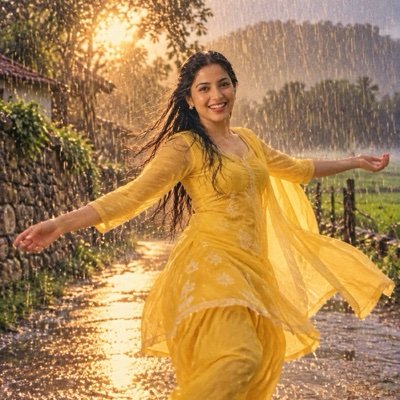
Transform the uploaded photo into a still from a 1990s Bollywood rain song: I dance in a bright yellow chiffon salwar kameez on a village road in heavy monsoon rain, arms out and hair wet and loose, a stone wall and green fields behind me, the camera low on the road in front of me, warm backlight through the rain with the raindrops as bright streaks, my face sharp, a soft glow and the grainy warm colours of a 90s film print. Keep my face exactly the same as the uploaded photo — do not alter my facial features.
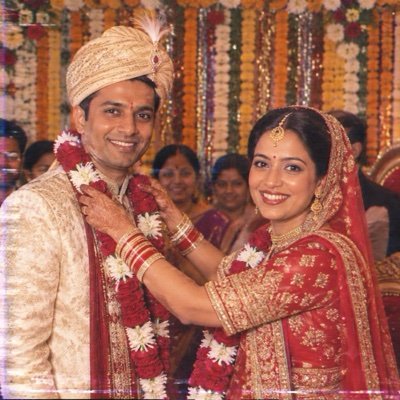
Turn the uploaded photo into a frame from a 1990s Indian wedding video: the two of us on a flower-decked stage, my partner placing a rose garland around my neck, I wear a red-and-gold bridal saree with heavy gold jewellery, my partner wears a cream sherwani with a safa, a harsh on-camera video light from the videographer in front of us, both faces clear and sharp, VHS colour bleed and faint scan lines over the rest of the frame, a marigold-and-tinsel backdrop, guests in soft focus behind. Keep both of our faces exactly the same as the uploaded photo — do not alter our facial features.
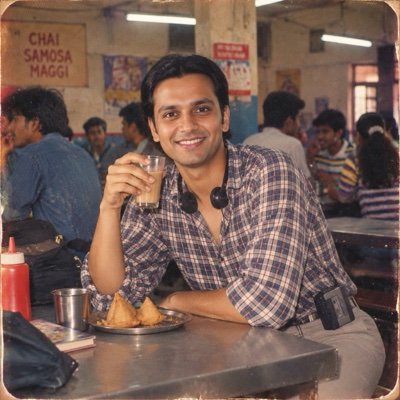
Turn the uploaded photo into a 1990s Indian college canteen snapshot of me: a checked shirt tucked into pleated trousers, centre-parted hair, headphones from a portable cassette player around my neck, sitting on a bench at a steel table holding a glass of chai, a plate of samosas in front of me, a friend's camera across the table with the flash on, tube lights, friends blurred behind me, my face sharp, slightly oversaturated film colours and grain. Keep my face exactly the same as the uploaded photo — do not alter my facial features.
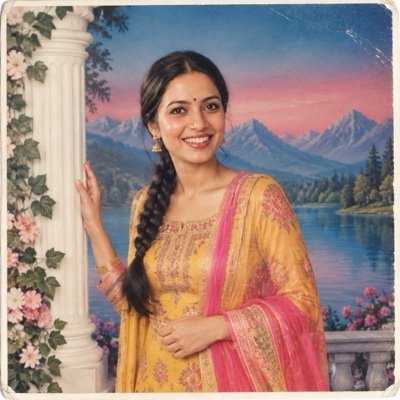
Turn the uploaded photo into a 1990s Indian photo-studio portrait of me: a bright printed silk salwar kameez, gold earrings and a small bindi, hair in a neat braid over one shoulder, one hand resting on a white fibreglass pillar and the other holding the dupatta, a painted backdrop of a lake and mountains fading from blue to pink, flat studio flash from the front, my face sharp, a glossy print with a thin white border and gently faded colour. Keep my face exactly the same as the uploaded photo — do not alter my facial features.
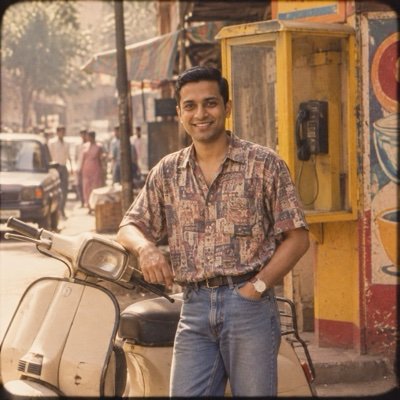
Turn the uploaded photo into a 1990s Indian street photo of me: standing beside a parked cream-coloured 1990s scooter with one hand on its handlebar, outside a yellow public telephone booth, a half-sleeve printed shirt and blue jeans, a wristwatch, hand-painted shop boards behind me with no readable text, hazy afternoon sun, a snapshot taken from across the street, my face sharp, slightly faded warm film colours with soft corners. Keep my face exactly the same as the uploaded photo — do not alter my facial features.
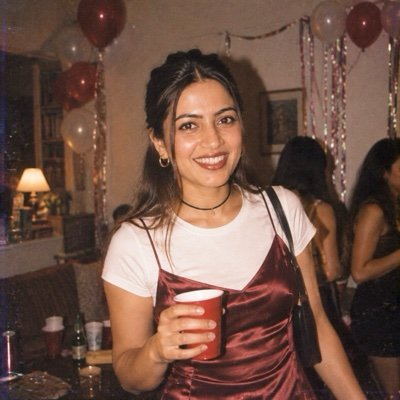
Turn the uploaded photo into a 1990s party photo of me taken on a disposable film camera: harsh direct flash with a hard shadow on the wall behind me and a slight red-eye tint, a satin slip dress over a plain white T-shirt, a thin choker and small hoop earrings, hair half up with face-framing strands, a paper cup in one hand, balloons and streamers in a dim living room, my face sharp, slightly washed-out colour and heavy grain. Keep my face exactly the same as the uploaded photo — do not alter my facial features.
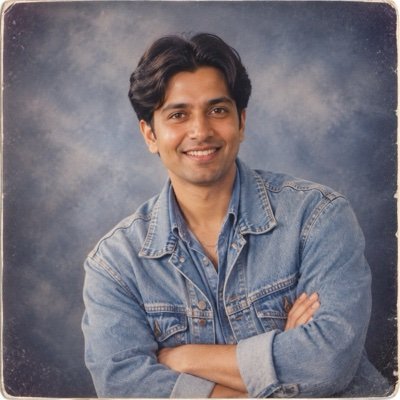
Turn the uploaded photo into a 1990s mall photo-studio portrait of me: a light-blue denim jacket over a matching denim shirt, curtained hair parted in the middle, a thin silver chain, arms crossed, a mottled grey-blue canvas backdrop, softbox lighting with a faint vignette, my face sharp, the glossy finish and slightly faded colour of a 90s studio print. Keep my face exactly the same as the uploaded photo — do not alter my facial features.
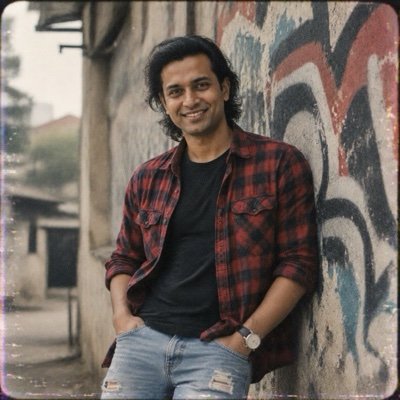
Turn the uploaded photo into a 1990s grunge portrait of me: a red-and-black flannel shirt open over a plain black T-shirt, ripped jeans, shoulder-length messy hair, thumbs hooked in my pockets, leaning against a graffiti wall with no readable words, overcast daylight, muted green-grey colours, my face sharp, the grain of a cheap 35mm camera with slight blur at the edges. Keep my face exactly the same as the uploaded photo — do not alter my facial features.
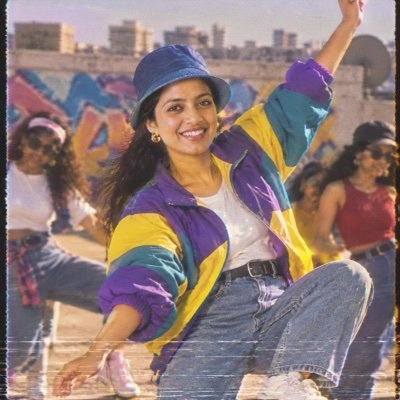
Turn the uploaded photo into a 1990s music-video still of me: a colour-block windbreaker in purple, teal and yellow, high-waisted jeans and white trainers with no logos, a bucket hat, caught mid-dance-move with one arm raised on a rooftop against a spray-painted wall with no readable words, hard sunlight, saturated colours, my face sharp, VHS tape noise and tracking lines over the frame and a soft glow. Keep my face exactly the same as the uploaded photo — do not alter my facial features.
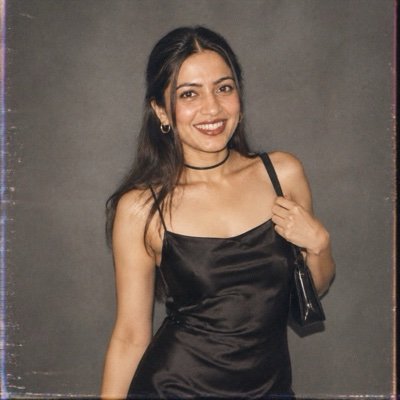
Turn the uploaded photo into a 1996 fashion-magazine editorial portrait of me: a plain black satin slip dress with thin straps, a thin black velvet choker, hair sleek and centre-parted, one hand holding the strap of a small shoulder bag, a plain grey studio background, soft matte lighting with no glow, my face sharp, muted and slightly cool film colours with fine grain, the quiet minimalist look of a 90s magazine shoot, no text anywhere. Keep my face exactly the same as the uploaded photo — do not alter my facial features.
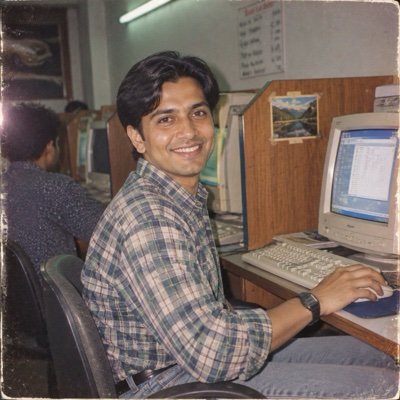
Turn the uploaded photo into a 1990s cybercafe photo of me: sitting at a beige computer with a bulky CRT monitor, one hand on a ball mouse, a checked shirt and a digital wristwatch, wooden cubicle partitions, a tube light overhead, a hand-written rate card on the wall with no readable text, a friend's snapshot from the next cubicle with the flash on, my face sharp, the slightly green cast and grain of a 90s film print. Keep my face exactly the same as the uploaded photo — do not alter my facial features.
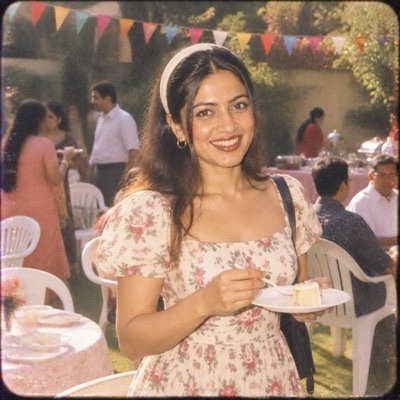
Turn the uploaded photo into a 1990s family garden-party photo of me: a floral cotton midi frock with puffed sleeves, a plastic hair band, holding a paper plate with a slice of cake, standing among white plastic chairs with a string of paper flags overhead, bright afternoon sun and on-camera flash, my face sharp, mildly oversaturated and slightly faded film colours with soft corners. Keep my face exactly the same as the uploaded photo — do not alter my facial features.
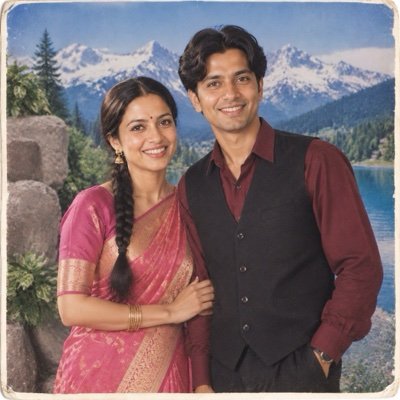
Turn the uploaded photo into a 1990s photo-studio couple portrait: the two of us standing shoulder to shoulder, my hand resting on my partner's arm, in front of a painted backdrop of snowy Swiss mountains and a lake, I wear a pink silk saree with a gold border, my partner wears a maroon shirt with a black waistcoat, a fake rock and a plastic plant in the corner, flat studio flash from the front, both faces sharp, a glossy print with a thin white border and gently faded colour. Keep both of our faces exactly the same as the uploaded photo — do not alter our facial features.
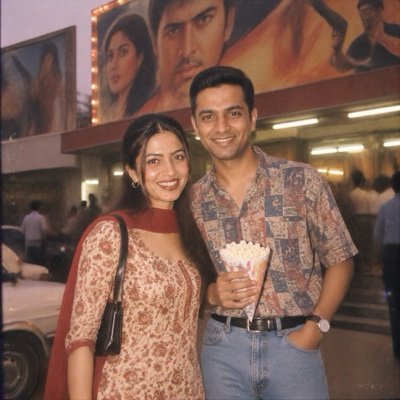
Turn the uploaded photo into a 1990s photo of the two of us on a Sunday outing outside a single-screen cinema: hand-painted film hoardings behind us with no readable text, I wear a printed salwar kameez, my partner wears a half-sleeve shirt tucked into jeans and holds a paper cone of popcorn, a friend's point-and-shoot snapshot with the flash on at dusk, a tube-lit lobby behind us, both faces sharp, warm faded colours and grain. Keep both of our faces exactly the same as the uploaded photo — do not alter our facial features.
Editing prompts for girls, boys and couples
Most of the prompts above work for anyone: change “a charcoal blazer” to “a silk saree” and the headshot becomes yours. When you want a look written for you, use the library tabs or go to the full pages:
- Editing prompts for girls: 15 looks, from saree portraits to rain and rooftop shots, on our girl prompts page. On this page, the Navratri garba portrait, the hairstyle change and the birthday photo are written for a woman’s photo.
- Editing prompts for boys: 16 looks, bike, gym, street and formal, on our boy prompts page. Here, the studio headshot, the Diwali portrait and the outfit swap are written for a man’s photo.
- Couple editing prompts: 15 looks on our couple prompts page. Couple edits are harder because the app has two faces to keep; use one photo with both of you in it.
- Retro edits: the 80s and 90s photo prompts, and whatever is new this month on our trending prompts page.
ChatGPT or Gemini for photo editing prompts?
Both apps edit photos from a prompt, and they run different image models: ChatGPT uses OpenAI’s GPT Image and Gemini uses Google’s Nano Banana. Every prompt on this page is plain English and runs in either. What we know about how they differ comes from running the same prompts through both on our prompt seen page, with the same reference photos and the first output kept. First, what ChatGPT did with the 20 prompts on this page:
All 20 editing prompts in ChatGPT, first output
| Result | Notes | |
|---|---|---|
| Faces kept in photo edits | 15 of 15 | Every edit of a modern photo, from the background removal to the tuxedo |
| Faces kept in the old-photo restoration | 0 of 2 | Both came back sharper and subtly changed (4) |
| Likeness kept in style edits | 3 of 3 | Anime (12), figurine (13), pencil sketch (14) |
| “Change only this” respected | 3 of 3 | Remove people (1), hairstyle (3), outfit (18) |
| Missed the instruction | 1 | The 3D character came back as a photograph (15) |
| Drifted from the brief | 3 | Reframed tighter (2, 5); 2.33:1 instead of 2.39:1 (10) |
| Added something unasked | 4 | Sindoor (4); a second figurine (13); a bindi and the photographer (16); the friend’s phone (19) |
| Text | 1 of 2 | The 25 balloon is right (19); the jar label was partly redrawn (20) |
The pattern: ChatGPT is at its best when the prompt says what to keep and changes one thing, and at its weakest when it has to reproduce something it cannot fully see, an old face or small lettering.
The two engines behind the apps, from our 90-image benchmark
| What an edit needs | GPT Image 2 (ChatGPT) | Nano Banana 2 (Gemini) |
|---|---|---|
| Portrait realism | 9.5 — best of 10 tools | 9.2 |
| Instruction-following (many cues in one prompt) | 9.2 | 9.5 — best of 10 tools |
| Text (a label, a date, a number balloon) | 9.8 — best of 10 tools | 9.0 |
| Overall average (9 prompts) | 9.4 | 9.4 |
Start with ChatGPT for solo edits: on this page it kept the face in all 15 edits of a modern photo, and across our six other prompt pages it kept it in almost every solo edit and followed lighting and styling closely. For two people, try Gemini as well: in the prompt seen test it kept both faces in four of five couple edits to ChatGPT’s three. If one app misses, run the same prompt in the other; it costs nothing to check. The full ranking of all ten models is on the benchmark leaderboard.
When an edit goes wrong
- The face is not mine. It did not happen in our 15 edits of a modern photo, but it does happen, and it happened to both faces in the old print. Use a sharper, front-facing photo, keep the face-lock line as the last sentence and regenerate. If three tries miss, switch apps.
- It changed things I did not ask for. Add them to the keep list: “keep my clothes, my earrings and the background exactly as they are”. The app redraws the entire frame, so anything unprotected can drift.
- I look pasted onto the background. Describe the light of the new scene and ask the app to relight you to match. The relighting sentence in prompt 8 is the fix.
- I came out side-on or looking away. Remove any words about where to look. Say where the camera is, “at eye level in front of me”, and let the scene decide the angle.
- My hand is on my chin for no reason. Give the hands a job: holding a diya, a cake, the dandiya sticks, in my pockets.
- A photographer or a phone appears in the picture. You described the camera as a person. “A festival photographer in front of me” and “a friend’s phone photo from across the table” both got drawn literally in our run. Write “photographed from in front of me” instead.
- The style did not change. Our 3D-character prompt came back as a photograph. Name what it must not be: “a stylised cartoon character, not a photograph”.
- The text is wrong. Keep any text to a few characters, or write “no readable text or logos”. Long signs and labels are where letters slip.
- My skin looks plastic. Add “natural skin texture, no smoothing or beauty filter”.
Before you upload your photo
- Use the official apps. A prompt is plain text; you do not need an “editing prompt” app or site that asks for your photo. ChatGPT and Gemini let you delete uploads and opt out of model training.
- Only edit people who said yes. Removing a stranger from your own holiday photo is fine. Putting someone else into an outfit, a place or a relationship they did not choose is not.
- Post it as what it is. Gemini images carry an invisible SynthID watermark and ChatGPT images carry content credentials; say it is an AI edit in the caption anyway.
- Do not use AI edits on official documents. See the note under the passport-style prompt.
- Think twice about children’s photos. Once uploaded, you have less control over where a child’s face ends up than over your own.
Frequently asked questions
What is an editing prompt?
An editing prompt is a written instruction you paste into an AI image editor such as ChatGPT or Gemini together with your own photo. It tells the app what to change, for example the background, the light, the outfit or the style, and what to keep, above all your face. It is also called a photo editing prompt or an AI photo editing prompt.
What is the best ChatGPT prompt for photo editing?
There is no single best one; it depends on the job. For a quick repair use the dark-photo fix. For the most common request, a better background, use the DSLR blur or the studio headshot. Whatever you choose, end with the face-lock line: “Keep my face exactly the same as the uploaded photo — do not alter my facial features.”
How do I give a prompt in ChatGPT for photo editing?
Open a new chat in ChatGPT, tap the attach button and add your photo, paste the editing prompt in the message box and send. ChatGPT returns the edited image in the chat, where you can download it. Start a new chat for each new edit so details do not carry over.
Do these photo editing prompts work in Gemini?
Yes. Every prompt on this page is plain English and runs in Google Gemini on its Nano Banana image model. Attach your photo in a new Gemini chat, paste the prompt and send. We publish results from ChatGPT only; our prompt seen test ran thirteen prompts through both apps and both kept faces and followed the styling in most edits.
How do I keep my face the same in an AI photo edit?
Use one clear, front-facing photo, write “my face sharp” in the prompt, and make the last sentence a face lock: “Keep my face exactly the same as the uploaded photo — do not alter my facial features.” Do not tell the app where to look; say where the camera is instead. If the face still changes, regenerate or try the other app.
Are these editing prompts free to copy and use?
Yes. Every prompt here is free to copy, change and use. ChatGPT and Gemini both have free plans that include image editing, with a daily limit on how many images you can make.
What is an HD or 4K photo editing prompt?
It is a prompt that asks the app to make a photo cleaner and sharper. Writing “4K” or “8K” by itself changes little. Describe the faults instead, dark, noisy, blurred, a colour cast, and ask for the same photo in good light with natural skin texture. Prompt 2 does exactly that.
Which editing prompts are for girls and which for boys?
Most work for anyone once you change the outfit words. Written for a woman’s photo here: the hairstyle change, the Navratri garba portrait and the birthday photo. Written for a man’s photo: the studio headshot, the Diwali portrait and the outfit swap. The library has Girls, Boys and Couple tabs.
Editing prompt kaise use kare?
Prompt copy karo, ChatGPT ya Gemini mein nayi chat kholo, apni photo attach karo, prompt paste karke send karo. Prompt ke end wali line “keep my face exactly the same” mat hatao, warna chehra badal sakta hai. In English: copy a prompt, attach your photo in a new chat, paste and send, and keep the face-lock line.
Can I make a passport size photo with an editing prompt?
You can make a passport-style photo for forms, profiles and ID cards that accept any clear photo; prompt 7 does it. Do not submit an AI-edited photo for a passport or visa: those require an unaltered photograph, and an AI edit changes your clothes and expression and can alter your face.
Is it safe to upload my photo to ChatGPT or Gemini for editing?
Use the official ChatGPT and Gemini apps, where you can delete your uploads and opt out of model training. Avoid unknown editing-prompt sites and apps that ask you to upload your photo to them; the prompt is only text and works in the official apps.